Kirjojen hintavertailu. Mukana 12 373 224 kirjaa ja 12 kauppaa.

Kirjahaku

Etsi kirjoja tekijän nimen, kirjan nimen tai ISBN:n perusteella.

9 kirjaa tekijältä Adobe Creative Team, Maxim Jago

Adobe Audition CC Classroom in a Book

Adobe Audition CC Classroom in a Book

Adobe Creative Team; Maxim Jago

Adobe Press,U.S.
2018
nidottu
The fastest, easiest, most comprehensive way to learn Adobe Audition CC Classroom in a Book®, the best-selling series of hands-on so ware training workbooks, offers what no other book or training program does–an official training series from Adobe, developed with the support of Adobe product experts. Adobe Audition CC Classroom in a Book contains 17 lessons that cover the basics and beyond, providing countless tips and techniques to help you become more productive with the program. You can follow the book from start to finish or choose only those lessons that interest you. Purchasing this book includes valuable online extras. Follow the instructions in the book’s “Getting Started” section to unlock access to: • Downloadable lesson files you need to work through the projects in the book • Web Edition containing the complete text of the book, interactive quizzes, videos that walk you through the lessons step by step, and updated material covering new feature releases from Adobe What you need to use this book: Adobe Audition CC software, for either Windows or macOS. (Software not included.) Note: Classroom in a Book does not replace the documentation, support, updates, or any other benefits of being a registered owner of Adobe Audition CC software.
Adobe Photoshop CS6 Classroom in a Book

Adobe Photoshop CS6 Classroom in a Book

Adobe Creative Team

Adobe Press,U.S.
2012
muu
Creative professionals seeking the fastest, easiest, most comprehensive way to learn Adobe Photoshop CS6 choose Adobe Photoshop CS6 Classroom in a Book from the Adobe Creative Team at Adobe Press. The 14 project-based lessons in this book show readers step-by-step the key techniques for working in Photoshop CS6 and how to manipulate images, edit motion-based content, and create image composites. In addition to learning the key elements of the Photoshop interface, this completely revised CS6 edition covers new features, including precise cropping with multiple overlays, expanded content-aware toolkit with skin tone-aware selections and masking, three new blur effects, re-engineered design tools, adaptive Wide Angle adjustments, improved Camera Raw engine, improved auto corrections, Background Save and Auto-recovery, modernized user interface, intuitive video enhancements, simplified 3D interface, improved editing speed with real-time results, and more. In addition to the lesson files, the companion DVD will feature 2 hours of free video tutorials from Adobe Photoshop CS6: Learn by Video by Adobe Press and video2brain, a great added value! “The Classroom in a Book series is by far the best training material on the market. Everything you need to master the software is included: clear explanations of each lesson, step-by-step instructions, and the project files for the students.” —Barbara Binder, Adobe Certified Instructor, Rocky Mountain Training Classroom in a Book®, the best-selling series of hands-on software training workbooks, helps you learn the features of Adobe software quickly and easily. Classroom in a Book offers what no other book or training program does—an official training series from Adobe Systems Incorporated, developed with the support of Adobe product experts. **Breaking News! Adobe has released an update to Photoshop offering new features for Creative Cloud customers including Retina Display Support, Smart Object support for Blur Gallery and Liquify, powerful CSS support for web design, workflow improvements, improved 3D effects and more. Register your book at peachpit.com/register to receive a free update that covers these features.
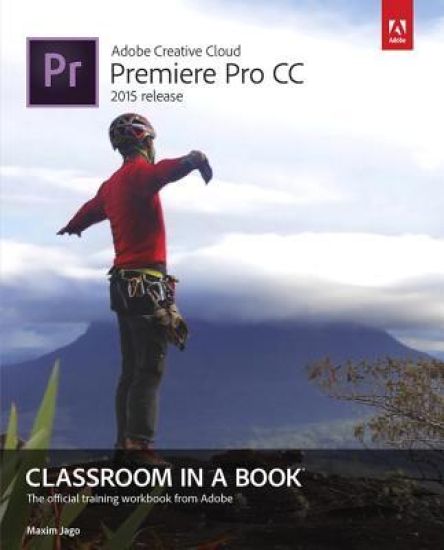
Adobe Premiere Pro CC Classroom in a Book (2015 release)
Those creative professionals seeking the fastest, easiest, most comprehensive way to learn Adobe Premiere Pro CC choose Adobe Premiere Pro CC (2015 release) Classroom in a Book from Adobe Press. The 19 project-based lessons in this book show readers step-by-step the key techniques for working in Premiere Pro. Readers learn to take a project from beginning to end where they’ll get the basics on things like organizing media, using audio, creating transitions, producing titles, and adding effects. Once they have the basics down, they'll learn how to take their projects further by sweetening and mixing sound, compositing the footage, adjusting color, compressing and exporting files, and much more. (( Adobe Premiere Pro CC (2015 release) offers many new capabilities to the editor who needs quick results and this book covers the workflows required to get the job done. Best of all, the companion DVD (also available as an online download) includes lesson files so readers can work step-by-step along with the book. The online companion files include all the necessary assets for readers to complete the projects featured in each chapter as well as ebook updates when Adobe releases new features for Creative Cloud customers. And new to this release, all buyers of the book get full access to the Web Edition: a Web-based version of the complete ebook enhanced with video and interactive multiple-choice quizzes. As always with the Classroom in a Book, Instructor Notes are available for teachers to download.
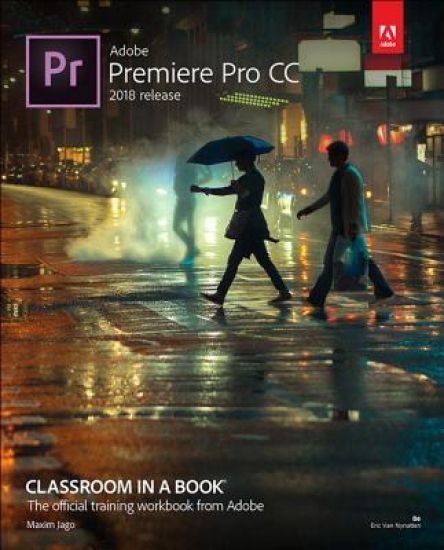
Adobe Premiere Pro CC Classroom in a Book (2018 release)
Creative professionals seeking the fastest, easiest, most comprehensive way to learn Adobe Premiere Pro CC (2018 release) choose Adobe Premiere Pro CC Classroom in a Book (2018 release) from Adobe Press. The 18 project-based lessons in this book show users step-by-step the key techniques for working in Premiere Pro. Learn to edit video in Adobe Premiere Pro CC 2018 and get the most out of your workflow. Take a project from beginning to end and learn to organize media, add audio, create transitions, produce titles, and add effects. Take your projects further by sweetening and mixing sound, compositing footage, adjusting color, using advanced editing techniques, managing projects, working with 360 video for VR headsets, animating graphics, exporting, and much more. The online companion files include all the necessary assets for readers to complete the projects featured in each chapter as well as ebook updates when Adobe releases relevant new features for Creative Cloud customers. All buyers of the book get full access to the Web Edition: a Web-based version of the complete ebook enhanced with video and multiple-choice quizzes.
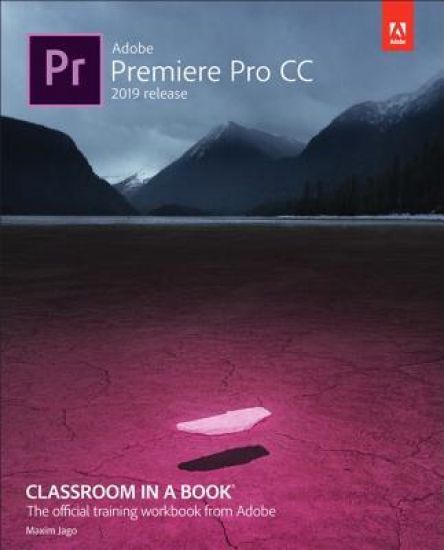
Adobe Premiere Pro CC Classroom in a Book (2019 Release)
Creative professionals seeking the fastest, easiest, most comprehensive way to learn Adobe Premiere Pro CC (2018 release) choose Adobe Premiere Pro CC Classroom in a Book (2019 release) from Adobe Press. The 18 project-based lessons in this book show users step-by-step the key techniques for working in Premiere Pro. Learn to edit video in Adobe Premiere Pro CC 2019 and get the most out of your workflow. Learn how to take a project from beginning to end, organize media, add audio, create transitions, produce titles and captions, and add effects. Take your projects further by sweetening and mixing sound, compositing footage, adjusting color, using advanced editing techniques, managing projects, working with 360 video for VR headsets, animating graphics and video, exporting, and much more. Workflows incorporating Adobe Photoshop, Adobe After Effects, and Adobe Audition expand your creative options. The online companion files include all the necessary assets for readers to complete the projects featured in each chapter as well as ebook updates when Adobe releases relevant new features for Creative Cloud customers. All buyers of the book get full access to the Web Edition: a Web-based version of the complete ebook enhanced with video and multiple-choice quizzes.
Adobe Premiere Pro Classroom in a Book 2025 Release
The fastest, easiest, most comprehensive way to learn Adobe Premiere Pro Adobe Premiere Pro Classroom in a Book 2025 Release contains 17 lessons that use real-world, project-based learning to cover the basics and beyond, providing countless tips and techniques to help you become more productive with the program. You can follow the book from start to finish or choose only those lessons that interest you. Learn to: Edit video in Adobe Premiere ProUse automation and AI-based features to speed up the completion of professional creative projectsOrganize media, combine elements as a continuous sequence, edit video using text-based editing tools, add music and background audio, apply transition effects, create titles, add video and audio effects, and add filmic looksTake your projects further by sweetening and mixing sound, retiming music, compositing footage, automatically reframing visuals, adjusting color, using advanced editing techniques, managing projects, exporting, and much more Classroom in a Book®, the best-selling series of hands-on software training workbooks, offers what no other book or training program does an official training series from Adobe, developed with the support of Adobe product experts.
Adobe Premiere Pro Classroom in a Book 2024 Release
The fastest, easiest, most comprehensive way to learn Adobe Premiere Pro Adobe Premiere Pro Classroom in a Book 2024 release contains 17 lessons that use real-world, project-based learning to cover the basics and beyond, providing countless tips and techniques to help you become more productive with the program. You can follow the book from start to finish or choose only those lessons that interest you. Learn to: Edit video in Adobe Premiere ProUse automation and AI-based features to speed up the completion of professional creative projectsOrganize media, combine elements as a continuous sequence, edit video using text-based editing tools, add music and background audio, apply transition effects, create titles, add video and audio effects, and add filmic looksTake your projects further by sweetening and mixing sound, retiming music, compositing footage, automatically reframing visuals, adjusting color, using advanced editing techniques, managing projects, exporting, and much more Classroom in a Book®, the best-selling series of hands-on software training workbooks, offers what no other book or training program does—an official training series from Adobe, developed with the support of Adobe product experts. Purchasing this book includes valuable online extras. Follow the instructions in the book's "Getting Started" section to unlock access to: Downloadable lesson files you need to work through the projects in the bookWeb Edition containing the complete text of the book, interactive quizzes, and videos that walk you through the lessons step by step What you need to use this book: Adobe Premiere Pro 2024 Release software, for either Windows or macOS. (Software not included.)