Kirjojen hintavertailu. Mukana 11 475 172 kirjaa ja 12 kauppaa.

Kirjahaku

Etsi kirjoja tekijän nimen, kirjan nimen tai ISBN:n perusteella.

11 kirjaa tekijältä Ashwin Pajankar

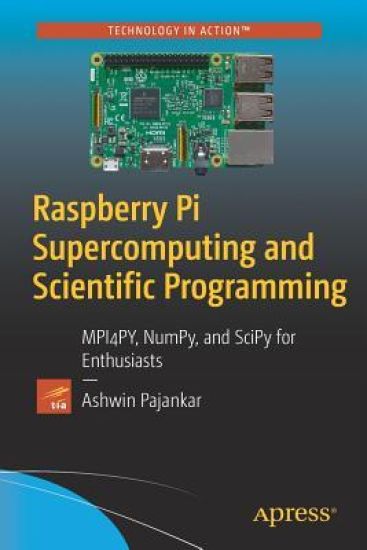
Raspberry Pi Supercomputing and Scientific Programming
Build an inexpensive cluster of multiple Raspberry Pi computers and install all the required libraries to write parallel and scientific programs in Python 3. This book covers setting up your Raspberry Pis, installing the necessary software, and making a cluster of multiple Pis. Once the cluster is built, its power has to be exploited by means of programs to run on it. So, Raspberry Pi Supercomputing and Scientific Programming teaches you to code the cluster with the MPI4PY library of Python 3. Along the way, you will learn the concepts of the Message Passing Interface (MPI) standards and will explore the fundamentals of parallel programming on your inexpensive cluster. This will make this book a great starting point for supercomputing enthusiasts who want to get started with parallel programming. The book finishes with details of symbolic mathematics and scientific and numerical programming in Python, using SymPi, SciPy, NumPy, and Matplotlib. You’ll see how to process signals and images, carry out calculations using linear algebra, and visualize your results, all using Python code. With the power of a Raspberry Pi supercomputer at your fingertips, data-intensive scientific programming becomes a reality at home.What You Will Learn Discover the essentials of supercomputingBuild a low-cost cluster of Raspberry Pis at homeHarness the power of parallel programming and the Message Passing Interface (MPI)Use your Raspberry Pi for symbolic, numerical, and scientific programmingWho This Book Is ForPython 3 developers who seek the knowledge of parallel programming, Raspberry Pi enthusiasts, researchers, and the scientific Python community.
Practical Python Data Visualization
Quickly start programming with Python 3 for data visualization with this step-by-step, detailed guide. This book’s programming-friendly approach using libraries such as leather, NumPy, Matplotlib, and Pandas will serve as a template for business and scientific visualizations. You’ll begin by installing Python 3, see how to work in Jupyter notebook, and explore Leather, Python’s popular data visualization charting library. You’ll also be introduced to the scientific Python 3 ecosystem and work with the basics of NumPy, an integral part of that ecosystem. Later chapters are focused on various NumPy routines along with getting started with Scientific Data visualization using matplotlib. You’ll review the visualization of 3D data using graphs and networks and finish up by looking at data visualization with Pandas, including the visualization of COVID-19 data sets. The code examples are tested on popular platforms like Ubuntu, Windows, and Raspberry Pi OS. WithPractical Python Data Visualization you’ll master the core concepts of data visualization with Pandas and the Jupyter notebook interface.What You'll LearnReview practical aspects of Python Data Visualization with programming-friendly abstractions Install Python 3 and Jupyter on multiple platforms including Windows, Raspberry Pi, and Ubuntu Visualize COVID-19 data sets with PandasWho This Book Is ForData Science enthusiasts and professionals, Business analysts and managers, software engineers, data engineers.
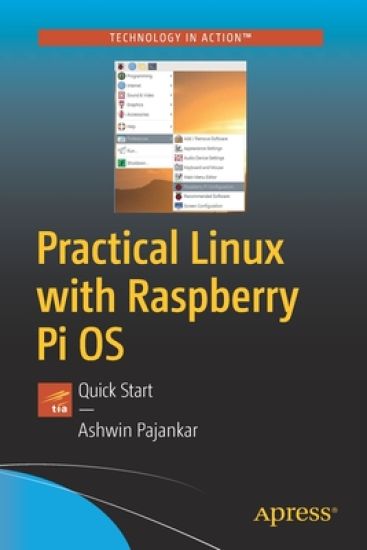
Practical Linux with Raspberry Pi OS
Quickly start programming with Linux while learning the Raspberry Pi OS—the Linux distribution designed specifically for low-cost Raspberry Pis. This short guide reviews Linux commands, GUI, and shell scripting in a holistic manner by diving into both advanced and day-to-day tasks using the Raspberry Pi OS.You'll comfortably work with the Linux command prompt, and explore the RPi OS GUI and all its base applications. Then move into writing your own programs with shell-programming and using high-level languages such as C, C++, and Python 3. You’ll also study hardware and GPIO programming. Use Python 3 for GPIO programming to drive LEDs and pushbuttons.Examples are written in Shell, C, C++, and Python 3. Graphical output is displayed in helpful screenshots that capture just what you’ll see when working in this environment. All code examples are well tested on actual Raspberry Pi boards. After reading this book and following the examples, you’ll be able to write programs for demonstration in your academic/industrial research work, business environment, or just your circle of friends for fun! What You'll LearnNavigate the core aspects of Linux and programming on a Linux platform Install Raspberry Pi OS on a Raspberry PiProgram in Shell, C, C++, and PythonRedirect Io and work with the crontabWho This Book Is ForLinux enthusiasts, software engineers, researchers, business analysts, and managers working with the low-cost Raspberry Pi.
Hands-on Matplotlib

Hands-on Matplotlib

Ashwin Pajankar

APRESS
2021
nidottu
Learn the core aspects of NumPy, Matplotlib, and Pandas, and use them to write programs with Python 3. This book focuses heavily on various data visualization techniques and will help you acquire expert-level knowledge of working with Matplotlib, a MATLAB-style plotting library for Python programming language that provides an object-oriented API for embedding plots into applications. You'll begin with an introduction to Python 3 and the scientific Python ecosystem. Next, you'll explore NumPy and ndarray data structures, creation routines, and data visualization. You'll examine useful concepts related to style sheets, legends, and layouts, followed by line, bar, and scatter plots. Chapters then cover recipes of histograms, contours, streamplots, and heatmaps, and how to visualize images and audio with pie and polar charts. Moving forward, you'll learn how to visualize with pcolor, pcolormesh, and colorbar, and how to visualize in 3D in Matplotlib, create simple animations, and embed Matplotlib with different frameworks. The concluding chapters cover how to visualize data with Pandas and Matplotlib, Seaborn, and how to work with the real-life data and visualize it. After reading Hands-on Matplotlib you'll be proficient with Matplotlib and able to comfortably work with ndarrays in NumPy and data frames in Pandas. What You'll LearnUnderstand Data Visualization and Python using MatplotlibReview the fundamental data structures in NumPy and Pandas Work with 3D plotting, visualizations, and animationsVisualize images and audio dataWho This Book Is ForData scientists, machine learning engineers and software professionals with basic programming skills.
Python Unit Test Automation

Python Unit Test Automation

Ashwin Pajankar

APRESS
2021
nidottu
Learn how to automate unit tests of Python 3 with automation libraries, such as doctest, unittest, nose, nose2, pytest, and selenium. This book explores important concepts in software test automation and demonstrates how to automate, organize, and execute unit tests with Python. It also introduces readers to the concepts of web browser automation and logging.This new edition starts with an introduction to Python 3. Next, it covers doctest and pydoc. This is followed by a discussion on unittest, a framework that comes packaged with Python 3 itself. There is a dedicated section on creating test suites, followed by an explanation of how nose2 provides automatic test module discovery. Moving forward, you will learn about pytest, the most popular third-party library and testrunner for Python. You will see how to write and execute tests with pytest. You’ll also learn to discover tests automatically with pytest.This edition features two brand new chapters, the firstof which focuses on the basics of web browser automation with Selenium. You’ll learn how to use Selenium with unittest to write test cases for browser automation and use the Selenium IDE with web browsers such as Chrome and Firefox. You’ll then explore logging frameworks such as Python’s built-in logger and the third-party framework loguru.The book concludes with an exploration of test-driven development with pytest, during which you will execute a small project using TDD methodology.What You Will LearnStart testing with doctest and unittestUnderstand the idea of unit testingGet started with nose 2 and pytestLearn how to use logger and loguruWork with Selenium and test driven development Who This Book Is ForPython developers, software testers, open source enthusiasts, and contributors to the Python community.
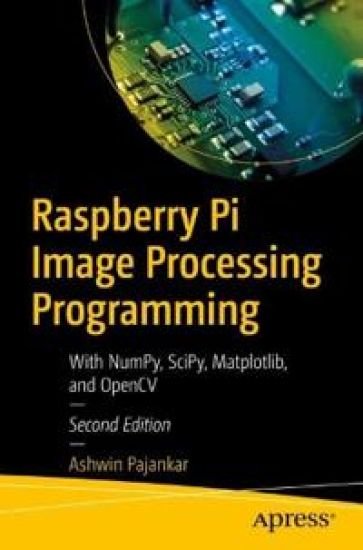
Raspberry Pi Image Processing Programming
Understand the concepts of image processing with Python 3 and create applications using Raspberry Pi 4. This book covers image processing with the latest release of Python 3, using Raspberry Pi OS and Raspberry Pi 4B with the 8 GB RAM model as the preferred computing platform.This second edition begins with the installation of Raspberry Pi OS on the latest model of Raspberry Pi and then introduces Python programming language, IDEs for Python, and digital image processing. It also illustrates the theoretical foundations of Image processing followed by advanced operations in image processing. You'll then review image processing with NumPy, and Matplotlib followed by transformations, interpolation, and measurements of images. Different types of filters such as Kernels convolution filters, low pass filters, high pass filters, and Fourier filters are discussed in a clear, methodical manner. Additionally, the book examines variousimage processing techniques such as Morphology, Thresholding, and Segmentation, followed by a chapter on live webcam input with OpenCV, an image processing library with Python. The book concludes with an appendix covering a new library for image processing with Python, pgmagik, followed by a few important tips and tricks relevant to RPi.What You'll LearnGet started with Raspberry Pi and PythonUnderstand Image Processing with PillowSee how image processing is processed using Numpy and MatplotlibUse Pi camera and webcamWho This Book Is ForRaspberry Pi and IoT enthusiasts, and Python and Open Source professionals
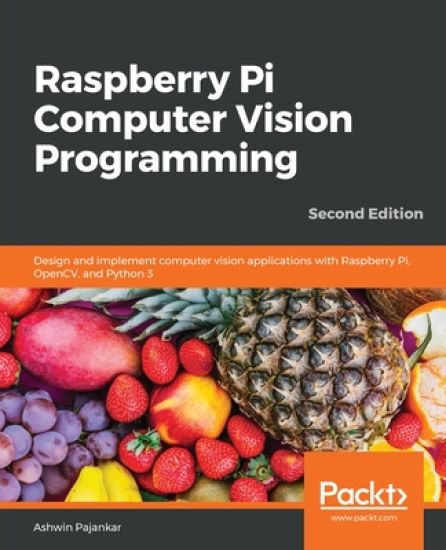
Raspberry Pi Computer Vision Programming

Raspberry Pi Computer Vision Programming

Ashwin Pajankar

Packt Publishing Limited
2020
nidottu
Perform a wide variety of computer vision tasks such as image processing and manipulation, feature and object detection, and image restoration to build real-life computer vision applicationsKey FeaturesExplore the potential of computer vision with Raspberry Pi and Python programmingPerform computer vision tasks such as image processing and manipulation using OpenCV and Raspberry PiDiscover easy-to-follow examples and screenshots to implement popular computer vision techniques and applicationsBook DescriptionRaspberry Pi is one of the popular single-board computers of our generation. All the major image processing and computer vision algorithms and operations can be implemented easily with OpenCV on Raspberry Pi. This updated second edition is packed with cutting-edge examples and new topics, and covers the latest versions of key technologies such as Python 3, Raspberry Pi, and OpenCV. This book will equip you with the skills required to successfully design and implement your own OpenCV, Raspberry Pi, and Python-based computer vision projects.At the start, you'll learn the basics of Python 3, and the fundamentals of single-board computers and NumPy. Next, you'll discover how to install OpenCV 4 for Python 3 on Raspberry Pi, before covering major techniques and algorithms in image processing, manipulation, and computer vision. By working through the steps in each chapter, you'll understand essential OpenCV features. Later sections will take you through creating graphical user interface (GUI) apps with GPIO and OpenCV. You'll also learn to use the new computer vision library, Mahotas, to perform various image processing operations. Finally, you'll explore the Jupyter Notebook and how to set up a Windows computer and Ubuntu for computer vision.By the end of this book, you'll be able to confidently build and deploy computer vision apps.What you will learnSet up a Raspberry Pi for computer vision applicationsPerform basic image processing with libraries such as NumPy, Matplotlib, and OpenCVDemonstrate arithmetical, logical, and other operations on imagesWork with a USB webcam and the Raspberry Pi Camera ModuleImplement low-pass and high-pass filters and understand their applications in image processingCover advanced techniques such as histogram equalization and morphological transformationsCreate GUI apps with Python 3 and OpenCVPerform machine learning with K-means clustering and image quantizationWho this book is forThis book is for beginners as well as experienced Raspberry Pi and Python 3 enthusiasts who are looking to explore the amazing world of computer vision. Working knowledge of the Python 3 programming language is assumed.
Learn SQL with MySQL

Learn SQL with MySQL

Ashwin Pajankar

BPB Publications
2020
pokkari
A step-by-step guide that will help you manage data in a relational database using SQL with ease Key FeaturesUnderstand the concepts related to relational databases. Learn how to install MariaDB and MySQL on Windows, Linux and tools to access it. Learn how to connect Python and Pandas to MySQL/MariaDB.Description This book starts with the concepts in RDBMS (Relational Database Management Systems) and SQL (Structured Query Language). The first few chapters cover the definitions and a brief explanation of all the important concepts. They also cover the installation of MariaDB and MySQL on Windows and Raspberry Pi, as well as the setup of various tools used to connect to MySQL and MariaDB server processes. We will also understand how to install sample schemas and how to use basic SQL queries. Then we move on to the SELECT query in detail. The book explores the data retrieval aspect of SQL queries in detail with the WHERE clause and NULL handling in detail. The book also explores the functions available in MySQL. Those are single row and group functions. Then we explore how to combine the data from multiple sources. The technique is known as Joins, and we will learn ANSI style and the old-style syntax for all the types of Joins. The last part explores the DDL and DMLs in depth. We also learn the concepts of Transactions and Constraints. The book explores how we can run the SQL queries from a Python 3 program and load a pandas DataFrame with the data from a table in a schema in the MySQL database. What will you learn Understand the basics of MySQL and MariaDB.Get familiar with MySQL Arithmetic Operators, DDL, DML, DCL & TCL commands.Understand the concept of Single-Row Functions and Group Functions in detail. Retrieve data from multiple sources using the Joins. Who this book is forThis book is designed for beginners as well as professionals alike. The book will also be useful to Data Scientists, Data Analysts, Database Administrators, and Data Engineers. Table of Contents 1. Introduction and Installation2. Getting Started with MySQL3. Getting Started with SQL Queries4. The WHERE clause in detail5. Single Row Functions6. Group Functions7. Joins in MySQL8. Subqueries9. DDL, DML, and Transactions10. Views11. Python 3, MySQL, and Pandas About the Author Ashwin is an experienced veteran who, for the past 25 years, has been working with STEM (Science, Technology, Engineering, and Mathematics). In his career, Ashwin has worked for more than 7 years as an employee for various IT companies and Software Product Companies. He has written more than 2 dozen books on Arduino, Python programming, Computer Vision, IoT, databases, and other popular topics with BPB and other international publications. He has also reviewed many other technical books. He also creates courses for BPB and other platforms and teaches to 60000 students online. He has been working as a freelancer since 2017. He got his first taste in writing in 2015 when he wrote his first book on Raspberry Pi. In his free time, Ashwin makes videos for his Youtube channel, which has 10000 subscribers now. Outside work, Ashwin volunteers his spare time as a STEM Ambassador, helping, coaching, and mentoring young people in taking up careers in technology. Your Blog links: https: //www.youtube.com/ashwinpajankarYour LinkedIn Profile: https: //www.linkedin.com/in/ashwinpajankar/