Kirjojen hintavertailu. Mukana 11 699 587 kirjaa ja 12 kauppaa.

Kirjahaku

Etsi kirjoja tekijän nimen, kirjan nimen tai ISBN:n perusteella.

6 kirjaa tekijältä C. J. Benton

The Step-By-Step Guide To Pivot Tables & Introduction To Dashboards

The Step-By-Step Guide To Pivot Tables & Introduction To Dashboards

C. J. Benton

Createspace Independent Publishing Platform
2015
nidottu
Learn how to create Pivot Tables quickly and easily with this step-by-step guide This book contains several basic, intermediate, and advanced Pivot Table examples with screenshots demonstrating how to: Organize and summarize data Format resultsInsert Pivot ChartsDisplay averages & percentagesGroup data into predefined rangesRank resultsInsert calculated fieldsIn addition to the above, you will also learn how to create and update a basic Dashboard using Pivot Table data.A great resource for: Business Analysts Data AnalystsFinancial Analysts Administrative and Support staffImagine the time you'll save by not having to search the internet or help files to learn the most practical ways of using of Microsoft(R) Excel(R) Book 2 in The Microsoft Excel Step-By-Step Training Guide Series Book 1 - The Step-By-Step Guide To The 25 Most Common Microsoft Excel Formulas & FeaturesBook 2 - The Step-By-Step Guide To Pivot Tables & Introduction To DashboardsBook 3 - The Step-By-Step Guide To The VLOOKUP formula in Microsoft ExcelBook 4 - The Microsoft Excel Step-By-Step Training Guide Book Bundle
The Step-By-Step Guide To The VLOOKUP formula in Microsoft Excel

The Step-By-Step Guide To The VLOOKUP formula in Microsoft Excel

C. J. Benton

Createspace Independent Publishing Platform
2015
nidottu
Learn VLOOKUP formulas quickly and easily with this step-by-step guide This comprehensive book offers easy to follow examples with screenshots demonstrating how to use the VLOOKUP formula. The book is organized into 3 step-by-step sections, allowing you to grow your knowledge of the VLOOKUP formula at your own pace.****Excel v2016 and v2019 are now available****VLOOKUP Basics: What the VLOOKUP formula does The parts of a VLOOKUP formulaDetailed examples on how to use the VLOOKUP formula Taking the VLOOKUP Formula to the Next Level: Incorporating the IFERROR functionality into your VLOOKUP formula How to apply the VLOOKUP formula across multiple tabsHow to apply the VLOOKUP formula across multiple workbooks In addition to the above, you will also learn how to troubleshoot and resolve common VLOOKUP errors, saving you hours of frustration Reasons why you may be getting the #N/A error messageReasons why you may be getting the #REF error messageReasons why your VLOOKUP formula was working, but now you're getting the wrong valuesAnd more... Imagine the time you'll save, by not having to search the internet or help files to learn the most practical ways of using one of Microsoft(R) Excel's(R) best features.Book 3 in The Microsoft Excel Step-By-Step Training Guide Series Book 1 - The Step-By-Step Guide To The 25 Most Common Microsoft Excel Formulas & FeaturesBook 2 - The Step-By-Step Guide To Pivot Tables & Introduction To DashboardsBook 3 - The Step-By-Step Guide To The VLOOKUP formula in Microsoft ExcelBook 4 - The Microsoft Excel Step-By-Step Training Guide Book Bundle
The Microsoft Excel Step-By-Step Training Guide Book Bundle
The Microsoft Excel Step-By-Step Training Guide Book Bundle
C. J. Benton

Createspace Independent Publishing Platform
2015
nidottu
3 books in 1 a consolidation of three books in the Microsoft(R) Excel(R) Step-By-Step Training Guide Series This book bundle offers easy to follow examples with screenshots demonstrating how to use the most common basic and intermediate Microsoft(R) Excel(R) formulas & features, including Pivot Tables, & the VLOOKUP formula. The book bundle is organized into 6 step-by-step sections, allowing you to grow your knowledge of Microsoft(R) Excel(R) at your own pace. In addition to the following, this book bundle also includes sections on Excel(R) keyboard shortcuts and how to change the currency symbol, for example to the British Pound or Euro . Part 1 - Excel(R) Formula Fundamentals SUM, SUBTRACTION, MULTIPLICATION, & DIVISION AVERAGE MIN & MAX TODAY & NETWORKDAYS SUMIF Part 2 - Pivot Tables & Dashboards Organize and summarize data Format results Insert Pivot Charts Display averages & percentages Group data into predefined ranges Rank results Insert calculated fields How to create and update a basic Dashboard using Pivot Table data Part 3 - Excel(R) Features Data Sorting Formula Trace Text-To-Columns Conditional Formatting & Filtering Part 4 - Text Functions LEN & TRIM CONCATENATE & MID PROPER, UPPER, & LOWER Part 5 - Logic Formulas IF Nested IF Part 6 - The VLOOKUP Formula What the VLOOKUP formula does The parts of a VLOOKUP formula Detailed examples on how to use the VLOOKUP formula Incorporating the IFERROR functionality into your VLOOKUP formula How to apply the VLOOKUP formula across multiple tabs & workbooks How to troubleshoot and resolve common VLOOKUP errors, including reasons why you may be getting the #N/A or #REF error
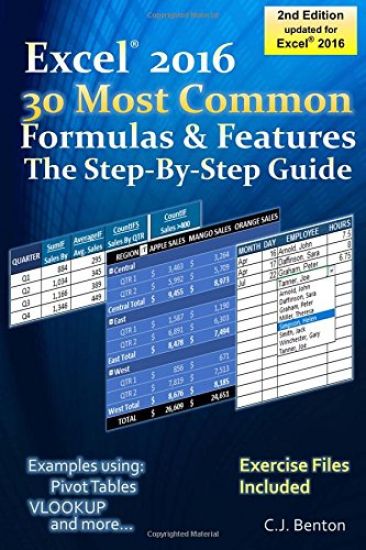
Excel 2016 The 30 Most Common Formulas & Features - The Step-By-Step Guide

Excel 2016 The 30 Most Common Formulas & Features - The Step-By-Step Guide

C. J. Benton

Createspace Independent Publishing Platform
2017
nidottu
In just a few short hours, learn the 30 most common Microsoft(R) Excel(R) Formulas & Features quickly and easily with this detailed step-by-step guide Updated for Excel(R) 2016 this book offers easy to follow examples with screenshots demonstrating how to use the 30 most common basic and intermediate Microsoft(R) Excel(R) formulas & features. The book is organized into 5 step-by-step sections, allowing you to grow your knowledge of Excel(R) at your own pace: Exercise Files Included In addition to the following, this book also includes sections on Excel(R) keyboard shortcuts and how to change the currency symbol, for example to the British Pound or Euro . Part 1 - Excel(R) Formula Fundamentals SUM, SUBTRACTION, MULTIPLICATION, & DIVISION AVERAGE MIN & MAX TODAY, NOW, & NETWORKDAYS SUMIF, AVERAGEIF, COUNTIF, & COUNTIFS Part 2 - Introduction to Pivot Tables How to create a Pivot Table report Formatting Pivot Table results Adding Pivot Charts Part 3 - Excel(R) Features Data Sorting Conditional Formatting & Filtering Data Validation Text-To-Columns Formula Trace Part 4 - Text Functions LEN & TRIM CONCATE (CONCATENATE) & MID PROPER, UPPER, & LOWER Part 5 - Logic & Lookup Formulas IF AND VLOOKUP Imagine the time you'll save by not having to search the internet or help files to learn the most practical ways of using Microsoft(R) Excel(R)
Excel 2016 The VLOOKUP Formula in 30 Minutes The Step-By-Step Guide

Excel 2016 The VLOOKUP Formula in 30 Minutes The Step-By-Step Guide

C. J. Benton

Createspace Independent Publishing Platform
2017
nidottu
Learn the VLOOKUP functionality in 30 minutes or less Updated for Excel(R) 2016 This comprehensive book offers easy to follow examples with screenshots demonstrating how to use the VLOOKUP formula. Organized into 3 step-by-step sections, allowing you to grow your knowledge of the VLOOKUP formula at your own pace: ****Exercise Files Included **** VLOOKUP Basics: What the VLOOKUP formula does The parts of a VLOOKUP formula Detailed examples on how to use the VLOOKUP formula Incorporating the IFERROR functionality into your VLOOKUP formula And when you have more than 30 minutes... How to apply the VLOOKUP formula across multiple worksheets How to apply the VLOOKUP formula across multiple workbooks How to use the VLOOKUP function to look-up and calculate a number based on specific criteria In addition to the above, you will also learn how to troubleshoot and resolve common VLOOKUP errors, saving you hours of frustration Reasons why you may be receiving the #N/A error message Reasons why you may be receiving the #REF error message Reasons why your VLOOKUP formula was working, but now you're getting the wrong values And more... Imagine the time you'll save by not having to search the internet or help files to learn the most practical ways of using one of Microsoft(R) Excel's(R) best features.