Kirjojen hintavertailu. Mukana 11 699 587 kirjaa ja 12 kauppaa.

Kirjahaku

Etsi kirjoja tekijän nimen, kirjan nimen tai ISBN:n perusteella.

7 kirjaa tekijältä Lisa Fridsma; Brie Gyncild

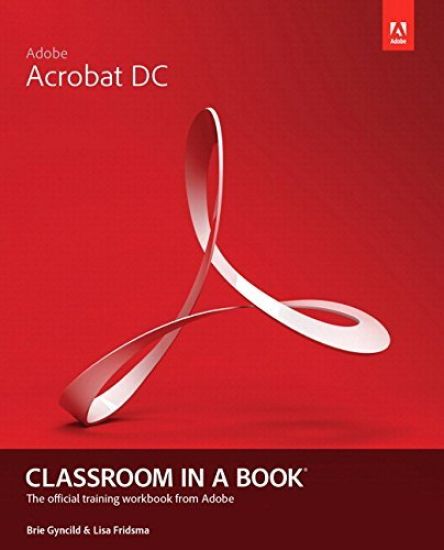
Adobe Acrobat DC Classroom in a Book

Adobe Acrobat DC Classroom in a Book

Lisa Fridsma; Brie Gyncild

Addison Wesley
2015
muu
Adobe Acrobat DC Classroom in a Book is the most thorough and comprehensive way for students to learn how to reliably create, edit, and sign PDF documents and forms with Adobe Acrobat DC. Each of the 13 lessons in this step-by-step, project-based guide contains a project that builds on their growing knowledge of the program, while end-of-chapter review questions reinforce each lesson. This cross-platform (Mac and Windows) book shows students how to collaborate effectively through electronic reviews, easily share their work across multiple platforms and devices (including via the new Adobe Document Cloud service), and speed up their production and business task workflow with Acrobat DC. All of the book’s screenshots have been updated for the new edition, showing users how to navigate the completely overhauled user interface–a selling point for existing users of the software. Readers will also learn how to use the new Tool pane so they can easily convert files (Microsoft Office documents and graphics) to PDF and then learn how to directly edit text and images in their PDFs. They'll also learn how to use the newly refreshed tools to build PDF or web forms, speed up business workflow by gathering feedback and approval via online document reviews. And they'll learn how to create interactive forms and track responses within Acrobat, how to add signatures and security to their PDF files, and much more. All of the project files used in the book’s lessons are available for readers to download at peachpit.com.
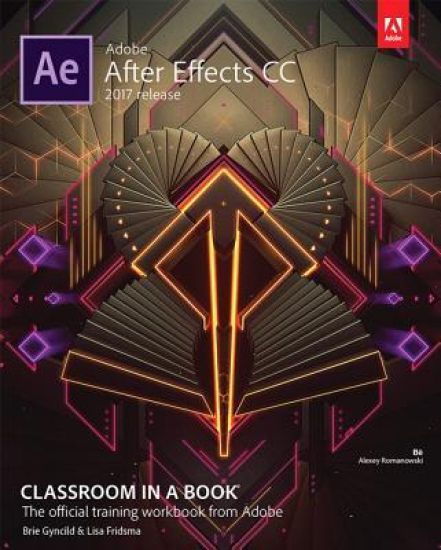
Adobe After Effects CC Classroom in a Book (2017 release)

Adobe After Effects CC Classroom in a Book (2017 release)

Lisa Fridsma; Brie Gyncild

Adobe Press,U.S.
2017
nidottu
Creative professionals seeking the fastest, easiest, most comprehensive way to learn Adobe After Effects CC (2017 release) choose Adobe After Effects CC Classroom in a Book (2017 release) from Adobe Press. The 14 project-based lessons in this book show users step-by-step the key techniques for working in After Effects. Learn how to create, manipulate, and optimize motion graphics for film, video, DVD, the web, and mobile devices. Gain hands-on experience animating text and images, customizing a wide range of effects, tracking and syncing content, rotoscoping, and correcting color. Learn to create 3D content with both After Effects and Maxon Cinema 4D Lite (included with the software). The online companion files include all the necessary assets for readers to complete the projects featured in each chapter as well as ebook updates when Adobe releases new features for Creative Cloud customers. All buyers of the book get full access to the Web Edition: a Web-based version of the complete ebook enhanced with video and interactive multiple-choice quizzes. As always with the Classroom in a Book, Instructor Notes are available for teachers to download.
Adobe After Effects Classroom in a Book (2021 release)

Adobe After Effects Classroom in a Book (2021 release)

Lisa Fridsma; Brie Gyncild

Addison Wesley
2021
nidottu
The fastest, easiest, most comprehensive way to learn Adobe After Effects Classroom in a Book®, the best-selling series of hands-on software training workbooks, offers what no other book or training program does -- an official training series from Adobe, developed with the support of Adobe product experts. Adobe After Effects Classroom in a Book (2021 release) contains 15 lessons that cover the basics and beyond, providing countless tips and techniques to help you become more productive with the program. Learn how to create, manipulate, and optimize motion graphics for film, video, DVD, the web, and mobile devices. You can follow the book from start to finish or choose only those lessons that interest you. Purchasing this book includes valuable online extras. Follow the instructions in the book's “Getting Started” section to unlock access to: Downloadable lesson files you need to work through the projects in the book Web Edition containing the complete text of the book, interactive quizzes, and videos that walk you through the lessons step by step What you need to use this book: Adobe After Effects (2021 release) software, for either Windows or macOS. (Software not included.) Note: Classroom in a Book does not replace the documentation, support, updates, or any other benefits of being a registered owner of Adobe After Effects software.
Adobe After Effects Classroom in a Book (2022 release)

Adobe After Effects Classroom in a Book (2022 release)

Lisa Fridsma; Brie Gyncild

PEARSON EDUCATION (US)
2022
nidottu
Gain hands-on experience creating, manipulating, and optimizing motion graphics for film, video, the web, and mobile devices. Learn how to animate text and images, customize a wide range of effects, track and sync content, rotoscope, manipulate timing, correct color, and remove unwanted objects. Customize cameras and lighting to create compelling 3D content. Design Motion Graphics templates for editing in Adobe Premiere Pro. Deform and animate objects and video using robust Puppet tools. The fastest, easiest, most comprehensive way to learn Adobe After Effects Classroom in a Book®, the best-selling series of hands-on software training workbooks, offers what no other book or training program does—an official training series from Adobe, developed with the support of Adobe product experts. Adobe After Effects Classroom in a Book (2022 release) contains 15 lessons that cover the basics and beyond, providing countless tips and techniques to help you become more productive with the program. You can follow the book from start to finish or choose only those lessons that interest you. Purchasing this book includes valuable online extras. Follow the instructions in the book's "Getting Started" section to unlock access to: Downloadable lesson files you need to work through the projects in the bookWeb Edition containing the complete text of the book, interactive quizzes, and videos that walk you through the lessons step by step What you need to use this book: Adobe After Effects (2022 release) software, for either Windows or macOS. (Software not included.) Note: Classroom in a Book does not replace the documentation, support, updates, or any other benefits of being a registered owner of Adobe After Effects software.
Adobe After Effects Classroom in a Book (2023 Release)

Adobe After Effects Classroom in a Book (2023 Release)

Lisa Fridsma; Brie Gyncild

PEARSON EDUCATION (US)
2023
nidottu
Learn video compositing, motion graphics design, and animation using Adobe After Effects Adobe After Effects Classroom in a Book (2023 release) uses real-world, project-based learning to cover the basics and beyond, providing countless tips and techniques to help you become more productive with the program. For beginners and experienced users alike, you can follow the book from start to finish or choose only those lessons that interest you. Learn to: Create, manipulate, and optimize motion graphics for film, video, the web, and mobile devicesAnimate text and images, customize a wide range of effects, track and sync content, rotoscope, manipulate timing, correct color, and remove unwanted objectsCustomize cameras and lighting to create compelling 3D contentDesign Motion Graphics templates for editing in Adobe Premiere ProDeform and animate objects and video using robust Puppet tools Classroom in a Book®, the best-selling series of hands-on software training workbooks, offers what no other book or training program does—an official training series from Adobe, developed with the support of Adobe product experts. Purchasing this book includes valuable online extras. Follow the instructions in the book's "Getting Started" section to unlock access to: Downloadable lesson files you need to work through the projects in the bookWeb Edition containing the complete text of the book, interactive quizzes, and videos that walk you through the lessons step by step What you need to use this book: Adobe After Effects (2023 release) software, for either Windows or macOS. (Software not included.) Note: Classroom in a Book does not replace the documentation, support, updates, or any other benefits of being a registered owner of Adobe After Effects software.
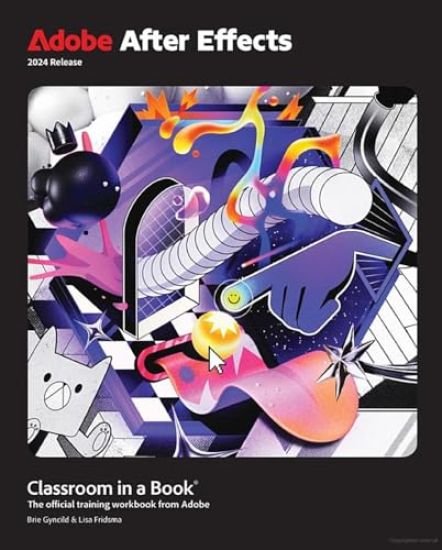
Adobe After Effects Classroom in a Book 2024 Release

Adobe After Effects Classroom in a Book 2024 Release

Lisa Fridsma; Brie Gyncild

PEARSON EDUCATION (US)
2024
nidottu
The fastest, easiest, most comprehensive way to learn Adobe After Effects Adobe After Effects Classroom in a Book contains 15 lessons that use real-world, project-based learning to cover the basics and beyond, providing countless tips and techniques to help you become more productive with the program. For beginners and experienced users alike, you can follow the book from start to finish or choose only those lessons that interest you. Learn to: Create, manipulate, and optimize motion graphics for film, video, the web, and mobile devicesAnimate text and images, customize a wide range of effects, track and sync content, rotoscope, manipulate timing, correct color, and remove unwanted objectsCustomize cameras, lighting, and 3D objects to create compelling 3D contentDesign Motion Graphics templates for editing in Adobe Premiere ProDeform and animate objects and video using robust Puppet tools Classroom in a Book®, the best-selling series of hands-on software training workbooks, offers what no other book or training program does—an official training series from Adobe, developed with the support of Adobe product experts. Purchasing this book includes valuable online extras. Follow the instructions in the book's "Getting Started" section to unlock access to: Downloadable lesson files you need to work through the projects in the bookWeb Edition containing the complete text of the book, interactive quizzes, and videos that walk you through the lessons step by step What you need to use this book: Adobe After Effects 2024 Release software, for either Windows or macOS. (Software not included.)