Kirjojen hintavertailu. Mukana 11 244 527 kirjaa ja 12 kauppaa.

Kirjahaku

Etsi kirjoja tekijän nimen, kirjan nimen tai ISBN:n perusteella.

66 kirjaa tekijältä Michael Miller

Martial Intellect: The Collective Martial Arts Articles of Michael Miller

Martial Intellect: The Collective Martial Arts Articles of Michael Miller

Michael Miller

Createspace Independent Publishing Platform
2014
nidottu
Martial Intellect is a collection of martial arts articles written by self-defense and personal protection expert Michael Miller covering a variety of topics including the anatomy of speed, the science of street survival, the realities of gun and knife defense, the ultimate martial arts style, the black belt, the importance of multiple strikes, kung-fu animals vs. Kenpo animals, a solid base vs. constant movement, American Kenpo's Chinese elements, American Kenpo knife combat revealed, martial arts forms, finger strikes, the circle and the line, the value of private lessons, time - the fourth dimension, and much more. Many of the articles contained within this book were published in Black Belt or Inside Kung-Fu magazines from 2004 - 2008, others were accepted for publication in Inside Kung-Fu but were never published due to the magazine going out of print, and some are brand new articles written specifically for this book including an exclusive interview article with UFC Hall of Famer Dan "The Beast" Severn. Michael Miller holds a 5th degree black belt in Ed Parker's American Kenpo and is an international instructor having taught seminars throughout the United States and Germany. He runs his full-time studio, Miller's Kenpo Karate Dojo, in Bradford, PA. He was an undefeated amateur boxer in college, wrestled for eight years (5th grade - 12th), and coached wrestling at the Jr. High level for four years. He has cross-trained in Joe Lewis Fighting Systems (directly under Joe Lewis), Superfoot System (directly under Bill Wallace), Gracie Jiu-Jitsu (under three different lineages), Modern Arnis, Judo, Wing Chun, Krav Maga, and Chin-na. He is the co-founder of Stomp the Bullying, Inc. and his school is the East Coast Headquarters for the program. He has a Bachelor of Arts degree from the University of Pittsburgh in writing with a minor in sociology and is the author of the Legends of Kenpo biography series. He can be contacted through his Website at www.millersdojo.com.

Complete Idiot's Guide to Playing Drums
If you are a beginning drummer, this guide will help you learn all the basics of the instrument. You will find information about drum purchasing and maintenance, instructions about the snare drum fundamentals of sticking, syncopation, and rolls, and a presentation of the 26 rudiments that every drummer must learn.
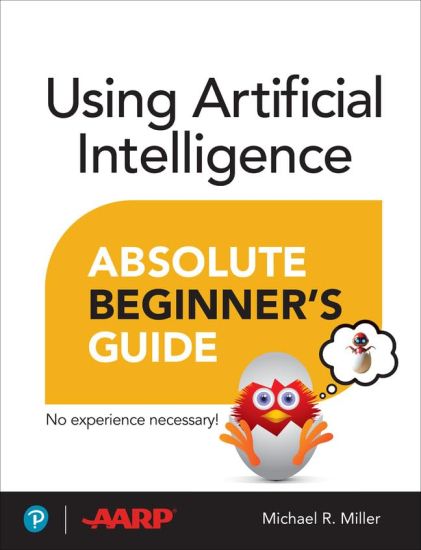
Using Artificial Intelligence Absolute Beginner’s Guide
Using Artificial Intelligence Absolute Beginner’s Guide Who knew how simple AI could be? Using Artificial Intelligence Absolute Beginner’s Guide will have you getting the most of popular AI tools in no time! Here’s a small sample of what you’ll find inside: Learn how AI can make everyday life easier.Get tips for using AI to write, gather information, get advice, and more.Discover how to use AI to generate images that are realistic and fantastical!Examine the risks and rewards of artificial intelligence.Find step-by-step instructions for today’s most popular AI tools, including ChatGPT, Google Gemini, Meta AI, Microsoft Copilot, and Midjourney.Find out how to tell when something is AI generated so you don’t get fooled by deepfakes. Artificial intelligence can be fun and productive if you know which tools to use and when. Using Artificial Intelligence Absolute Beginner’s Guide tells you all about today’s major AI tools and shows how to get the best results from them. You’ll learn to use AI for turning your ideas into art, writing a great email, sharpening your resume, and even sparking conversation. Instantly research everything from planning a trip to making your next big purchase. It’s all a matter of picking the right AI tool and constructing the right prompt. You’ll also learn to protect yourself from the risks of AI and distinguish AI fakes from the real thing. Everything you need to know is here in this book!
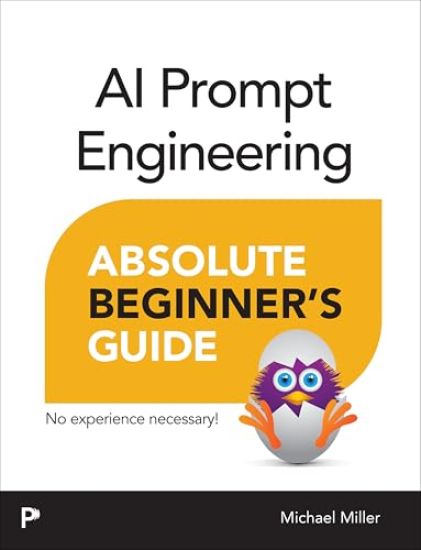
AI Prompt Engineering Absolute Beginner’s Guide

AI Prompt Engineering Absolute Beginner’s Guide

Michael Miller

PEARSON EDUCATION (US)
2026
nidottu
Master the art of AI prompting to unlock the full potential of generative AI tools for enhanced creativity and productivity AI Prompt Engineering Absolute Beginner’s Guide, by best-selling author Michael Miller (writer of 200+ practical tech books), teaches readers how to craft effective prompts that unlock the full power of generative AI. You’ll learn what generative AI can (and can’t) do, why well-structured prompts matter, and how to craft them step-by-step for the results you actually want. This approachable guide walks you through the anatomy of a great prompt--defining clear goals, outputs, constraints, tone, and style--then builds your skills with proven prompting strategies. You’ll also learn how to evaluate prompt performance, troubleshoot underperforming prompts, and refine your prompts with iterative techniques. Even better, you’ll learn how to construct prompts for specific tasks (productivity, writing, image generation, and more) and take advantage of a large library of prompt templates. Whether you are a casual user or a professional in content creation, marketing, education, or tech, this book helps you unlock the full power of today’s AI tools. With practical examples and real-world use cases, you will learn how to evaluate performance, refine and iterate, troubleshoot weak outputs, and use AI responsibly. This book will help you with: Understanding how generative AI works and why prompts matter Structuring the anatomy of clear, specific, goal-oriented prompts Defining outputs, constraints, tone, and style to guide results Applying zero-shot, one-shot, and few-shot prompting techniques Using chain-of-thought and self-consistency to improve reasoning Adopting role- and persona-based prompting for better context Building prompt chains and multimodal prompts (text, image, video) Evaluating prompt performance and iterating for improvement Generating higher-quality text, images, and videos for real use cases Troubleshooting weak outputs and practicing responsible, ethical prompting
My iPad for Seniors

My iPad for Seniors

Michael Miller

Addison Wesley
2020
nidottu
Covers All iPads Running iPadOS 13 Easy, clear, readable, and focused on what you want to do. Full-color, step-by-step tasks walk you through getting and keeping your iPad working just the way you want. Learn how to Discover all the new features of iPadOS 13Wirelessly connect to and browse the Internet, at home or awayPersonalize the way your iPad looks and works–including the new Dark ModeMake your iPad easier to use if you have trouble seeing or tapping the screenUse Siri’s voice commands to control your iPad and find useful informationCommunicate with friends and family via email, text messaging, and FaceTime video chatsShoot, share, and view photos and videosListen to streaming music and watch streaming movies and TV shows onlineConnect and use the Apple Pencil and Smart KeyboardUse iCloud to store and share your photos and other important data onlineTroubleshoot common iPad problems
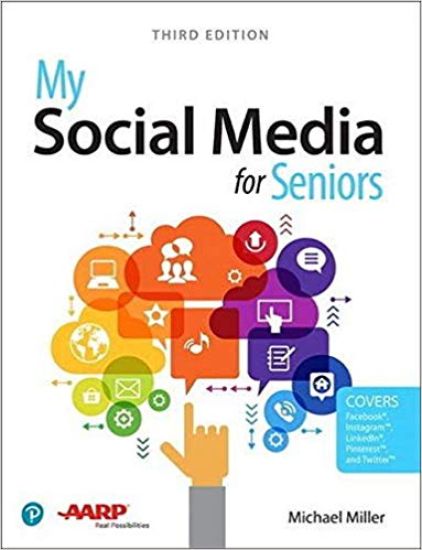
My Social Media for Seniors

My Social Media for Seniors

Michael Miller

Addison Wesley
2019
nidottu
My Social Media for Seniors Step-by-step instructions for the tasks you care about most Large, full-color, close-up photos show you exactly what to do Common-sense help whenever you run into problems Tips and notes to help you along the way Learn how to get the most out of social media! We’ve identified the essential skills you need to stay connected with the people you care about; reconnect with old friends and classmates; and share your life with loved ones near and far. Our crystal-clear instructions respect your smarts but never assume you’re an expert. Big, colorful photos on nearly every page make this book incredibly easy to read and use! · Learn the pros and cons of social media and how to use it safely · Find out what to share–and what not to share–on social media · Distinguish between fake news and real news online · Use social media to find friends, family, schoolmates, and co-workers · Keep in touch with friends and family on Facebook® · Save and share interesting images on PinterestTM · Connect with people and businesses on LinkedIn® · Tweet and retweet on TwitterTM · Share photos on InstagramTM · Use Skype to participate in video chats with friends and family members
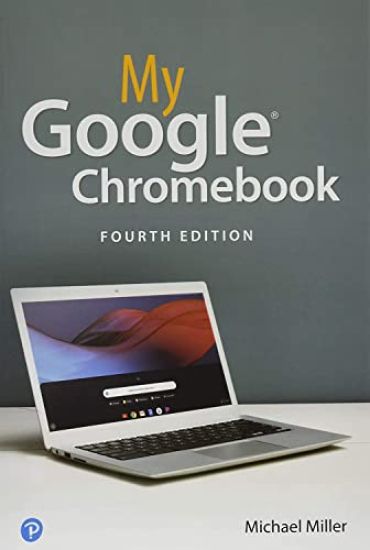
My Google Chromebook

My Google Chromebook

Michael Miller

Addison Wesley
2019
nidottu
Step-by-step instructions with callouts to Google Chromebook photos that show you exactly what to do Help when you run into Chromebook problems or limitations Tips and Notes to help you get the most from your Chromebook Full-color, step-by-step tasks walk you through doing exactly what you want with your Chromebook. Learn how to Set up and configure your new Chromebook Personalize your Chromebook’s desktop and other settings Use your Chromebook with the touchpad, keyboard, or touchscreen Browse and search the Web with the Google Chrome browser Manage your files wherever they’re stored: on your Chromebook, on an external drive, or in the cloud Find great new Chrome and Android apps in the Google Play Store Strengthen privacy with Incognito Mode and Google’s privacy settings Watch streaming TV shows and movies with Netflix, Hulu, and Amazon Prime Video Listen to streaming music with Pandora, Spotify, and Google Play Music View and fix photos with Google Photos Print from anywhere with Google Cloud Print Send, receive, read, and manage email through Google Gmail Get productive with Google Docs, Sheets, and Slides Use your Google Chromebook for education Optimize Chromebook performance and battery life Troubleshoot and recover from problems
My Windows 10 Computer for Seniors

My Windows 10 Computer for Seniors

Michael Miller

Addison Wesley
2020
nidottu
My Microsoft Windows 10 Computer for Seniors is an easy, full-color tutorial on the latest operating system from Microsoft. Veteran author Michael Miller is known for his ability to explain complex topics to everyday readers. Michael wrote this book from the 50+ point of view, using step-by-step instructions and large, full-color photos to cover all the most popular tasks. Miller will help you learn to: • Get started with Windows 10, whether you’re experienced with computers or not • Configure Windows 10 to work better for those with vision and physical challenges • Explore the web with Microsoft’s Edge browser and Google Search • Find, install, and use the best Windows apps • Reliably connect to the Internet, both at home and away • Shop safely online and avoid online scams • Make and receive video and voice calls with Skype • Connect your phone to your PC to text and make calls • Stay connected with friends and family on Facebook, Pinterest, and Twitter • Store, touch up, and share your pictures • Send and receive email with Windows 10’s Email app • Keep track of all your files, and back them up safely • Watch streaming video on your PC with Disney+, Netflix, YouTube, and more • Discover great new music with Spotify and Pandora • Fix common PC problems, and manage Windows updates
My TV for Seniors

My TV for Seniors

Michael Miller

Addison Wesley
2020
nidottu
Easy, clear, readable, and focused on what you want to do. Step-by-step instructions that show you exactly how and where to watch what you want to watch. Help when you have specific questions. Tips and notes to help you get the most from local, cable, satellite, and streaming TV. Full-color, step-by-step tasks walk you through watching TV today on a variety of devices--and saving money doing so. Learn how to Cut the cable and satellite cordSave money on your cable or satellite TV billWatch local TV stations for freeChoose the best TV and streaming media player for youConnect and use an Amazon Fire TV, Apple TV, or Roku streaming media playerWatch Amazon Prime Video, CBS All Access, Disney+, HBO Max, Hulu, Netflix, Peacock, and other streaming video servicesWatch live streaming video services like AT&T TV, fuboTV, Hulu + Live TV, Sling TV, and YouTube TVFind where to best watch sporting eventsGet a better picture with HD, 4K, 8K, and HDRGet better sound with a sound bar or surround
My iPad for Seniors (covers all iPads running iPadOS 14)
Covers All iPads Running iPadOS 14 Easy, clear, readable, and focused on what you want to do. Full-color, step-by-step tasks walk you through getting and keeping your iPad working just the way you want. Learn how to Discover all the new features of iPadOS 14Wirelessly connect to and browse the Internet, at home or awayPersonalize the way your iPad looks and works--including Dark ModeMake your iPad easier to use if you have trouble seeing or tapping the screenUse Siri voice commands to control your iPad and find useful informationCommunicate with friends and family via email, text messaging, and FaceTime and Zoom video chatsShoot, share, and view photos and videosListen to streaming music and watch streaming movies and TV shows onlineConnect and use the Apple Pencil, external keyboards, trackpads, and miceUse iCloud to store and share your photos and other important data onlineTroubleshoot common iPad problems
My Video Chat for Seniors

My Video Chat for Seniors

Michael Miller

Addison Wesley
2021
nidottu
Full-color, clear, and readable tasks show you how to get the most out of Zoom and other video chat platforms. Step-by-step instructions that show you exactly how to host and participate in video chats with friends and family. Help when you have specific questions. Tips and notes to help you get the most from your video chats. Learn how to Use video chat to keep in touch with friends, family, and co-workersDiscover the differences between the most popular video chat platforms: Apple FaceTime, Facebook Messenger, Google Duo, Google Meet, Microsoft Teams, Skype, WhatsApp, and ZoomChoose the right video chat platforms for all your needsVideo chat on a variety of devices--Android and Apple phones and tablets, as well as Mac, Windows, and Chromebook computersParticipate in one-on-one and group video chats--and host your own chatsImprove your video chats with useful accessories, such as lights and microphonesUse Zoom advanced features, including virtual backgroundsVideo chat with smart displays such as the Amazon Echo Show, Facebook Portal, and Google Nest Hub MaxUse video chat for large events such as birthday parties, neighborhood meetings, and business conferencesKeep your video chats safe and private
My iPad for Seniors (Covers all iPads running iPadOS 15)
Covers all iPads running iPadOS 15 Easy, clear, readable, and focused on what you want to do. Step-by-step instructions for the tasks you care about most Large, full-color, close-up photos show you exactly what to do Common-sense help whenever you run into problems Tips and notes to help you get the most from your iPad Full-color, step-by-step tasks walk you through getting and keeping your iPad working just the way you want. Learn how to Discover all the new features of iPadOS 15Wirelessly connect to and browse the Internet, at home or awayPersonalize the way your iPad looks and works--including adding widgets to the Home screenMake your iPad easier to use if you have trouble seeing or tapping the screenUse Siri voice commands to control your iPad and find useful informationCommunicate with friends and family via email, text messaging, and FaceTime and Zoom video chatsShoot, share, and view photos and videosListen to streaming music and watch streaming movies and TV shows onlineConnect and use the Apple Pencil, external keyboards, trackpads, and miceUse iCloud to store and share your photos and other important data onlineTroubleshoot common iPad problems
My Windows 11 Computer for Seniors

My Windows 11 Computer for Seniors

Michael Miller

PEARSON EDUCATION (US)
2022
nidottu
My Windows 11 Computer for Seniors Easy, clear, readable, and focused on what you want to do Step-by-step instructions for the tasks you care about most Large, full-color, close-up photos show you exactly what to do Common-sense help whenever you run into problems Tips and notes to help you do even more Over the years, you've learned a lot. Now, learn Windows 11! We've brought together all the Windows 11 skills you need to stay connected and safe, express your creativity, find new passions, and live a better, healthier life. Our crystal-clear instructions respect your smarts but never assume you're an expert. Big, colorful photos on nearly every page make this book incredibly easy to read and use! * Get started with Windows 11, whether you're experienced with computers or not* Learn all that's new and different in Windows 11, including the new taskbar and Start menu* Reliably connect to the Internet, both at home and away* Explore the Web with the Microsoft Edge browser and Google Search* Make and receive video and voice calls with Microsoft Teams and Zoom* Send and receive email with the Windows Email app* Shop safely online and avoid online scams* Find, install, and use the best Windows apps* Connect your phone to your PC to text, make calls, and share photos* Stay connected with friends and family on Facebook, Pinterest, and Twitter* Store, touch up, and share your pictures* Keep track of all your files and folders* Watch streaming TV shows and movies and listen to streaming music on your PC* Configure Windows 11 to work better for those with vision and physical challenges* Fix common PC problems and manage Windows updates
Computer Basics Absolute Beginner's Guide, Windows 11 Edition
Make the most of your Windows 11 laptop or desktop computer--without becoming a technical expert! This book is the fastest way to get comfortable, get productive, get online, get started with social networking, make more connections, and have more fun! Even if you've never used a Windows computer before, this book shows you how to do what you want, one incredibly clear and easy step at a time. Computer basics have never, ever been this simple! Who knew how simple using computers could be? This is today's best beginner's guide to using your computer or tablet with the Windows 11 operating system...simple, practical instructions for doing everything you really want to do! Here's a small sample of what you'll learn: * Set up your computer and personalize the Windows 11 Start menu and desktop * Connect to the Internet and browse the Web with Microsoft Edge * Get started with social networking on Facebook, Twitter, Pinterest, and LinkedIn * Video chat with Zoom and Microsoft Teams * Use Windows 11's built-in apps--and find great new apps in the Microsoft Store * Connect printers and external storage * Connect to a home wireless network or public Wi-Fi hotspot * Go online to shop and sell--including ordering food and groceries online * Get work done quickly with Microsoft Office * Organize, view, and share photos * Listen to streaming music with Pandora and Spotify * Watch streaming movies and TV shows with Amazon Prime Video, Disney+, HBO Max, Hulu, Netflix, and more * Protect yourself against viruses, spyware, and spam
The Lyme Disease Handbook

The Lyme Disease Handbook

Michael Miller

1551541
2020
pokkari
Critically ill for six years, I finally discovered that Lyme Disease was the problem. Using a special formulated herbs remedy mix I quickly cured myself. Knowing about natural treatment and symptoms help to determine a herbal cure. Know the symptoms; such as depression, ms, arthritis.
Music Theory Note by Note

Music Theory Note by Note

Michael Miller

DK
2024
nidottu
This concise and clear guide to simplified music theory teaches readers who play music by ear how to read musical notation by guiding them through the basics of reading and composing music to share with others.In this revised edition, renowned music author Michael Miller will help you learn:The basics of tones, including pitches, clefs, and major and minor keysThe building blocks of rhythm, including basic notation, time signatures, and tempoHow to create tunes, starting with melodies, chords, chord progressions, and phrases and formComposing and arranging your own music, including coverage of musical genres and forms, arranging for voices and instruments, working with scores, and performing your musicThe basics of accompaniment, including transcribing, accompanying melodies, and transposing to other keysMichael will also share online ear training and transcribing exercises to help you better understand music analysis. If your goal is to learn how to read and compose music, Music Theory Note by Note will provide just what you need to become successful.
Tillingbourne Valley

Tillingbourne Valley

Michael Miller

The History Press Ltd
1996
nidottu
This beautiful valley lying between Dorking and Guildford has attracted visitors and settlers for centuries. The reliable supply of flowing water through the valley attracted early industry in the form of mills and other activities that depended on water power. Evidence of these early activities have left their mark on the landscape. A fascinating photographic record exists of life and times in the valley over the last century and this book includes a sequence of the best of these images through the villages of Gomshall, Shere, Albury, Chilworth and Shalford and the picturesque houses and landscape in-between. This is the author’s second book in the Archive Photographs series and follows the volume, Around Cranleigh.
10 Minute Guide to Pocket PC 2002

10 Minute Guide to Pocket PC 2002

Michael Miller

Que Corporation,U.S.
2002
nidottu
The pocket-sized reference to the Pocket PC - the only book that isn't bigger than the Pocket PC itself! This presentation is ideal for Pocket PC users who need a quick, lightweight, portable guide to everything their PDAs can do. This book presents step-by-step instructions to the 30 most-used features of the Pocket PC in lessons that can be completed in ten minutes or less.