Kirjojen hintavertailu. Mukana 12 352 183 kirjaa ja 12 kauppaa.

Kirjahaku

Etsi kirjoja tekijän nimen, kirjan nimen tai ISBN:n perusteella.

29 kirjaa tekijältä Richard Petersen

Linux: The Complete Reference, Sixth Edition

Linux: The Complete Reference, Sixth Edition

Richard Petersen

McGraw-Hill Professional
2008
nidottu
Publisher's Note: Products purchased from Third Party sellers are not guaranteed by the publisher for quality, authenticity, or access to any online entitlements included with the product.Your one-stop guide to Linux--fully revised and expandedGet in-depth coverage of all Linux features, tools, and utilities from this thoroughly updated and comprehensive resource, designed for all Linux distributions. Written by Linux expert Richard Petersen, this book explains how to get up-and-running on Linux, use the desktops and shells, manage applications, deploy servers, implement security measures, and handle system and network administration tasks. With full coverage of the latest platform, Linux: The Complete Reference, Sixth Edition includes details on the very different and popular Debian (Ubuntu) and Red Hat/Fedora software installation and service management tools used by most distributions. This is a must-have guide for all Linux users. Install, configure, and administer any Linux distributionWork with files and folders from the BASH, TCSH, and Z shellsUse the GNOME and KDE desktops, X Windows, and display managersSet up office, database, Internet, and multimedia applicationsSecure data using SELinux, netfilter, SSH, and KerberosEncrypt network transmissions with GPG, LUKS, and IPsec Deploy FTP, Web, mail, proxy, print, news, and database serversAdminister system resources using HAL, udev, and virtualization (KVM and Xen)Configure and maintain IPv6, DHCPv6, NIS, networking, and remote accessAccess remote files and devices using NFSv4, GFS, PVFS, NIS, and SAMBA
Ubuntu: The Complete Reference

Ubuntu: The Complete Reference

Richard Petersen

McGraw-Hill Professional
2008
nidottu
Publisher's Note: Products purchased from Third Party sellers are not guaranteed by the publisher for quality, authenticity, or access to any online entitlements included with the product.The Definitive Guide to Ubuntu--Covers Ubuntu 8.04 LTSMaximize the powerful features of Ubuntu with expert guidance, tips, and techniques from bestselling Linux author Richard Petersen. Packed with clear explanations and detailed examples, this comprehensive volume shows you how to get off the ground with Ubuntu, set up hardware and Internet connections, and use the latest system and network administration utilities.Ubuntu: The Complete Reference covers the desktops, shells, and administration tools for users, printers, services, and networks. Get full details on the latest Ubuntu-compatible office, mail, Web, and multimedia software, along with remote access (Vinagre), virtualization (KVM and Xen) and service managment (Upstart).You'll also learn how to interoperate with Windows networks and deploy reliable security using PolicyKit, Seahorse, AppArmor, SELinux, netfilter, and the Secure Shell.Install Ubuntu using Live CDs, the Install DVD, or Wubi Windows virtual diskConfigure printers, devices, and network connectionsAccess Linux using GNOME, KDE, KDE4, and XFce desktopsManage software with Synaptic Package Manager and APTWork with the BASH shell command, configuration, and file management capabilitiesUse office, Web (Firefox 3), mail, and multimedia applications (PulseAudio)Manage file systems including RAID and LVMSecure Ubuntu using PolicyKit authentication, Seahorse encryption, SSH and Kerberos security, AppArmor access controls, and Firestarter and UFW firewallsUse SAMBA and NFS to share network resources
Minder Fra Resundskysten. Historiske Skildringer.

Minder Fra Resundskysten. Historiske Skildringer.

Richard Petersen

British Library, Historical Print Editions
2011
pokkari
Title: Minder fra resundskysten. Historiske Skildringer.Publisher: British Library, Historical Print EditionsThe British Library is the national library of the United Kingdom. It is one of the world's largest research libraries holding over 150 million items in all known languages and formats: books, journals, newspapers, sound recordings, patents, maps, stamps, prints and much more. Its collections include around 14 million books, along with substantial additional collections of manuscripts and historical items dating back as far as 300 BC.The HISTORY OF EUROPE collection includes books from the British Library digitised by Microsoft. This collection includes works chronicling the development of Western civilisation to the modern age. Highlights include the development of language, political and educational systems, philosophy, science, and the arts. The selection documents periods of civil war, migration, shifts in power, Muslim expansion into Central Europe, complex feudal loyalties, the aristocracy of new nations, and European expansion into the New World. ++++The below data was compiled from various identification fields in the bibliographic record of this title. This data is provided as an additional tool in helping to insure edition identification: ++++ British Library Petersen, Richard; 1891. 275 p.; 8 . 9425.c.3.
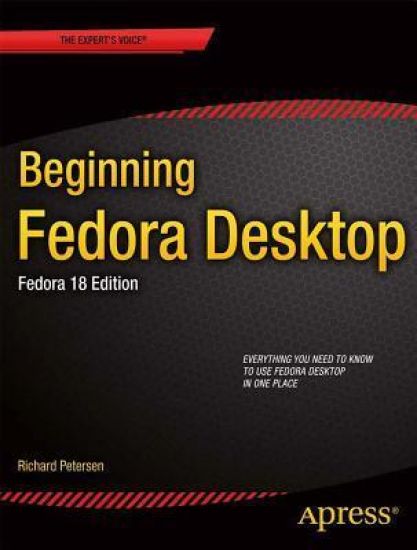
Beginning Fedora Desktop

Beginning Fedora Desktop

Richard Petersen

APress
2013
nidottu
Beginning Fedora Desktop: Fedora 18 Edition is a complete guide to using the Fedora 18 Desktop Linux release as your daily driver for mail, productivity, social networking, and more. Author and Linux expert Richard Petersen delves into the operating system as a whole and offers you a complete treatment of Fedora 18 Desktop installation, configuration, and use. You'll discover how to install Fedora 18 Desktop on any hardware, learn which applications perform which functions, how to manage software updates, tips and tricks for the GNOME 3 and KDE desktops, useful shell commands, and both the Fedora administration and network tools. Get the most out of Fedora 18 Desktop -- including free Office suites, editors, e-book readers, music and video applications and codecs, email clients, Web and FTP browsers, microblogging and IM applications -- with a copy of Beginning Fedora Desktop: Fedora 18 Edition at your side.
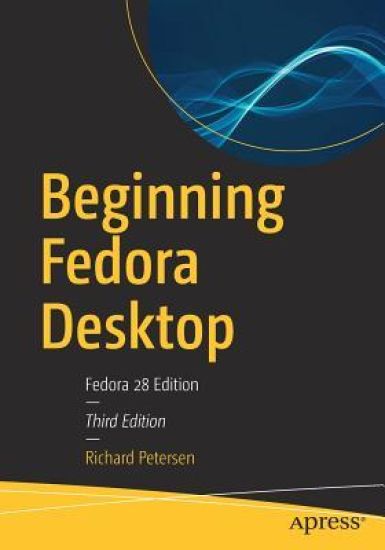
Beginning Fedora Desktop

Beginning Fedora Desktop

Richard Petersen

APress
2018
nidottu
Get the most out of Fedora 28 Desktop, including free Office suites, editors, e-book readers, music and video applications. In addition to those features, you’ll also work with codecs, email clients, web browsers, FTP and BitTorrent clients, VoIP clients, and IM applications. The major Fedora 28 desktop spins are covered in detail, including the Plasma desktop (KDE), Cinnamon, Mate-Compiz, LXDE, Xfce, and LXQT.This is your complete guide to using the Fedora 28 Desktop Linux release as your daily driver for multimedia, productivity, social networking, administrative tasks, and more. Author and Linux expert Richard Petersen delves into the operating system as a whole and offers you a complete treatment of Fedora 28 Desktop configuration and use.With Beginning Fedora Desktop at your side, you’ll discover how to install and update the Fedora 28 Desktop, as well as access various software repositories. You’ll also learn which applications perform which functions, how to manage software, use of the desktop configuration tools, useful shell commands, and both the system administration and network tools.What You'll LearnReview the available desktop choices, including GNOME, KDE, and alternative desktopsAdminister your system, add users, manage printers and perform backupsConfigure network connections and firewalls with FirewallDAccess network resources with SambaWho This Book Is For Novice to intermediate users who are looking to install Fedora 20 as their primary computing environment.
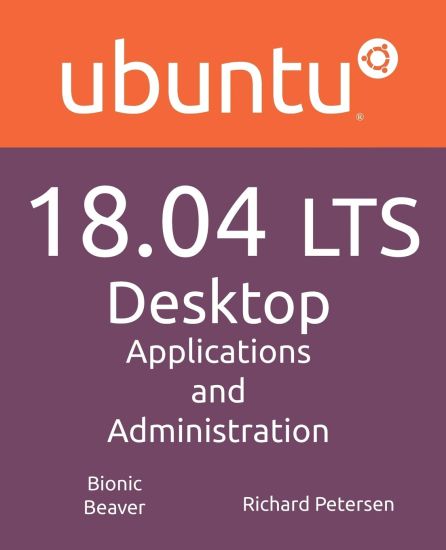
Ubuntu 18.04 LTS Desktop

Ubuntu 18.04 LTS Desktop

Richard Petersen

Surfing Turtle Press
2018
pokkari
This book covers the Ubuntu 18.04 LTS (Bionic Beaver) release, focusing on applications and administrative tools. The emphasis here is on what users will face when using Ubuntu, covering topics like installation, applications, software management, the Ubuntu desktops (GNOME and KDE), shell commands, network connections, and system administration tasks. There are four parts: Getting Started, Applications, Desktops, and Administration. Part 1 focuses on getting started, covering Ubuntu information and resources, using Ubuntu Live DVD/USB discs, installing and setting up Ubuntu, upgrading Ubuntu, basic use of the desktop interface, and connecting to wired and wireless networks. Ubuntu Software and Synaptic Package manager, which provides easy and effective software management, are both discussed. Part 2 keys in on office, multimedia, mail, Internet, and social media applications. Part 3 covers the Ubuntu, Kubuntu, Ubuntu MATE, Ubuntu Cinnamon, Xubuntu, and Lubuntu desktops. as well as the BASH shell. The Ubuntu desktop with the GNOME interface is examined in detail. Ubuntu GNOME uses a Dock and a Dash (dashboard) to manage access to applications and devices. Part 4 deals with administration topics, first discussing system tools like the GNOME system monitor, the Disk Usage Analyzer, and Disk Utility (Udisks). Then a detailed chapter on Ubuntu system administration tools is presented, covering tasks such as managing users and file systems, Bluetooth setup, network folder sharing, backups, and printing. The network connections chapter covers a variety of network tasks, including manual configuration of wired and wireless connections, and firewalls (the Gufw and FirewallD).
Ubuntu 18.04 LTS Server

Ubuntu 18.04 LTS Server

Richard Petersen

Surfing Turtle Press
2018
pokkari
This book is designed as an Ubuntu 18.04 LTS Server administration and reference source, covering the Ubuntu servers and their support applications. Server tools are covered as well as the underlying configuration files and system implementations. The emphasis is on what administrators will need to know to perform key server support and management tasks. Coverage of the systemd service management system is integrated into the book. Topics covered include software management, systemd service management, systemd-networkd and Netplan network configuration, AppArmor security, OpenSSH, the Chrony time server, and Ubuntu cloud services. Key servers are examined, including Web, FTP, CUPS printing, NFS, and Samba Windows shares. Network support servers and applications covered include the Squid proxy server, the Domain Name System (BIND) server, DHCP, distributed network file systems, IPtables firewalls, and cloud computing. The book is organized into five parts: getting started, services, shared resources, network support, and shells.
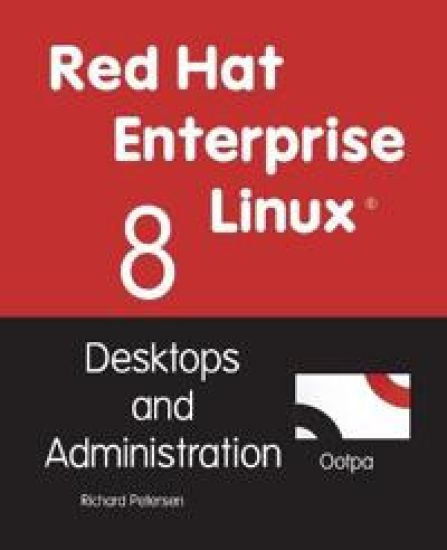
Red Hat Enterprise Linux 8

Red Hat Enterprise Linux 8

Richard Petersen

Surfing Turtle Press
2019
pokkari
This book examines Red Hat Enterprise Linux 8 for the desktop user and administrator ( including RHEL 8.1). Though administrative tools are covered, the emphasis is on what a user would need to know to perform tasks. The focus here is on what users face when using Red Hat Enterprise Linux 8, covering topics like applications, the GNOME desktop, shell commands, and the administration and network tools. The GNOME desktop is examined in detail, including configuration options. Administration topics are also covered including user management, software management, repositories, services, systemd, system monitoring, web console, shell configuration, encryption, network connections, shared resources, authentication, SELinux, firewalls, shell configuration, backups, and printers.The book is organized into two parts: desktops and administration.Part 1 covers the desktop. First discussed are basic desktop use and configuration tasks performed by most users. Then the GNOME desktop is examined in detail covering topics such as the the Files file manager, and the GNOME dash. It also reviews desktop applications available for Red Hat Enterprise Linux including office and Web applications, email clients, graphic tools, databases, editors, video applications, music players, Web browsers, FTP clients, instant messengers, VoIP applications, and sound (PulseAudio) configuration.Part 2 focuses on administrative tasks such as managing users, monitoring your system, managing software, securing your system, configuring network connections and printers, setting up shared resources (Samba and NFS), and performing backups. Red Hat Enterprise Linux administrative desktop administrative tools are examined, including the web console. For software management, GNOME Software, and YUM are discussed in detail along with the Red Hat, EPEL, and RPM Fusion repositories. Security issues such as encryption, authorization, and SELinux configuration are covered. system is also examined, including service and template files. The command line shell interface and shell configuration, including system and user shell configuration variables and files are also discussed.
Ubuntu 20.04 LTS Desktop

Ubuntu 20.04 LTS Desktop

Richard Petersen

Surfing Turtle Press
2020
pokkari
This book covers the Ubuntu 20.04 LTS (Focal Fossa) release, focusing on applications and administrative tools. The emphasis here is on what users will face when using Ubuntu, covering topics like installation, applications, software management for Snap and APT, the Ubuntu desktops (GNOME, MATE, and KDE), shell commands, network connections, and system administration tasks. There are four parts: Getting Started, Applications, Desktops, and Administration. Part 1 focuses on getting started, covering Ubuntu information and resources, using the Ubuntu Live DVD/USB drive, installing and setting up Ubuntu, upgrading Ubuntu, basic use of the desktop interface, and connecting to wired and wireless networks. Repositories and their use are covered in detail, along with the new Snap system for managing Snap packages. Ubuntu Snap package management with Ubuntu Software, the snap command, the Snap Store are examined, as well as APT package management with Gnome Software, the Synaptic Package Manager, and the apt and apt-get commands.Part 2 keys in on office, multimedia, mail, Internet, and social media applications. Part 3 covers the Ubuntu, Kubuntu, Ubuntu MATE, Xubuntu, and Lubuntu desktops. as well as the BASH shell. The Ubuntu desktop, which uses GNOME, is examined in detail. Part 4 deals with administration topics, first discussing system tools like the GNOME system monitor, the Disk Usage Analyzer, Seahorse, and Disk Utility. Then a detailed chapter on Ubuntu system administration tools is presented, covering tasks such as managing users and file systems, Bluetooth setup, network folder sharing, backups, and printing. The network connections chapter covers a variety of network tasks, including manual configuration of wired and wireless connections, and firewalls.
Linux Mint 20

Linux Mint 20

Richard Petersen

Surfing Turtle Press
2020
pokkari
Linux Mint 20 (Ulyana) is based on the Ubuntu 20.04 LTR (Long Term Release). The Cinnamon and Mate desktops are examined in detail. Cinnamon and Mate have custom Mint menus to manage access to applications and devices. Advanced components are also examined such as the LightDM Display Manager, Warpinator, Timeshift, NetworkManager, the Samba server, and Mint software management applications (Software Manager and Update Manager). The Linux Mint X-Apps are also reviewed, including Xplayer, Xed, and Xviewer. Administration topics include system tools, managing users, file systems, Bluetooth setup, printer configuration, and network folder and file sharing. In addition, configuration of wired and wireless connections, firewalls, and service management using systemd are covered. Shared resources are also examined, including the CUPS printing server, the NFS Linux network file server, and Samba Windows file server.
Ubuntu 21.04 Server

Ubuntu 21.04 Server

Richard Petersen

Surfing Turtle Press
2021
pokkari
This book is designed as an Ubuntu 21.04 Server administration and reference source, covering the Ubuntu servers and their support applications. Server tools are covered as well as the underlying configuration files and system implementations. The emphasis is on what administrators will need to know to perform key server support and management tasks. Coverage of the systemd service management system is integrated into the book. Topics covered include software management, systemd service management, AppArmor security, OpenSSH, the Chrony time server, and Ubuntu cloud services. Key servers are examined, including Web, FTP, CUPS printing, NFS, and Samba Windows shares. Network support servers and applications covered include the Squid proxy server, the Domain Name System (BIND) server, DHCP, distributed network file systems, IPtables firewalls, and cloud computing.
Ubuntu 22.04 LTS Desktop

Ubuntu 22.04 LTS Desktop

Richard Petersen

Surfing Turtle Press
2022
pokkari
This book covers the Ubuntu 22.04 LTS (Jammy Jellyfish) release, focusing on applications and administrative tools. The emphasis here is on what users will face when using Ubuntu, covering topics like installation, applications, software management for Snap and APT, the Ubuntu desktops (GNOME, MATE, and KDE), shell commands, network connections, and system administration tasks. There are four parts: Getting Started, Applications, Desktops, and Administration.Part 1 focuses on getting started, covering Ubuntu information and resources, using the Ubuntu Live DVD/USB drive, installing and setting up Ubuntu, upgrading Ubuntu, basic use of the desktop interface, and connecting to wired and wireless networks. Repositories and their use are covered in detail, along with the new Snap system for managing Snap packages. Ubuntu Snap package management with Ubuntu Software, the snap command, the Snap Store are examined, as well as APT package management with Gnome Software, the Synaptic Package Manager, and the apt and apt-get commands.Part 2 keys in on office, multimedia, mail, Internet, and social media applications. Part 3 covers the Ubuntu, Kubuntu, Ubuntu MATE, Xubuntu, and Lubuntu desktops. as well as the BASH shell. The Ubuntu desktop, which uses GNOME, is examined in detail. Part 4 deals with administration topics, first discussing system tools like the GNOME system monitor, the Disk Usage Analyzer, Seahorse, and Disk Utility. Then a detailed chapter on Ubuntu system administration tools is presented, covering tasks such as managing users and file systems, Bluetooth setup, network folder sharing, backups, and printing. The network connections chapter covers a variety of network tasks, including manual configuration of wired and wireless connections, and firewalls.
Linux Mint 21

Linux Mint 21

Richard Petersen

Surfing Turtle Press
2022
pokkari
Linux mint 21 (Vanessa) is based on the Ubuntu 22.04 LTR (Long Term Release). The Cinnamon and Mate desktops are examined in detail. Cinnamon and Mate have custom Mint menus to manage access to applications and devices. Advanced components are also examined such as the LightDM Display Manager, Warpinator, Timeshift, NetworkManager, the Samba server, and Mint software management applications (Software Manager and Update Manager). The Linux Mint X-Apps are also reviewed, including Xed, Xviewer, and Timeshift. Administration topics include system tools, managing users, file systems, Bluetooth setup (Blueman), printer configuration, and network folder and file sharing. In addition, configuration of wired and wireless connections, firewalls, and service management using systemd are covered. Shared resources are also examined, including the CUPS printing server, the NFS Linux network file server, and Samba Windows file server.
Ubuntu 22.04 LTS Server

Ubuntu 22.04 LTS Server

Richard Petersen

Surfing Turtle Press
2023
pokkari
This book is designed as an Ubuntu 22.04 LTS Server administration and reference source, covering the Ubuntu servers and their support applications. Server tools are covered as well as the underlying configuration files and system implementations. The emphasis is on what administrators will need to know to perform key server support and management tasks. Coverage of the systemd service management system is integrated into the book. Topics covered include software management, systemd service management, AppArmor security, OpenSSH, the Chrony time server, and Ubuntu cloud services. Key servers are examined, including Web, FTP, CUPS printing, NFS, and Samba Windows shares. Network support servers and applications covered include the Squid proxy server, the Domain Name System (BIND) server, DHCP, distributed network file systems, nftables firewalls, and cloud computing.The book is organized into five parts: getting started, services, shared resources, network support, and shells.Part 1 focuses on basic tasks such as installing the Ubuntu Live Server, configuring networking with Netplan, systemd-networkd, and NetworkManager, managing software from the Ubuntu Snap and APT repositories, and basic usage for the desktop and the command line interfaces. Part 2 examines Internet servers as well as how services are managed by systemd using unit files. Configuration and implementation of the Postfix mail server, the vsftpd FTP server, the Apache Web server, as well as news and database servers are covered in detail.Part 3 deals with servers that provide shared resources on a local network or the Internet. Services examined include the CUPS printing server, NFS Linux network file server, and Samba Windows file and printing server, clustering, and cloud computing services supported by Ubuntu.Part 4 covers servers that provide network support, like the Squid proxy server, the Bind Domain Name System (DNS) server, DHCP servers, and the nftables firewall along with the configuration firewall tools FirewallD and UFW. Key networking operations are also examined like IPv6 auto-configuration, TPC/IP networking, and network monitoring tools.Part 5 provides a review of shell commands, including those used for managing files, as well as shell scripts, variables, and configuration files. The Ubuntu Live Server only installs a command line interface, with no desktop. To manage your system and its files you will have to know the shell commands.