Kirjojen hintavertailu. Mukana 12 419 466 kirjaa ja 12 kauppaa.

Kirjahaku

Etsi kirjoja tekijän nimen, kirjan nimen tai ISBN:n perusteella.

7 kirjaa tekijältä Sean Wilkins

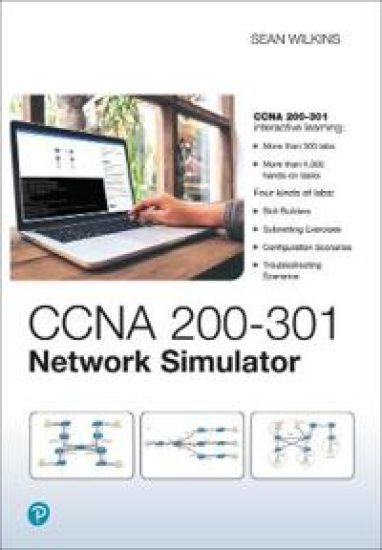
CCNA 200-301 Network Simulator

CCNA 200-301 Network Simulator

Sean Wilkins

Pearson IT Certification
2020
lisenssiavain
CCNA 200-301 Official Cert Guide and Network Simulator Library, Second Edition is a comprehensive review and hands-on practice package for the CCNA exam. This value-priced bundle combines the best-selling CCNA study guides with a powerful network simulator, providing you with the tools you need to master all the exam topics and develop real-world hands-on configuration and troubleshooting skills. The three products in this package present complete reviews and a more challenging and realistic preparation experience. In the books, CCNA 200-301 Official Cert Guides, Volumes 1 and 2, Second Editions, best-selling author and expert instructor Wendell Odom shares preparation hints and test-taking tips, helping you identify areas of weakness and improve both your conceptual knowledge and hands-on skills. This complete study package includes A test-preparation routine proven to help you pass the examDo I Know This Already? quizzes, which enable you to decide how much time you need to spend on each sectionChapter-ending Key Topic tables, which help you drill on key concepts you must know thoroughlyThe powerful Pearson Test Prep Practice Test software, complete with hundreds of exam-realistic questions, customization options, and detailed performance reportsLinks to a series of hands-on config labs developed by the authorOnline, interactive practice exercises that help you enhance your knowledge and hone your configuration skillsMore than 8 hours of video mentoring from the authorAn online, interactive Flash Cards application to help you drill on Key Terms by chapterA final preparation chapter, which guides you through tools and resources to help you craft your review and test-taking strategiesStudy plan suggestions and templates to help you organize and optimize your study time CCNA 200-301 Network Simulator software enables you to practice your networking skills with more than 300 structured labs designed to help you learn by doing, the most effective method of learning. Experience realistic network device response as you perform each lab, which include detailed instructions, topology diagrams, critical-thinking questions, hints, and answers. Working through the labs, you will quickly become proficient with all the common Cisco IOS version 15 router and switch commands on the CCNA exam. Unlike other simulators on the market, the lab scenarios included in the CCNA 200-301 Network Simulator are far more complex, challenging you to learn how to perform real-world network configuration and troubleshooting tasks. These official study guides help you master all the topics on the CCNA exam, including Networking fundamentalsImplementing Ethernet LANsImplementing VLANs and STPIPv4 addressing and subnettingIPv4 routingImplementing OSPFIPv6 addressing, subnetting, and routingWireless LANsIP access control listsSecurity servicesIP servicesNetwork architectureNetwork automation
CCENT ICND1 100-105 Network Simulator, Pearson uCertify Academic Edition Student Access Card
Welcome to CCENT CCNA ICND1 100-105 Pearson uCertify LabsCCENT ICND1 100-105 Network Simulator, Academic Edition Pearson uCertify Labs is an online, hands-on skills enhancement tool that helps students gain the real-world configuration and troubleshooting skills they need to succeed on the Cisco CCENT ICND1 exam and to land a job as a network engineer. The 290+ labs in this product cover the full range of Cisco CCENT ICND1 100-105 exam configuration and troubleshooting topics. These best-selling labs help bridge the gap between conceptual knowledge and real-world application by providing competency-based, interactive, online, 24x7 training. The labs simulate real-world networking hardware that you configure and troubleshoot using the Cisco Command Line Interface (CLI). Working through the labs, you will quickly become proficient with all the common Cisco IOS version 15 router and switch commands on the CCENT ICND1 exam. The open command environment allows you to explore configurations beyond the lab steps. uCertify Labs build upon the same great platform benefits and flexibility that have become synonymous with the uCertify Courses. Students can feel safe working in this virtual environment resolving real-world networking problems. You can plan your studies using Study Planner and view detailed performance reports to verify your work.
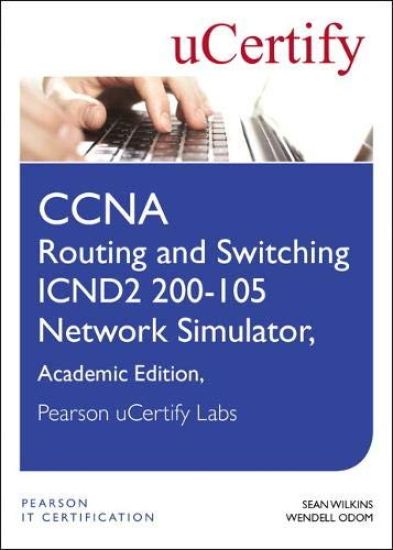
CCNA Routing and Switching ICND2 200-105 Network Simulator, Pearson uCertify Academic Edition Student Access Card
Welcome to CCNA Routing and Switching ICND2 200-105 Network Simulator, Academic Edition Pearson uCertify LabsCCNA Routing and Switching ICND2 200-105 Network Simulator, Academic Edition Pearson uCertify Labs is an online, hands-on skills enhancement tool that helps students gain the real-world configuration and troubleshooting skills they need to succeed on the Cisco CCNA ICND2 exam and to land a job as a network engineer. The 190 labs in this product cover the full range of Cisco CCNA ICND2 200-105 exam configuration and troubleshooting topics. These best-selling labs help bridge the gap between conceptual knowledge and real- world application by providing competency-based, interactive, online, 24x7 training. The labs simulate real-world networking hardware that you configure and trouble- shoot using the Cisco Command Line Interface (CLI). Working through the labs, you will quickly become proficient with all the common Cisco IOS version 15 router and switch commands on the CCNA ICND2 exam. The open command environment allows you to explore configurations beyond the lab steps. uCertify Labs build upon the same great platform benefits and flexibility that have become synonymous with the uCertify Courses. Students can feel safe working in this virtual environment resolving real-world networking problems. You can plan your studies using Study Planner and view detailed performance reports to verify your work.
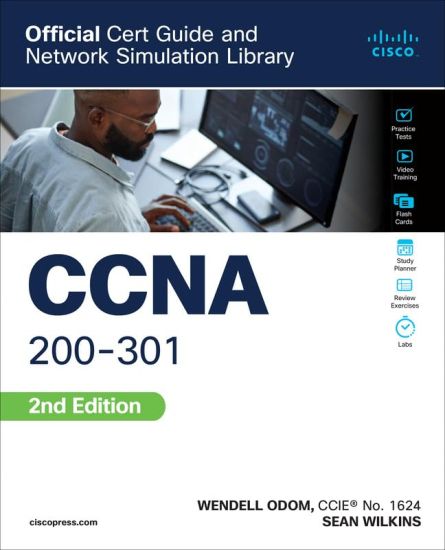
CCNA 200-301 Official Cert Guide and Network Simulator Library

CCNA 200-301 Official Cert Guide and Network Simulator Library

Wendell Odom; Sean Wilkins

PEARSON EDUCATION (US)
2022
muu
CCNA 200-301 Official Cert Guide and Network Simulator Library Assessment, review, and hands-on practice package for the CCNA 200-301 exam Includes CCNA 200-301 Official Cert Guide, Volume 1, CCNA 200-301 Official Cert Guide, Volume 2, and CCNA 200-301 Network Simulator CCNA 200-301 Official Cert Guide and Network Simulator Library is a comprehensive review and hands-on practice package for the CCNA exam. This value-priced bundle combines the best-selling CCNA study guides with a powerful network simulator, providing you with the tools you need to master all the exam topics and develop real-world hands-on configuration and troubleshooting skills. The three products in this package present complete reviews and a more challenging and realistic preparation experience. In the books, CCNA 200-301 Official Cert Guides Volumes 1 and 2, best-selling author and expert instructor Wendell Odom shares preparation hints and test-taking tips, helping you identify areas of weakness and improve both your conceptual knowledge and hands-on skills. This complete study package includes A test-preparation routine proven to help you pass the examsDo I Know This Already? quizzes, which enable you to decide how much time you need to spend on each sectionChapter-ending Key Topic tables, which help you drill on key concepts you must know thoroughlyThe powerful Pearson Test Prep Practice Test software, complete with hundreds of well-reviewed, exam-realistic questions, customization options, and detailed performance reportsLinks to a series of hands-on config labs developed by the authorOnline, interactive practice exercises that help you enhance your knowledge and hone your configuration skillsMore than 2 hours of video mentoring from the authorAn online, interactive Flash Cards application to help you drill on Key Terms by chapterFinal preparation chapters, which guide you through tools and resources to help you craft your review and test-taking strategiesStudy plan suggestions and templates to help you organize and optimize your study time CCNA 200-301 Network Simulator software enables you to practice your networking skills with more than 300 structured labs designed to help you learn by doing, the most effective method of learning. Experience realistic network device response as you perform each lab, which include detailed instructions, topology diagrams, critical-thinking questions, hints, and answers. Working through the labs, you will quickly become proficient with all the common Cisco IOS version 15 router and switch commands on the CCNA exam. Unlike other simulators on the market, the lab scenarios included in the CCNA 200-301 Network Simulator are far more complex, challenging you to learn how to perform real-world network configuration and troubleshooting tasks. Well regarded for its level of detail, study plans, assessment features, challenging review questions and exercises, video instruction, and hands-on labs, these study tools help you master the concepts and techniques that ensure your exam success. These study tools help you master all the topics on the CCNA exam, including Networking fundamentalsImplementing Ethernet LANsImplementing VLANs and STPIPv4 addressing and subnettingIPv4 routingImplementing OSPFIPv6 addressing, subnetting, and routingWireless LANsIP access control listsSecurity servicesIP servicesNetwork architectureNetwork automation Companion Website The companion website contains more than 600 unique practice exam questions, online practice exercises, and more than 2 hours of video training. Includes Exclusive Offers For Up to 70% Off Extra Practice Tests and Video Training Pearson Test Prep online system requirements: www.pearsontestprep.com Browsers: Chrome version 73 and above, Safari version 12 and above, Microsoft Edge 44 and above. Devices: Desktop and laptop computers, tablets running Android v8.0 and above or iPadOS v13 and above, smartphones running Android v8.0 and above or iOS v13 and above with a minimum screen size of 4.7". Internet access required. Pearson Test Prep offline system requirements: Windows 10, Windows 8.1; Microsoft .NET Framework 4.5 Client; Pentium-class 1 GHz processor (or equivalent); 512 MB RAM; 650 MB disk space plus 50 MB for each downloaded practice exam; access to the Internet to register and download exam databases Network Simulator system requirements: Operating Systems: Windows 10 (32/64 bit); Windows 8.1 (32/64 bit); macOS 11, 10.15, and 10.14. Free Storage Space: 1 GB (minimum). System Memory (RAM): 4 GB (minimum). Processor: i3 3.4 GHz (minimum) and above. Software Prerequisites: Node JS 10 and PDF reader. Monitor Resolution: Minimum resolution: 1024 x 768; best viewed: 1280 x 800 and above. Internet Speed: 2 Mbps (minimum) is needed only during software activation, reporting feedback, and receiving updates. After activation, Internet is not needed for accessing the labs in the application. Language: English (US)
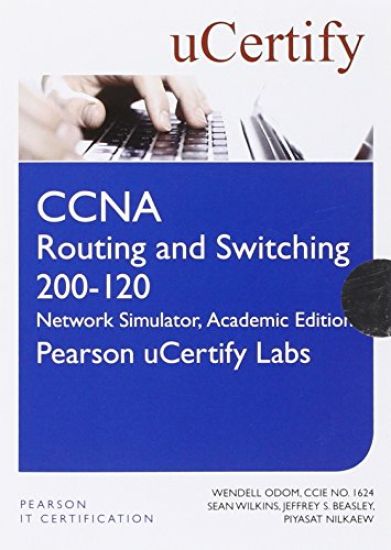
CCNA R&S 200-120 Network Simulator Academic Edition Pearson uCertify Labs Student Access Card

CCNA R&S 200-120 Network Simulator Academic Edition Pearson uCertify Labs Student Access Card

Wendell Odom; Sean Wilkins; Jeffrey Beasley; Piyasat Nilkaew

Pearson IT Certification
2015
lisenssiavain
CCNA Routing and Switching 200-120 web-based hands-on labs CCNA Routing and Switching 200-120 Network Simulator, Academic Edition Pearson uCertify Labs is an online, hands-on skills enhancement tool that helps students gain the real-world configuration and troubleshooting skills they need to succeed on the Cisco CCNA exam and to land a job as a network engineer. The 400+ labs in this product cover the full range of Cisco CCNA R&S 200-120 exam topics. These best-selling labs help bridge the gap between conceptual knowledge and real-world application by providing competency-based, interactive, online, 24x7 training. The labs simulate real-world networking hardware that you configure and troubleshoot using the Cisco Command Line Interface (CLI). Working through the labs, you will quickly become proficient with all the common Cisco IOS version 15 router and switch commands on the CCNA Routing and Switching exam. The open command environment allows you to explore configurations beyond the lab steps. With this product as their guide, students will experience realistic network device performance as they perform a wide range hands-on configuration and troubleshooting exercises on the following topics: • Router and switch navigation and administration • Ethernet LAN switches • VLANs and trunking • Spanning Tree Protocol (STP) • IPv4 and IPv6 addressing and subnetting • Subnet design • VLSM • Route summarization • IPv4 Access Control Lists (ACL) • Network Address Translation (NAT) • DHCP, HSRP, GLBP • Router on a stick (ROAS)
CCENT ICND1 100-105 Official Cert Guide and Network Simulator Library
Trust the best-selling Official Cert Guide series from Cisco Press to help you learn, prepare, and practice for exam success. They are built with the objective of providing assessment, review, and practice to help ensure you are fully prepared for your certification exam. CCENT/CCNA ICND1 100-105 Official Cert Guide presents you with an organized test-preparation routine through the use of proven series elements and techniques. “Do I Know This Already?” quizzes open each chapter and enable you to decide how much time you need to spend on each section. Exam topic lists make referencing easy. Chapter-ending Exam Preparation Tasks help you drill on key concepts you must know thoroughly. The CCENT ICND1 100-105 Network Simulator is a single-user software package. It helps users develop and enhance hands-on configuration and troubleshooting skills without the investment in expensive lab hardware. This state of the art simulation software allows users to practice their networking skills with 250 structured labs designed to reinforce CCENT exam topics, including router and switch navigation and administration, LAN switching, IP addressing, routing, WANs, VLANs and trunking, IP routing protocols, scaling IP, and troubleshooting.