

Kirjahaku
Etsi kirjoja tekijän nimen, kirjan nimen tai ISBN:n perusteella.
1000 tulosta hakusanalla Linus Galleries


Computer security is an ongoing process, a relentless contest between system administrators and intruders. A good administrator needs to stay one step ahead of any adversaries, which often involves a continuing process of education. If you're grounded in the basics of security, however, you won't necessarily want a complete treatise on the subject each time you pick up a book. Sometimes you want to get straight to the point. That's exactly what the new "Linux Security Cookbook" does. Rather than provide a total security solution for Linux computers, the authors present a series of easy-to-follow recipes-short, focused pieces of code that administrators can use to improve security and perform common tasks securely. The book includes real solutions to a wide range of targeted problems, such as sending encrypted email within Emacs, restricting access to network services at particular times of day, firewalling a webserver, preventing IP spoofing, setting up key-based SSH authentication, and much more. With over 150 ready-to-use scripts and configuration files, this unique book helps administrators secure their systems without having to look up specific syntax. The book begins with recipes devised to establish a secure system, then moves on to secure day-to-day practices, and concludes with techniques to help your system stay secure. Some of the "recipes" you'll find in this book are: controlling access to your system from firewalls down to individual services, using iptables, ipchains, xinetd, inetd, and more; monitoring your network with tcpdump, dsniff, netstat, and other tools; protecting network connections with Secure Shell (SSH) and stunnel; safeguarding email sessions with Secure Sockets Layer (SSL); encrypting files and email messages with GnuPG; and probing your own security with password crackers, nmap, and handy scripts.
Provides advice and tools to help Linux system administrators solve problems, offering hacks devoted to concerns such as improving efficiency, tracking revisions to system files, and tracking system performance.
A guide to Linux networking covers such topics as TCP/IP, Apache, Samba, connecting with a serial line, running inetd superservers, logging in remotely, and setting up a nameserver.
Firewalls, Network Address Translation (NAT), and network logging and accounting are all provided by Linux's Netfilter system, also known by the name of the command used to administer it, iptables. The iptables interface is the most sophisticated ever offered on Linux and makes Linux an extremely flexible system for any kind of network filtering you might do. Large sets of filtering rules can be grouped in ways that makes it easy to test them and turn them on and off. Do you watch for all types of ICMP traffic--some of them quite dangerous? Can you take advantage of stateful filtering to simplify the management of TCP connections? Would you like to track how much traffic of various types you get? This pocket reference will help you at those critical moments when someone asks you to open or close a port in a hurry, either to enable some important traffic or to block an attack. The book will keep the subtle syntax straight and help you remember all the values you have to enter in order to be as secure as possible. The listings of all iptables options are divided into those suitable for firewalling, accounting, and NAT.
In Linux Unwired, you'll learn the basics of wireless computing, from the reasons why you'd want to go wireless in the first place, to setting up your wireless network or accessing wireless data services on the road. The book provides a complete introduction to all the wireless technologies supported by Linux. You'll learn how to install and configure a variety of wireless technologies to fit different scenarios, including an office or home network and for use on the road. You'll also learn how to get Wi-Fi running on a laptop, how to use Linux to create your own access point, and how to deal with cellular networks, Bluetooth, and Infrared. Other topics covered in the book include: Connecting to wireless hotspots; Cellular data plans you can use with Linux; Wireless security, including WPA and 802.1x; Finding and mapping Wi-Fi networks with kismet and gpsd; Connecting Linux to your Palm or Pocket PC; Sending text messages and faxes from Linux through your cellular phone Linux Unwired is a one-stop wireless information source for on-the-go Linux users.Whether you're considering Wi-Fi as a supplement or alternative to cable and DSL, using Bluetooth to network devices in your home or office,or want to use cellular data plans for access to data nearly everywhere, this book will show you the full-spectrum view of wireless capabilities of Linux, and how to take advantage of them.
Over the years, this bestselling guide has helped countless programmers learn how to support computer peripherals under the Linux operating system, and how to develop new hardware under Linux. Now, with this third edition, it's even more helpful, covering all the significant changes to Version 2.6 of the Linux kernel. Includes full-featured examples that programmers can compile and run without special hardware.
Provides advice on ways to ensure network security, covering such topics as DNS, Apache web server, OpenLDAP, email encryption, Cyrus IMAP service, and FTP server.
A guide geared toward seasoned Linux and Unix administrators offers practical knowledge for managing a range of Linux systems and servers, covering such topics as installing servers, setting up e-mail systems, and creating shell scripts.
The fact that Linux has more multimedia application choices than Mac OS X and Windows combined may come as a surprise to many, but not to those who know Linux well. In "Linux Multimedia Hacks", author Kyle Rankin showcases the best available multimedia tools so you can maximize the entertainment capabilities of your favorite OS. Included are tips and tricks for connecting to iPods, creating MP3s and Oggs, watching and making DVDs, turning your Linux box into a Tivo ala MythTV, and much more. You don't have to be a Linux server guru to make use of this book. "Linux Multimedia Hacks" takes the best of Linux's multimedia tools and with step-by-step instructions shows even novice users how to do cool and useful things with images, audio, and video. It includes entry level hacks that nearly all Linux users will want, such as installing codecs for audio and video playback and managing thousands of photographs. Later, you'll find hacks that cover a variety of advanced projects, from ripping and organizing media files with metatags, to editing video and audio tracks, to creating your own DVDs. Basic or advanced, each hack stands on its own, so you can feel free to jump around to only the sections that interest you. The book is divided into five easy-to-understand chapters: Images: tips range from basic image edits to automated image manipulation; Audio: hacks include audio format conversion and tweaking metadata within audio files; Video: learn how to covert between video formats, plus how to create your own VCDs and DVDs; Broadcast Media: tips include how to access and create you own web broadcasts as well as watch and record TV; and Web: learn how to make your multimedia creations available to the world. As one of the most powerful multimedia platforms around, Linux has far more capabilities and features than meets the eye. This latest Hacks book gives you the technical chops to enjoy them all.
Presents an overview of kernel configuration and building for version 2.6 of the Linux kernel.
Provides advice and tools to help Linux system administrators solve problems, offering hacks devoted to concerns such as controlling the authentication process, running a GUI Linux desktop remotely, and managing storage on the network.
While Mac OS X garners all the praise from pundits, and Windows XP attracts all the viruses, Linux is quietly being installed on millions of desktops every year. For programmers and system administrators, business users, and educators, desktop Linux is a breath of fresh air and a needed alternative to other operating systems. The "Linux Desktop Pocket Guide" is your introduction to using Linux on five of the most popular distributions: Fedora, Gentoo, Mandriva, SUSE, and Ubuntu. Despite what you may have heard, using Linux is not all that hard. Firefox and Konqueror can handle all your web browsing needs; GAIM and Kopete allow you to chat with your friends on the AOL, MSN, and Yahoo! networks; and the email programs. Evolution and Kontact provide the same functionality as Microsoft Outlook, with none of the cost. All of these programs run within the beautiful, feature-packed, and easy-to-use GNOME or KDE desktop environments. No operating system truly "just works," and Linux is no exception. Although Linux is capable of running on most any computing hardware that Microsoft Windows can use, you sometimes need to tweak it just a little to make it work the way you really want. To help you with this task, "Linux Desktop Pocket Guide" covers essential topics, such as configuring your video card, screen resolution, sound, and wireless networking. And laptop users are not left out - an entire section is devoted to the laptop issues of battery life, sleep, and hibernate modes.
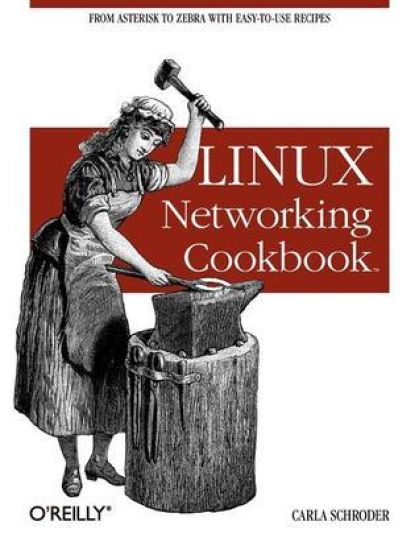
This soup-to-nuts collection of recipes covers everything you need to know to perform your job as a Linux network administrator, whether you're new to the job or have years of experience. With "Linux Networking Cookbook", you'll dive straight into the gnarly hands-on work of building and maintaining a computer network. Running a network doesn't mean you have all the answers. Networking is a complex subject with reams of reference material that's difficult to keep straight, much less remember. If you want a book that lays out the steps for specific tasks, that clearly explains the commands and configurations, and does not tax your patience with endless ramblings and meanderings into theory and obscure RFCs, this is the book for you.You will find recipes for: building a gateway, firewall, and wireless access point on a Linux network; building a VoIP server with Asterisk; secure remote administration with SSH; building secure VPNs with OpenVPN, and a Linux PPTP VPN server; single sign-on with Samba for mixed Linux/Windows LANs; centralized network directory with OpenLDAP; network monitoring with Nagios or MRTG; getting acquainted with IPv6; setting up hands-free networks installations of new systems; Linux system administration via serial console, and a lot more. Each recipe includes a clear, hands-on solution with tested code, plus a discussion on why it works. When you need to solve a network problem without delay, and don't have the time or patience to comb through reference books or the Web for answers, "Linux Networking Cookbook" gives you exactly what you need.
Everything you need to know about Linux is in this book. Written by Stephen Figgins, Ellen Siever, Robert Love, and Arnold Robbins -- people with years of active participation in the Linux community -- Linux in a Nutshell, Sixth Edition, thoroughly covers programming tools, system and network administration tools, the shell, editors, and LILO and GRUB boot loaders. This updated edition offers a tighter focus on Linux system essentials, as well as more coverage of new capabilities such as virtualization, wireless network management, and revision control with git. It also highlights the most important options for using the vast number of Linux commands. You'll find many helpful new tips and techniques in this reference, whether you're new to this operating system or have been using it for years. * Get the Linux commands for system administration and network management * Use hundreds of the most important shell commands available on Linux * Understand the Bash shell command-line interpreter * Search and process text with regular expressions * Manage your servers via virtualization with Xen and VMware * Use the Emacs text editor and development environment, as well as the vi, ex, and vim text-manipulation tools * Process text files with the sed editor and the gawk programming language * Manage source code with Subversion and git

This book is poetic exchange that grew as a conversation does, one response after another, some thoughtful and deliberate, others spontaneous and excited, but always, always, reaching.

Lines That Bind - Circle of Trust - Part One: Circle of Trust
Anna Lazaridis
Kp Publications
2013
nidottu
Linux+ Guide to Linux Certification, Second Edition offers the most up-to-date information which empowers students to successfully pass CompTIA's Linux+ Certification exam.