Kirjojen hintavertailu. Mukana 11 244 527 kirjaa ja 12 kauppaa.

Kirjahaku

Etsi kirjoja tekijän nimen, kirjan nimen tai ISBN:n perusteella.

1000 tulosta hakusanalla Brian Dillon

Student-Managed Investment Funds

Student-Managed Investment Funds

Brian Bruce

Academic Press Inc
2020
nidottu
Student-Managed Investment Funds: Organization, Policy, and Portfolio Management, Second Edition, helps students work within a structured investment management organization, whatever that organizational structure might be. It aids them in developing an appreciation for day-to-day fund operations (e.g., how to get portfolio trade ideas approved, how to execute trades, how to reconcile investment performance), and it addresses the management of the portfolio and the valuation/selection process for discriminating between securities. No other book covers the "operational" related issues in SMIFs, like organizations, tools, data, presentation, and performance evaluation. With examples of investment policy statements, presentation slides, and organizational structures from other schools, Student-Managed Investment Funds can be used globally by students, instructors, and administrators alike.
Performance Attribution Volume 2

Performance Attribution Volume 2

Brian Singer; Russ Wermers; Bernd R. Fischer

ELSEVIER SCIENCE PUBLISHING CO INC
2025
nidottu
Performance Attribution Volume 2: Analysis and Reporting, Second Edition explains the practical aspects of building or interpreting a top-to-bottom performance attribution system applicable to many asset classes. Requiring a familiarity with the principal concepts of portfolio analysis, it features standard methodologies and alternative approaches to the attribution of diverse assets, including derivatives, fixed income, and hedge funds. Based on the authors’ Performance Evaluation and Attribution of Security Portfolios (2012), its concentration on the ethical standards embodied by GIPS includes a summary of provisions for the presentation of risk in a firm’s investments.
Friendly Introduction to Numerical Analysis, A
For one or two-semester undergraduate/graduate-level courses in Numerical Analysis/Methods in mathematics departments, CS departments, and all engineering departments. This student-friendly text develops concepts and techniques in a clear, concise, easy-to-read manner, followed by fully-worked examples. Application problems drawn from the literature of many different fields prepares students to use the techniques covered to solve a wide variety of practical problems.
C Programming Language

C Programming Language

Brian Kernighan; Dennis Ritchie

Pearson
1988
nidottu
Introduces the features of the C programming language, discusses data types, variables, operators, control flow, functions, pointers, arrays, and structures, and looks at the UNIX system interface
Cyberlaw

Cyberlaw

Brian Craig

Pearson
2012
nidottu
Featuring the most current exploration of cyberlaw, CYBERLAW helps students understand the legal and policy issues associated with the Internet. Tackling a full range of legal topics, it includes discussion of jurisdiction, intellectual property, contracts, taxation, torts, computer crimes, online speech, defamation and privacy. Chapters include recent, relevant cases, discussion questions and exercises at the end of each chapter. Using a consistent voice and clear explanations, the author covers the latest developments in cyberlaw-from cases to legislation to regulations.
Introduction to Security

Introduction to Security

Brian Johnson; Patrick Ortmeier

Pearson
2017
nidottu
For courses in Introduction to Security and Introduction to Security Management A unique, all-in-one guide to the basics of security operations and the management of security personnel and organizations Comprehensive in scope, Introduction to Security: Operations and Management balances introductory protection concepts with security management practices to provide a detailed understanding of the private security industry and its diverse roles and functions in the 21st century. Written in an easy-to-understand, logical manner, and filled with contemporary examples, the book includes Security Spotlights that raise practical security issues and questions, web links to security-related Internet sites for further exploration of topics, a review of career opportunities in security, and a number of pedagogical aids to ensure mastery of the information–including key concepts and terms, margin definitions, discussion questions and exercises, Your Turn application-based assignments, a comprehensive glossary, and a reference index. The Fifth Edition has been completely updated throughout, reorganized for continuity and coherence, and provides a national/international perspective.
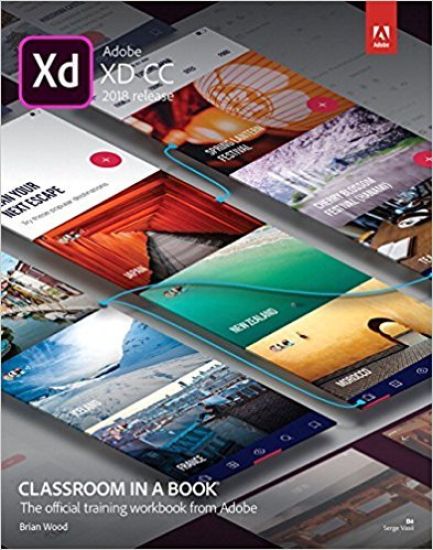
Adobe XD CC Classroom in a Book (2018 release)
The fastest, easiest, most comprehensive way to learn Adobe XD CC Classroom in a Book®, the best-selling series of hands-on software training workbooks, offers what no other book or training program does—an official training series from Adobe, developed with the support of Adobe product experts. Adobe XD CC Classroom in a Book (2018 release) contains 10 lessons that cover the basics and beyond, providing countless tips and techniques to help you become more productive with the program. You can follow the book from start to finish or choose only those lessons that interest you. Purchasing this book includes valuable online extras. Follow the instructions in the book’s “Getting Started” section to unlock access to: Downloadable lesson files you need to work through the projects in the book Web Edition containing the complete text of the book, interactive quizzes, videos that walk you through the lessons step by step, and updated material covering new feature releases from Adobe What you need to use this book: Adobe XD CC (2018 release) software, for either Windows or macOS. (Software not included.) Note: Classroom in a Book does not replace the documentation, support, updates, or any other benefits of being a registered owner of Adobe XD CC software.
Python Without Fear

Python Without Fear

Brian Overland

Addison Wesley
2017
nidottu
Praise for this book, Python Without Fear “This is really a great book. I wish I’d had it when I was learning Python.” –John M. Wargo, author of Apache Cordova 4 Programming Praise for the previous book in the series, C++ Without Fear “I’m in love with your C++ Without Fear book. It keeps me awake for hours during the night. Thanks to you, I got most of the idea in just a few hours.” –Laura Viral, graduate physics student at CERN and Istanbul, Turkey “It’s hard to tell where I began and ended with your book. I felt like I woke up and literally knew how to write C++ code. I can’t overstate the confidence you gave me.” – Danny Grady, senior programmer/analyst at a Fortune 500 Company Whether you’re new to programming or moving from another language, Python Without Fear will quickly make you productive! Brian Overland’s unique approach to Python includes: Taking you by the hand while teaching topics from the very basics to intermediate and advanced features of PythonTeaching by examples that are explained line by lineHeavy emphasis on examples that are fun and useful, including games, graphics, database applications, file storage, puzzles, and more!How to think “Pythonically” and avoid common “gotchas” Register your product at informit.com/register for convenient access to downloads, updates, and/or corrections as they become available.
Supercharged Python

Supercharged Python

Brian Overland; John Bennett

Addison Wesley
2019
nidottu
If you’re ready to write better Python code and use more advanced features, Advanced Python Programming was written for you. Brian Overland and John Bennett distill advanced topics down to their essentials, illustrating them with simple examples and practical exercises. Building on Overland’s widely-praised approach in Python Without Fear, the authors start with short, simple examples designed for easy entry, and quickly ramp you up to creating useful utilities and games, and using Python to solve interesting puzzles. Everything you’ll need to know is patiently explained and clearly illustrated, and the authors illuminate the design decisions and tricks behind each language feature they cover. You’ll gain the in-depth understanding to successfully apply all these advanced features and techniques: Coding for runtime efficiencyLambda functions (and when to use them)Managing versioning Localization and UnicodeRegular expressionsBinary operators Radix conversions Data formatting, in depthCreating, building, and importing packagesUsing the Django web-development packageGraphics programmingMagic methods and advanced object orientationReading and writing binary files, and more
Adobe Illustrator Classroom in a Book 2025 Release
The fastest, easiest, most comprehensive way to learn Adobe Illustrator Adobe Illustrator Classroom in a Book 2025 Release contains 17 lessons that use real-world, project-based learning to cover the basics and beyond, providing countless tips and techniques to help you become more productive with the program. For beginners and experienced users alike, you can follow the book from start to finish or choose only those lessons that interest you. Learn to: Dive into 17 real-world projects, from precise drawings to expressive paintings, logos, illustrations, social ads, posters, and moreGain hands-on experience with a quick overview before diving into selections, shapes, color, and editingAs you progress, you'll explore freeform gradients, layers, artistic brushes, creative effects, asset export, and moreThese step-by-step projects will help you develop essential graphic design skills at every stage Classroom in a Book®, the best-selling series of hands-on software training workbooks, offers what no other book or training program does – an official training series from Adobe, developed with the support of Adobe product experts. Purchasing this book includes valuable online extras. Follow the instructions in the book’s “Getting Started” section to unlock access to: Downloadable lesson files you need to work through the projects in the bookWeb Edition containing the complete text of the book, interactive quizzes, and videos that walk you through the lessons step by step What you need to use this book: Adobe Illustrator 2025 Release software, for either Windows or macOS. (Software not included.)
Adobe Illustrator Classroom in a Book 2026 Release
The fastest, easiest, most comprehensive way to learn Adobe Illustrator Adobe Illustrator Classroom in a Book contains 17 lessons that use real-world, project-based learning to cover the basics and beyond, providing countless tips and techniques to help you become more productive with the program. For beginners and experienced users alike, you can follow the book from start to finish or choose only those lessons that interest you. Learn to: Dive into 17 real-world projects, from precise drawings to expressive paintings, logos, illustrations, social ads, posters, and more Gain hands-on experience with a quick overview before diving into selections, shapes, color, and editing As you progress, you'll explore freeform gradients, layers, artistic brushes, creative effects, asset export, and more These step-by-step projects will help you develop essential graphic design skills at every stage Classroom in a Book®, the best-selling series of hands-on software training workbooks, offers what no other book or training program does – an official training series from Adobe, developed with the support of Adobe product experts. Purchasing this book includes valuable online extras. Follow the instructions in the book’s “Getting Started” section to unlock access to: Downloadable lesson files you need to work through the projects in the book Web Edition containing the complete text of the book, interactive quizzes, and videos that walk you through the lessons step by step
Exam Ref MS-101 Microsoft 365 Mobility and Security

Exam Ref MS-101 Microsoft 365 Mobility and Security

Brian Svidergol; Robert Clements

Addison Wesley
2019
nidottu
Prepare for Microsoft Exam MS-101–and help demonstrate your real-world mastery of skills and knowledge needed to manage Microsoft 365 mobility, security, and related administration tasks. Designed for experienced IT professionals, Exam Ref focuses on the critical thinking and decision-making acumen needed for success at the Microsoft Certified Expert level. Focus on the expertise measured by these objectives: Implement modern device services Implement Microsoft 365 security and threat management Manage Microsoft 365 governance and compliance This Microsoft Exam Ref: Organizes its coverage by exam objectives Features strategic, what-if scenarios to challenge you Assumes you are a Microsoft 365 Enterprise Administrator who participates in evaluating, planning, migrating, deploying, and managing Microsoft 365 services About the Exam Exam MS-101 focuses on knowledge needed to implement Mobile Device Management (MDM); manage device compliance; plan for devices and apps; plan Windows 10 deployment; implement Cloud App Security (CAS), threat management, and Windows Defender Advanced Threat Protection (ATP); manage security reports and alerts; configure Data Loss Prevention (DLP); implement Azure Information Protection (AIP); and manage data governance, auditing, and eDiscovery. About Microsoft Certification Passing this exam and Exam MS-100 Microsoft 365 Identity and Services (and earning one Microsoft 365 workload administrator certification or the MCSE: Productivity certification) fulfills your requirements for the Microsoft 365 Certified: Enterprise Administrator Expert certification credential. This demonstrates your ability to evaluate, plan, migrate, deploy, and manage Microsoft 365 services. See full details at: microsoft.com/learn
Adobe Illustrator Classroom in a Book (2020 release)
The fastest, easiest, most comprehensive way to learn. The best-selling series of hands-on software training workbooks, offers what no other book or training program does—an official training series from Adobe, developed with the support of Adobe product experts. Contains 16 lessons that cover the basics and beyond, providing countless tips and techniques to help you become more productive with the program. You can follow the book from start to finish or choose only those lessons that interest you. Build a strong foundation by following hands-on projects for creating logos, illustrations, and posters. Learn how to use the Shaper tool and Live Shapes along with dynamic symbols to streamline graphics creation. Create website assets and export them in multiple formats to support modern responsive web designs. From exacting illustration to more free-form painting, you’ll gain vital skills as you progress through the lessons. The online companion files include all the necessary assets for readers to complete the projects featured in each chapter. All buyers of the book get full access to the Web Edition: A Web-based version of the complete ebook enhanced with video and multiple-choice quizzes.
Exam Ref MS-101 Microsoft 365 Mobility and Security

Exam Ref MS-101 Microsoft 365 Mobility and Security

Brian Svidergol; Robert Clements; Charles Pluta

Addison Wesley
2021
nidottu
Prepare for Microsoft Exam MS-101—and demonstrate your real-world mastery of skills and knowledge needed to implement modern Microsoft 365 device services, security, and threat management; and to manage Microsoft 365 governance and compliance. Designed for experienced IT professionals, Exam Ref focuses on the critical thinking and decision-making acumen needed for success at the Microsoft 365 Certified: Enterprise Administrator Expert level. Focus on the expertise measured by these objectives: Implement modern device servicesImplement Microsoft 365 security and threat managementManage Microsoft 365 governance and compliance This Microsoft Exam Ref: Organizes its coverage by exam objectivesFeatures strategic, what-if scenarios to challenge youAssumes you are a Microsoft 365 Enterprise Administrator who participates in evaluating, planning, migrating, deploying, and managing Microsoft 365 services About the Exam Exam MS-101 focuses on knowledge needed to plan device management; manage device compliance; plan for apps; plan Windows 10 deployment; enroll devices; manage security reports and alerts; plan and implement threat protection with Microsoft Defender; plan Microsoft Cloud App security; plan for compliance requirements; manage information governance; implement Information protection; plan and implement data loss prevention (DLP); and manage search and investigation. About Microsoft Certification Passing this exam and Exam MS-100: Microsoft 365 Identity and Services fulfills your requirements for the Microsoft 365 Certified: Enterprise Administrator Expert certification credential, demonstrating your ability to evaluate, plan, migrate, deploy, and manage Microsoft 365 services. To qualify for this certification, first earn any one of the following five Associate-level Microsoft 365 certifications: Modern Desktop Administrator Associate, or Security Administrator Associate, or Messaging Administrator Associate, or Teams Administrator Associate, or Identity and Access Administrator Associate. See full details at: microsoft.com/learn
Adobe Illustrator Classroom in a Book (2022 release)
Create artwork from precise drawings to stylistic paintings with Adobe Illustrator. By completing a series of hands-on projects like logos, illustrations, posters, podcast covers, flyers, and more, you'll start with a quick tour of Illustrator, then explore selections, shapes, color, and editing artwork. Progressing to freeform gradients and layers, you'll build up to working with dynamic symbols, artistic brushes, creative effects, as well as exporting assets. All told, you'll create 17 engaging and unique projects, building valuable graphic art skills throughout. The fastest, easiest, most comprehensive way to learn Adobe Illustrator Classroom in a Book®, the best-selling series of hands-on software training workbooks, offers what no other book or training program does—an official training series from Adobe, developed with the support of Adobe product experts. Adobe Illustrator Classroom in a Book (2022 release) contains 17 lessons that cover the basics and beyond, providing countless tips and techniques to help you become more productive with the program. You can follow the book from start to finish or choose only those lessons that interest you. Purchasing this book includes valuable online extras. Follow the instructions in the book's "Getting Started" section to unlock access to: Downloadable lesson files you need to work through the projects in the bookWeb Edition containing the complete text of the book, interactive quizzes, and videos that walk you through the lessons step by stepBonus video content showing nine essential skills not covered in the book and available only in the Web Edition, indicated by video icons in the table of contents What you need to use this book: Adobe Illustrator (2022 release) software, for either Windows or macOS. (Software not included.) Note: Classroom in a Book does not replace the documentation, support, updates, or any other benefits of being a registered owner of Adobe Illustrator software. This book covers Illustrator on desktop only. It does not address Illustrator on the iPad.
Adobe Illustrator Classroom in a Book (2023 Release)
Build valuable graphic art skills and create digital artwork using Adobe Illustrator Adobe Illustrator Classroom in a Book (2023 release) uses real-world, project-based learning to cover the basics and beyond, providing countless tips and techniques to help you become more productive with the program. For beginners and experienced users alike, you can follow the book from start to finish or choose only those lessons that interest you. Learn to: Create artwork, from precise drawings to stylistic paintingsMake logos, illustrations, posters, podcast covers, flyers, and moreExplore selections, shapes, and colorProgress to freeform gradients and layersWork with dynamic symbols, artistic brushes, and creative effectsEfficiently export assets for the web, print, and more Classroom in a Book®, the best-selling series of hands-on software training workbooks, offers what no other book or training program does—an official training series from Adobe, developed with the support of Adobe product experts. Purchasing this book includes valuable online extras. Follow the instructions in the book's "Getting Started" section to unlock access to: Downloadable lesson files you need to work through the projects in the bookWeb Edition containing the complete text of the book, interactive quizzes, and videos that walk you through the lessons step by step What you need to use this book: Adobe Illustrator (2023 release) software, for either Windows or macOS. (Software not included.) Note: Classroom in a Book does not replace the documentation, support, updates, or any other benefits of being a registered owner of Adobe Illustrator software. This book covers Illustrator on desktop only. It does not address Illustrator on the iPad.

Adobe Illustrator Classroom in a Book 2024 Release
The fastest, easiest, most comprehensive way to learn Adobe Illustrator Adobe Illustrator Classroom in a Book 2024 Release contains 17 lessons that use real-world, project-based learning to cover the basics and beyond, providing countless tips and techniques to help you become more productive with the program. For beginners and experienced users alike, you can follow the book from start to finish or choose only those lessons that interest you. Learn to: Create artwork, from precise drawings to stylistic paintingsExplore Generative AI to create vector artworkMake logos, illustrations, posters, podcast covers, flyers, and moreExplore selections, text, shapes, and colorProgress to freeform gradients and layersWork with dynamic symbols, brushes, and creative effectsCreate product mockupsEfficiently export assets and share for review Classroom in a Book®, the best-selling series of hands-on software training workbooks, offers what no other book or training program does—an official training series from Adobe, developed with the support of Adobe product experts. Purchasing this book includes valuable online extras. Follow the instructions in the book's "Getting Started" section to unlock access to: Downloadable lesson files you need to work through the projects in the bookWeb Edition containing the complete text of the book, interactive quizzes, and videos that walk you through the lessons step by step What you need to use this book: Adobe Illustrator 2024 Release software, for either Windows or macOS. (Software not included.