Kirjojen hintavertailu. Mukana 11 244 527 kirjaa ja 12 kauppaa.

Kirjahaku

Etsi kirjoja tekijän nimen, kirjan nimen tai ISBN:n perusteella.

1000 tulosta hakusanalla Linus Müller

Linux and Solaris Recipes for Oracle DBAs

Linux and Solaris Recipes for Oracle DBAs

Darl Kuhn; Bernard Lopuz; Charles Kim

APress
2015
nidottu
Linux and Solaris Recipes for Oracle DBAs, 2nd Edition is an example–based book on managing Oracle Database under Linux and Solaris. The book is written for database administrators who need to get work done and lack the luxury of curling up fireside with a stack of operating-system documentation. What this book provides instead is task-oriented coverage designed around the needs of the Oracle Database Administrator. Find the right chapter. Look up the task to perform. See the solution. Implement the solution straight away in your own environment. Get the job done. New in this edition is coverage of Oracle's own Solaris operating system. Oracle Corporation has been working diligently to bring commonality between Solaris and and Linux, and this book takes advantage of those efforts to provide task-oriented solutions that work on common distributions of Linux such as Red Hat Enterprise Linux and Oracle Enterprise Linux while also accommodating the growing numberof Oracle Solaris customers. Examples in the book match the tasks DBAs perform daily, even hourly. Solutions come first in the book, but alway are followed by close explanations of the details.Database administrators won't go wrong with Linux and Solaris Recipes for Oracle DBAs. It's the book to buy if you're after clear and reliable examples to help in getting the job done, and getting home to your family.Takes you directly from problem to solutionCovers the "right" mix of operating-system tasks for database administratorsRespects your time by being succinct and to–the–pointIncludes coverage of Solaris in addition to common Linux distributionsWhat You Will LearnExecute Linux and Solaris commands applicable to Oracle Database.Automate critical DBA tasks via operating-system shell scripts.Monitor, tune, and optimize Linux and Solaris servers for Oracle.Setup a VirtualBox environment for the Oracle database.Perform system administration tasks relevant to Oracle Database.Remotely (and securely!) manage Oracle on Linux and Solaris.Who This Book Is ForLinux and Solaris Recipes for Oracle DBAs is a book for Oracle database administrators who want to expertly operate Oracle databases on the Linux and Solaris operating systems. If you’re new to Linux and Solaris and can benefit from detailed examples showing how to perform tasks that Oracle DBAs perform on Linux and Solaris servers, then this book is what you need to help you get the job done, and get home on time.
Linux Sound Programming

Linux Sound Programming

Jan Newmarch

APress
2017
nidottu
Program audio and sound for Linux using this practical, how-to guide. You will learn how to use DSPs, sampled audio, MIDI, karaoke, streaming audio, and more. Linux Sound Programming takes you through the layers of complexity involved in programming the Linux sound system. You’ll see the large variety of tools and approaches that apply to almost every aspect of sound. This ranges from audio codecs, to audio players, to audio support both within and outside of the Linux kernel.What You'll LearnWork with sampled audioHandle Digital Signal Processing (DSP)Gain knowledge of MIDIBuild a Karaoke-like applicationHandle streaming audio Who This Book Is ForExperienced Linux users and programmers interested in doing multimedia with Linux.
Linux System Administration for the 2020s
Build and manage large estates, and use the latest OpenSource management tools to breakdown a problems. This book is divided into 4 parts all focusing on the distinct aspects of Linux system administration. The book begins by reviewing the foundational blocks of Linux and can be used as a brief summary for new users to Linux and the OpenSource world. Moving on to Part 2 you'll start by delving into how practices have changed and how management tooling has evolved over the last decade. You’ll explore new tools to improve the administration experience, estate management and its tools, along with automation and containers of Linux. Part 3 explains how to keep your platform healthy through monitoring, logging, and security. You'll also review advanced tooling and techniques designed to resolve technical issues. The final part explains troubleshooting and advanced administration techniques, and less known methods for resolving stubborn problems.With Linux System Administration for the 2020s you'll learn how to spend less time doing sysadmin work and more time on tasks that push the boundaries of your knowledge. What You'll Learn Explore a shift in culture and redeploy rather than fixImprove administration skills by adopting modern toolingAvoid bad practices and rethink troubleshootingCreate a platform that requires less human interventionWho This Book Is ForEveryone from sysadmins, consultants, architects or hobbyists.
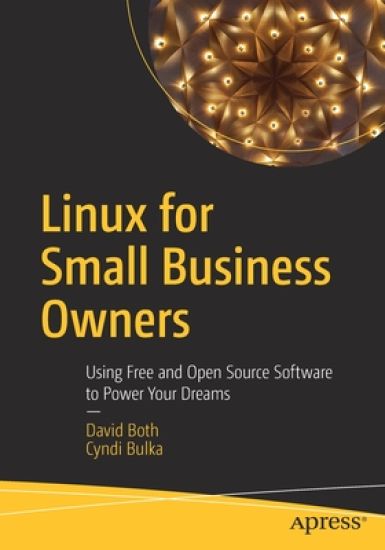
Linux for Small Business Owners

Linux for Small Business Owners

David Both; Cyndi Bulka

APRESS
2022
nidottu
Learn how you can take complete control and run your small business with powerful, free open source software (FOSS). This book introduces small business owners to the power and security of Linux and other FOSS tools to manage any small business as well as the many advantages it has over expensive, proprietary software. While exploring the reasons for using Free Open Source Software, you'll investigate the assertion that, “The value of any software lies in its usefulness not in its price,” set forth by Linux Torvalds, the creator of Linux. This book examines the use of Linux and also the other Free Open Source Software you need to meet your business challenges including the usual accounting, Email, web browsing, word-processing tasks. You will be introduced to advanced tools such as those that enable you to create audio and video clips you can use to promote your business or that can even be your primary product, such as how-to instruction.Most small business owners perform many tasks including that of administering their computers. This book shows you how to find and install new software you need to run your business and keep it up to date using the tools already provided by Linux and the secure, trusted repositories available online. It also explores how to decide which tasks to do in-house and which you might want to sub out to external resources such as advertising and contact services to attract and keep customers. Linux for Small Business Owners provides some logic, reason, and explanation for each of the steps that are needed and the tools used to implement Linux in your small business. It is a detailed guide to removing Windows from your computers and installing Linux and some commonly used open source software like the LibreOffice suite of programs, accounting, and other software useful to many small businesses. It also provides the information and tools necessary to manage and maintain Linux and applications up-to-date and secure.What You'll Learn Understand what the term "free/open source" means and how you can apply it to your business.Look at the operational and financial advantages of using Free Open Source Software instead of expensive, proprietary software.See why you will never need to pay for anti-virus and anti-malware software again.Replace expensive software like Microsoft Office with open source tools such as LibreOffice Review the factors required to make an informed decision about switching to Linux.Install new applications, updates to Linux, and the application software.Explore why backups are critical, how to create them, and how to use them to restore lost data. Who This Book Is For Ideal for small business owners and owner-operated small businesses looking to streamline operations,save money, time and energy managing the common problems associated with using more popular operating systems.
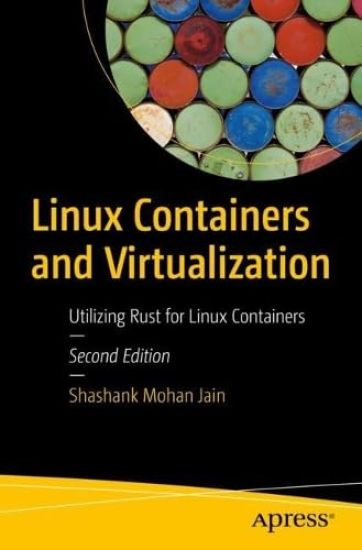
Linux Containers and Virtualization

Linux Containers and Virtualization

Shashank Mohan Jain

APRESS
2023
nidottu
This book is a practical, comprehensive guide to creating secure and efficient Linux containers using the Rust programming language. It utilizes a hands-on approach to teach Rust's programming constructs, security features, and its application in containerization. Author Shashank Mohan Jain starts with a gentle introduction to Rust to help you grasp the language's core concepts, syntax, and unique memory safety guarantees. He then transitions into the realm of Linux container development, where Rust shines as a robust and secure language for building containerized applications. Through hands-on examples, you will gain a deep understanding of how to harness Rust's features to create lightweight and secure Linux containers and how to leverage its strong type system and ownership model to eliminate common bugs and ensure memory safety in containerized applications. As you progress, you’ll explore the intricacies of working with system resources, networking, and interacting withthe host operating system while maintaining isolation and security within the containers, as well as how Rust's concurrency model can build performant and responsive containerized applications. The book also covers advanced topics such as secure configuration handling, logging, and handling authentication within your containerized environment. After completing this book, you will be well-versed in Rust programming, equipped to create efficient and secure Linux containers, and confident in your ability to develop containerized applications for a variety of use cases. What You Will Learn Understand the basics of the Rust programming languageUnderstand Rust's security featuresCreate Linux constructs like namespaces in RustDevelop your own container runtime using Rust Who This Book Is For Developers, Architects and SREs working with cloud applications and dealing with container based workloads.
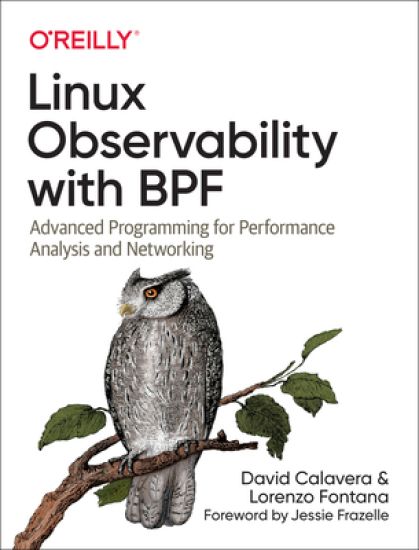
Linux Observability with BPF

Linux Observability with BPF

David Calavera; Lorenzo Fontana

O'Reilly UK Limited
2019
pokkari
Build your expertise in the BPF virtual machine in the Linux kernel with this practical guide for systems engineers. You’ll not only dive into the BPF program lifecycle but also learn to write applications that observe and modify the kernel’s behavior; inject code to monitor, trace, and securely observe events in the kernel; and more. Authors David Calavera and Lorenzo Fontana help you harness the power of BPF to make any computing system more observable. Familiarize yourself with the essential concepts you’ll use on a day-to-day basis and augment your knowledge about performance optimization, networking, and security. Then see how it all comes together with code examples in C, Go, and Python. Write applications that use BPF to observe and modify the Linux kernel’s behavior on demand Inject code to monitor, trace, and observe events in the kernel in a secure way—no need to recompile the kernel or reboot the system Explore code examples in C, Go, and Python Gain a more thorough understanding of the BPF program lifecycle
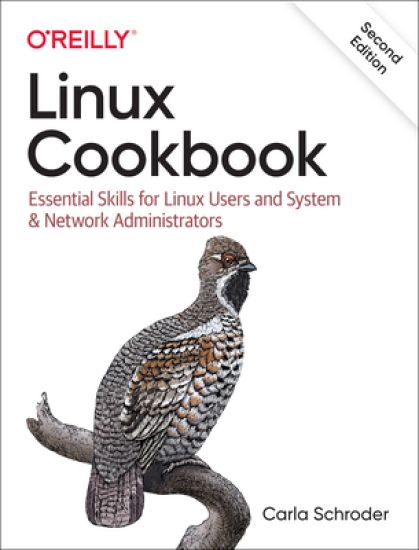
Linux Cookbook

Linux Cookbook

Carla Schroder

O'Reilly Media, Inc, USA
2021
nidottu
This handy cookbook teaches new-to-intermediate Linux users the essential skills necessary to manage a Linux system, using both graphical and command-line tools. Whether you run Linux in embedded, desktop, server, or cloud or virtual environments, the fundamental skills are the same. This book aims to get you up and running quickly, with copy-paste examples. Carla Schroder provides recipes that cover specific problems, with discussions that explain how each recipe works, as well as references for additional study. You'll learn how to: Use systemd, the new comprehensive service manager Build simple or complex firewalls with firewalld Set up secure network connections for Linux systems and mobile devices Rescue nonbooting systems Reset lost passwords on Linux and Windows Use dnsmasq to simplify managing your LAN name services Manage users and groups and control access to files Probe your computer hardware and monitor hardware health Manage the GRUB bootloader and multiboot Linux and Windows Keep accurate time across your network with the newest tools Build an internet router/firewall on Raspberry Pi Manage filesystems and partitioning
Linux

Linux

Michael Kofler

Rheinwerk Publishing Inc.
2024
nidottu
Beginner or expert, professional or hobbyist, this is the Linux guide you need! Install Linux and walk through the basics: working in the terminal, handling files and directories, using Bash, and more. Then get into the nitty-gritty details of configuring your system and server, from compiling kernel modules to using tools like Apache, Postfix, and Samba. With information on backups, firewalls, virtualization, and more, you'll learn everything there is to know about Linux!Highlights include:1) Installation 2) GNOME and KDE3) Bash, Vim, Emacs4) Network configuration 5) Software and package management6) Administration7) Kernel modules8) Apache9) Postfix and Dovecot10) Samba11) Security12) Virtualization
Linux for Beginners: An Introduction to the Linux Operating System and Command Line

Linux for Beginners: An Introduction to the Linux Operating System and Command Line

Jason Cannon

Createspace Independent Publishing Platform
2014
nidottu
If you want to learn how to use Linux, but don't know where to start read on. Knowing where to start when learning a new skill can be a challenge, especially when the topic seems so vast. There can be so much information available that you can't even decide where to start. Or worse, you start down the path of learning and quickly discover too many concepts, commands, and nuances that aren't explained. This kind of experience is frustrating and leaves you with more questions than answers. Linux for Beginners doesn't make any assumptions about your background or knowledge of Linux. You need no prior knowledge to benefit from this book. You will be guided step by step using a logical and systematic approach. As new concepts, commands, or jargon are encountered they are explained in plain language, making it easy for anyone to understand. Here is what you will learn by reading Linux for Beginners How to get access to a Linux server if you don't already.What a Linux distribution is and which one to choose.What software is needed to connect to Linux from Mac and Windows computers. Screenshots included.What SSH is and how to use it, including creating and using SSH keys.The file system layout of Linux systems and where to find programs, configurations, and documentation.The basic Linux commands you'll use most often.Creating, renaming, moving, and deleting directories.Listing, reading, creating, editing, copying, and deleting files.Exactly how permissions work and how to decipher the most cryptic Linux permissions with ease.How to use the nano, vi, and emacs editors.Two methods to search for files and directories.How to compare the contents of files.What pipes are, why they are useful, and how to use them.How to compress files to save space and make transferring data easy.How and why to redirect input and output from applications.How to customize your shell prompt.How to be efficient at the command line by using aliases, tab completion, and your shell history.How to schedule and automate jobs using cron.How to switch users and run processes as others.Where to go for even more in-depth coverage on each topic.What you learn in "Linux for Beginners" applies to any Linux environment including Ubuntu, Debian, Linux Mint, RedHat, Fedora, OpenSUSE, Slackware, and more. Scroll up, click the Buy Now With 1 Click button and get started learning Linux today
Lines Were Drawn

Lines Were Drawn

University Press of Mississippi
2017
nidottu
Lines Were Drawn looks at a group of Mississippi teenagers whose entire high school experience, beginning in 1969, was under federal court-ordered racial integration. Through oral histories and other research, this group memoir considers how the students, despite their markedly different backgrounds, shared a common experience that greatly influences their present interactions and views of the world—sometimes in surprising ways. The book is also an exploration of memory and the ways in which the same event can be remembered in very different ways by the participants.The editors (proud members of Murrah High School’s Class of 1973) and more than fifty students and teachers address the reality of forced desegregation in the Deep South from a unique perspective—that of the faculty and students who experienced it and made it work, however briefly. The book tries to capture the few years in which enough people were so willing to do something about racial division that they sacrificed immediate expectations to give integration a true chance.This period recognizes a rare moment when the political will almost caught up with the determination of the federal courts to finally do something about race. Because of that collision of circumstances, southerners of both races assembled in the public schools and made integration work by coming together, and this book seeks to capture those experiences for subsequent generations.
Linux for Beginners and Command Line Kung Fu

Linux for Beginners and Command Line Kung Fu

Jason Cannon

Createspace Independent Publishing Platform
2014
nidottu
Save when you buy this two book bundle - Linux for Beginners AND Command Line Kung Fu Linux for Beginners information: If you want to learn how to use Linux, but don't know where to start read on. Knowing where to start when learning a new skill can be a challenge, especially when the topic seems so vast. There can be so much information available that you can't even decide where to start. Or worse, you start down the path of learning and quickly discover too many concepts, commands, and nuances that aren't explained. This kind of experience is frustrating and leaves you with more questions than answers. Linux for Beginners doesn't make any assumptions about your background or knowledge of Linux. You need no prior knowledge to benefit from this book. You will be guided step by step using a logical and systematic approach. As new concepts, commands, or jargon are encountered they are explained in plain language, making it easy for anyone to understand. Here is what you will learn by reading Linux for Beginners How to get access to a Linux server if you don't already. What a Linux distribution is and which one to choose. What software is needed to connect to Linux from Mac and Windows computers. Screenshots included. What SSH is and how to use it, including creating and using SSH keys. The file system layout of Linux systems and where to find programs, configurations, and documentation. The basic Linux commands you'll use most often. Creating, renaming, moving, and deleting directories. Listing, reading, creating, editing, copying, and deleting files. Exactly how permissions work and how to decipher the most cryptic Linux permissions with ease. How to use the nano, vi, and emacs editors. Two methods to search for files and directories. How to compare the contents of files. What pipes are, why they are useful, and how to use them. How and why to redirect input and output from applications. How to customize your shell prompt. How to be efficient at the command line by using aliases, tab completion, and your shell history. How to schedule and automate jobs using cron. How to switch users and run processes as others. Where to go for even more in-depth coverage on each topic. Command Line Kung Fu information: Become a Linux Ninja with Command Line Kung Fu Do you think you have to lock yourself in a basement reading cryptic man pages for months on end in order to have ninja like command line skills? In reality, if you had someone share their most powerful command line tips, tricks, and patterns you'd save yourself a lot of time and frustration. What if you could look over the shoulder of a good friend that just happened to be a command line guru? What if they not only showed you the commands they were using, but why they were using them and exactly how they worked? And what if that friend took the time to write all of it down so you can refer to it whenever you liked? Well, a friend did just that. Command Line Kung Fu is packed with dozens of tips and over 100 practical real-world examples. You won't find theoretical examples in this book. The examples demonstrate how to solve actual problems and accomplish worthwhile goals. The tactics are easy to find, too. Each chapter covers a specific topic and groups related tips and examples together. For example, if you need help extracting text from a file look in the "Text Processing and Manipulation" chapter. Also, a comprehensive index is included. If you want to find every example where a given command is used -- even if it's not the main subject of the tip -- look in the index. It will list every single place in the book where that command appears.