Kirjojen hintavertailu. Mukana 11 244 527 kirjaa ja 12 kauppaa.

Kirjahaku

Etsi kirjoja tekijän nimen, kirjan nimen tai ISBN:n perusteella.

1000 tulosta hakusanalla Matthew Quick

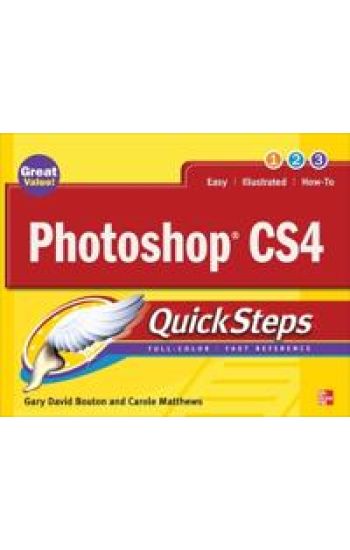
Photoshop CS4 QuickSteps

Photoshop CS4 QuickSteps

Carole Matthews; Gary David Bouton

McGraw-Hill Professional
2009
nidottu
Step-by-Step, Full-Color Graphics!Get started with Photoshop CS4 right away-the QuickSteps way. Color photos and screenshots with clear instructions show you how to use all the new and improved features of this powerful software. Follow along and learn how to work with the drawing and painting tools, edit and retouch photos, add text, use layers, create special effects, prepare your art for print or the Web, and much more. You can flip straight to the information you need easily using the color-coded tabs. Get the book that gets you up-and-running on Photoshop in no time!Use these handy guideposts:Shortcuts for accomplishing common tasksNeed-to-know facts in concise narrativeHelpful reminders or alternate ways of doing things Bonus information related to the topic being coveredErrors and pitfalls to avoid
Windows 7 QuickSteps

Windows 7 QuickSteps

Marty Matthews

McGraw-Hill Professional
2009
nidottu
Step-by-Step, Full-Color Graphics!Get started using Windows 7 right away--the QuickSteps way. Color screenshots with streamlined explanations show you how to use all the new and improved features of this sleek operating system. You'll find tips for customizing your desktop, managing files, connecting to the Internet, using email, adding hardware and software, and enjoying photos, music, and video. Learn how to set up a wired or wireless network and secure your entire system too. Get the book that gets you up-and-running on Windows 7 in no time.Use these handy guideposts:Shortcuts for accomplishing common tasksNeed-to-know facts in concise narrativeHelpful reminders or alternate ways of doing things Bonus information related to the topic being coveredErrors and pitfalls to avoid
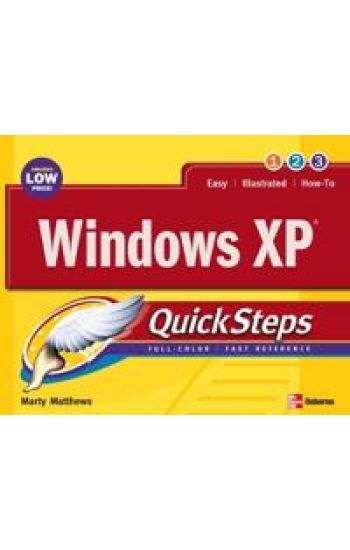
Windows XP Quicksteps

Windows XP Quicksteps

Martin Matthews

McGraw-Hill Professional
2004
nidottu
Brace youself, because here comes QuickSteps: The fast, easy, accessible information on Windows XP in a full-color cookbook-style format. Provides answers to all of your How-do-I questions in a concise and meaningful way. Lengthwise page layout allows for easy page viewing. Useful tips and cautions are displayed in the margins so that they don’t break the flow of the quick steps themselves.
QuickSteps to Winning Business Presentations

QuickSteps to Winning Business Presentations

Carole Matthews; Martin Matthews

McGraw-Hill Professional
2006
nidottu
A hands-on, visual guide to mastering business presentation skillsWith its clear explanations and illustrative graphics, QuickSteps to Winning Business Presentations is the fastest, easiest way to achieve professional business presentation skills using Microsoft PowerPoint. Learn how to conceptualize presentations, gather and prepare materials from a variety of sources, and adapt presentations to different types of audiences and situations, including Web delivery. Step-by-step instructions on using PowerPoint’s versatile features, such as animation, sound, graphics, and video, are also included. In no time, you will dramatically improve your presentation skills.
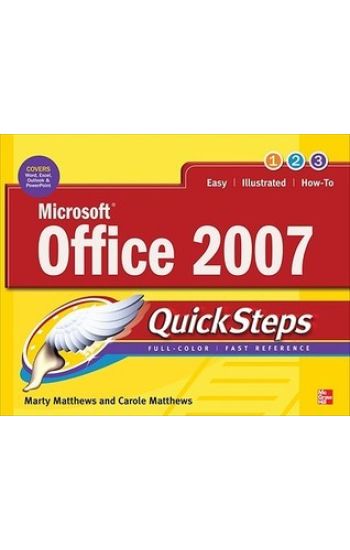
Microsoft Office 2007 QuickSteps

Microsoft Office 2007 QuickSteps

Marty Matthews; Carole Matthews

McGraw-Hill Professional
2008
nidottu
Publisher's Note: Products purchased from Third Party sellers are not guaranteed by the publisher for quality, authenticity, or access to any online entitlements included with the product.Step-by-Step, Full-Color Graphics!Get started using Office 2007 right away--the QuickSteps way. Color screenshots and clear instructions guide you through all of the essential features and functions of the world's most popular productivity suite. Follow along and learn how to create great-looking Word documents; build number-crunching Excel spreadsheets; manage Outlook email, contacts, and schedules; and design impressive PowerPoint presentations. Get the book that gets you up and running on Office 2007 in no time.Use these handy guideposts:Shortcuts for accomplishing common tasksNeed-to-know facts in concise narrativeHelpful reminders or alternate ways of doing things Bonus information related to the topic being coveredErrors and pitfalls to avoid
Build an eBay Business QuickSteps

Build an eBay Business QuickSteps

Carole Matthews; John Cronan

McGraw-Hill Professional
2009
nidottu
Publisher's Note: Products purchased from Third Party sellers are not guaranteed by the publisher for quality, authenticity, or access to any online entitlements included with the product.Step-by-Step, Full-Color Graphics!Get your eBay business started right away--the QuickSteps way. Color screenshots and clear instructions show you how to establish and run a profitable eBay business in no time. Follow along and learn how to create a business plan, build inventory, set up processing centers, create appealing listings, set up an eBay store, and market your business. You'll also find out how to become an eBay Trading Assistant, use eBay sales outlets, and even raise money for your nonprofit on eBay. Use these handy guideposts:Shortcuts for accomplishing common tasksNeed-to-know facts in concise narrativeHelpful reminders or alternate ways of doing thingsBonus information related to the topic being coveredErrors and pitfalls to avoid
Microsoft Office Word 2010 QuickSteps

Microsoft Office Word 2010 QuickSteps

Marty Matthews

McGraw-Hill Professional
2010
nidottu
Publisher's Note: Products purchased from Third Party sellers are not guaranteed by the publisher for quality, authenticity, or access to any online entitlements included with the product.Step-by-Step, Full-Color Graphics!Start using Word 2010 right away--the QuickSteps way. Color screenshots and clear instructions make it easy to ramp up on the latest release of Microsoft's powerful word processing application. Follow along and quickly learn how to create and format documents, add tables, charts, and graphics, use mail merge, collaborate with others, save Word documents as web pages, and much more. Get up to speed on Word 2010 in no time with help from this practical, fast-paced guide.Use these handy guideposts:Shortcuts for accomplishing common tasksNeed-to-know facts in concise narrativeHelpful reminders or alternate ways of doing thingsBonus information related to the topic being coveredErrors and pitfalls to avoid
Microsoft Office Outlook 2010 QuickSteps

Microsoft Office Outlook 2010 QuickSteps

Carole Matthews; Marty Matthews; Bobbi Sandberg

McGraw-Hill Professional
2010
nidottu
Step-by-Step, Full-Color Graphics!Start using Outlook 2010 right away--the QuickSteps way. Color screenshots and clear instructions make it easy to ramp up the latest release of Microsoft's powerful communications application. Follow along and quickly learn how to send, receive, and manage e-mail; enter contacts; schedule appointments; track tasks; keep a journal; use notes; manage files and folders; and set up instant messaging. Get up to speed on Outlook 2010 in no time with help from this practical, fast-paced guide.Use these handy guideposts:Shortcuts for accomplishing common tasksNeed-to-know facts in concise narrativeHelpful reminders or alternate ways of doing thingsBonus information related to the topic being coveredErrors and pitfalls to avoid
Computing for Seniors QuickSteps

Computing for Seniors QuickSteps

Marty Matthews; Carole Matthews; Gary David Bouton; Bobbi Sandberg

McGraw-Hill Professional
2011
nidottu
Publisher's Note: Products purchased from Third Party sellers are not guaranteed by the publisher for quality, authenticity, or access to any online entitlements included with the product.Step-by-Step, Full-Color Graphics!Take advantage of your computer's features and tools right away--the QuickSteps way. Color photos and screenshots with clear instructions make it easy to accomplish everything you want to do. Follow along and quickly learn how to navigate the Windows operating system; get online; use core programs such as Word, Excel, and Quicken; and secure your computer. Fun activities, such as genealogy, photo editing and management, social networking, and online dating are covered, plus you'll get tips for enjoying music, ebooks, and videos. Written by seniors for seniors, this practical, fast-paced guide helps you get the most out of your computer.The unique, oblong layout of the QuickSteps series mimics your computer screen, displays graphics and explanations side by side, and lays flat so you can easily refer to the book while working on your computer. Use these handy guideposts:Shortcuts for accomplishing common tasksPersonal insights from other seniorsNeed-to-know facts in concise narrativeHelpful reminders or alternative ways of doing thingsBonus information related to the topic being coveredErrors and pitfalls to avoid
Microsoft SharePoint 2010 QuickSteps

Microsoft SharePoint 2010 QuickSteps

Marty Matthews; Nancy Buchanan

McGraw-Hill Professional
2010
nidottu
Step-by-Step, Full-Color Graphics!Start using SharePoint 2010 right away--the QuickSteps way. Color screenshots and clear instructions make it easy to ramp up on the latest release of Microsoft's powerful collaboration platform. Follow along and quickly learn how to use a SharePoint site, add pages and web parts, create and manage lists and libraries, and integrate with and collaborate using Microsoft Office applications. You'll also find out how to customize pages with SharePoint Designer, use SharePoint Workspace to work offline on SharePoint content, handle permissions and security, and much more. Get up to speed on SharePoint 2010 in no time with help from this practical, fast-paced guide.Use these handy guideposts:Shortcuts for accomplishing common tasksNeed-to-know facts in concise narrativeHelpful reminders or alternate ways of doing thingsBonus information related to the topic being coveredErrors and pitfalls to avoid
Facebook for Seniors QuickSteps

Facebook for Seniors QuickSteps

Carole Matthews

McGraw-Hill Professional
2012
nidottu
Publisher's Note: Products purchased from Third Party sellers are not guaranteed by the publisher for quality, authenticity, or access to any online entitlements included with the product.Step-by-Step, Full-Color Graphics! Start using Facebook right away—the QuickSteps way. In Facebook for Seniors QuickSteps, color photos and screenshots with clear instructions show you how to enjoy the benefits of the world’s most popular social networking site. Written by a senior for seniors, this easy-to-follow guide shows you how to create your Facebook account, control privacy settings, find and manage friends, and share posts, links, and videos. You’ll also learn how to use Facebook email and the Facebook Mobile App, create and join groups, use Facebook apps and games, and secure your account. Stay connected with family and friends using Facebook and this practical, hands-on resource. Use these handy guideposts: Shortcuts for accomplishing common tasksPersonal insights from other seniorsNeed-to-know facts in concise narrativeHelpful reminders or alternate ways of doing things Bonus information related to the topic being coveredErrors and pitfalls to avoidThe unique, landscape-oriented layout of the QuickSteps series mimics your computer screen, displays graphics and explanations side by side, and lays flat so you can easily refer to the book while working on your computer.
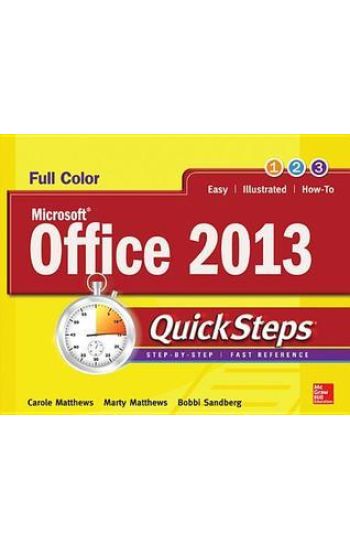
Microsoft® Office 2013 QuickSteps

Microsoft® Office 2013 QuickSteps

Carole Matthews; Marty Matthews; Bobbi Sandberg

McGraw-Hill Professional
2013
nidottu
Publisher's Note: Products purchased from Third Party sellers are not guaranteed by the publisher for quality, authenticity, or access to any online entitlements included with the product.Full-color, step-by-step guide to the new release of the world’s most popular productivity suite of applicationsGet up and running with Office 2013 right away--the QuickSteps way. Full-color screenshots on every page with clear instructions make it easy to use the latest release of Microsoft's powerful productivity suite. Follow along and quickly learn how to create Word documents; build Excel spreadsheets; manage Outlook email, contacts, and schedules; design PowerPoint presentations; and much more. This practical, fast-paced guide gets you started in no time! Use these handy guideposts:Shortcuts for accomplishing common tasksNeed-to-know facts in concise narrativeHelpful reminders or alternate ways of doing thingsBonus information related to the topic being coveredErrors and pitfalls to avoidThe unique, landscape-oriented layout of the QuickSteps series mimics your computer screen, displays graphics and explanations side by side, and lays flat so you can easily refer to the book while working on your computer.
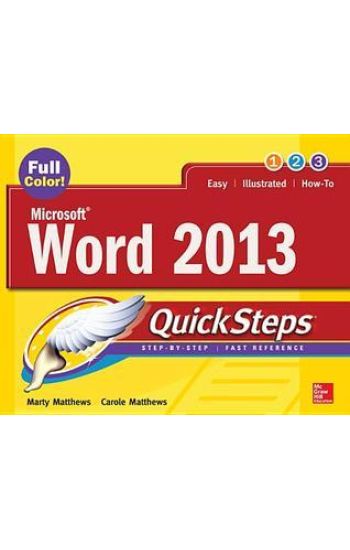
Microsoft® Word 2013 QuickSteps

Microsoft® Word 2013 QuickSteps

Carole Matthews; Marty Matthews

McGraw-Hill Professional
2013
nidottu
Step-by-Step, Full-Color Graphics!Get up and running on Microsoft Word 2013 right away--the QuickSteps way. Full-color screenshots and clear instructions make it easy to start using the latest release of the leading word processing application. Take control and learn how to create and format documents, apply templates and themes, use mail merge, add tables and illustrations, use special features such as forms and translation, save Word documents as web pages, and much more. Screenshots with callouts show and explain exactly what you'll see on your computer screen while you're doing a task. This practical, fast-paced guide gets you started in no time!Use these handy guideposts:Shortcuts for accomplishing common tasksNeed-to-know facts in concise narrativeHelpful reminders or alternate ways of doing thingsBonus information related to the topic being coveredErrors and pitfalls to avoid
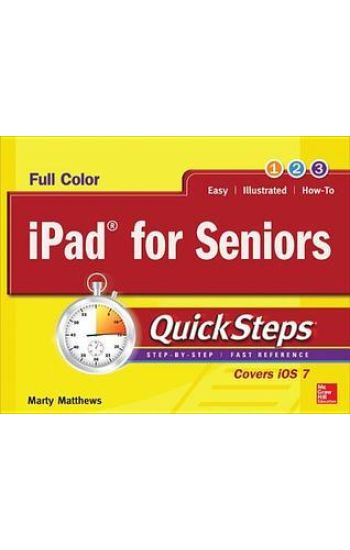
iPad for Seniors QuickSteps

iPad for Seniors QuickSteps

Marty Matthews

McGraw-Hill Professional
2013
nidottu
Publisher's Note: Products purchased from Third Party sellers are not guaranteed by the publisher for quality, authenticity, or access to any online entitlements included with the product.Step-by-Step, Full-Color Graphics!Written by a senior for seniors, this practical, fast-paced guide helps you get up and running on your iPad right away. Color photos and screenshots with clear instructions make it easy to accomplish everything you want to do. Follow along and quickly learn how to set up your iPad, navigate the touch screen, use apps and email, and browse the Internet. Find out the best ways to manage photos, video chat with FaceTime, use iTunes and the iBook store, read eDocuments, listen to music, watch movies, play games, and use iCloud. iPad maintenance tips are also included. The unique, landscape layout of the QuickSteps series displays graphics and explanations side by side, and lays flat so you can easily refer to the book while working on your iPad. Use these handy guideposts:Shortcuts for accomplishing common tasksPersonal insights from other seniorsNeed-to-know facts in concise narrativeHelpful reminders or alternative ways of doing thingsBonus information related to the topic being coveredErrors and pitfalls to avoid
iPhone for Seniors QuickSteps

iPhone for Seniors QuickSteps

Marty Matthews; Carole Matthews

McGraw-Hill Professional
2015
nidottu
Step-by-step, full-color graphics show how to use the latest iPhone models! Written by seniors for seniors, this full-color guide features screenshots throughout with clear instructions that make it easy to start using the iPhone 6, iPhone 6 Plus, and iOS 8. The book can be used with earlier devices, too. Follow along and learn how to make calls, manage your contacts and calendar, send email, browse the web, take photos and video, listen to music, play games, and much more. You’ll also get tips on using helpful apps such as Apple Pay and the Health App. Get up and running on your iPhone right away—the QuickSteps way! Use these handy guideposts: QuickSteps for accomplishing common tasksNeed-to-know facts in concise narrativeHelpful reminders or alternate ways of doing things Bonus information related to the topic being coveredErrors and pitfalls to avoid
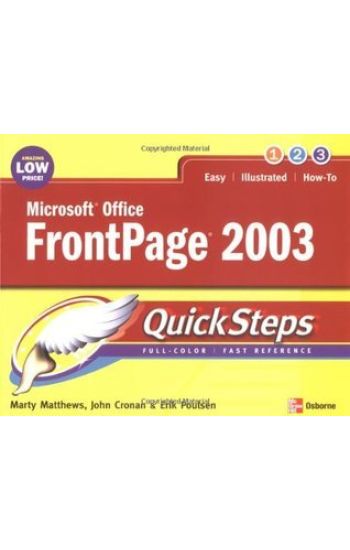
Microsoft Office FrontPage 2003 QuickSteps

Microsoft Office FrontPage 2003 QuickSteps

Martin Matthews; John Cronan

McGraw-Hill Professional
2004
nidottu
Publisher's Note: Products purchased from Third Party sellers are not guaranteed by the publisher for quality, authenticity, or access to any online entitlements included with the product.We know a picture is worth a thousand words--so we went heavy on pictures and light on words in this easy-to-use guide. Color screenshots and brief instructions show you how to use all of FrontPage’s Web site creation and management features in no time. Follow along and learn to design and publish a Web site, use tables and frames, add graphics, create interactive forms, secure your site, handle e-commerce transactions, and much more. Each chapter’s “How to” list and color-coded tabs make it easy to flip straight to the tasks you need to do. Get the book that gets you started using FrontPage right away.In each chapter:Shortcuts for accomplishing common tasksNeed-to-know facts in concise narrativeHelpful reminders or alternate ways of doing things Bonus information related to the topic being coveredErrors and pitfalls to avoidScreenshots with callouts show and explain exactly what you’ll see on your computer screen while you’re doing a task
Adobe Acrobat 7.0 QuickSteps

Adobe Acrobat 7.0 QuickSteps

Marty Matthews; John Cronan

McGraw-Hill Professional
2005
nidottu
Here is a full-color, fast reference to the most popular electronic document exchange program--Adobe Acrobat. Release 7 is a major upgrade with new features that include enhanced PDF creation, watermarks, improved collaboration functions, digital signature capability, and more. All these and more features are covered in the book. Color screenshots with callouts show and explain exactly what you'll see on your computer screen while you're doing a task. The lengthwise layout of the book provides a more open, visual display and allows the book to lie flat for easy reference. Learn to:Create, view, and edit PDFsUse distillerCreate interactive formsAdd links and multimediaEstablish document security
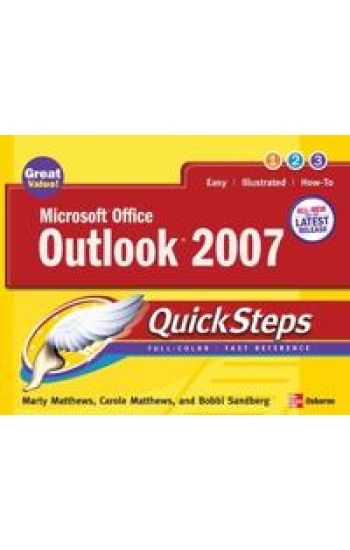
Microsoft Office Outlook 2007 QuickSteps

Microsoft Office Outlook 2007 QuickSteps

Marty Matthews

McGraw-Hill Professional
2007
nidottu
Walking users through the new interface and the features and functions of the latest version of Outlook, this illustrated handbook on Microsoft Outlook 2007 covers such topics as working with folders, managing e-mail messages, using the calendar and scheduling appointments, creating contact items, sharing documents, and more. Original. (Beginner)
The Veggie Goddess Vegetarian Cookbook Collection: Volumes 1 - 4: Vegetables and Vegetarian - Quick and Easy - Reference
Vegetarian cooking and vegetarian cookbooks are not just for strict vegetarians. Even meat-eaters need to eat their veggies. No matter what diet protocol you typically or intermittently follow, you should always be striving for at least 50% of your food intake to come from wholesome vegetables, and this 4 volume, easy vegetarian recipe cookbook collection will help you do just that. And, to make it even more convenient and user friendly for you accomplished, aspiring and yes, even you reluctant cooks out there, 'The Veggie Goddess' has compiled her first four cookbook volumes into one easy 'go-to' vegetarian cookbook. 'The Veggie Goddess' cookbooks are always about making healthy eating easy to follow, no matter what your level of cooking experience. All these vegetarian recipes are budget-friendly and always use only easy to find ingredients. Let's face it, no matter how good a recipe is, if it's too complicated to follow, to hard to find the ingredients, and requires buying expensive items or kitchen gadgets to follow, chances are you'll end up ditching that recipe cookbook as fast as your latest piece of exercise equipment. In this compilation vegetarian cookbook collection, you will receive volumes 1-4 of the series, making for a complete and very expansive vegetarian recipe collection. Purchased individually, these 4 vegetarian cookbooks would cost you $26.92 Purchase this complete vegetarian cookbook collection (hard copy edition) in one expansive book volume for just $13.46 and save 50% Volume #1: Easy Vegetarian Cooking: 100 - 5 Ingredients or Less, Easy and Delicious Vegetarian Recipes (individual book price $7.47) Chapter 1 - 5 Ingredients or Less Potato Based Recipes Chapter 2 - 5 Ingredients or Less Bean Based Recipes Chapter 3 - 5 Ingredients or Less Spinach and Greens Based Recipes Chapter 4 - 5 Ingredients or Less Pasta Based Recipes Chapter 5 - 5 Ingredients or Less Veggie Variety Based Recipes Chapter 6 - 5 Ingredients or Less Rice Based Recipes Chapter 7 - 5 Ingredients or Less Fruit Based Recipes Volume 2: Natural Foods: 100 - 5 Ingredients or Less, Raw Food Recipes for Every Meal Occasion (individual book price $7.47) Chapter 1 - 5 Ingredients or Less Raw Beverage Recipes Chapter 2 - 5 Ingredients or Less Raw Dips and Appetizer Recipes Chapter 3 - 5 Ingredients or Less Raw Salad Recipes Chapter 4 - 5 Ingredients or Less Raw Soup Recipes Chapter 5 - 5 Ingredients or Less Raw Side Dish Recipes Chapter 6 - 5 Ingredients or Less Raw Main Dish Recipes Chapter 7 - 5 Ingredients or Less Raw Dessert Recipes Chapter 8 - 5 Ingredients or Less Raw Dressing and Sauce Recipes Volume 3: Easy Vegetarian Cooking: 75 Delicious Vegetarian Casserole Recipes (individual book price $5.99) Chapter 1 - Veggie Based Casseroles Chapter 2 - Potato Based Casseroles Chapter 3 - Bean Based Casseroles Chapter 4 - Pasta Based Casseroles Chapter 5 - Rice Based Casseroles Chapter 6 - Polenta, Hominy and Grits Based Casseroles Chapter 7 - Fruit Based Casseroles Volume 4: Easy Vegetarian Cooking: 75 Delicious Vegetarian Soup & Stew Recipes (individual book price $5.99) Chapter 1 - Cream Soups Chapter 2 - Bean Based Soups Chapter 3 - Hearty and Savory Soups Chapter 4 - Stews and Chowders Chapter 5 - Light and Figure-Friendly Soups Chapter 6 - Flavors From Around the World Soups (Be sure to check out the full line of 'The Veggie Goddess' vegetarian and vegan cookbooks available on Amazon Kindle. You can also follow 'The Veggie Goddess' @ http: //www.facebook.com/theveggiegoddess and http: //www.theveggiegoddess.c