

Kirjahaku
Etsi kirjoja tekijän nimen, kirjan nimen tai ISBN:n perusteella.
1000 tulosta hakusanalla Jeff Hutchison

For his whole life, fourteen year old Matthew Peters has been living in his older brothers shadow. David Peters is the star quarterback of the high school football team and his future looks bright. The town is buzzing with excitement and believes the teams chances to win the state championship are possible. Matthew and his friends, Mark, Luke and John are beginning their freshman year. Their lives are about to change forever as they have a strange encounter in the woods with a man calling himself Emmanuel. When Emmanuel performs a miracle before their eyes, they are astonished and wonder who he is. Could he be Jesus Christ? They become convinced when he continues to appear to them at unexpected times, helping them with the problems they are facing. When they deal with bullies, explore relationships with girls for the first time, and face family issues, Emmanuel is there every step of the way to guide them. Thus begins their journey as Emmanuel prepares them for the future.


OneNote 2016 - Taking Digital Notes: Supports OneNote 2010, 2013, and 2016
Jeff Hutchinson
Independently Published
2019
nidottu
If you are taking electronic notes on a computer for a meeting (school event, or any event), OneNote can be used to easily keep track of and manage all notes. The primary purpose is to bring all media (spreadsheets, video, audio, weblinks, documents, etc.) into one place in order to keep everything organized. This Workbook is designed to document features and capabilities of the installed version of OneNote 2016 (not the online version), and includes the differences between OneNote 2010 and 2013. This is an electronic version of note-taking similar to using a Notebook binder. It is used for typing notes, collecting electronic information such as audio recordings, videos, electronic handwriting, pictures, email messages, Excel files, Word documents, etc. Once everything is organized, you can search for specific content and you can also Tag specific messages for quick recall using the Search facility. As you attend meetings, school lectures, or engage in internet research, you can type your notes, display pictures, and capture internet information electronically. What's in the Workbook? Click on the left side of the screen: Look Inside Enter one of the following keywords: Video, Audio, Tag, Note Taking, etc. How the Workbook is DesignedThis Workbook contains over 50+ step-by-step practice exercises to help you get up to speed quickly and understand each concept. The following link is a Video Clip explaining how the Workbook has been designed and how to use it most effectively. www.elearnlogic.com/media/workbook.mp4
Teams is an Office 365 App is designed to consolidate all communication on a specific topic in one location by providing the ability to chat with team members, store important documentation, images, video feeds. and make phone calls. Also, Remote meetings (similar to Skype) can be conducted with Team members and others (Teams provides built-in features similar to Skype).Obtain Your PDF Copy and Video CourseThis workbook includes an Online Recorded Video course and PDF Download. Refer to the Workbook Introduction for instructions on where to send an Amazon receipt. Each Team will define groups of people to work together on a project and view information in order to communicate with everyone. Project Teams can offer multiple Channels or subtasks to provide information on a focused objective. This centralized information is collected in a specific Channel (subtask), and will be valuable for an existing Team as well as New Members. This Step-By-Step Workbook will teach you how to create a Project Team, Channels (or subtasks), create a Chat environment to ask/respond to questions, store Project documentation, schedule meetings, evoke Video Meetings with the Team (similar to Skype), Record Video Meetings, store meeting notes to the Channel(subtasks), Chat with anyone in the enterprise (company), build Teamesite (Team Website), and consolidate all communications on one centralized location, and make internet phone calls from your computer When Teams is not used information becomes disjointed because it is stored in different Email folders and Shared server folders throughout a company. Also, the downside of not using Teams is that everyone on the Project Team will receive different bits of information, status reports, and different levels of Project updates. In other words, communication information would be scattered, not stored in one place, and new Team Members will have a harder time getting up to speed. TeamsiteAnother major concept covered in this manual is a Teamsite.This is a Sharepoint Site that contains a resource pool of information for a department, Project Team, resource pool, book club, or just general use. A Teamsite can be created from each Microsoft Team Project and can contain a Central Team Calendar, Blog, Documentation, Text Page (to explain a process), Task List, or whatever you wish to post for the Team. This Teamsite will provide information for the Project Team and others that are not defined as Team Members. This manual will specifically cover the basics of how to develop a Teamsite but is not intended to go into Sharepoint development. What's in the Workbook? Click on the left side of the screen: Look Inside Enter one of the following keywords: Teams, Channel, Video Meeting, Chat, etc. How the Workbook is Designed This Workbook contains over 70+ step-by-step practice exercises to help you get up to speed quickly and understand each concept. The following link is a Video Clip explaining how the Workbook has been designed and how to use it most effectively. http: //www.elearnlogic.com/media/workbook.mp4
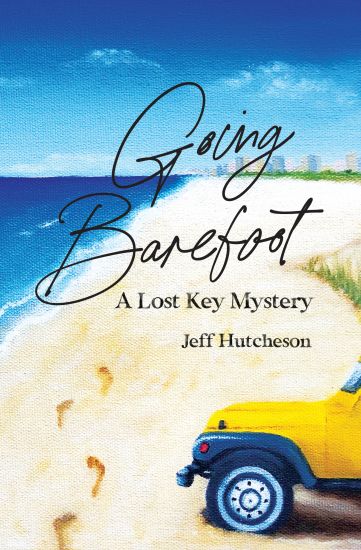
Meet Bailey, a free spirit whose happy place is driving her yellow jeep along the Florida Gulf Coast. When the opportunity of her career falls in her lap-an invitation to work for an elite real estate company in a nearby city-her new start gets interrupted by strange happenings. An unexplained oil spill in her hometown is decimating the marshlands, and an eccentric developer appears with an offer and several secrets that threaten her cozy community of Lost Key.Torn between following her new dream and her love for Lost Key, Bailey must get to the bottom of things as quickly as possible. With the help of friends, other-worldly guidance, and a gift from her ancestors, Bailey sets out to save her community and stop the marauder. To succeed, she'll have to overcome her self-doubt and trust her intuition. She'll have to "go barefoot."
Photoshop CC - Touch-Up And Image Adjustment
Jeff Hutchinson
Createspace Independent Publishing Platform
2017
pokkari
This class teaches some of the creative aspects of Photoshop. readers will learn image adjustment techniques such as how to brighten photos, change contrast, balance colors, change exposure, highlight colors, and create photo filters. We will use tools to fix problems on an image such as healing, correction, or clone stamping. We will discover techniques to mask objects, warp text, and other special effects. Using a combination of commands, we will generate new possibilities and help readers develop new skills. Note: The documentation supports both Adobe Suite CS6 (Version 11) and Adobe Suite CC (Version 12.)Quick Review - Photoshop Environment, Zooming, Panels, Basic Drawing Tools, Resolution type, Selection, Layers, Filter Effects, Layer Effects, Saving Techniques, and Color Picker.General Drawing Tools - Brush defaults, Brush Tool, Pencil, Eye Dropper, Color Sampler Tool, Eraser, Paint Bucket, Rectangle, Rounded Rectangle, Ellipse, Polygon, Line, and Custom Shape.Drawing Patterns and Color - Gradient Tool, Pattern Stamp Tool, Create Custom Patterns, Swatches, History Brush, and Art History Brush.Touch Up Images - Free Transform and Crop, Spot Healing Brush, Healing Brush Tool, Patch Tool, Content-Aware Move, Redeye, Clone Stamp Tool, Blur Tool, Sharpen Tool, Smudge Tool, Dodge Tool, and Burn Tool.Image Adjustments - Auto Tone, Auto Contrast, Auto Color, Brightness/Contrast, Levels, Curves, Exposure, Vibrance, Hue/Saturation, Color Balance, Black and White, Photo Filter, Channel Mixer, Color Lookup, Invert, Posterize, Threshold, Gradient Map, Selective Color, Shadows/Highlights, HDR Toning, Desaturate, Match Color, Replace Color, and Equalize.Layer Mask and Clipping Masks - Quick Mask Painting, Quick Mask Background Color, Quick Mask mode to Feather selection, Reveal Selection, Hide Selection, and Clipping Mask.Text Layer Effects - Pin, Freeform, Add Anchor Point, Delete Anchor Point, Convert Point, Warp Text, Wrap Text on a Path, Layer Comps, and Vanishing Point.Advanced Features - Actions, Batch, Video Files, and Export Video Files.What's in the workbook? Click on the left side of the screen: Look Inside Enter one of the following keywords: Shading, Healing, Correction, Clone Stamping, Layers Panel, Smart Object, Image Adjustment, etc. How the Workbook is DesignedThis Workbook contains over 70+ step-by-step practice exercises to help you get up to speed quickly and understand each concept. The following link is a Video Clip explaining how the Workbook has been designed and how to use it most effectively. www.elearnlogic.com/media/workbook.mp4
Indesign CC - Creating Brochures: Supports Indesign CC, Cs6, and Mac Cs6
Jeff Hutchinson
Createspace Independent Publishing Platform
2017
nidottu
InDesign has become the industry standard used to develop brochures and create catalogs. This Step-By-Step Workbook will guide you through learning InDesign. It can be used by a beginner to understand core concepts, and an advanced student to learn the "in's and out's" of InDesign. Included are over 26 Practice Exercises that demonstrate how to use InDesign concepts, and can also be used as a reference guide to quickly look up specific topics. What's is in the workbook? Click on the left side of the screen: Look Inside Enter one of the following keywords: Artwork, Brochures, Printing, Illustrations, etc. Take A Class: http: //www.elearnlogic.com/download/schedule18.pdf This workbook/guide can be used to help design artwork for brochures, printing, or displaying on the web. InDesign is perfect for illustrations, brochures, and single page artwork. In this course, students will work with tools and features for the creation of high-quality precision design layouts, and use selection capability to manipulate frames and objects within frames. Two very important tools used to adjust the image and the frames are the "Selection" and the "Direct Select" tools. Other important aspects are the "Master Pages" that can be used to create headers, footers, watermarks, or any object placed on the design to appear on multiple pages. During class, students will not only create a single brochure, but also a four-page brochure that will combine all the concepts of the class into a viable learning experience. Commands are provided for InDesign CC, CS6, and InDesign Mac CS6. Design Strategy This workbook is designed in conjunction with an Online-Instructor-Led course (for more information see: www.elearnlogic.com). Unlike other computer guides, students will not need to review lengthy procedures in order to understand a topic. All that is necessary are the brief statements and command paths located within the guide that demonstrate how a concept is used. There are many Step-By-Step Practice Exercises and more comprehensive Student Projects offered to help students better understand concepts. Furthermore, they will find that this workbook/guide can often be used as a reference to help them understand concepts quickly and thoroughly. An index is also provided on the last page to reference important topics as necessary. However, if more detail is needed for study, the Internet can be used, as well, to search a concept. Also, if student's skills are weak due to lack of implementation, they can refresh their knowledge quickly by visually scanning concepts of choice, and then testing them out using the application.
Indesign CC - Beyond the Basics: Supports Indesign CC, Cs6, and Mac Cs6
Jeff Hutchinson
Createspace Independent Publishing Platform
2017
nidottu
This workbook/guide will cover developing brochures, creating catalogs, formatting features, and all tools will be covered. This Step-By-Step Workbook will guide you through learning InDesign. It can be used by a beginner to understand core concepts, and an advanced student to learn the "in's and out's" of InDesign. Included are over 38 Practice Exercises that demonstrate how to use InDesign concepts, and can also be used as a reference guide to quickly look up specific topics. This workbook/guide provides the advanced features of Adobe InDesign to create and design content for the Web as well as print. There are over 60 unique character and paragraph formatting features. We will document all, and cover extensively, the most commonly used ones. Students will discover the "Library Feature" which will allow for the storage of images, logos, and text boxes for easy access. The "Books" feature will define each chapter as a separate file, and allow page numbers to be automatically adjusted. This will reduce the overall file size of the document by splitting it up into segments. The "Large Document" feature has the ability to use styles in order to create a Table of Contents, footnotes, and an index. The final project for the course will be a more creative process which will require using many of the manipulation and formatting capabilities taught in the class. Rather than giving a predefined layout, students will need to develop their own style based on the concepts covered. Commands are provided for InDesign CC, CS6, and InDesign Mac CS6. What's is in the workbook? Press Download or Click on the left side of the screen: Look Inside Enter one of the following keywords: visual reports, dashboard, share, get data, gateway, etc. Take A Class: http: //www.elearnlogic.com/download/schedule18.pdf ***************************************************************************** Design Strategy - This will explain how the workbook/guide is designed. This workbook is designed in conjunction with an Online-Instructor-Led course (for more information see: www.elearnlogic.com). Unlike other computer guides, students will not need to review lengthy procedures in order to understand a topic. All that is necessary are the brief statements and command paths located within the guide that demonstrate how a concept is used. The following is the basic structure of the workbook: Chapter/Section - Each core chapter contains sections that further break down topics to provide the subject focus necessary for better understanding concepts. Concept Name - Each concept contains a short description, a definition of how to use it and a TIP providing additional help ideas. Practice Exercises - Most concepts provide a 2-4 minute step-by-step practice so you can better comprehend usage. Student Projects - These are more comprehensive tasks and take longer to complete. They test and challenge a student's knowledge of the topics covered. Index - This is located on the last page of the workbook to reference important topics as necessary. This workbook/guide can often be used as a reference to help student's understand concepts quickly and thoroughly. If more detail is needed for study, the Internet can also be used, as well, to search a concept. Furthermore, if student's skills are weak due to lack of implementation, they can refresh their knowledge quickly by visually scanning concepts of choice, and then testing them out using the applications.
Adobe Illustrator CC - Graphic Design & Custom Illustrations
Jeff Hutchinson
Createspace Independent Publishing Platform
2018
pokkari
Illustrator is a graphic design tool used to allow the creation of custom illustrations for use in artwork. A similar program, such as Photoshop, is primarily used to adjust photos. However, Illustrator will open your creative side to develop logos, symbols, create artwork, and allow unique warping of text to create unusual effects. Artistic and 3D effects are also commonly used to give your artwork a different look. This program will create vector graphics which are the mathematical definitions of lines, boxes, and circles. It will also teach important skills such as how to use selection techniques, Text Tools, Drawing Tools, and advanced formatting techniques. What's is in the workbook? Click on the left side of the screen: Look Inside Enter one of the following keywords: logos, symbols, artwork, warping, effects, etc.Take A Class: http: //www.elearnlogic.com/download/schedule18.pdf We are only offering the fundamentals book at this time (no advanced book available). Once you understand style of the program, you will be able to continue the learning process on your own. Also, we will review some of the intermediate features so you will be able to expand your knowledge at your own pace. The features covered are very similar to Illustrator CS4, CS5, CS6 and Mac CS6 commands. Design StrategyThis workbook is designed in conjunction with an Online-Instructor-Led course (for more information see: www.elearnlogic.com). Unlike other computer guides, students will not need to review lengthy procedures in order to understand a topic. All that is necessary are the brief statements and command paths located within the guide that demonstrate how a concept is used. There are many Step-By-Step Practice Exercises and more comprehensive Student Projects offered to help students better understand concepts. Furthermore, they will find that this workbook/guide can often be used as a reference to help them understand concepts quickly and thoroughly. An index is also provided on the last page to reference important topics as necessary. However, if more detail is needed for study, the Internet can be used, as well, to search a concept. Also, if student's skills are weak due to lack of implementation, they can refresh their knowledge quickly by visually scanning concepts of choice, and then testing them out using the application.
Microsoft Project 2016 - Creating a Project: Supports Project 2010, 2013 and 2016
Jeff Hutchinson
Createspace Independent Publishing Platform
2018
nidottu
In order to plan a project, information and resources must be gathered in order to generate an overall cost. Microsoft Project acts as a tool that assists in managing these tasks. In this course, students will create a project by entering in the tasks, duration, and link tasks as well as create a project calendar. We will expand on the project by entering and assigning resources to a task, and level the Over-Allocated Resources. Then we will manage the project by viewing the overall cost, setting the baseline, viewing the critical path, and updating completed tasks. Reports will display charts, text reports and printouts of the overall project. At the end of the class, students will have the skills to create and manage exceptional project plans. The core features of Project 2010, 2013, and 2016 are the same. However, newer versions have added additional Reporting capabilities. What's is in the workbook? Click on the left side of the screen: Look Inside Enter one of the following keywords: Duration, Link, Resource, Critical Path, Baseline, or ReportsTake A Class: http: //www.elearnlogic.com/download/schedule18.pdf *****************************************************************************Design Strategy - This will explain how the workbook/guide was designed.This workbook is designed in conjunction with an Online-Instructor-Led course (for more information see: www.elearnlogic.com). Unlike other computer guides, students will not need to review lengthy procedures in order to understand a topic. All that is necessary are the brief statements and command paths located within the guide that demonstrate how a concept is used. There are many Step-By-Step Practice Exercises and more comprehensive Student Projects offered to help students better understand concepts. The following is the basic structure of the workbook: Concept Name - Each concept contains a short description, a definition how to use it and TIP providing additional help ideas.Practice Exercise - Most concepts provide a 2-4 minute step-by-step practice so you can understand how to use it.Furthermore, they will find that this workbook/guide can often be used as a reference to help them understand concepts quickly and thoroughly. An index is also provided on the last page to reference important topics as necessary. However, if more detail is needed for study, the Internet can be used, as well, to search a concept. Also, if student's skills are weak due to lack of implementation, they can refresh their knowledge quickly by visually scanning concepts of choice, and then testing them out using the application.



Jeff D. Hutchinson wasn't always a master chief of the United States Navy. He grew up in Atlanta, Georgia, not the Atlanta that we all know today. He grew up in segregated Atlanta, where being Black was frowned upon. He didn't allow racism to paralyze the ambition that was deeply rooted inside of him. He was always the last choice, never the first. Yet, he overcame those challenges and obstacles that made it extremely difficult to be a black man in the deep south. His parents educated him on how to survive the dark days of segregation. The advice of his parents proved to be rewarding for him because he listened and became the last man up when he wasn't supposed to be a choice. In spite of all the dark things taking place during that time, he continued to work hard, do his best in everything that he did, and most importantly, he learned from his mistakes and the mistakes of others.
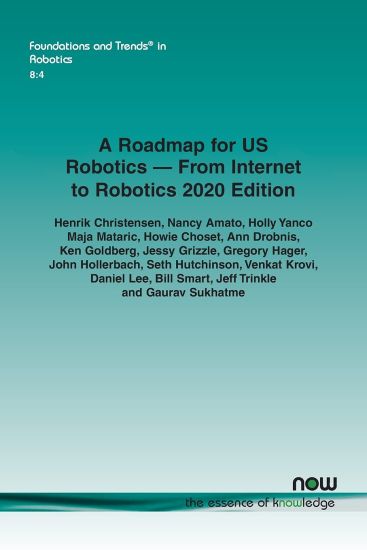
A Roadmap for US Robotics – From Internet to Robotics 2020 Edition
Henrik Christensen; Nancy Amato; Holly Yanco; Maja Mataric; Howie Choset; Ann Drobnis; Ken Goldberg; Jessy Grizzle; Gregory Hager; John Hollerbach; Seth Hutchinson; Venkat Krovi; Daniel Lee; Bill Smart; Jeff Trinkle; Gaurav Sukhatme
Now Publishers Inc
2021
nidottu
Recently the robotics industry celebrated its 60-year anniversary. We have used robots for more than six decades to empower people to do things that are typically dirty, dull and/or dangerous. The industry has progressed significantly over the period from basic mechanical assist systems to fully autonomous cars, environmental monitoring and exploration of outer space. We have seen tremendous adoption of IT technology in our daily lives for a diverse set of support tasks. Through use of robots we are starting to see a new revolution, as we not only will have IT support from tablets, phones, computers but also systems that can physically interact with the world and assist with daily tasks, work, and leisure activities. The “old” robot systems were largely mechanical support systems. Through the gradual availability of inexpensive computing, user interfaces, and sensors it is possible to build robot systems that were difficult to imagine before. The confluence of technologies is enabling a revolution in use and adoption of robot technologies for all aspects of daily life. Thirteen years ago, the process to formulate a roadmap was initiated at the Robotics Science and Systems (RSS) conference in Atlanta. Through support from the Computing Community Consortium (CCC) a roadmap was produced by a group of 120 people from industry and academia. The roadmap has been updated 2013 and 2016 prior to this update. The present document is a summary of the main societal opportunities identified, the associated challenges to deliver desired solutions and a presentation of efforts to be undertaken to ensure that US will continue to be a leader in robotics both in terms of research innovation, adoption of the latest technology, and adoption of appropriate policy frameworks that ensure that the technology is utilized in a responsible fashion.


For rainy day reads or as motivation for the littlest readers, this adorable and affirming picture book adventure from author/illustrator Angie Rozelaar is perfect for fans of Lions Lessons and Max the Brave! Bursting with vibrant colors and adorable illustrations, this story follows one little cat named Jeff as he imagines himself as a ferocious tiger in the jungle where he can be free from the rules of indoors! Escaping in his imagination to exercise his wild side, Jeff meets other animals in the jungle. With their help, Jeff learns to appreciate himself for who he is: not a tiger, but a little kitty who can be just as wild. With an uplifting message for young readers and text with call-and-response, jaunty refrains, and rhyme throughout, Jeff Goes Wild is perfect for read-alouds and will have everyone roaring along with Jeff as he goes wild!

Jeff Immelt and the New GE Way: Innovation, Transformation and Winning in the 21st Century
David Magee
McGraw-Hill Professional
2009
sidottu
When it was announced in late 2000 that Jeff Immelt would be taking the helm of GE, some skeptics were quick to voice their reservations about the future of the company after Jack Welch. Not only were Welch's shoes particularly large ones to fill, but the economy was dallying with recession, China and India were taking their first giant steps into the global economy, and just four days into Immelt's tenure came the biggest game changer of all: 9/11.The hand-wringing, it turned out, was all for nought. During Immelt's first seven years on the job, GE's revenues increased by more than 60%, its profits doubled, and the company solidified its status as the world leader in technological innovation.Written with the full cooperation of Immelt and GE senior executives, Jeff Immelt and the New GE Way tells the amazing story of how Immelt defied the skeptics and successfully reengineered one of the world's oldest and largest global conglomerates to meet the challenges of the 21st century. It offers an unparalleled opportunity to learn how it's done from a master, detailing the trendsetting innovations Immelt pioneered that have made his vision a reality, including:Mandating non-stop, company-wide innovationMaking customers partners in growth through Customer Dreaming Sessions Developing region-specific products and servicesPartnering with the most promising new-technology upstartsGoing green with a hugely successful Ecomagination initiativeFostering a non-stop learning environmentThe critics were right: Jeff Immelt is no Jack Welch. Just as Welch embodied corporate leadership for the closing decades of the 20th century, Immelt has come to personify the 21st century CEO. As Esquire magazine said when it named him one of The 75 Most Important People of the 21st Century: “The day will come, when GE chairman and CEO, Jeff Immelt, will be viewed as the prototypical leader for the new century.”

A fresh and engaging look at the controversial work of Jeff Koons, with insightful analyses and illustrations of all of his iconic pieces alongside preparatory works and historical photographs Examining the breadth and depth of thirty-five years of work by Jeff Koons (b. 1955), one of the most influential and controversial artists of the 20th century, this highly anticipated volume features all of his most famous pieces. In an engaging overview essay, Scott Rothkopf carefully examines the evolution of Koons’ work and his development over the past thirty-five years, offering a fresh scholarly perspective on the artist’s multi-faceted career. In addition, short essays by a wide range of interdisciplinary contributors—from academics to novelists—probe provocative topics such as celebrity and media, markets and money, and technology and fabrication. Also included are preparatory sketches and plans for sculptures and paintings as well as installation photographs that shed light on Koons’ artistic process and trace the development of his work throughout his landmark career. Koons has risen to international fame making art that reimagines and recontextualizes images and objects from popular culture such as vacuum cleaners, basketballs, and balloon animals. Created with painstaking attention to detail by a team of fabricators, these objects raise questions about taste and popular culture, and position Koons as one of the most lauded and criticized artists working today. Distributed for the Whitney Museum of American ArtExhibition Schedule:Whitney Museum of American Art (06/27/14–10/19/14)Centre Pompidou (11/26/14–04/27/15)Guggenheim Museum, Bilbao (06/05/15–09/27/15)