Eight year old Michael Jamison takes his hobby of collecting butterflies very seriously. He knows more about butterflies than most adults. After Michael receives a book from his Grandmother and learns of a beautiful butterfly found in southern Florida, he pleads with his parents to take him there to collect this prize butterfly. Finances make this trip out of the question. The family needs about $1,000 extra to make the trip possible. Determined to get to Florida, Michael decides to work to earn enough money for the trip. Hiring himself out as a handyman, Michael is hired by Mrs. Garvey. Mrs. Garvey is a mean, bitter widow who constantly yells at the neighborhood children. This elderly woman asks Michael to help clean a spare bedroom so her daughter can stay with her. Michael struggles with honesty and forgiveness over how Mrs. Garvey treats him. In the end he and his entire family will witness the transforming power of Jesus in a bitter elderly lady, because of his honesty.
Designed to increase the productivity of MS Word users, Word 2010: The Basics course will give you a firm grasp of the essentials. Productivity in Automation workbooks are designed to help you "learn by doing." After completing the lessons you can continue to use this book as a reference. In this course you will learn: Creating and Saving DocumentsMoving, copying and enhancing textParagraph and Page formattingEnvelopes and LabelsCreating and formatting tables
Designed to increase the productivity of MS Word users, Word 2010: Enhancing Documents continues where The Basics ends. This course will give you a firm grasp of enhancing your documents. Productivity in Automation workbooks are designed to help you "learn by doing." After completing the lessons you can continue to use this book as a reference. In this course you will learn: Working with Section Breaks and ColumnsAdding and working with Images, Clipart and ShapesCreating and Using StylesEnhancing LabelsCreating and Using HyperlinksUsing Pre-defined Templates
Losing his spouse of nearly twenty-eight years to fast moving cancer the author found himself facing loneliness like never before. To combat this powerful malady, he took the most logical steps he could think of. Within eight months of her passing he had married a woman he barely knew, and decided to live life in the fast lane on a motorcycle. "Two Years on the Run" is the story of the author and his wife, also widowed, attempting to build a history together. As they travel to Alaska, Florida, and Maui, backpack Zion National Park and take many motorcycle trips in the first two years of their marriage, they face their painful pasts and build memories together.As you travel with the author and his spouse, you'll enjoy his self-deprecating humor as he describes his attempts to transition into this new life. You'll face the challenges with them as they travel four thousand miles in two weeks on their bikes, overcoming the elements and the author's mechanical ineptitude. Along the way you'll laugh with and at the author and learn interesting facts about the places they visit.
Designed to increase the productivity of MS Excel users, Excel 2010: The Basics course will give you a firm grasp of the essentials. Productivity in Automation workbooks are designed to help you "learn by doing." After completing the lessons you can continue to use this book as a reference. In this course you will learn: Creating and Saving WorkbooksCreate and Edit FormulasCopy and move data and formulasFormat and Print WorkbooksCreate and Enhance Charts
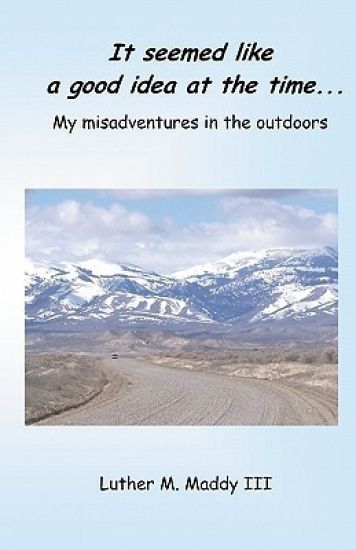
In this book, the author of "It seemed like a good idea at the time" shares more of his humorous outdoor experiences. In this book you'll laugh as the author: Rides a raft constructed from an Army war games map, crashes during a hang gliding lesson, buys and sells an ancient boat, catches a duck while fishing, nearly drowns trying to surf in Hawaii, chases calves through neighborhoods and fields, and contends with drunk fishermen.Sit back and enjoy reading about the author's mishaps and stupidity and realize that some people should never go outside.
Unemployment can be devastating, emotionally and financially. To help you through this traumatic life event the author shares encouragement and practical advice. He also encourages his readers by sharing his own story of temporary failure, career change, and reemployment. Among the topics included are: Improving your self-image during unemploymentMaintaining a positive attitudeR sum tipsHandling rejection Making your best interview impressionCareer change and retraining optionsWhen you can't pay the bills
Designed to give users an understanding of intermediate MS Excel 2010, Beyond The Basics course will you to give you a firm grasp of many useful Excel features beyond the essentials. Productivity in Automation workbooks are designed to help you "learn by doing." After completing the lessons you can continue to use this book as a reference. In this course you will learn to: Work with Multiple WorksheetsUse Excel functions: PMT(), IF(), VLookup(), & MoreUse Intermediate charting featuresProtect worksheets and Data ValidationCreate Excel Templates
Excel 2010: Database and Statistical Features is designed to give users and understanding of database analysis in Excel. This course will you to give you a firm grasp of Excel's many features designed to analyze data. Productivity in Automation workbooks are designed to help you "learn by doing." After completing the lessons you can continue to use this book as a reference. In this course you will learn to: Create databases in ExcelUse Excel's Database functions: DSUM(), Dcount(), & moreCreate and use PivotTables and PivotChartsAdd hyperlinks to an Excel workbookUse Excel's Data Analysis ToolPak.
Perfect for the classroom or self-paced, this step-by-step course is designed to increase the productivity of MS Excel users in a Windows environment, Excel 2016: The Basics course will give you a firm grasp of the essentials. This and the other workbooks in this series are designed for "learning by doing." After completing the lessons this book can serve as a reference. This course covers: Creating and Saving WorkbooksCreating and Editing FormulasCopying and moving data and formulasFormatting and Printing WorkbooksCreating and Enhancing Charts
Designed to increase the productivity of MS Word users, Word 2013: The Basics course will give you a firm grasp of the essentials. Productivity in Automation workbooks are designed to help students "learn by doing." After completing the lessons this book can continue to be used as a reference. This course covers: Creating and Saving DocumentsEfficiently Moving, copying and enhancing textParagraph and Page formattingSetting tabsLine & paragraph spacingCreating Envelopes and LabelsCreating and Formatting Tables
Designed to increase the productivity of MS Word users, Word 2013: Enhancing Documents continues where The Basics ends. This course will give you a firm grasp of enhancing your documents. Productivity in Automation workbooks are designed to help you "learn by doing." After completing the lessons you can continue to use this book as a reference. In this course you will learn: Working with Section Breaks and ColumnsAdding and working with Images, Clipart and ShapesCreating and Using StylesEnhancing LabelsCreating and Using HyperlinksUsing pre-defined templatesUsing Smart Art
Perfect for the classroom or self-paced, this step-by-step course is designed to give users an understanding of intermediate concepts MS Excel 2013 Windows. This workbook will provide a firm grasp of many useful Excel features beyond the essentials. This and the other workbooks in this series are designed for "learning by doing." After completing the lessons this book can serve as a reference. This course covers: Working with Multiple WorksheetsUsing Excel functions: PMT(), IF(), VLookup(), & MoreUsing Intermediate charting featuresProtecting worksheets and Data ValidationCreating Excel Templates
Perfect for the classroom or self-paced, this step-by-step course is designed to give users and understanding of database analysis in Excel 2013 for Windows. This workbook will provide a firm grasp of Excel's many features designed to analyze data. This and the other workbooks in this series are designed for "learning by doing." After completing the lessons you can continue to use this book as a reference. This course covers: Creating databases in ExcelUsing Excel's Database functions: DSUM(), Dcount(), & moreCreating and using PivotTables and PivotChartsAdding hyperlinks to an Excel workbookUsing Excel's Data Analysis ToolPak.Regression AnalysisDescriptive statistics
This workbook is designed to increase the productivity of MS PowerPoint users, PowerPoint 2010: The Basics course will give you a firm grasp of the essentials. Productivity in Automation workbooks are designed to help you "learn by doing." After completing the lessons you can continue to use this book as a reference. In this 4- 6 hour course you will learn: Create and run presentationsApply and modify design themesInsert clip art, audio, and video clipsApply and use slide transitionsPrint audience handouts and speaker notes
This workbook is designed to increase the productivity of MS PowerPoint users, PowerPoint 2013: The Basics course will give you a firm grasp of the essentials. Productivity in Automation workbooks are designed to help you "learn by doing." After completing the lessons you can continue to use this book as a reference. In this 4- 6 hour course you will learn: Create and run presentationsApply and modify design themesInsert clipart, audio, and video clipsApply and use slide transitionsPrint audience handouts and speaker notes
Perfect for the classroom or self-paced, this step-by-step course is designed to increase the productivity of MS Excel users in a Windows environment, Excel 2016: The Basics course will give you a firm grasp of the essentials. This and the other workbooks in this series are designed for "learning by doing." After completing the lessons this book can serve as a reference. This course covers: Creating and Saving WorkbooksCreating and Editing FormulasCopying and moving data and formulasFormatting and Printing WorkbooksCreating and Enhancing Charts
Perfect for the classroom or self-paced, this step-by-step course is designed to give users an understanding of intermediate concepts MS Excel 2016 Windows. This workbook will provide a firm grasp of many useful Excel features beyond the essentials. This and the other workbooks in this series are designed for "learning by doing." After completing the lessons this book can serve as a reference. This course covers: Working with Multiple WorksheetsUsing Excel functions: PMT(), IF(), VLookup(), & MoreUsing Intermediate charting featuresProtecting worksheets and Data ValidationCreating Excel Templates
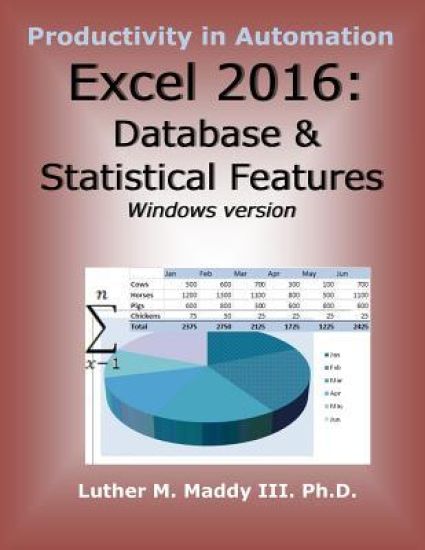
Perfect for the classroom or self-paced, this step-by-step course is designed to give users and understanding of database analysis in Excel 2016 for Windows. This workbook will provide a firm grasp of Excel's many features designed to analyze data. This and the other workbooks in this series are designed for "learning by doing." After completing the lessons you can continue to use this book as a reference. This course covers: Creating databases in ExcelUsing Excel's Database functions: DSUM(), Dcount(), & moreCreating and using PivotTables and PivotChartsAdding hyperlinks to an Excel workbookUsing Excel's Data Analysis ToolPak.Regression AnalysisDescriptive statistics