Kirjojen hintavertailu. Mukana 12 595 353 kirjaa ja 12 kauppaa.

Kirjailija

Cadartifex

Kirjat ja teokset yhdessä paikassa: 6 kirjaa, julkaisuja vuosilta 2017-2026, suosituimpien joukossa Solidworks 2026: A Power Guide for Beginners and Intermediate Users: Colored. Vertaile teosten hintoja ja tarkista saatavuus suomalaisista kirjakaupoista.

6 kirjaa

Kirjojen julkaisuhaarukka 2017-2026.

Solidworks 2026: A Power Guide for Beginners and Intermediate Users: Colored
SOLIDWORKS 2026: A Power Guide for Beginners and Intermediate Users textbook is tailored for instructor-led training and self-paced learning. It is an essential resource for engineers and designers seeking to master SOLIDWORKS for 3D mechanical design. Designed for new users and ideal for classroom instruction, this comprehensive guide spans 14 chapters across 780 pages, thoroughly covering core SOLIDWORKS environments, including Sketching, Part Modeling, Assembly, and Drawing. Additionally, it includes a dedicated chapter focused on creating multiple design configurations, making it a well-rounded resource for mastering the software. This textbook goes beyond simply teaching the tools and commands of SOLIDWORKS, emphasizing design principles as well. Each chapter features detailed tutorials with step-by-step guidance for creating mechanical designs and drawings efficiently. Furthermore, every chapter concludes with practical hands-on test drives, enabling users to explore and experience the robust and intuitive technical capabilities of SOLIDWORKS. Interactive Learning Support Key tutorial steps are accompanied by QR codes that link to video demonstrations, helping users through challenging stages of the learning process. This textbook provides all the tools and techniques required to master SOLIDWORKS, making it suitable for a wide range of users - from beginners to seasoned professionals, while enabling them to excel in 3D mechanical design and technical drafting.
Solidworks 2018

Solidworks 2018

Cadartifex

Createspace Independent Publishing Platform
2018
pokkari
SOLIDWORKS 2018: A Power Guide for Beginners and Intermediate User textbook is designed for instructor-led courses as well as for self-paced learning. It is intended to help engineers and designers interested in learning SOLIDWORKS for creating 3D mechanical design. This textbook is a great help for new SOLIDWORKS users and a great teaching aid in classroom training. This textbook consists of 14 chapters, total 782 pages covering major environments of SOLIDWORKS: Sketching environment, Part modeling environment, Assembly environment, and Drawing environment, which teach you how to use the SOLIDWORKS mechanical design software to build parametric models and assemblies, and how to make drawings of those parts and assemblies. This textbook also includes a chapter on creating multiple configurations of a design. This textbook not only focuses on the usages of the tools/commands of SOLIDWORKS but also on the concept of design. Every chapter of this textbook contains tutorials which instruct users how things can be done in SOLIDWORKS step by step. Moreover, every chapter ends with hands-on test drives which allow users to experience themselves the ease-of-use and powerful capabilities of SOLIDWORKS. Table of Contents: Chapter 1. Introduction to SOLIDWORKS Chapter 2. Drawing Sketches with SOLIDWORKS Chapter 3. Editing and Modifying Sketches Chapter 4. Applying Geometric Relations and Dimensions Chapter 5. Creating First/Base Feature of Solid Models Chapter 6. Creating Reference Geometries Chapter 7. Advanced Modeling - I Chapter 8. Advanced Modeling - II Chapter 9. Patterning and Mirroring Chapter 10. Advanced Modeling - III Chapter 11. Working with Configurations Chapter 12. Working with Assemblies - I Chapter 13. Working with Assemblies - II Chapter 14. Working with Drawings Main Features of the Textbook Comprehensive coverage of tools Step-by-step real-world tutorials with every chapter Hands-on test drives to enhance the skills at the end of every chapter Additional notes and tips Customized content for faculty (PowerPoint Presentations) Free learning resources for faculty and students Additional student and faculty projects Technical support for the book by contacting [email protected]
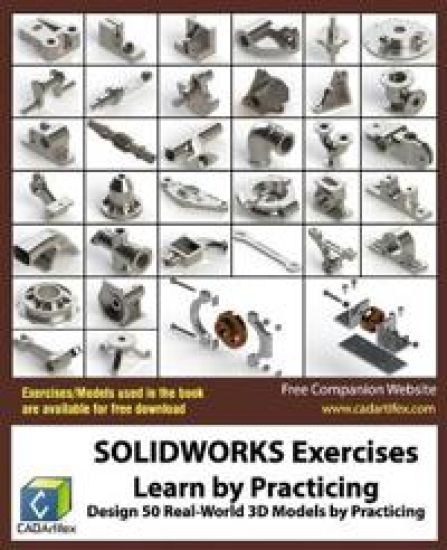
SOLIDWORKS Exercises - Learn by Practicing

SOLIDWORKS Exercises - Learn by Practicing

Cadartifex

Createspace Independent Publishing Platform
2017
pokkari
SOLIDWORKS Exercises: Learn by Practicing book is designed to help engineers and designers interested in learning SOLIDWORKS by practicing 100 real-world mechanical models. This book does not provide step-by-step instructions to design 3D models. Instead, its a practice book that challenges users to first analyze the drawings and then create the models using the powerful toolset of SOLIDWORKS. This approach helps users to enhance their design skills and take it to the next level. You can download all exercises used in this book for free by logging into our website (www.cadartifex.com). NOTE: The exercises/models available for download are created in SOLIDWORKS 2018 and cannot be opened in the lower version of SOLIDWORKS. This book is written with a wide range of SOLIDWORKS users in mind, varying from beginners to advanced users. In addition to SOLIDWORKS, each exercise of this book can also be designed on any other CAD software such as CATIA, Creo Parametric, NX, Autodesk Inventor, and Solid Edge.
Exploring Finite Element Analysis with SOLIDWORKS Simulation 2017

Exploring Finite Element Analysis with SOLIDWORKS Simulation 2017

Cadartifex

Createspace Independent Publishing Platform
2017
pokkari
Exploring Finite Element Analysis with SOLIDWORKS Simulation 2017 textbook is designed for instructor-led courses as well as for self-paced learning. It is intended to help engineers and designers interested in learning SOLIDWORKS Simulation for performing various types of finite element analysis (FEA). This textbook is a great help for new SOLIDWORKS Simulation users and a great teaching aid in a classroom training too. This textbook consists of 10 chapters, total 392 pages covering various types of analysis: Linear Static analysis, Buckling analysis, Fatigue analysis, Frequency analysis, and Non-linear Static analysis. This textbook covers important concepts and methods used in finite element analysis (FEA) such as Preparing Geometry, Boundary Conditions (load and fixture), Element Types, Contacts, Connectors, Meshing, Mesh Controls, Mesh Quality Check (Jacobian Check and Aspect Ratio), Adaptive Meshing (H-Adaptive and P-Adaptive), Iterative Methods (Newton-Raphson Scheme and Modified Newton-Raphson Scheme), Incremental Methods (Force, Displacement, or Arc Length), and so on. This textbook not only focuses on the usages of the tools of SOLIDWORKS Simulation but also on the fundamentals of Finite Element Analysis (FEA) through various real-world case studies. The case studies used in this textbook allow users to solve various real-world engineering problems in SOLIDWORKS Simulation step-by-step. Also, the Hands-on test drives are given at the end of chapters that allow users to experience themselves the ease-of-use and powerful capabilities of SOLIDWORKS Simulation. Every chapter begins with learning objectives related to the topics covered in that chapter. Moreover, every chapter ends with a summary which lists the topics learned in that chapter followed by questions to assess the knowledge. Table of Contents: Chapter 1. Introduction to FEA and SOLIDWORKS SimulationChapter 2. Create, Import, and Prepare GeometryChapter 3. Introduction to Analysis Tools and Static AnalysisChapter 4. Case Studies of Static AnalysisChapter 5. Contacts and ConnectorsChapter 6. Adaptive Mesh MethodsChapter 7. Buckling AnalysisChapter 8. Fatigue AnalysisChapter 9. Frequency AnalysisChapter 10. Non-Linear Static Analysis Main Features of the Textbook Comprehensive coverage of toolsStep-by-step real-world case studiesHands-on test drives to enhance the skills at the end of chaptersAdditional notes and tipsCustomized content for faculty (PowerPoint Presentations)Free learning resources for students and facultyTechnical support for the book: [email protected]
Solidworks 2017

Solidworks 2017

Cadartifex

Createspace Independent Publishing Platform
2017
pokkari
SOLIDWORKS 2017: A Power Guide for Beginners and Intermediate User textbook is designed for instructor-led courses as well as for self-paced learning. It is intended to help engineers and designers interested in learning SOLIDWORKS for creating 3D mechanical design. It can be a great starting point for new SOLIDWORKS users and a great teaching aid in classroom training. This textbook consists of 14 chapters, total 768 pages covering major environments of SOLIDWORKS: Sketching environment, Part modeling environment, Assembly environment, and Drawing environment, which teach you how to use the SOLIDWORKS mechanical design software to build parametric models and assemblies, and how to make drawings of those parts and assemblies. Moreover, this textbook includes the topic of Configurations. This textbook not only focuses on the usages of the tools/commands of SOLIDWORKS but also on the concept of design. Every chapter of this textbook contains tutorials which instruct users how things can be done in SOLIDWORKS step by step. Moreover, every chapter ends with hands-on test drives which allow users to experience themselves the ease-of-use and powerful capabilities of SOLIDWORKS. Table of Contents: Chapter 1. Introduction to SOLIDWORKSChapter 2. Drawing Sketches with SOLIDWORKSChapter 3. Editing and Modifying SketchesChapter 4. Applying Geometric Relations and DimensionsChapter 5. Creating First/Base Feature of Solid ModelsChapter 6. Creating Reference GeometriesChapter 7. Advanced Modeling - IChapter 8. Advanced Modeling - IIChapter 9. Patterning and MirroringChapter 10. Advanced Modeling - IIIChapter 11. Working with ConfigurationsChapter 12. Working with Assemblies - IChapter 13. Working with Assemblies - IIChapter 14. Working with Drawings Main Features of the d104bookComprehensive coverage of toolsStep-by-step real-world tutorials with every chapterHands-on test drives to enhance the skills at the end of every chapterAdditional notes and tipsCustomized content for faculty (PowerPoint Presentations)Free learning resources for faculty and studentsAdditional student and faculty projectsTechnical support for the book: [email protected]