

Kirjailija
John Willis
Kirjat ja teokset yhdessä paikassa: 133 kirjaa, julkaisuja vuosilta 1993-2026, suosituimpien joukossa Wetlands. Vertaile teosten hintoja ja tarkista saatavuus suomalaisista kirjakaupoista.
133 kirjaa
Kirjojen julkaisuhaarukka 1993-2026.

Solidworks 2026: A Power Guide for Beginners and Intermediate Users: Colored
Cadartifex; John Willis; Sandeep Dogra
CADArtifex
2026
nidottu
SOLIDWORKS 2026: A Power Guide for Beginners and Intermediate Users textbook is tailored for instructor-led training and self-paced learning. It is an essential resource for engineers and designers seeking to master SOLIDWORKS for 3D mechanical design. Designed for new users and ideal for classroom instruction, this comprehensive guide spans 14 chapters across 780 pages, thoroughly covering core SOLIDWORKS environments, including Sketching, Part Modeling, Assembly, and Drawing. Additionally, it includes a dedicated chapter focused on creating multiple design configurations, making it a well-rounded resource for mastering the software. This textbook goes beyond simply teaching the tools and commands of SOLIDWORKS, emphasizing design principles as well. Each chapter features detailed tutorials with step-by-step guidance for creating mechanical designs and drawings efficiently. Furthermore, every chapter concludes with practical hands-on test drives, enabling users to explore and experience the robust and intuitive technical capabilities of SOLIDWORKS. Interactive Learning Support Key tutorial steps are accompanied by QR codes that link to video demonstrations, helping users through challenging stages of the learning process. This textbook provides all the tools and techniques required to master SOLIDWORKS, making it suitable for a wide range of users - from beginners to seasoned professionals, while enabling them to excel in 3D mechanical design and technical drafting.

SOLIDWORKS Sheet Metal and Surface Design 2026 for Beginners and Intermediate Users
John Willis; Sandeep Dogra
CADArtifex
2026
pokkari
SOLIDWORKS Sheet Metal and Surface Design 2026 for Beginners and Intermediate Users is a comprehensive, project-oriented textbook designed for both instructor-led classroom training and self-paced learning. This book helps engineers, designers, students, and instructors master the Sheet Metal and Surface Modeling environments of SOLIDWORKS. It focuses on developing strong design fundamentals while teaching the creation of parametric 3D sheet metal components and complex surface models used in real-world engineering applications. With 224 carefully structured pages, the textbook ensures a smooth learning curve from foundational concepts to advanced modeling techniques. What You Will Learn This textbook provides a structured and practical approach to mastering Sheet Metal and Surface Design. By the end of this book, you will be able to: Understand sheet metal design fundamentals, including K-Factor, Bend Allowance, Bend Deduction, and industry-standard workflows Create sheet metal components using Base Flange, Edge Flange, Hems, Jogs, and various bend features Generate and manage flat patterns while considering real-world manufacturing requirements Apply advanced surface modeling techniques to create complex geometries Develop strong design intent strategies and apply parametric modeling principles for efficient model modifications Interactive Learning Support Key tutorial steps are accompanied by QR codes that link to video demonstrations, helping users through challenging stages of the learning process. It provides all the tools and techniques required to master SOLIDWORKS Sheet Metal and Surface Design, making it suitable for beginners, intermediate learners, instructors, and even seasoned professionals who want structured mastery of advanced modeling techniques.
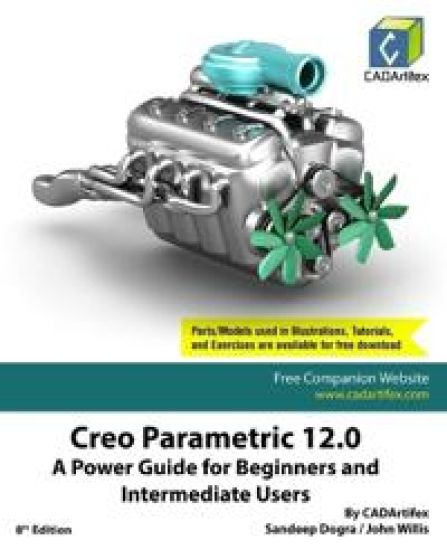
Creo Parametric 12.0: A Power Guide for Beginners and Intermediate Users (Edition8)
John Willis; Sandeep Dogra
CADArtifex
2025
nidottu


Autodesk Inventor 2026: A Power Guide for Beginners and Intermediate Users (Edition7)
John Willis; Sandeep Dogra
CADArtifex
2025
nidottu
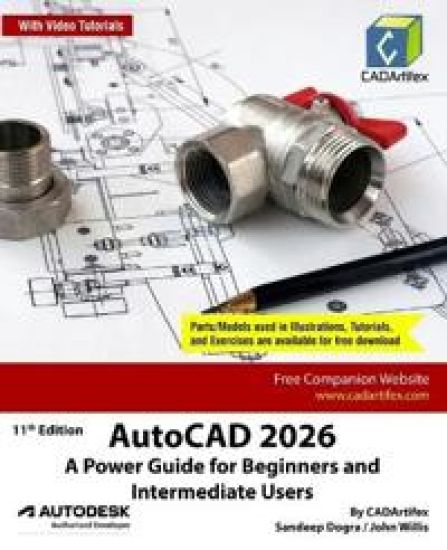
AutoCAD 2026: A Power Guide for Beginners and Intermediate Users (Edition11)
John Willis; Sandeep Dogra
CADArtifex
2025
nidottu

There was a German bomber flying right towards us – a Dornier, one of their biggest. It was so low we could see the pilot flying it and the gunner in the nose of the bomber pointing his machine gun at us…Schoolboy in Kent, during the Battle of BritainMy legs pressed harder around my father's waist; my arms nearly choked him. The humming of Japanese aircraft was loud enough for everyone to hear now, and panic spread like ink on a blotter.Child saying goodbye to her parents, Singapore 1942In the early 2000s, the BBC launched its biggest oral history project, recording the lives and experiences of the ordinary people who lived through World War II. It amounted to 47,000 testimonies and over 400 diaries and letters, all of which have remained unexplored in the archives for twenty years – until now. In The People's War, John Willis reveals untold stories of everyday bravery, moments of terror, and tales of life-affirming community, that guide us through the years of the World War II. From soldiers in North Africa and prisoners of war in East Asia, to evacuees in the British countryside and women in the factories, The People's War is a truly ambitious and comprehensive journey through a devastating and pivotal period of our history, as you've never read before.Follow the remarkable stories of ordinary individuals who lived, fought, grieved, loved, and survived through the war.

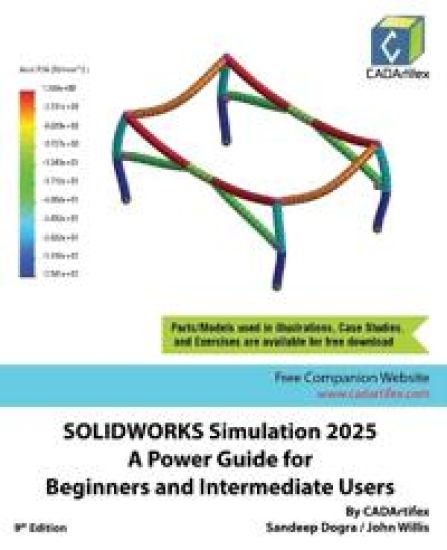
SOLIDWORKS Simulation 2025: A Power Guide for Beginners and Intermediate Users is a comprehensive textbook for instructor-led training and self-paced learning. It is an excellent resource for engineers and designers looking to master Finite Element Analysis (FEA) using SOLIDWORKS Simulation. It is ideal for new users and is a valuable teaching aid in classroom training. With 10 chapters spanning 398 pages, this guide covers a wide range of FEA techniques, including Linear Static Analysis, Buckling Analysis, Fatigue Analysis, Frequency Analysis, Drop Test Analysis, and Non-linear Static Analysis.It explores key FEA concepts and methodologies, including Geometry Preparation, Boundary Conditions (loads and fixtures), Element Types, Interactions, Connectors, Meshing, Mesh Controls, Mesh Checks (Aspect Ratio and Jacobian checks), Adaptive Meshing (H-Adaptive and P-Adaptive), Iterative Methods (Newton-Raphson and Modified Newton-Raphson Schemes), Incremental Methods (Force, Displacement, or Arc Length), among others.Who Should Read This TextbookThis textbook is written with a wide range of SOLIDWORKS Simulation users in mind, varying from beginners to advanced users and SOLIDWORKS Simulation instructors. The easy-to-follow chapters of this textbook allow you to easily understand concepts of Finite Element Analysis (FEA), SOLIDWORKS Simulation tools, and various types of analysis through case studies.Table of ContentsChapter 1. Introduction to FEA and SOLIDWORKS SimulationChapter 2. Introduction to Analysis Tools and Static AnalysisChapter 3. Case Studies of Static AnalysisChapter 4. Interactions and ConnectorsChapter 5. Adaptive Mesh MethodsChapter 6. Buckling AnalysisChapter 7. Fatigue AnalysisChapter 8. Frequency AnalysisChapter 9. Drop Test AnalysisChapter 10. Non-Linear Static Analysis

Onshape 2025: A Power Guide for Beginners and Intermediate Users is a comprehensive textbook designed for both instructor-led training and self-paced learning. It serves as an essential resource for students, professionals, hobbyists, engineers, and designers seeking to master Onshape for 3D mechanical design.Tailored for new users and ideal for classroom instruction, this guide spans 10 chapters and 602 pages, thoroughly covering core Onshape environments, including Sketching, Part Studio, Assembly, and Drawing. With step-by-step instructions, it walks users through creating parametric 3D solid components, assemblies, and 2D drawings, making it a complete resource for mastering Onshape.More than just a tool and command manual, this textbook emphasizes key design principles alongside software proficiency. Each chapter features in-depth tutorials with step-by-step guidance for efficiently creating mechanical designs and drawings. Additionally, every chapter concludes with hands-on test drives, allowing users to explore and experience Onshape's robust and intuitive technical capabilities.Who Should Read This BookThis book is designed for a wide range of users, from beginners to advanced professionals, as well as Onshape instructors. With well-structured, easy-to-navigate chapters, it offers a clear understanding of various design methodologies, Onshape's tools, and fundamental design principles.

Creo Parametric 11.0: A Power Guide for Beginners and Intermediate Users (Edition7)
John Willis; Sandeep Dogra
UNKNOWN
2024
nidottu
Creo Parametric 11.0: A Power Guide for Beginners and Intermediate Users textbook is designed for instructor-led courses and self-paced learning. It is intended to help engineers and designers interested in learning Creo Parametric to create 3D mechanical designs. This textbook benefits new Creo users and is a great teaching aid in classroom training. It consists of 12 chapters, with a total of 738 pages covering the major modes of Creo Parametric such as the Sketch, Part, Assembly, and Drawing modes. The textbook teaches users to use Creo Parametric mechanical design software for building parametric 3D solid components, assemblies, and 2D drawings.This textbook not only focuses on using the tools/commands of Creo Parametric but also the concept of design. Each chapter of this textbook contains tutorials that help users to operate Creo Parametric step-by-step easily. Moreover, each chapter ends with hands-on test drives which allow users to experience the user-friendly and technical capabilities of Creo Parametric.Table of Contents: Chapter 1. Introduction to Creo ParametricChapter 2. Drawing Sketches and Applying DimensionsChapter 3. Editing and Modifying SketchesChapter 4. Creating Base Feature of a Solid ModelChapter 5. Creating Datum GeometriesChapter 6. Advanced Modeling - IChapter 7. Advanced Modeling - IIChapter 8. Patterning and MirroringChapter 9. Advanced Modeling - IIIChapter 10. Working with Assemblies - IChapter 11. Working with Assemblies - IIChapter 12. Working with DrawingsMain Features of the Textbook: Comprehensive coverage of toolsStep-by-step real-world tutorials with every chapterHands-on test drives to enhance the skills at the end of every chapterAdditional notes and tipsCustomized content for faculty (PowerPoint Presentations)Free learning resources for faculty and studentsAdditional student and faculty projectsTechnical support for the book by contacting [email protected]


Autodesk Inventor 2025 A Power Guide for Beginners and Intermediate Users (Edition6)
John Willis; Sandeep Dogra
UNKNOWN
2024
nidottu

AutoCAD 2025 A Power Guide for Beginners and Intermediate Users (Edition10)
John Willis; Sandeep Dogra
UNKNOWN
2024
nidottu

Geoffrey Page was one of the most remarkable fighter pilots of World War Two. Shot down in a fireball during the Battle of Britain his hands were burnt to the bone and his face badly charred. Despite his horrific injuries Page went onto fly at D-Day, the Battle of Normandy, and Arnhem. On appointment in 1944 he was the youngest Wing Commander in the RAF, aged 24.During two years in hospital under the care of the legendary pioneering surgeon Archibald McIndoe he endured fifteen painful operations. Through Geoffrey's eyes we understand exactly why McIndoe was such a brilliant ground breaker.Page vowed to shoot down a German aircraft as revenge for every one of his operations and hit his target, but it left him feeling hollow, 'I had a kind of bloodlust. But when I shot down as many German planes as I had operations on my hands and face, I was just left with an empty feeling.'Using unpublished material from extensive family archives, this compelling book tells the unvarnished story of his extraordinary life. His terrible crash and dramatic rescue. His founder membership of the famous Guinea Pig Club. His low-level fighter raids over France. His leadership on D- Day and in Normandy and finally his second horrific crash at Arnhem.The dramatic moments in his extraordinary life and the complexity of his character are explored with humour and humanity, candidly examining Page's difficulties in post war life with at least fifteen further operations to endure in a lifetime of pain.Through all this, Page's resilience, and courage shine through, culminating in his inspirational vision for the Battle of Britain Memorial in Kent. So unquenchable was his spirit it was no wonder that at his Memorial Service it was said, 'Even in the context of the Battle of Britain he was the bravest of the brave.'
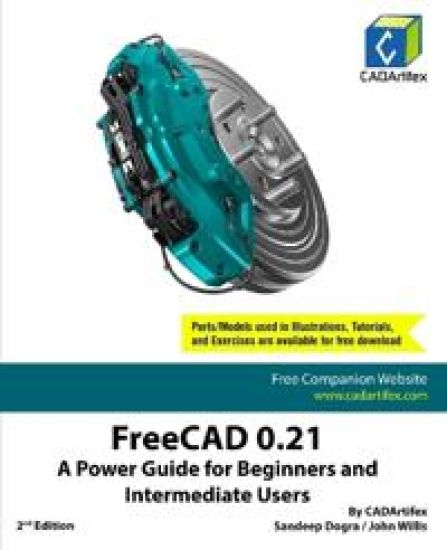
FreeCAD 0.21: A Power Guide for Beginners and Intermediate Users (Edition2)
John Willis; Sandeep Dogra
UNKNOWN
2024
nidottu
FreeCAD 0.21: A Power Guide for Beginners and Intermediate Users textbook has been designed for instructor-led courses as well as self-paced learning. It is intended to help engineers and designers interested in learning FreeCAD to create 3D mechanical designs. This textbook is an excellent guide for new FreeCAD users and a great teaching aid for classroom training. It consists of 10 chapters and a total of 452 pages covering major workbenches of FreeCAD such as Sketcher, Part Design, A2plus, and TechDraw. The textbook teaches you to use FreeCAD mechanical design software for building parametric 3D solid components and assemblies as well as creating 2D drawings. This textbook not only focuses on the usage of the tools/commands of FreeCAD but also the concept of design. Every chapter in this textbook contains tutorials that provide users with step-by-step instructions for creating mechanical designs and drawings with ease. Moreover, every chapter ends with hands-on test drives that allow users to experience the user-friendly and powerful technical capabilities of FreeCAD.Main Features of the TextbookComprehensive coverage of toolsStep-by-step real-world tutorials with every chapterHands-on test drives to enhance the skills at the end of every chapterAdditional notes and tipsCustomized content for faculty (PowerPoint Presentations)Free learning resources for faculty and studentsAdditional student and faculty projectsTechnical support for the book by contacting [email protected]

SOLIDWORKS Simulation 2024: A Power Guide for Beginners and Intermediate Users (Edition8)
John Willis; Sandeep Dogra
UNKNOWN
2024
nidottu
SOLIDWORKS Simulation 2024: A Power Guide for Beginners and Intermediate Users textbook is designed for instructor-led courses and self-paced learning. It is intended to help engineers and designers interested in learning Finite Element Analysis (FEA) using SOLIDWORKS Simulation. This textbook benefits new SOLIDWORKS Simulation users and is a great teaching aid in classroom training. It consists of 10 chapters, with a total of 398 pages covering various types of Finite Element Analysis (FEA) such as Linear Static Analysis, Buckling Analysis, Fatigue Analysis, Frequency Analysis, Drop Test Analysis, and Non-linear Static Analysis.This textbook covers important concepts and methods used in Finite Element Analysis (FEA) such as Preparing Geometry, Boundary Conditions (load and fixture), Element Types, Interactions, Connectors, Meshing, Mesh Controls, Mesh Check (Aspect Ratio check and Jacobian check), Adaptive Meshing (H-Adaptive and P-Adaptive), Iterative Methods (Newton-Raphson Scheme and Modified Newton-Raphson Scheme), Incremental Methods (Force, Displacement, or Arc Length), and so on. This textbook not only focuses on using the tools of SOLIDWORKS Simulation but also on the fundamentals of Finite Element Analysis (FEA) through various real-world case studies. The case studies used in this textbook allow users to solve various real-world engineering problems by using SOLIDWORKS Simulation step-by-step. Also, the Hands-on test drives given at the end of chapters allow users to experience the ease of use and immense capacities of SOLIDWORKS Simulation.Table of ContentsChapter 1. Introduction to FEA and SOLIDWORKS SimulationChapter 2. Introduction to Analysis Tools and Static AnalysisChapter 3. Case Studies of Static AnalysisChapter 4. Interactions and ConnectorsChapter 5. Adaptive Mesh MethodsChapter 6. Buckling AnalysisChapter 7. Fatigue AnalysisChapter 8. Frequency AnalysisChapter 9. Drop Test AnalysisChapter 10. Non-Linear Static AnalysisMain Features of the TextbookComprehensive coverage of toolsStep-by-step real-world case studiesHands-on test drives to enhance the skills at the end of chaptersAdditional notes and tipsCustomized content for faculty (PowerPoint Presentations)Free learning resources for students and facultyTechnical support for the book: [email protected]
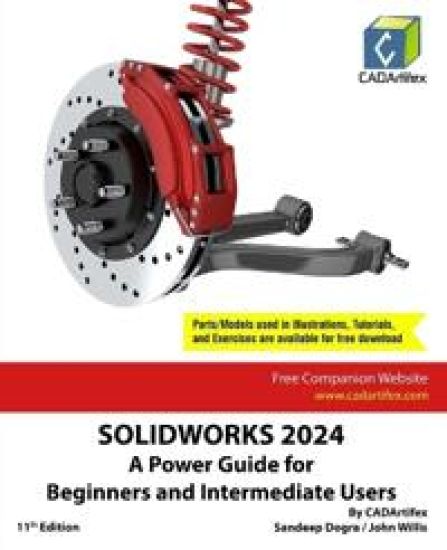
SOLIDWORKS 2024: A Power Guide for Beginners and Intermediate Users (Edition11)
John Willis; Sandeep Dogra
UNKNOWN
2024
nidottu
