Kirjojen hintavertailu. Mukana 12 657 676 kirjaa ja 12 kauppaa.

Kirjailija

John Willis

Kirjat ja teokset yhdessä paikassa: 133 kirjaa, julkaisuja vuosilta 1993-2026, suosituimpien joukossa Wetlands. Vertaile teosten hintoja ja tarkista saatavuus suomalaisista kirjakaupoista.

133 kirjaa

Kirjojen julkaisuhaarukka 1993-2026.

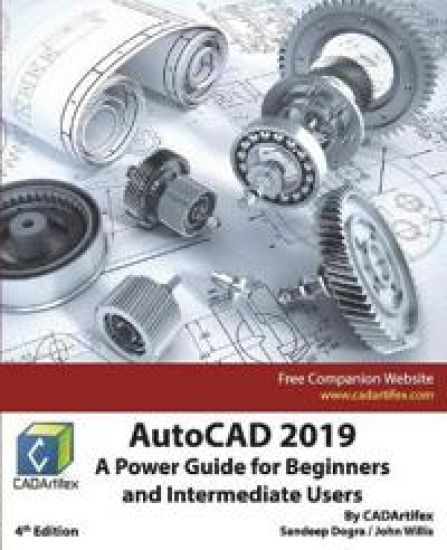
AutoCAD 2019

AutoCAD 2019

John Willis; Sandeep Dogra

Createspace Independent Publishing Platform
2018
pokkari
AutoCAD 2019: A Power Guide for Beginners and Intermediate Users textbook is designed for instructor-led courses as well as for self-paced learning. It is intended to help engineers, designers, and CAD operators interested in learning AutoCAD for creating engineering and architectural 2D drawings as well as 3D Models. This textbook is a great help for new AutoCAD users and a great teaching aid in a classroom setting. This textbook consists of 13 chapters, total 554 pages covering major workspaces of AutoCAD such as Drafting & Annotation and 3D Modeling. This textbook teaches you how to use AutoCAD software to create, edit, plot, and manage real world engineering and architectural 2D drawings as well as 3D Models. This textbook not only focuses on the usage of the tools/commands of AutoCAD but also on the concept of design. Every chapter of this book contains tutorials that instruct users step-by-step how to create mechanical designs and drawings with ease. Moreover, every chapter ends with hands-on test drives that allow the users of this textbook to experience themselves the ease-of-use and powerful capabilities of AutoCAD. Table of Contents: Chapter 1. Introduction to AutoCAD Chapter 2. Creating Drawings - I Chapter 3. Working with Drawing Aids and Layers Chapter 4. Creating Drawings - II Chapter 5. Modifying and Editing Drawings - I Chapter 6. Working with Dimensions and Dimensions Style Chapter 7. Editing Dimensions and Adding Text Chapter 8. Modifying and Editing Drawings - II Chapter 9. Hatching and Gradients Chapter 10. Working with Blocks and Xrefs Chapter 11. Working with Layouts Chapter 12. Printing and PlottingChapter 13. Introducing 3D Basics and Creating 3D Models
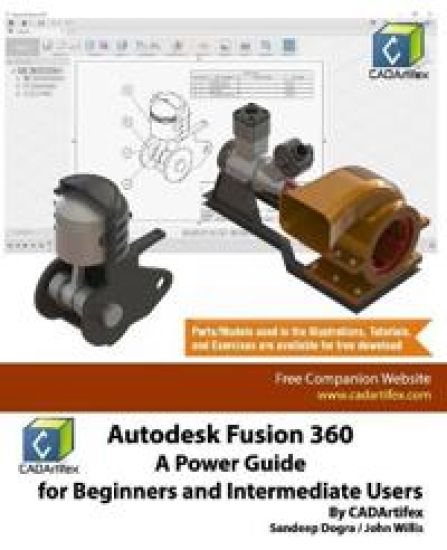
Autodesk Fusion 360

Autodesk Fusion 360

John Willis; Sandeep Dogra

Createspace Independent Publishing Platform
2018
pokkari
979-8775245610Autodesk Fusion 360: A Power Guide for Beginners and Intermediate Users textbook has been designed for instructor-led courses as well as for self-paced learning. It is intended to help engineers and designers interested in learning Fusion 360 for creating 3D mechanical designs. This textbook is a great help for new Fusion 360 users and a great teaching aid in a classroom setting. This textbook consists of 14 chapters, total 720 pages covering major workspaces of Fusion 360: MODEL, ANIMATION, and DRAWING. This textbook teaches you how to use the Fusion 360 mechanical design software to build parametric 3D solid components and assemblies as well as how to create animations and 2D drawings. This textbook has been developed using software version: 2.0.4126. This textbook not only focuses on the usages of the tools/commands of Fusion 360 but also on the concept of design. Every chapter of this textbook contains tutorials that instruct users step-by-step how to create mechanical designs and drawings with ease. Moreover, every chapter ends with hands-on test drives that allow users to experience themselves the ease-of-use and powerful capabilities of Fusion 360. Table of Contents: Chapter 1. Introducing Fusion 360Chapter 2. Drawing Sketches with Autodesk Fusion 360Chapter 3. Editing and Modifying SketchesChapter 4. Applying Constraints and DimensionsChapter 5. Creating Base Feature of Solid ModelsChapter 6. Creating Construction GeometriesChapter 7. Advanced Modeling - IChapter 8. Advanced Modeling - IIChapter 9. Patterning and MirroringChapter 10. Editing and Modifying 3D ModelsChapter 11. Working with Assemblies - IChapter 12. Working with Assemblies - IIChapter 13. Creating Animation of a DesignChapter 14. Working with Drawings Main Features of the Textbook Comprehensive coverage of toolsStep-by-step real-world tutorials with every chapterHands-on test drives to enhance the skills at the end of every chapterAdditional notes and tipsCustomized content for faculty (PowerPoint Presentations)Free learning resources for faculty and studentsAdditional student and faculty projectsTechnical support for the book by contacting [email protected]
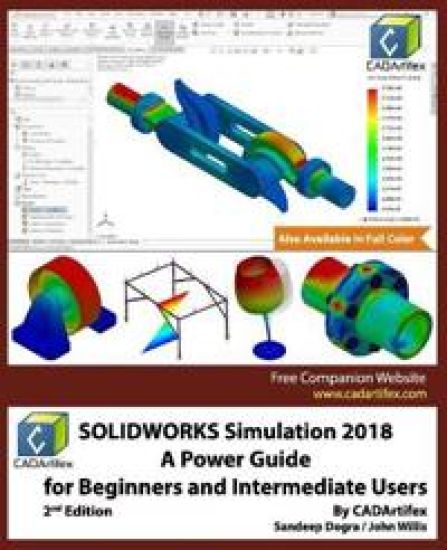
SOLIDWORKS Simulation 2018

SOLIDWORKS Simulation 2018

Sandeep Dogra; John Willis

Createspace Independent Publishing Platform
2018
pokkari
SOLIDWORKS Simulation 2018: A Power Guide for Beginners and Intermediate Users textbook is designed for instructor-led courses as well as for self-paced learning. It is intended to help engineers and designers interested in learning SOLIDWORKS Simulation for performing various types of finite element analysis (FEA). This textbook is a great help for new SOLIDWORKS Simulation users and a great teaching aid in a classroom training too. This textbook consists of 10 chapters, total 392 pages covering various types of analysis: Linear Static analysis, Buckling analysis, Fatigue analysis, Frequency analysis, Drop Test analysis, and Non-linear Static analysis. This textbook covers important concepts and methods used in finite element analysis (FEA) such as Preparing Geometry, Boundary Conditions (load and fixture), Element Types, Contacts, Connectors, Meshing, Mesh Controls, Mesh Quality Check (Jacobian Check and Aspect Ratio), Adaptive Meshing (H-Adaptive and P-Adaptive), Iterative Methods (Newton-Raphson Scheme and Modified Newton-Raphson Scheme), Incremental Methods (Force, Displacement, or Arc Length), and so on. This textbook not only focuses on the usages of the tools of SOLIDWORKS Simulation but also on the fundamentals of Finite Element Analysis (FEA) through various real-world case studies. The case studies used in this textbook allow users to solve various real-world engineering problems, step-by-step. Also, the Hands-on test drives are given at the end of chapters that allow users to experience themselves the ease-of-use and powerful capabilities of SOLIDWORKS Simulation. Every chapter begins with learning objectives related to the topics covered in that chapter. Moreover, every chapter ends with a summary which lists the topics learned in that chapter followed by questions to assess the knowledge. Table of Contents: Chapter 1. Introduction to FEA and SOLIDWORKS Simulation Chapter 2. Introduction to Analysis Tools and Static Analysis Chapter 3. Case Studies of Static Analysis Chapter 4. Contacts and Connectors Chapter 5. Adaptive Mesh Methods Chapter 6. Buckling Analysis Chapter 7. Fatigue Analysis Chapter 8. Frequency AnalysisChapter 9. Drop Test Analysis Chapter 10. Non-Linear Static Analysis Main Features of the Textbook Comprehensive coverage of tools Step-by-step real-world case studies Hands-on test drives to enhance the skills at the end of chapters Additional notes and tips Customized content for faculty (PowerPoint Presentations) Free learning resources for students and faculty Technical support for the book: [email protected]