Kirjailija
Michael Price
Kirjat ja teokset yhdessä paikassa: 43 kirjaa, julkaisuja vuosilta 1996-2025, suosituimpien joukossa Enough to Go Around. Vertaile teosten hintoja ja tarkista saatavuus suomalaisista kirjakaupoista.
43 kirjaa
Kirjojen julkaisuhaarukka 1996-2025.

Volume II, the artist as a creative intellectual, links the painter's craft with the creative process and elucidates the degree of compositional planning starting with the painting's rectangular format. The demonstrated evidence for the application of Euclidean geometry is based upon exact measurements of painted surfaces on panels, X-radiographs, and infrared images from paintings. The final chapter concludes with the reasons for the demise of this painting tradition and how industrialization and the standardization of art materials led to a new painting tradition from the nineteenth century.The natural colors are witnessing a re-birth among a small group of contemporary artists. There is still a lot of confusion surrounding methods of preparation and how to paint with these pigments. This book presents the results of the past thirty years of research and painting on a daily basis with these pigments as well as conclusions from aging tests carried out by museum conservation departments. The book covers the challenges of painting with natural pigments and how this differs from the modern synthetic colors whether in oil or acrylic binding mediums.British born artist Michael Price works exclusively with natural and mineral pigments which he prepares himself from rocks and crystals. He has exhibited in Germany, France, England, and the U.S. over the past forty years. His two-volume book Renaissance Mysteries was published by Kremer Pigments. He lives and works in Manhattan. Organized by the Department of Mathematics and Science, Pratt Institute.Reprint of the first edition from 2017.

Volume I presents the artist as a painter-craftsman with the preparation of natural colour from rocks and crystals and their application in appropriate binding mediums. The difference in colour quality between natural mineral pigments and modern synthetic paint is examined. Chapters include comprehensive step-by-step instruction for the contemporary artist and conservation scientist on how to prepare and paint with the incomparably luminous colours of the Renaissance palette, as well as the preparation of historical painting supports and grounds.The natural colors are witnessing a re-birth among a small group of contemporary artists. There is still a lot of confusion surrounding methods of preparation and how to paint with these pigments. This book presents the results of the past thirty years of research and painting on a daily basis with these pigments as well as conclusions from aging tests carried out by museum conservation departments. The book covers the challenges of painting with natural pigments and how this differs from the modern synthetic colors whether in oil or acrylic binding mediums.British born artist Michael Price works exclusively with natural and mineral pigments which he prepares himself from rocks and crystals. He has exhibited in Germany, France, England, and the U.S. over the past forty years. His two-volume book Renaissance Mysteries was published by Kremer Pigments. He lives and works in Manhattan. Organized by the Department of Mathematics and Science, Pratt Institute.Reprint of the first edition from 2017.



Microsoft Excel in easy steps guides you through the essential functions of Microsoft Excel – whether you are new to Excel and the spreadsheet concept, or just upgrading from an older version. This edition is illustrated using the most up-to-date version of Excel in Microsoft 365 at the time of printing. Microsoft Excel in easy steps starts with the basics then reveals the key clever features on offer – all in easy steps! Areas covered include:Creating, editing, and manipulating worksheets.Formulas, functions, tables and importing data. Handy templates to give you a head start. Macros for everyday tasks to save time. Charts to get an overview of your data. What-if, Goal Seek and Optimization. Using the Excel Online app to share and collaborate on spreadsheets and workbooks. Adding images and illustrations to your spreadsheets to impress your colleagues! Whether you’re new to Microsoft Excel or new to spreadsheets, use this guide to get more out of Microsoft Excel, and manage your finances and data effectively – both at home and at work!
Windows 11 for Seniors in easy steps is written with older citizens in mind. It’ll guide you through Windows 11, a step at a time, and covers all the key features in the 22H2 Windows update, including:The redesigned Windows user interface.Apps and widgets to stay in touch, browse the net, watch movies, share photos, play music and games, get real-time world weather and news, and more. Personalizing Windows to suit your needs using Settings and features such as Focus to choose when you receive notifications. Accessibility features in Windows 11. Keeping your files and apps organized for easy access, and keeping your computer secure and working in tip-top condition! Packed with tips throughout, this leading guide for seniors will help you get more out of Windows 11 – at your own pace!
Whether you are upgrading to Microsoft 365 from a previous version or using it for the very first time, Microsoft 365 in easy steps will take you through the key features so you can be productive straight away. In bite-size chunks, it shows how to:Create reports, newspapers, cards and bookletsCalculate and manage financial mattersPerfect presentations and slide showsEmail, keep in touch and stay organizedAccess notes anywhere on any deviceCollaborate with others to work on documentsPacked with handy tips and time-saving shortcuts, Microsoft 365 in easy steps is a great investment for all Microsoft 365 users, whether you are new to the Microsoft 365 suite or just upgrading. Covers Microsoft 365 and Office 2019.


Excel Functions & Formulas in easy steps shows you how to get the most of Excel, once you've mastered the basics. You will learn how to build more powerful spreadsheets using the features of Excel formulas, and explore all the categories of Excel functions including financial, logical, mathematical, and data related functions. Then, review business-oriented scenarios and examples of functions in each of the groups, and consider the additional facilities offered through user-defined functions. The topics covered apply to all recent versions of Microsoft Excel.

HELLO, FELLOW CASTAWAYS What?You're not on the boat yet? We've been waiting for you So come with me and let's climb aboard Captain Noah's legendary boat THE SEA PICKLE and let's set sail for the adventure of a lifetime. Don't keep your new friends waiting.LET'S GO
Excel 2019 in easy steps will help you get to grips with the latest version of this popular spreadsheet application. Areas covered include: Creating, editing and manipulating worksheets Formulas, Functions and Pivot Tables Handy templates to give you a head start Macros for everyday tasks to save time Charts to get an overview of your data Linking workbooks for automatic updates Using the Excel Online app to share and collaborate on spreadsheets and workbooks Adding images and illustrations to your spreadsheet to impress your colleagues! Whether you're upgrading to Excel 2019 or new to the spreadsheet concept, use this guide to learn the key features constructively and get more out of Excel 2019 - in easy steps!
Windows 10 for Seniors in easy steps, 3rd edition is written with older citizens in mind. This best-selling guide uses larger type for easy reading and takes you through the essentials a step at a time. It will help you to: Install or upgrade to Windows 10, and customize it to suit your needs Master the key features of Windows 10 on your Windows device (including PCs, laptops and touch devices) Find your way around with the Start button, the Start menu, and the new Taskbar Use the Quick Access section - an area you can personalize with your favorite apps, programs, contacts and websites so you can quickly get to the functions and files you use most often Search the web with the Microsoft Edge browser Learn about apps, find and download them, then resize and move them and maximize, minimize or close from their titlebars Understand how Cloud storage with OneDrive works, and use it for free storage and sharing files Talk to Cortana, the voice-activated Personal Digital Assistant which can perform searches on your computer or the web, perform actions like opening apps or documents, or set reminders and more This guide is filled with tips and shortcuts to help you get the most out of Windows 10, whatever your level of experience and whichever type of PC system you are using. Covers the April 2018 Update, released April 30, 2018.
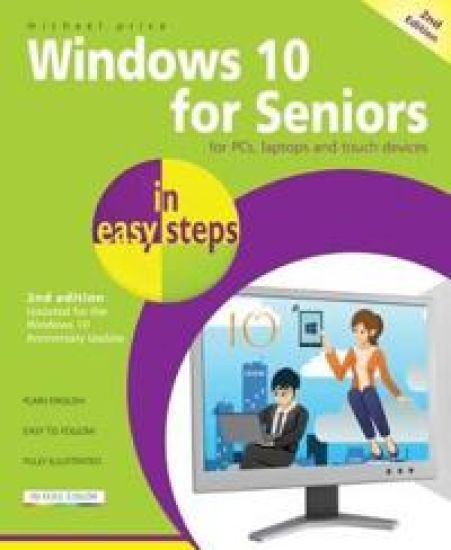
Windows 10 for Seniors in easy steps, 2nd Edition is written with the older generation in mind. It uses larger type for easy reading and takes you through the essentials a step at a time. It will help you to: Install or upgrade to Windows 10, and customize it to suit your needsMaster the key features of Windows 10 on your Windows device (including PCs, laptops and touch devices)Find your way around with the Start button, the Start menu, and the new TaskbarUse the Quick Access section - an area you can personalize with your favorite apps, programs, contacts and websites so you can quickly get to the functions and files you use most oftenSearch the web with the new Microsoft Edge browserLearn about apps, find and download them, then resize and move them and maximize, minimize or close from their titlebarsUnderstand how Cloud storage with OneDrive works, and use it for free storage and sharing filesTalk to Cortana, the voice-activated Personal Digital Assistant which can perform searches on your computer or the web, perform actions like opening apps or documents, or set reminders and moreThis guide is filled with tips and shortcuts to help you get the most out of Windows 10, whatever your level of experience and whichever type of PC system you are using. Covers the Windows 10 Anniversary Update, released August 2016
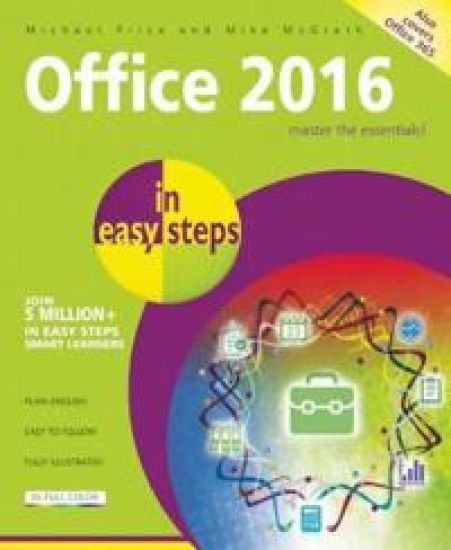
Whether you're upgrading to Office 2016 from a previous version or using it for the very first time, Office 2016 in easy steps will guide you through the key features so that you can be productive straight away! Task orientated, and in bite-size chunks, it shows how to:Create reports, newspapers, cards and bookletsCalculate and manage your financial mattersPerfect your presentations and slide showsEmail, keep in touch and stay organizedAccess your personal notes anywhere, on any deviceCollaborate with others to work on documentsOffice 2016 in easy steps fully demonstrates the five core Office apps - Word, Excel, PowerPoint, Outlook, and OneNote. It introduces the reader to other great Office apps too - Access, Publisher, Sway, Visio, and Project. There is also coverage of OneDrive cloud storage, Office Online web apps, and Office apps for Android devices. Office 2016 in easy steps works with touch, stylus, mouse or keyboard across Windows devices, including tablets. Sign in with your Microsoft ID and use the software across different platforms. Aimed at both new and experienced users, Office 2016 in easy steps covers the essential functions of Office 2016. Packed with tips and shortcuts, this guide will help you learn fast so you can focus on the job in hand!



Presented in a style intended for the non-specialist reader, with technical terms and mathematical formulae kept to a minimum, the second edition of this introduction to groundwater covers a range of topics as they relate to hydrogeology. A major new chapter focuses on pollution.
The Art of Nature, Time and Eternity
Michael Price
Createspace Independent Publishing Platform
2016
nidottu