Kirjojen hintavertailu. Mukana 12 595 353 kirjaa ja 12 kauppaa.
Kirjailija
Raywenderlich Tutorial Team
Kirjat ja teokset yhdessä paikassa: 8 kirjaa, julkaisuja vuosilta 2019-2022, suosituimpien joukossa iOS App Distribution & Best Practices (First Edition). Vertaile teosten hintoja ja tarkista saatavuus suomalaisista kirjakaupoista.
Learn iOS Push Notifications Push Notifications are one of the most important interaction points of your app with your users. Simply put, a push notification is a way to send any type of data to your users' apps, even if they aren't actively using them.Even though most developers feel they know everything there is to know about this topic, major additions in latest releases of iOS have pushed these notifications beyond simply delivering messages to your users. Learning all of the exciting opportunities and ways you could boost your users' experiences and interactions might be a bit overwhelming at first. Worry not This is where Push Notifications by Tutorials comes to the rescue.Who This Book Is ForThis book is for intermediate iOS developers who already know the basics of iOS, and who wish to know everything there is to know about push notifications. It starts with a basic introduction of how notifications work, with later chapters going much deeper into advanced materials.Topics Covered in Push Notifications by TutorialsRemote Notification Payload: Learn everything there is to know about the Payload representing your notification and its various customization options.Remote Notifications: Learn everything about how to send a remote notification from a server, how to create your own Vapor-based push server, identify and manage users and their device tokens, and more.Local Notifications: Much like remote notifications, you'll learn how to schedule local notifications, originating from your device instead of from a remote server.Modifying the Payload: Learn how to use a Notification Service Extension to manipulate your notification payload right before it's presented to the user.Custom Actions: Put your users first by providing them with useful Custom Actions they can interact with, right from your notification, without the need to open your app.Custom Interfaces: Take your notifications to the next level by providing a rich, customized user interface for your push notification.All kinds of other topics related to push notifications on iOS, iPadOS and watchOS One thing you can count on: After you finish reading this book, you'll master everything there is to know about push notifications and how to take advantage of the latest and greatest features, to make your app stand out from the rest to enhance your user experience.
Make Delightful Animations with Swift There's no denying it: creating animations is one of the most enjoyable parts of iOS development.Animations are fun to create, they breathe life into your user interface, and they make your app a delight to use.In this book, you'll learn about iOS animation in Swift from beginning to advanced through a series of hands-on tutorials and challenges, that make your app look and feel great.Who This Book Is ForThis book is for intermediate to advanced developers, who already know the basics of iOS and Swift development and want to dive deep into animations.Topics Covered in iOS Animations by Tutorials: SwiftUI: Learn how to bring this exciting new technology to life.View Animations: Learn how to animate views: size, position, color, and more.Springs: Make your animations bounce with realistic spring behavior.Transitions: Add subtle transitions when you add or remove subviews.Keyframe Animations: Learn how to make complex animations with precise multi-stage timing.Animation and Auto Layout: Learn how to animate with Auto Layout by animating constraints.Layer Animations: Dive deeper and use layer animation for more advanced techniques.Shapes and Masks: Learn how to use shapes and layer masks for cool effects.Gradient Animations: Make moving gradients like the "slide to unlock" screen.Stroke and Path Animations: Animate lines moving over time along a path.3D Animations: Rotate, translate, and scale your layers over time in three dimensions.
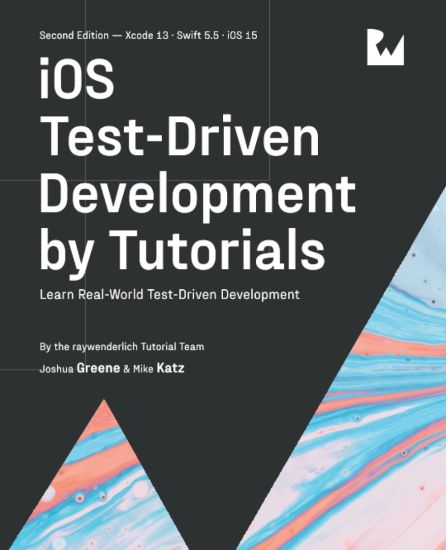
Learn how to test iOS Applications iOS Test-Driven Development introduces you to a broad range of concepts with regard to not only writing an application from scratch with testing in mind, but also applying these concepts to already written applications which have little or no tests written for their functionality.Who This Book Is ForThis book is for intermediate iOS developers who already know the basics of iOS and Swift development but want to learn how to write code which is both testable and maintainable.Topics Covered in iOS Test-Driven DevelopmentThe TDD Cycle: Learn the concepts of Test-Driven Development and how to implement these concepts within an iOS application.Test Expressions and Expectations: Learn how to test both synchronous code using expressions and asynchronous code using expectations.Test RESTful Networking: Write tests to verify networking endpoints and the ability to mock the returned results.Test Authentication: Write tests which run against authenticated endpoints.Legacy Problems: Explore the problems legacy applications written without any unit tests or without thought of testing the code.Breaking Dependencies into Modules: Learn how to take dependencies within your code and compartmentalize these into their own modules with their own tests.Refactoring Large Classes: Learn how to refactor large unweilding classes into smaller more manageable and testable classes / objects.One thing you can count on: after reading this book, you'll be prepared to write testable applications which you can have confidence in making changes too with the knowledge your tests will catch breaking changes.
Sharing Apple Apps With Your Team, Testers & the WorldYou'll learn how to sign up for Apple Developer Program, generate the various certificates needed, configure your app and submit an app to the App Store for approval, both manually and through automated processes through automated pipelines. You'll learn how to use Apple TestFlight to add internal and external testers and receive feedback and crash reports.iOS App Distribution starts with explaining hurdles everyone faces, such as code signing, provisioning profiles, and how to do manual releases. It'll then go into more advanced topics, including distribution through TestFlight, build customization, automation, and continuous integration.Who This Book Is ForThis book is for beginner to experienced developers who want to know the best and most common workflow to release an app to the App store, as well as limiting frustration by troubleshooting and debugging common issues and problems associated with distributing apps.Topics Covered in iOS App Distribution & Best PracticesApp Store quick start: Your quickest way from no account to the App Store.Provisioning, code signing & entitlements: In-depth explanation of what they are, why you need them, and how they work.Distribution channels & TestFlight: Learn different ways of distributing your app, within an enterprise, with internal or external testers.App Store Connect: Learn about the Apple review process, what are the guidelines, what can go wrong and how to dispute them.Build customizations: Learn the ins and outs of configuring Xcode and build configurations.Build automation: Automate builds, build servers, and learn about tools such as fastlane.Continuous integration: Build your own CI pipeline to code, build, test, release, and repeat After reading this book, you'll take your app build process and distribution to the next level, automate most of its tedious processes, and have an easier time debugging obscure app submission problem
Learn how to use Auto Layout Auto Layout is Apple's elegant solution to making your user interfaces flexible and adaptable. It can be daunting to learn to use its true power without someone to guide you.That's where Auto Layout by Tutorials comes to the rescue This book will be your guide as you explore and master the many capabilities of Auto Layout.Who This Book Is ForThis book is for iOS developers of all skill levels, from those just getting started building user interfaces to the experienced hands who want to get more from Auto Layout.Topics Covered in Auto Layout by Tutorials Interface Builder: Learn to use Interface Builder to construct and maintain your user interfaces. Stack Views and Scroll Views: Learn how these special view types interact with Auto Layout and how best to utilize them in your apps. Views: Discover how to make your user interface dynamically adapt to its content. Animating Constraints: See how to animate your Auto Layout constraints to provide feedback, focus user attention and improve navigation. Adaptive Layout: Learn to use Auto Layout to make adjustments for screen size, orientation, Dynamic Type size and more. Resolving Common Issues: Discover how to investigate when things go awry and learn how to resolve Auto Layout conflicts. One thing you can count on: After reading this book, you'll be prepared to harness the full power of Auto Layout in all of your apps.About the Tutorial TeamThe Tutorial Team is a group of app developers and authors who write tutorials at the popular website raywenderlich.com. We take pride in making sure each tutorial we write holds to the highest standards of quality. We want our tutorials to be well written, easy to follow, and fun.If you've enjoyed the tutorials we've written in the past, you're in for a treat. The tutorials we've written for this book are some of our best yet - and this book contains detailed technical knowledge you simply won't be able to find anywhere else.
Write a full stack Swift app and deploy it to production Kitura gives you the power to create production-ready RESTful APIs written in Swift. Coupled with the power of Docker and Kubernetes, you can take your Swift to the Server and beyond Server Side Swift with Kitura will walk you through the development of EmojiJournal, a social network focused on your feelings. You'll learn how REST works, how to document your API, how to set up an ORM and user authentication, and even how to create a web front-end as well as an iOS frontend You'll also learn about how to use powerful deployment tools to manage and run your API in any popular cloud that you choose Who This Book Is ForThis book is for any developer who has had some exposure to Swift and wants to learn how to use those skills to write code that operates on the server.Topics Covered in Server Side Swift with KituraKueryORM: Learn how to map your Swift API to PostgreSQL, a very popular database.The OpenAPI Spec: Learn how to self-document your API, and to provide a tool for rapidly testing and iterating on it.Stencil: Use an open-source templating tool to create a web-app for your Swift app on the Server.Authentication: Protect your Swift API from unwanted requests and learn how to apply multiple different types of protection.Security: Demystify the world of TLS and learn how to secure communications to and from your server.Deployment: Localhost isn't enough; push your server to production with Docker and Kubernetes.One thing you can count on: After reading this book, you'll be prepared to take advantage of all that Kitura has to offer About the Tutorial TeamThe Tutorial Team is a group of app developers and authors who write tutorials at the popular website raywenderlich.com. We take pride in making sure each tutorial we write holds to the highest standards of quality. We want our tutorials to be well written, easy to follow, and fun. If you've enjoyed the tutorials we've written in the past, you're in for a treat. The tutorials we've written for this book are some of our best yet - and this book contains detailed technical knowledge you simply won't be able to find anywhere else.