Kirjojen hintavertailu. Mukana 12 459 402 kirjaa ja 12 kauppaa.

Kirjailija

Sandeep Dogra

Kirjat ja teokset yhdessä paikassa: 42 kirjaa, julkaisuja vuosilta 2016-2026, suosituimpien joukossa Solidworks 2026: A Power Guide for Beginners and Intermediate Users: Colored. Vertaile teosten hintoja ja tarkista saatavuus suomalaisista kirjakaupoista.

42 kirjaa

Kirjojen julkaisuhaarukka 2016-2026.

Solidworks 2026: A Power Guide for Beginners and Intermediate Users: Colored
SOLIDWORKS 2026: A Power Guide for Beginners and Intermediate Users textbook is tailored for instructor-led training and self-paced learning. It is an essential resource for engineers and designers seeking to master SOLIDWORKS for 3D mechanical design. Designed for new users and ideal for classroom instruction, this comprehensive guide spans 14 chapters across 780 pages, thoroughly covering core SOLIDWORKS environments, including Sketching, Part Modeling, Assembly, and Drawing. Additionally, it includes a dedicated chapter focused on creating multiple design configurations, making it a well-rounded resource for mastering the software. This textbook goes beyond simply teaching the tools and commands of SOLIDWORKS, emphasizing design principles as well. Each chapter features detailed tutorials with step-by-step guidance for creating mechanical designs and drawings efficiently. Furthermore, every chapter concludes with practical hands-on test drives, enabling users to explore and experience the robust and intuitive technical capabilities of SOLIDWORKS. Interactive Learning Support Key tutorial steps are accompanied by QR codes that link to video demonstrations, helping users through challenging stages of the learning process. This textbook provides all the tools and techniques required to master SOLIDWORKS, making it suitable for a wide range of users - from beginners to seasoned professionals, while enabling them to excel in 3D mechanical design and technical drafting.
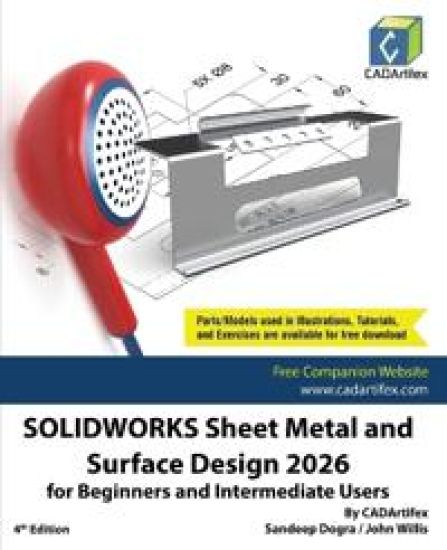
SOLIDWORKS Sheet Metal and Surface Design 2026 for Beginners and Intermediate Users
SOLIDWORKS Sheet Metal and Surface Design 2026 for Beginners and Intermediate Users is a comprehensive, project-oriented textbook designed for both instructor-led classroom training and self-paced learning. This book helps engineers, designers, students, and instructors master the Sheet Metal and Surface Modeling environments of SOLIDWORKS. It focuses on developing strong design fundamentals while teaching the creation of parametric 3D sheet metal components and complex surface models used in real-world engineering applications. With 224 carefully structured pages, the textbook ensures a smooth learning curve from foundational concepts to advanced modeling techniques. What You Will Learn This textbook provides a structured and practical approach to mastering Sheet Metal and Surface Design. By the end of this book, you will be able to: Understand sheet metal design fundamentals, including K-Factor, Bend Allowance, Bend Deduction, and industry-standard workflows Create sheet metal components using Base Flange, Edge Flange, Hems, Jogs, and various bend features Generate and manage flat patterns while considering real-world manufacturing requirements Apply advanced surface modeling techniques to create complex geometries Develop strong design intent strategies and apply parametric modeling principles for efficient model modifications Interactive Learning Support Key tutorial steps are accompanied by QR codes that link to video demonstrations, helping users through challenging stages of the learning process. It provides all the tools and techniques required to master SOLIDWORKS Sheet Metal and Surface Design, making it suitable for beginners, intermediate learners, instructors, and even seasoned professionals who want structured mastery of advanced modeling techniques.
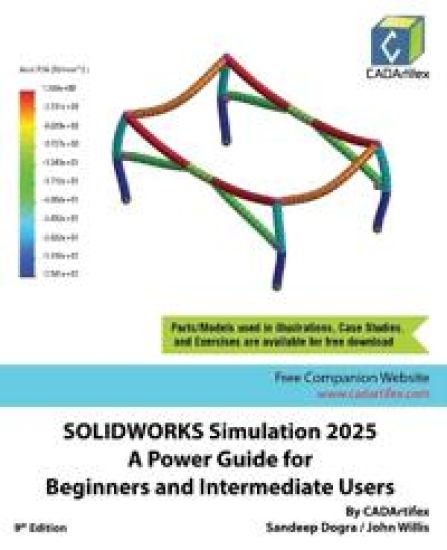
SOLIDWORKS Simulation 2025

SOLIDWORKS Simulation 2025

Sandeep Dogra; John Willis

CADArtifex
2025
pokkari
SOLIDWORKS Simulation 2025: A Power Guide for Beginners and Intermediate Users is a comprehensive textbook for instructor-led training and self-paced learning. It is an excellent resource for engineers and designers looking to master Finite Element Analysis (FEA) using SOLIDWORKS Simulation. It is ideal for new users and is a valuable teaching aid in classroom training. With 10 chapters spanning 398 pages, this guide covers a wide range of FEA techniques, including Linear Static Analysis, Buckling Analysis, Fatigue Analysis, Frequency Analysis, Drop Test Analysis, and Non-linear Static Analysis.It explores key FEA concepts and methodologies, including Geometry Preparation, Boundary Conditions (loads and fixtures), Element Types, Interactions, Connectors, Meshing, Mesh Controls, Mesh Checks (Aspect Ratio and Jacobian checks), Adaptive Meshing (H-Adaptive and P-Adaptive), Iterative Methods (Newton-Raphson and Modified Newton-Raphson Schemes), Incremental Methods (Force, Displacement, or Arc Length), among others.Who Should Read This TextbookThis textbook is written with a wide range of SOLIDWORKS Simulation users in mind, varying from beginners to advanced users and SOLIDWORKS Simulation instructors. The easy-to-follow chapters of this textbook allow you to easily understand concepts of Finite Element Analysis (FEA), SOLIDWORKS Simulation tools, and various types of analysis through case studies.Table of ContentsChapter 1. Introduction to FEA and SOLIDWORKS SimulationChapter 2. Introduction to Analysis Tools and Static AnalysisChapter 3. Case Studies of Static AnalysisChapter 4. Interactions and ConnectorsChapter 5. Adaptive Mesh MethodsChapter 6. Buckling AnalysisChapter 7. Fatigue AnalysisChapter 8. Frequency AnalysisChapter 9. Drop Test AnalysisChapter 10. Non-Linear Static Analysis
Onshape 2025

Onshape 2025

Sandeep Dogra; John Willis

CADArtifex
2025
pokkari
Onshape 2025: A Power Guide for Beginners and Intermediate Users is a comprehensive textbook designed for both instructor-led training and self-paced learning. It serves as an essential resource for students, professionals, hobbyists, engineers, and designers seeking to master Onshape for 3D mechanical design.Tailored for new users and ideal for classroom instruction, this guide spans 10 chapters and 602 pages, thoroughly covering core Onshape environments, including Sketching, Part Studio, Assembly, and Drawing. With step-by-step instructions, it walks users through creating parametric 3D solid components, assemblies, and 2D drawings, making it a complete resource for mastering Onshape.More than just a tool and command manual, this textbook emphasizes key design principles alongside software proficiency. Each chapter features in-depth tutorials with step-by-step guidance for efficiently creating mechanical designs and drawings. Additionally, every chapter concludes with hands-on test drives, allowing users to explore and experience Onshape's robust and intuitive technical capabilities.Who Should Read This BookThis book is designed for a wide range of users, from beginners to advanced professionals, as well as Onshape instructors. With well-structured, easy-to-navigate chapters, it offers a clear understanding of various design methodologies, Onshape's tools, and fundamental design principles.
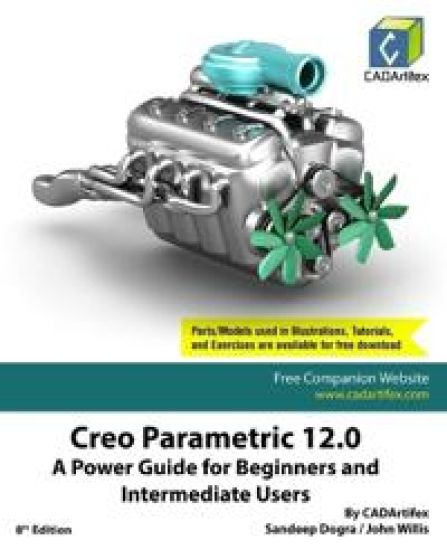
Creo Parametric 11.0: A Power Guide for Beginners and Intermediate Users (Edition7)
Creo Parametric 11.0: A Power Guide for Beginners and Intermediate Users textbook is designed for instructor-led courses and self-paced learning. It is intended to help engineers and designers interested in learning Creo Parametric to create 3D mechanical designs. This textbook benefits new Creo users and is a great teaching aid in classroom training. It consists of 12 chapters, with a total of 738 pages covering the major modes of Creo Parametric such as the Sketch, Part, Assembly, and Drawing modes. The textbook teaches users to use Creo Parametric mechanical design software for building parametric 3D solid components, assemblies, and 2D drawings.This textbook not only focuses on using the tools/commands of Creo Parametric but also the concept of design. Each chapter of this textbook contains tutorials that help users to operate Creo Parametric step-by-step easily. Moreover, each chapter ends with hands-on test drives which allow users to experience the user-friendly and technical capabilities of Creo Parametric.Table of Contents: Chapter 1. Introduction to Creo ParametricChapter 2. Drawing Sketches and Applying DimensionsChapter 3. Editing and Modifying SketchesChapter 4. Creating Base Feature of a Solid ModelChapter 5. Creating Datum GeometriesChapter 6. Advanced Modeling - IChapter 7. Advanced Modeling - IIChapter 8. Patterning and MirroringChapter 9. Advanced Modeling - IIIChapter 10. Working with Assemblies - IChapter 11. Working with Assemblies - IIChapter 12. Working with DrawingsMain Features of the Textbook: Comprehensive coverage of toolsStep-by-step real-world tutorials with every chapterHands-on test drives to enhance the skills at the end of every chapterAdditional notes and tipsCustomized content for faculty (PowerPoint Presentations)Free learning resources for faculty and studentsAdditional student and faculty projectsTechnical support for the book by contacting [email protected]
FreeCAD 0.21: A Power Guide for Beginners and Intermediate Users (Edition2)
FreeCAD 0.21: A Power Guide for Beginners and Intermediate Users textbook has been designed for instructor-led courses as well as self-paced learning. It is intended to help engineers and designers interested in learning FreeCAD to create 3D mechanical designs. This textbook is an excellent guide for new FreeCAD users and a great teaching aid for classroom training. It consists of 10 chapters and a total of 452 pages covering major workbenches of FreeCAD such as Sketcher, Part Design, A2plus, and TechDraw. The textbook teaches you to use FreeCAD mechanical design software for building parametric 3D solid components and assemblies as well as creating 2D drawings. This textbook not only focuses on the usage of the tools/commands of FreeCAD but also the concept of design. Every chapter in this textbook contains tutorials that provide users with step-by-step instructions for creating mechanical designs and drawings with ease. Moreover, every chapter ends with hands-on test drives that allow users to experience the user-friendly and powerful technical capabilities of FreeCAD.Main Features of the TextbookComprehensive coverage of toolsStep-by-step real-world tutorials with every chapterHands-on test drives to enhance the skills at the end of every chapterAdditional notes and tipsCustomized content for faculty (PowerPoint Presentations)Free learning resources for faculty and studentsAdditional student and faculty projectsTechnical support for the book by contacting [email protected]
SOLIDWORKS Simulation 2024: A Power Guide for Beginners and Intermediate Users (Edition8)
SOLIDWORKS Simulation 2024: A Power Guide for Beginners and Intermediate Users textbook is designed for instructor-led courses and self-paced learning. It is intended to help engineers and designers interested in learning Finite Element Analysis (FEA) using SOLIDWORKS Simulation. This textbook benefits new SOLIDWORKS Simulation users and is a great teaching aid in classroom training. It consists of 10 chapters, with a total of 398 pages covering various types of Finite Element Analysis (FEA) such as Linear Static Analysis, Buckling Analysis, Fatigue Analysis, Frequency Analysis, Drop Test Analysis, and Non-linear Static Analysis.This textbook covers important concepts and methods used in Finite Element Analysis (FEA) such as Preparing Geometry, Boundary Conditions (load and fixture), Element Types, Interactions, Connectors, Meshing, Mesh Controls, Mesh Check (Aspect Ratio check and Jacobian check), Adaptive Meshing (H-Adaptive and P-Adaptive), Iterative Methods (Newton-Raphson Scheme and Modified Newton-Raphson Scheme), Incremental Methods (Force, Displacement, or Arc Length), and so on. This textbook not only focuses on using the tools of SOLIDWORKS Simulation but also on the fundamentals of Finite Element Analysis (FEA) through various real-world case studies. The case studies used in this textbook allow users to solve various real-world engineering problems by using SOLIDWORKS Simulation step-by-step. Also, the Hands-on test drives given at the end of chapters allow users to experience the ease of use and immense capacities of SOLIDWORKS Simulation.Table of ContentsChapter 1. Introduction to FEA and SOLIDWORKS SimulationChapter 2. Introduction to Analysis Tools and Static AnalysisChapter 3. Case Studies of Static AnalysisChapter 4. Interactions and ConnectorsChapter 5. Adaptive Mesh MethodsChapter 6. Buckling AnalysisChapter 7. Fatigue AnalysisChapter 8. Frequency AnalysisChapter 9. Drop Test AnalysisChapter 10. Non-Linear Static AnalysisMain Features of the TextbookComprehensive coverage of toolsStep-by-step real-world case studiesHands-on test drives to enhance the skills at the end of chaptersAdditional notes and tipsCustomized content for faculty (PowerPoint Presentations)Free learning resources for students and facultyTechnical support for the book: [email protected]
Creo Parametric 10.0: A Power Guide for Beginners and Intermediate Users (Edition6)
Creo Parametric 10.0: A Power Guide for Beginners and Intermediate Users textbook is designed for instructor-led courses and self-paced learning. It is intended to help engineers and designers interested in learning Creo Parametric for creating 3D mechanical designs. This textbook benefits new Creo users and is a great teaching aid in classroom training. It consists of 12 chapters, with a total of 738 pages covering the major modes of Creo Parametric such as the Sketch, Part, Assembly, and Drawing modes. The textbook teaches users to use Creo Parametric mechanical design software for building parametric 3D solid components, assemblies, and 2D drawings.This textbook not only focuses on using the tools/commands of Creo Parametric but also the concept of design. Each chapter of this textbook contains tutorials that help users to operate Creo Parametric step-by-step easily. Moreover, each chapter ends with hands-on test drives which allow users to experience the user-friendly and technical capabilities of Creo Parametric.Table of Contents: Chapter 1. Introduction to Creo ParametricChapter 2. Drawing Sketches and Applying DimensionsChapter 3. Editing and Modifying SketchesChapter 4. Creating Base Feature of a Solid ModelChapter 5. Creating Datum GeometriesChapter 6. Advanced Modeling - IChapter 7. Advanced Modeling - IIChapter 8. Patterning and MirroringChapter 9. Advanced Modeling - IIIChapter 10. Working with Assemblies - IChapter 11. Working with Assemblies - IIChapter 12. Working with DrawingsMain Features of the Textbook: Comprehensive coverage of toolsStep-by-step real-world tutorials with every chapterHands-on test drives to enhance the skills at the end of every chapterAdditional notes and tipsCustomized content for faculty (PowerPoint Presentations)Free learning resources for faculty and studentsAdditional student and faculty projectsTechnical support for the book by contacting [email protected]
Autodesk Fusion 360: A Power Guide for Beginners and Intermediate Users (6th Edition)
Autodesk Fusion 360: A Power Guide for Beginners and Intermediate Users (6th Edition) textbook has been designed for instructor-led courses as well as self-paced learning. It is intended to help engineers and designers interested in learning Fusion 360, to create 3D mechanical designs. This textbook is a great help for new Fusion 360 users and a great teaching aid for classroom training. This textbook consists of 14 chapters, a total of 750 pages covering major workspaces of Fusion 360 such as DESIGN, ANIMATION, and DRAWING. The textbook teaches you to use Fusion 360 mechanical design software for building parametric 3D solid components and assemblies as well as creating animations and 2D drawings. This edition of the textbook has been developed using Autodesk Fusion 360 software version: 2.0.16761 (July 2023 Product Update).This textbook not only focuses on the usage of the tools/commands of Fusion 360 but also the concept of design. Every chapter in this textbook contains tutorials that provide users with step-by-step instructions for creating mechanical designs and drawings with ease. Moreover, every chapter ends with hands-on test drives that allow users to experience for themselves the user-friendly and powerful capacities of Fusion 360.Table of Contents: Chapter 1. Introducing Fusion 360Chapter 2. Drawing Sketches with Autodesk Fusion 360Chapter 3. Editing and Modifying SketchesChapter 4. Applying Constraints and DimensionsChapter 5. Creating Base Features of Solid ModelsChapter 6. Creating Construction GeometriesChapter 7. Advanced Modeling - IChapter 8. Advanced Modeling - IIChapter 9. Patterning and MirroringChapter 10. Editing and Modifying 3D ModelsChapter 11. Working with Assemblies - IChapter 12. Working with Assemblies - IIChapter 13. Creating Animation of a DesignChapter 14. Working with DrawingsMain Features of the TextbookComprehensive coverage of toolsStep-by-step real-world tutorials with every chapterHands-on test drives to enhance the skills at the end of every chapterAdditional notes and tipsCustomized content for faculty (PowerPoint Presentations)Free learning resources for faculty and studentsAdditional student and faculty projectsTechnical support for the book by contacting [email protected]
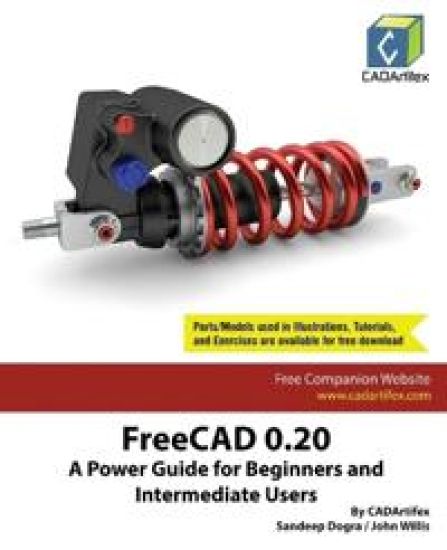
FreeCAD 0.20: A Power Guide for Beginners and Intermediate Users
FreeCAD 0.20: A Power Guide for Beginners and Intermediate Users textbook has been designed for instructor-led courses as well as self-paced learning. It is intended to help engineers and designers interested in learning FreeCAD to create 3D mechanical designs. This textbook is an excellent guide for new FreeCAD users and a great teaching aid for classroom training. It consists of 10 chapters and a total of 446 pages covering major workbenches of FreeCAD such as Sketcher, Part Design, A2plus, and TechDraw. The textbook teaches you to use FreeCAD mechanical design software for building parametric 3D solid components and assemblies as well as creating 2D drawings. This textbook not only focuses on the usage of the tools/commands of FreeCAD but also the concept of design. Every chapter in this textbook contains tutorials that provide users with step-by-step instructions for creating mechanical designs and drawings with ease. Moreover, every chapter ends with hands-on test drives that allow users to experience the user-friendly and powerful technical capabilities of FreeCAD.Main Features of the TextbookComprehensive coverage of toolsStep-by-step real-world tutorials with every chapterHands-on test drives to enhance the skills at the end of every chapterAdditional notes and tipsCustomized content for faculty (PowerPoint Presentations)Free learning resources for faculty and studentsAdditional student and faculty projectsTechnical support for the book by contacting [email protected]
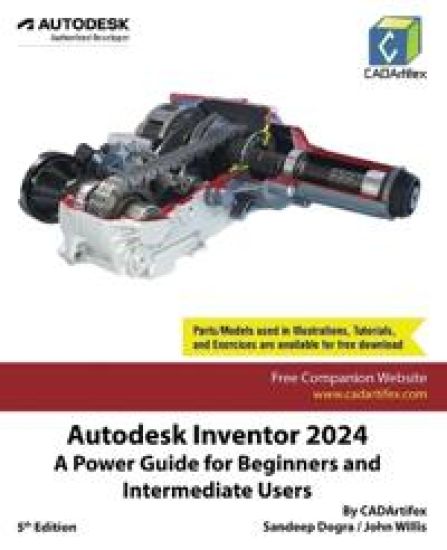
Autodesk Inventor 2024: A Power Guide for Beginners and Intermediate Users
Autodesk Inventor 2024: A Power Guide for Beginners and Intermediate Users textbook has been designed for instructor-led courses as well as self-paced learning. It is intended to help engineers and designers, interested in learning Autodesk Inventor, to create 3D mechanical designs. This textbook is an excellent guide for new Inventor users and a great teaching aid for classroom training. It consists of 14 chapters and a total of 790 pages covering major environments of Autodesk Inventor such as Sketching environment, Part modeling environment, Assembly environment, Presentation environment, and Drawing environment. The textbook teaches you to use Autodesk Inventor mechanical design software for building parametric 3D solid components and assemblies as well as creating animations and 2D drawings.This textbook not only focuses on the usage of the tools/commands of Autodesk Inventor but also on the concept of design. Every chapter in this textbook contains tutorials that provide users with step-by-step instructions for creating mechanical designs and drawings with ease. Moreover, every chapter ends with hands-on test drives that allow users to experience the user-friendly and powerful technical capabilities of Autodesk Inventor.Table of Contents: Chapter 1. Introduction to Autodesk InventorChapter 2. Drawing Sketches with Autodesk InventorChapter 3. Editing and Modifying SketchesChapter 4. Applying Constraints and DimensionsChapter 5. Creating Base Features of Solid ModelsChapter 6. Creating Work FeaturesChapter 7. Advanced Modeling - IChapter 8. Advanced Modeling - IIChapter 9. Patterning and MirroringChapter 10. Advanced Modeling - IIIChapter 11. Working with Assemblies - IChapter 12. Working with Assemblies - IIChapter 13. Creating Animation and Exploded ViewsChapter 14. Working with Drawings
SOLIDWORKS Simulation 2023: A Power Guide for Beginners and Intermediate Users
SOLIDWORKS Simulation 2023: A Power Guide for Beginners and Intermediate Users textbook is designed for instructor-led courses as well as for self-paced learning. It is intended to help engineers and designers interested in learning Finite Element Analysis (FEA) using SOLIDWORKS Simulation. This textbook benefits new SOLIDWORKS Simulation users and is a great teaching aid in classroom training. It consists of 10 chapters, with a total of 398 pages covering various types of Finite Element Analysis (FEA) such as Linear Static Analysis, Buckling Analysis, Fatigue Analysis, Frequency Analysis, Drop Test Analysis, and Non-linear Static Analysis.This textbook covers important concepts and methods used in Finite Element Analysis (FEA) such as Preparing Geometry, Boundary Conditions (load and fixture), Element Types, Interactions, Connectors, Meshing, Mesh Controls, Mesh Check (Aspect Ratio check and Jacobian check), Adaptive Meshing (H-Adaptive and P-Adaptive), Iterative Methods (Newton-Raphson Scheme and Modified Newton-Raphson Scheme), Incremental Methods (Force, Displacement, or Arc Length), and so on. This textbook not only focuses on the usage of the tools of SOLIDWORKS Simulation but also on the fundamentals of Finite Element Analysis (FEA) through various real-world case studies. The case studies used in this textbook allow users to solve various real-world engineering problems by using SOLIDWORKS Simulation step-by-step. Also, the Hands-on test drives are given at the end of chapters that allow users to experience the ease of use and immense capacities of SOLIDWORKS Simulation.Table of ContentsChapter 1. Introduction to FEA and SOLIDWORKS SimulationChapter 2. Introduction to Analysis Tools and Static AnalysisChapter 3. Case Studies of Static AnalysisChapter 4. Interactions and ConnectorsChapter 5. Adaptive Mesh MethodsChapter 6. Buckling AnalysisChapter 7. Fatigue AnalysisChapter 8. Frequency AnalysisChapter 9. Drop Test AnalysisChapter 10. Non-Linear Static Analysis
AutoCAD 2024: A Power Guide for Beginners and Intermediate Users
AutoCAD 2024: A Power Guide for Beginners and Intermediate Users textbook is designed for instructor-led courses as well as for self-paced learning. It is intended to help engineers, designers, and CAD operators interested in learning AutoCAD for creating 2D engineering drawings as well as 3D Models. This textbook is a great help for new AutoCAD users and a great teaching aid for classroom training. The textbook consists of 13 chapters, and a total of 548 pages covering major workspaces of AutoCAD such as Drafting & Annotation and 3D Modeling, teaching you to use AutoCAD software for creating, editing, plotting, and managing real world 2D engineering drawings and 3D Models.This textbook not only focuses on the usage of the tools/commands of AutoCAD but also on the concept of design. Every chapter of this textbook contains tutorials that provide users with step-by-step instructions on how to easily create mechanical designs and drawings. Moreover, every chapter ends with hands-on test drives allowing users to experience AutoCAD's user-friendly and powerful capabilities.