
Kirjailija
Scott La Counte
Kirjat ja teokset yhdessä paikassa: 220 kirjaa, julkaisuja vuosilta 2011-2023, suosituimpien joukossa Le Guide Incroyablement Facile D'android 13. Vertaile teosten hintoja ja tarkista saatavuus suomalaisista kirjakaupoista.
220 kirjaa
Kirjojen julkaisuhaarukka 2011-2023.


Email as a communication tool has been used since the 1960s. Commercial use of email is still relatively young.Today, email is dominated by one company: Google. Estimates show that over 50% of all people with email use Gmail If you picked up this book, you probably have one or are considering getting one.For its email service, Gmail is easy enough to use--compose email, send email, done But there's more to Gmail than sending and receiving email. How do you get not-Spam emails to stop showing up as Spam, for example? What on Earth are labels? And how do you get email forwarded to another inbox? If you want to be a power user, then read on
Every tech company wants to be in the business of education. It's a powerful space--there's always a need for people learning.While companies like Microsoft and Apple have competed in this space with hardware and software, Google took it a step further by creating a cloud-based classroom for teachers. There's hardware (Chromebooks) and software (Google Apps) too, but Google Classroom is a unique environment where teachers can connect in a private space with other teachers, students, and parents.This short guide will walk you through setting up your first classroom.
If you have a website, then you have probably already heard all about rate, exit rate, organic search traffic, and more. They're nice words, but how do you use them to understand your visitors and get more?Google Analytics is a powerful resource that can tell you the smallest details about your visitor traffic, but if you are asking yourself what it means or why it even matters, then you're like most businesses. Analytics is so data heavy that you can be easily overwhelmed and lost.If you are new to Analytics, or even have used it a few times, then this guide will help you understand what's in front of your eyes. It won't get into the weeds with professional tips better suited for professional marketers. It also won't go into detail about advanced Analytics elements--the keyword here is Basics The goal is to get you started quickly.Ready to get started? Let's go
Google Drive has made the process of storing things online seamless. From storing photos and videos to files and documents, Google Drive can do it in just a few clicks.If you are new to the Cloud and thinking about making the switch to Google, or have already made the switch but want to make sure you are using it correctly, then this guide will walk you through it. It will show you all the basic features to make sure you can get up and running as quick as possible. (the guide is 2,000 words)Let's get started Note: This book is the Google Docs portion of the larger work: The Ridiculously Simple Guide to Google Apps (G Suite). It is not endorsed by Alphabet, Inc.
Chances are you grew up a Word and Office user. Maybe you were a rebel and committed your herd to OpenOffice, or, dare I say, WordPerfect--but for the majority of people, our lives were loyal to Microsoft. In 2005, a small little startup named Upstartle developed something unheard of at the time: a web-based word processor called Writely. It pioneered the idea of writing on the "cloud" and changed the way people thought about word processing.Google noticed the little upstart, and in 2006, they acquired the company. The software was abandoned and turned into what everyone knows today as Google Docs. It disrupted the industry--namely, Microsoft's industry.Today, Google has a whole suite of productivity apps; from documents to spreadsheets, you can do just about anything from the cloud. Microsoft and Apple have each made big attempts to create cloud-based environments of their own for office productivity, but Google pioneered the idea and its collaborative, online environment make it hard to beat. It's become so feature-rich that many businesses are finding it to be the preferred way to conduct business.If you are thinking about making the switch to Google, or have already made the switch but want to make sure you are using it correctly, then this guide will walk you through it. It will show you all the basic features to make sure you can get up and running as quickly as possible. It covers Google Drive, Google Docs, Google Slides, Google Sheets, and Google Forms.Let's get started

How many times do you work on a presentation that you will get absolutely no feedback on and want no help?Maybe you're the type that likes to whip something up and have no practice or feedback at all? Most of us are the former. Before we stand in front of a group of people, we want to make sure we're as polished as possible.The problem is PowerPoint wasn't built like that. It was built as a desktop program that one person would use at a time.Google realized the problem and seized the opportunity when they launched Google Slides over ten years ago.Google Slides is a cloud-based presentation editor that can replace PowerPoint or Keynote. If you'd like to get the most out of the software, then let's get started Note: This book is the Google Slides portion of the larger work: The Ridiculously Simple Guide to Google Apps (G Suite)
For 40-some-odd years, the world of spreadsheets has been ruled by one king: Microsoft Excel. Sure, there were far away challengers that tried to overtake the beast--I'm looking at you, Lotus 1-2-3--but none have come close to dethroning the powerful tool...until Google Sheets.So what is Google Sheets? It's a cloud-based spreadsheet. Think Excel, but online. "But Excel is online," you say. Yes But Google was there first, and really has the advantage over Excel in this arena. It's quicker and easier to use for collaboration.Google Sheets is also free; Excel has monthly/yearly subscriptions.If you'd like to get the most out of the software, then let's get started Note: This book is the Google Sheets portion of the larger work: The Ridiculously Simple Guide to Google Apps (G Suite). This book is not endorsed by Alphabet, Inc.

If you are a non-coder, non-designer like me, then is book will give you the foundation you need to create your software or app.
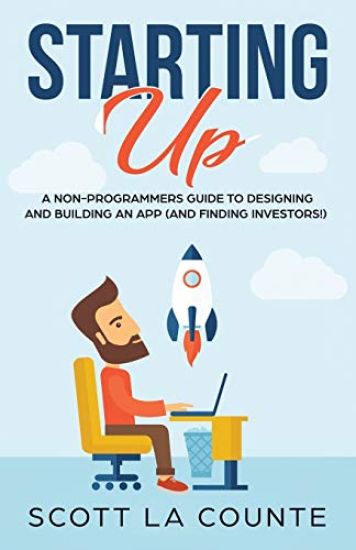
Think for a moment. Think about that one time--or maybe one of several times--where you said, "You know what would make my job easier? This..." Innovation doesn't have to come from innovating minds. It can come from ordinary people who are just trying to make their everyday lives a little easier. In my case innovation was twofold: Modernizing every Shakespeare play Putting it in a format that spoke to a modern audience: an app. The app became SwipeSpeare and the idea was simple: Let students read Shakespeare as they normally would; when they're struggling to understand a passage, they swipe their finger across it to see a modern English translation. It was simple--and it worked. With zero marketing, SwipeSpeare was downloaded over 350,000 times. The number sounds good when in context, but it sounds even better when you understand that A) I wasn't a developer, B) I wasn't a designer, and C) Everything was bootstrapped. In writing, there's an old phrase: show, don't tell. If you want your product to be successful, then you have to be able to show (not explain) how it works. That's what this book will do. I'll start with the basics: wireframing your idea and giving it a high-level framework; then we'll move into more visual designs, and finally interactive mock-ups. Design is only part of the work. I'll also show you how to put your final product into a pitch deck that sells.

Der Lächerlich Einfache Leitfaden Für Die Apple Watch Series 4: Eine Praktische Anleitung Für Den Ein-Stieg in Die Nächste Generation Von Apple Watch
Scott La Counte
Independently Published
2018
nidottu
Die Weichen wurden im September 2018 ge-stellt. Es war das gro e Ereignis des iPhone. Der Tag, an dem Journalisten und Apple-Fans sich gleicherma en nach dem neuesten und besten iPhone sehnten. Aber eine lustige Sache passierte auf dem Weg zur Ank ndigung: Apple Watch Series 4 hat allen den Atem geraubt Die Apple Watch gibt es nat rlich schon seit drei Jahren und wurde mehrfach aktualisiert. Aber 2018 war anders: Die Smartwatch war endlich bereit f r die Massen. Dies war keine Smartwatch f r Early Adopters oder Fitnessbegeisterte - das war die Smartwatch, hinter der sich Ihre Eltern und Gro el-tern stellen w rden.Zus tzlich zu all den gro artigen Funktionen, die Apple Watch schon immer geboten hat, ist die Serie 4 schlanker (aber mit einem etwas gr eren Bildschirm), hat optional Mobilfunk f r Telefonate und Musik-Streaming ohne Ihr Handy und eine Hin-fallen-Erkennung (wenn Sie also fallen und nicht aufstehen k nnen, wird die Feuerwehr zu Ihrem Standort geschickt). Alles daran wurde entwickelt, um Sie zu motivieren, aktiver zu sein.So erstaunlich alle neuen Funktionen auch sind, es ist nicht ganz so einfach zu bedienen wie ein iPhone; der Mangel an Tasten, der kleinere Bild-schirm und die allgemeine Benutzeroberfl che k nnen eine frustrierte erste Erfahrung bereiten. Der Zweck dieses Buches ist es, neuen Apple Watch Benutzern (und Benutzern, die von einem lteren Ger t auf Watch OS 5 aktualisieren) zu hel-fen, das Beste aus ihrer Investition herauszuholen. Sind Sie bereit, Ihre neue Apple Watch zu ge-nie en? Dann lasst uns anfangen
The Complete Beginners Guide to Mac OS: (For MacBook, MacBook Air, MacBook Pro, iMac, Mac Pro, and Mac Mini with OS X High Sierra - Version 10.13)
Scott La Counte
Createspace Independent Publishing Platform
2017
nidottu
Every year or so you hear the big pitch: Windows is finally going to be awesome again. The new update is big, grander and a huge overhaul. And then it comes and it's more buggy, weirder, and less functional than the version that came before That's probably what made you consider making the switch-you're tired of the excuses and you want a computer that just works Whether you are a new convert to Mac, still thinking about making the switch, or just want to learn more about Macs, this book will guide you through the Mac OS and help you see how making the switch really isn't the great leap that you once thought it was. This book will show you the basics and show you how to do the common day tasks you know on Windows (like right clicking). It will also show you how to get your Mac in sync with your iPad or iPhone, and how to do everyday tasks like change background, find files, and performance tweaks to keep your Mac running like new. This book is based off of OS High Sierra (released September 25, 2017)


The Mommy Who Forgot To Have Fun
Scott La Counte; Correen La Counte
Createspace Independent Publishing Platform
2014
nidottu
Patrons increasingly expect access to their libraries anywhere, anytime. This Special Report provides practical guidance in how librarians can put the library in the palms of their patrons’ hands. Using the HTML skills that many librarians already have along with flexible development tools, technology expert La Counte shows how creating a customised mobile app doesn’t need to be expensive or require deep expertise. In straightforward, practical terms he:Demonstrates how to establish a presence on the mobile web with mobile websites and phone appsDetails open-source development tools such as PhoneGap that allow for the creation of mobile apps that work on a variety of mobile operating systemsDiscusses methods for assessing a library s user base and getting buy-in from administratorsFollowing the pointers in this Special Report, libraries can easily go wherever their patrons do!