Kirjailija
Scott La Counte
Kirjat ja teokset yhdessä paikassa: 221 kirjaa, julkaisuja vuosilta 2011-2025, suosituimpien joukossa Durch Das Glas. Vertaile teosten hintoja ja tarkista saatavuus suomalaisista kirjakaupoista.
221 kirjaa
Kirjojen julkaisuhaarukka 2011-2025.

When you see the price of a Pixel phone next to an iPhone or Samsung phone, you probably imagine that it's a little...cheaper. You'd be mistaken; year after year, the Pixel has proven that it's perhaps the best phone money can buy. This is truer than ever with the Pixel 7. Not only is it faster, but the AI that works in the background will start to feel like your personal assistant. Whether you are switching from an iPhone or another Android device, this book is for you. It will break down everything you need to know about the device and keep it ridiculously simple In this book, you'll learn about: - Setting up your phone- Making calls- Installing apps- Using the camera- Surfing the Internet- Changing system settings- And much more Ready to learn more? Let's get started

Start taking better photos with your iPhone I remember my first phone. It had a cord attached and was shaped like a popular animated character. You didn't surf the Internet on it. You didn't send text messages. You didn't check your email. And you definitely didn't take pictures on it Times have changed, haven't they? Most people probably don't even have a camera that's not attached to their phones. iPhons don't match the quality of a DSLR camera-but they're certainly coming close. This book won't teach you how to be the next Ansel Adams, but it will teach things you probably never knew about the camera and photo app. Inside, I'll show you how to: Take and edit photos Organize photos Use different photo modes and lenes Use photographic styles And much more. If you are ready to get the most out of your iPhone camera, then read on Note: this book is based off of the iPhone 14 Pro, which has photo features (notably ProRes) that are not available on other iPhones. I will point out when a feature might not work on your phone.

The Colorful Guide to the Apple Watch Series 8, SE, and Ultra (with watchOS 9)
Scott La Counte
SL Editions
2022
pokkari
A Full Color Guide to the Apple Watch Series 8 / SE (Second Generation) / Ultra and WatchOS 9Once you have used the Apple Watch long enough, you will probably be absolutely blown away by how many features are packed into something so incredibly small Using it is not difficult. Getting the most out of it, however, takes time. The goal of this guide is to walk you through all those features so you can get the most out of your investment as quickly as possible The book is intended for both people who are upgrading and people who have never used it. And unlike many guides out there, it's also in full color Inside, you are going to learn about: What's new in WatchOS 9The differences between all of the different watchesWhat the Apple Watch Series 8, SE, and Ultra can (and can't) doWatchOS gestures.Understanding blood oxygen levels and ECG.Using Apple Pay from your Apple Watch.Using Family Setup.Using the Handwashing app.Tracking sleep.Finding, installing, updating, and removing apps from your Apple Watch.Using different Apple Watch features (such as SOS, Breathe, compass).Using different Apple Watch apps (such as Calendar, Reminders, Music).Getting driving directions with the Apple Watch.Using Siri on the Apple Watch.Changing and sharing watch faces.Sending / receiving messages, emails, and phone calls from your Apple Watch.Doing a workout with the Apple Watch Series 8.Watch accessories.And much more Are you ready to start enjoying your new Apple Watch? Then let's get started Note: This book is not endorsed by Apple, Inc and should be considered unofficial.
The Insanely Simple Guide to Apple Watch Series 8, SE, and Ultra
Scott La Counte
SL Editions
2022
pokkari

The Insanely Simple Guide to the Samsung Galaxy Z Fold 4 and Flip 4
Scott La Counte
SL Editions
2022
pokkari
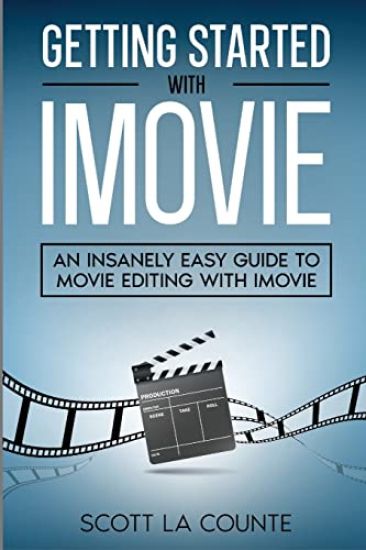
Unleash the Cinematographer Inside You While taking impressive photos may be on many people's minds when they first turn on their iPhones and iPads, the video capability is so good, it's used by professional cinematographers.But recording video, and then turning it into a movie that feels cinematic are two different things. Yes, you can easily take videos and watch them-but what about editing them? What about adding cool effects to them? What about splicing in other videos?With Apple, things just kind of work. They have a brilliant way of making things that used to be complicated...simple. This is especially true with Apple's iMovie software.This book will walk you through what you need to know to create gorgeous videos that you can share with family and friends. Some of the things you'll discover inside: Using Magic MovieDesigning your movie with StoryboardUsing Cinematic ModeAdding Special EffectsAdding soundtracksMoving from iOS / iPadOS to macOSUsing picture-in-pictureAnd much more Are you ready to get started? Note: This guide is not endorsed by Apple, Inc. and should be considered unofficial.

Learn how to use the 2022 iPhone SE Do you feel like there's a lot on your phone that you don't know how to work? This book is going to help you out. It will teach you about all the features you need to know.I'm sure you've seen all the high-end iPhones; they pack a lot into a little package, don't they? But for casual phone users, all those powerful features might not be important to you. If that's true, then you've probably got or are tempted to get the iPhone SE.Just because it's cheaper doesn't mean it's not a powerful phone. There's a lot packed inside of it. If you want to get the most out of the little budget phone, then read on This book will walk you through things like: What's new to iOS 15How to add widgets to your Home screenOrganizing apps with the App LibraryBuying, removing, rearranging, updating appsTaking, editing, organizing and sharing photosApple Services (Apple Music, Apple TV+, Apple Card, iCloud, and Fitness+)Using SiriUsing pre-installed apps like Notes, Calendar, Reminders, and moreMaking phone calls and sending messagesAnd much, much more Are you ready to start enjoying your new iPhone? Then let's get started Note: this guide is based off the second generation iPhone SE released in 2022. This guide is not endorsed by Apple, Inc., and should be considered unofficial.
The S22 is featured packed Great But how do you actually use the features?This book isn't going to tell you how to do everything-it's going to tell you what you want to know If you want a book that is hundreds of pages long and tells you about things you don't even understand and will definitly never use, then keep looking You won't find that here. If you want something that focuses on the popular features so you can get up and running quickly, then keep reading Inside, you'll learn about: - What makes Galaxy different from iOS, Android, and other smartphones- Using Samsung SmartTag- Setting up your phone- Making calls- Installing apps- Accessibility features- Using the camera- Surfing the Internet- Changing system settings- And much more This guide also includes a bonus guide on using Samsung Watch.NOTE: This guide is not endorsed by Samsung and should be considered unofficial.

The first computer for most adults was probably not a Mac. Despite its age, people switching to Mac is a relatively new thing. It's no surprise, however. MacOS has made huge strides in recent years, and today it's not only one of the best computers you can own, it's also one of the easiest. It's fast, resourceful, and if you have other devices in Apple's ecosystem, it's going to make them shine.If you are new to Mac or updating your computer to Monterey (the latest OS), then this guide will walk you through what you need to know.Inside you will learn all about: What's new with iMac What's new to macOS Monterey How you do all those Windows "things" on a Mac Apple Services Using Siri Setting up Internet and Email Using Sidecar Using Control CenterDownloading / Updating appsOrganizing photos Using Safari and Tab GroupsProtecting your privacyManaging your passwordsSending, replying, and pinning messages Multitasking Using Live textAnd much, much more Are you ready to start enjoying the new macOS? Then let's get started Note: This book is not endorsed by Apple, Inc. and should be considered unofficial.

A Senior's Guide to Apple Watch Series 7 and Apple Watch SE
Scott La Counte
SL Editions
2021
pokkari
The Apple Watch is hard to define. It's a great device to...make calls...send messages...use apps. The problem with defining it is there isn't one feature that it's good at. It's good at many things and used for multiple purposes. It's good for fitness. But it's also good for kids to communicate with you from school. And it's good for your health. And...well, you get the idea. It has many purposes depending on who you are. In almost every situation, however, the Apple Watch will save you time and help you stay organized.If you are new to Apple Watch or you just want to use it better, then this guide, which is based off of watchOS 8, will help you out. It covers all of the most popular features.Inside, you will learn about: What's new in watchOS 8. What's the difference between all of the different watches? What the Apple Watch Series 7 can (and can't) do. watchOS gestures. Understanding blood oxygen levels and ECG.Using Apple Pay from your Apple Watch. Using Family Setup.Using the Handwashing app.Tracking sleep.Finding, installing, updating, and removing apps from your Apple Watch. Using different Apple Watch features (such as SOS, Breathe, compass). Using different Apple Watch apps (such as Calendar, Reminders, Music). Getting driving directions with the Apple Watch. Using Siri on the Apple Watch. Changing and sharing watch faces. Sending / receiving messages, emails, and phone calls from your Apple Watch. Doing a workout with the Apple Watch Series 7. Watch accessories. And much more Are you ready to start enjoying your new Apple Watch? Then let's get started

A Full Color Guide to Help you Understand the Samsung Galaxy S21Another year, another phone promising to be the greatest of all time. And another year asking if it is really time to upgrade Samsung's Galaxy S21 will definitely have you asking that question.It's fast. It takes stunning photos. And it's battery actually lasts all day This book if for all the people either bought the phone or are considering buying it and want to make sure they understand all of the most powerful features.If you are making the switch from iPhone to Samsung or are upgrading from another Android or Samsung phone, then this guide (in full color) will also walk you through the basics of the OS.Inside you'll learn about: Setting up your phoneMaking callsUsing Samsung SmartTagConnecting S PenInstalling appsUsing the cameraSurfing the InternetChanging system settingsAnd much more NOTE: This guide is not endorsed by Samsung and should be considered unofficial.

The Colorful Guide to the 2021 iPad, iPad Pro, and iPad mini
Scott La Counte
SL Editions
2021
pokkari
The iPad is your computer on the go-perhaps for you it is your only computer. And why shouldn't it be? It's...really featured packed It's also easy to use But what if you want to understand how to use the most powerful features? That's where this guide comes in.This guide (in full color ) is all about helping you learn all the tips and tricks to make your life easier Don't worry If you need the basics, it's going to have you covered as well It will start with the basics, then go forward from there.Inside, you are going to learn about: MultitaskingWidgetsQuick NoteFaceTimeMessagesFocusNotificationsSafariMapsPhotosAnd MoreAre you ready to start enjoying your new iPhone? Then let's get started Note: This book is not endorsed by Apple, Inc and should be considered unofficial.