
Kirjailija
Scott La Counte
Kirjat ja teokset yhdessä paikassa: 221 kirjaa, julkaisuja vuosilta 2011-2025, suosituimpien joukossa Durch Das Glas. Vertaile teosten hintoja ja tarkista saatavuus suomalaisista kirjakaupoista.
221 kirjaa
Kirjojen julkaisuhaarukka 2011-2025.

The Ridiculously Simple Guide to Pixel Go, Pixelbook, and Pixel Slate
Scott La Counte
SL Editions
2019
pokkari

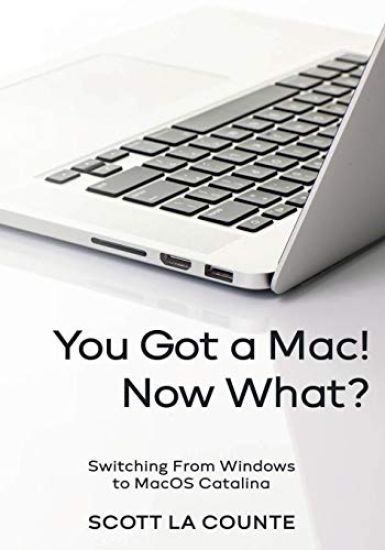
>>>NOTE: This is the COLOR edition B&W is also available. You got a Mac Welcome to the club Now how on Earth do you use it? Now that the joy of getting your first Mac is over, it's time to get serious: learning how to use it Macs are obviously not Windows machines, so there's a small learning curve. Nothing complicated, I promise.The goal of this book (which is based off of Mac OS Catalina, 10.15) is to teach you the ropes, so you can start enjoying your new computer. If you are looking for a thick doorstop of a book that covers things you have never heard of and will never use, then there are more comprehensive books out there. But if you are switching from Windows and just want to know how to use your computer, then I'm excited to help Some of the topics that will be covered: What's the difference between all the different Macs and MacbooksWhat's new to macOS CatalinaHow do you do all those Windows "things" on a MacUsing the Touch BarUsing the Magic Mouse and Force TouchApple Services (Apple Music, Apple News, iCloud, Apple Card, Apple Arcade, Apple TV+)Using SiriHow to find things / how to organize things to make them easy to findSetting up Internet and EmailUsing SidecarUsing Time MachineParental ControlsDownloading / Updating apps on the App StoreOrganizing photosMaking phone calls and sending messagesMultitaskingAnd much, much more Are you ready to start enjoying the new Mac OS? Then let's get started
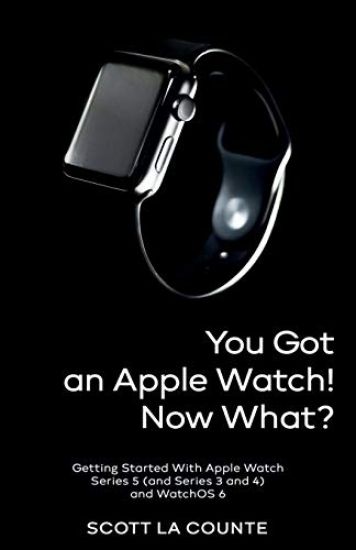
>>>>NOTE: This is the color edition of "You Got An Apple Watch Now What?" You got the Apple Watch everyone is talking about Awesome But how do you use it? You remember the good old days when a watch was a watch--except for the cool kids who had a calculator on their watch? The only thing you had to learn was how to set the time and adjust it for day-light savings.Times have changed Today's watches make phone calls, play music, tell you sports scores, let you read emails and text messages, tell you the weather, and so much more And, oh yeah, they can tell you the time That's a lot to learn.If you are new to Apple Watch, then you obvi-ously want to know how to use it. This book will tell you how. Topics covered: What's the difference between all of the "Series"What's new to WatchOS 6Using watch gesturesApple PayHow to change watch FacesSending messages and making phone callsUsing the calendarUsing remindersDriving directionsPlaying musicChecking the weatherUpdating and reseting the watchBest appsConnecting AirPodsAnd much, much more The goal is to get you up and running quickly. That means not digging into the weeds tell-ing you about features that you probably will never use.If that sounds like you, then let's get started
You got a Mac Welcome to the club Now that the joy is over, it's time to get serious: how on Earth do you use this thing? Macs are obviously not Windows machines, so there's a small learning curve. Nothing complicated, I promise. The goal of this book (which is based off of Mac OS Catalina, 10.15) is to teach you the ropes, so you can start enjoying your new computer.If you are looking for a thick doorstop of a book that covers things you have never heard of and will never use, then there are more comprehensive books out there. But if you are switching from Windows and just want to know how to use your computer, then I'm excited to help Are you ready to start enjoying the new Mac OS? Then let's get started
You got the Apple Watch everyone is talking about Awesome But how do you use it? You remember the good old days when a watch was a watch--except for the cool kids who had a calculator on their watch? The only thing you had to learn was how to set the time and adjust it for day-light savings.Times have changed Today's watches make phone calls, play music, tell you sports scores, let you read emails and text messages, tell you the weather, and so much more And, oh yeah, they can tell you the time That's a lot to learn.If you are new to Apple Watch, then you obvi-ously want to know how to use it. This book will tell you how. Topics covered: What's the difference between all of the "Series"What's new to WatchOS 6Using watch gesturesApple PayHow to change watch FacesSending messages and making phone callsUsing the calendarUsing remindersDriving directionsPlaying musicChecking the weatherUpdating and reseting the watchBest appsConnecting AirPodsAnd much, much more The goal is to get you up and running quickly. That means not digging into the weeds tell-ing you about features that you probably will never use.If that sounds like you, then let's get started
Take control of your smartphone camera Take photos you didn't think were possible Remember when being an amateur photograph meant lugging around a heavy camera and multiple lenses? Times have certainly changed The camera even many professionals use can fit in the back of their pocket. If you want to get a better grasps of how to take advantage of your phones camera, this book will help. It covers how to use two of the industries best mobile cameras: iPhone Pro and Pixel 4.Some of the topics covered include: Taking photosEditing photosDifferent camera filtersOrganizing photosSharing photosTips and hints for taking better photosAnd more Ready to get started? Let's go
Take control of your Pixel Camera You phone sends text messages, makes phone calls, and even surfs the Internet--but who am I kidding? You don't spend hundreds of dollars on a phone to use it as a phone--you want to take pictures Lots and lots of pictures.If you have the Pixel 4 or Pixel 4xl, then you are in luck, because it is one of the best--if not the best--phone camera on the market.This book (which is based on the Pixel 4 running Android 10) will show you how the camera works and teach you things you may not know to help you take even better photos. If you have another Android phone, you can use this guide as a reference, but some of the features will be missing. Some of the topics covered include: Taking photosEditing photosDifferent camera filtersOrganizing photosSharing photosTips and hints for taking better photosAnd more Ready to get started? Let's go
You got AirPods Great Congradulations Now what? If you haven't noticed, there's no manual in the box. Yes, there's a little reference that quickly walks you through key features, but there's nothing about changing the settings.This book will cover all of that so you can get the most out of your investment. It will also walk you through Apple Music so you can get the best listening experience possible Ready to get listening? Let's go

In 2016, Apple released the Apple AirPods--small, wireless headsets that pop into your ear with no cords whatsoever. The device was an instant hit.A second generation was released in 2019 with a better battery life and a wireless case. It wasn't until later in 2019 that things really started to change when Apple released the AirPod Pro. The 2019 pro line featured noise cancelling sound (and a transparent mode, which helps you hear your surroundings). They came at a premium price but have a premium listening experience. When you put the Pros in, you can hear the difference immediately.AirPods are simple to use, but if they are new to you, then they can still be a little confusing. This guide will walk you through all the gestures, how to pair them, and charge them. It also has an Apple Music guide, so you know how to use Apple Music once you're ready to listen.Ready to get listening? Let's go
You got a Pixel phone Awesome Now how do you actually use the darn thing? It's Google vs. iPhone, and the wars are heating up with the Pixel 4 and 4 XL.After struggling early on to develop their own branded phone, the Pixel finally gives Google some-thing that is on par with the best smartphones on the market. Many critics have gone as far as saying the Pixel camera is the best smartphone camera on the market.While aesthetically not a lot has changed be-tween the Pixel 3 and 4 the specs give the phone a much-needed hardware boost. In addition to extra camera lenses, the Pixel introduces facial recognition and gesture-based navigation called Motion Sense. This book will cover all the features you need to know.Whether you are switching from an iPhone or another Android device, this book is for you. It will break down everything you need to know about the device and keep it ridiculously simple Topics covered in this book include: What's new in Android OS 10MultitaskingGestures you should knowUsing Motion SenseAdding shortcuts and widgetsUsing split screenSending messages and making phone callsTaking, editing and organizing photosUpdating / resetting your deviceSystem settings you should knowAnd much, much more Ready to learn more? Let's get started
Note: This is the color edition of "Your First iPad for Seniors." You got and iPad Now how on Earth do you use the darn thing? Do you really need a computer anymore? They're clunky and even laptops aren't as portable as they could be, and they don't have touchscreens. Yes, they're great for running power-hungry applica-tions, but what if you just use it for email, web searching, and organizing pictures? iPad's do all that and more. If you've used an iPad before, then the OS will be familiar to you, but there's a number of new things you should know about. If you've never used an iPad, then this book will help you navigate around the device in a way that's easy to understand and not so comprehensive that you feel overwhelmed. Some of the many topics covered include: What's new in iPadOS 13 Cosmetics of an iPad Multitasking Gestures that you should know Using Sidecar Using split screen Buying, updating, and removing apps Apple Services (Apple Music, iCloud, Apple Arcade, Apple TV+, Apple Card) Family sharing Using Siri Taking, editing, organizing and sharing photos Using pre-installed apps like Reminders, Maps, Notes, Calendar And much, much more This book is based off of the iPad 10.2 (the one with a Home button--not the Pro models that have abandoned buttons); that doesn't mean it's not use-ful if your iPad doesn't have one, but some features will work slightly differently. Note: This book is based off of the book Your First iPad but includes extra information on accessibility. Ready to get started? Let's go
There's a new operating system in town and it's turning heads. I'm, of course, talking about iPadOS. It's Apple's latest way of bringing Mac and iPad closer together.If you've used an iPad before, then the OS will be familiar to you, but there's a number of new things you should know about.If you've never used an iPad, then this book will help you navigate around the device in a way that's easy to understand and not so comprehensive that you feel overwhelmed.This book is based off of the iPad 10.2 (the one with a Home button--not the Pro models that have abandoned buttons); that doesn't mean it's not useful if your iPad doesn't have one, but some features will work slightly differently.Ready to get started? Let's go
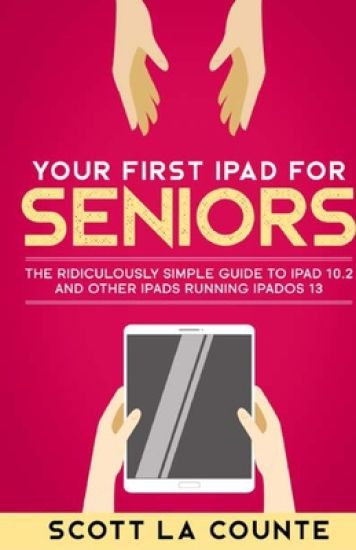
Do you really need a computer anymore? They're clunky and even laptops aren't as portable as they could be, and they don't have touchscreens. Yes, they're great for running power-hungry applica-tions, but what if you just use it for email, web searching, and organizing pictures? iPad's do all that and more.If you've used an iPad before, then the OS will be familiar to you, but there's a number of new things you should know about.If you've never used an iPad, then this book will help you navigate around the device in a way that's easy to understand and not so comprehensive that you feel overwhelmed.This book is based off of the iPad 10.2 (the one with a Home button--not the Pro models that have abandoned buttons); that doesn't mean it's not use-ful if your iPad doesn't have one, but some features will work slightly differently.Note: This book is based off of the book Your First iPad but includes extra information on accessi-bility.Ready to get started? Let's go
Switching from Windows to Mac? Let's make this as easy as possible There's a pretty good chance your first computer was a Windows computer--of maybe even just DOS. MacOS isn't complicated but switching from another operating system can be a little confusing at first. This guide is intended to help you make the switch.If you want to know how to do all those Windows things on a Mac, then this book will help you.This book is intended for people who want to get started quickly with the OS. For that reason, it's not as comprehensive as other guides. It covers the most popular features, but not how to do configurations you probably have never heard of and will never want to do.I purposely have done my best to make this handbook a little more casual and fun than what you expect from most MacOS manuals. MacOS is a fun operating system, and any guide you read should be an equally fun read.Each chapter starts with bullet points on what will be covered, so if it's something you already know, you can skip right ahead; if you only need to know how to use new features, the book is also formatted in a way that these stand out. Some of the many topics covered include: What's new to macOS Catalina How do you do all those Windows "things" on a Mac Apple Services (Apple Music, Apple News, iCloud, Apple Card, Apple Arcade, Apple TV+)Using Siri How to find things / how to organize things to make them easy to find Setting up Internet and Email Using Sidecar Using Time Machine Parental Controls Downloading / Updating appsOrganizing photos Making phone calls and sending messages Multitasking And much, much more Are you ready to start enjoying the new MacOS? Then let's get started
If you have purchased the notebook or computer or are just curious about seeing more about what MacOS can do for you, then you'll see it in this book.This book is intended for people who want to get started quickly). For that reason, it's not as comprehensive as other guides. If you want to know about some feature buried deep under the hood that you'll never use, then there are other books for you--I'm sure they'll make good doorstops when you finish. If you just want a simple guide that tells you what you need to know, so you can use your computer already, then this book is for you. It will also cover how to successfully make the transition from Mac to Windows.Each chapter starts with bullet points on what will be covered, so if it's something you already know, you can skip right ahead; if you only need to know how to use new features, the book is also formatted in a way that these stand out.Are you ready to start enjoying the new MacOS? Then let's get started