Kirjojen hintavertailu. Mukana 12 595 353 kirjaa ja 12 kauppaa.

Kirjailija

Shawn McGehee

Kirjat ja teokset yhdessä paikassa: 3 kirjaa, julkaisuja vuosilta 2008-2012, suosituimpien joukossa Pro SQL Server 2008 Reporting Services. Vertaile teosten hintoja ja tarkista saatavuus suomalaisista kirjakaupoista.

3 kirjaa

Kirjojen julkaisuhaarukka 2008-2012.

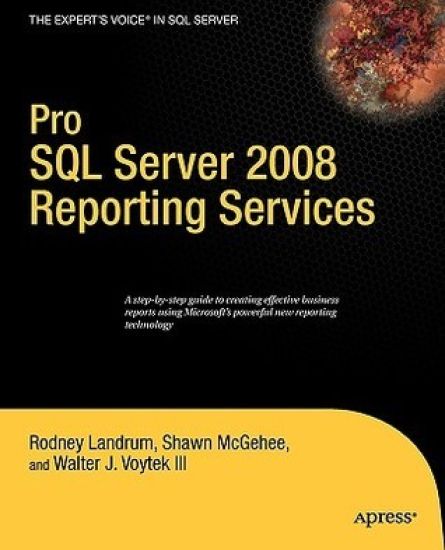
Pro SQL Server 2008 Reporting Services

Pro SQL Server 2008 Reporting Services

Rodney Landrum; Walter Voytek; Shawn McGehee

APress
2008
nidottu
Take full advantage of everything SQL Server 2008 Reporting Services has to offer and deliver customizable, web?enabled reports across your business at a reasonable cost. Learn best?practices from professionals who use SQL Server Reporting Services daily to deliver solutions to paying clients and gain the competitive edge on using Microsoft?s enterprise?level reporting platform. Provides best?practices for using Reporting Services Written by practicing professionals with paying clients Your key to delivering business intelligence across the enterprise
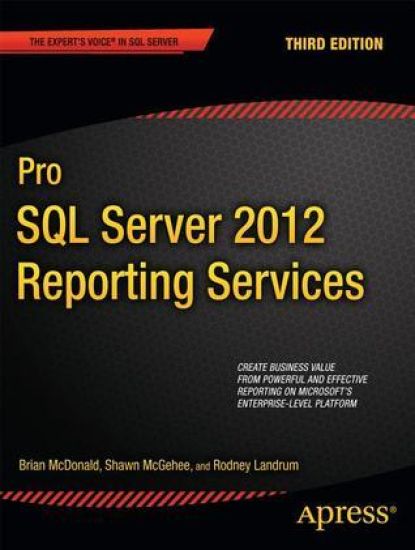
Pro SQL Server 2012 Reporting Services

Pro SQL Server 2012 Reporting Services

Brian McDonald; Shawn McGehee; Rodney Landrum

APress
2012
nidottu
Pro SQL Server 2012 Reporting Services opens the door to delivering customizable, web-enabled reports across your business at reasonable cost. Reporting Services is Microsoft’s enterprise-level reporting platform. It is included with many editions of SQL Server, and is something you’ll want to take advantage of if you’re running SQL Server as your database engine. Reporting Services provides a full set of tools with which to create and deploy reports. Create interactive reports for business users. Define reporting models from which business users can generate their own ad hoc reports. Pull data from relational databases, from XML, and from other sources. Present that data to users in tabular and graphical forms, and more. Reporting Services experts Brian McDonald, Rodney Landrum, and Shawn McGehee show how to do all this and much more in this third edition of their longstanding book on the topic. Provides best practices for using Reporting Services Covers the very latest in new features for SQL Server 2012 Your key to delivering business intelligence across the enterprise
SQL Server Backup and Restore

SQL Server Backup and Restore

Shawn McGehee

Simple Talk Publishing
2012
pokkari
The duties and responsibilitie:s of a Database Administrator (DBA) make for long and dynamically changing list, ranging from offering query tuning advice, to cutting stored procedures, all the way through to system process design and implementation for high availability. A DBA's tasks, from day-to-day, are rarely constant; with one exception: the need to ensure each and every day that any database in their charge can be restored and recovered, in the event of error of disaster. This means that if a database, for whatever reason, gets corrupted, dropped, or otherwise becomes unusable, then it is the DBA's responsibility to restore that database to the state it was in before the problem occurred, or as close as is possible. Of course, this doesn't mean that a DBA is required to restore a database each and every day, just that if disaster does strike the DBA must be prepared to deal with it, regardless of when or why it occurs. If a DBA isn't prepared, and significant data is lost, or databases become unavailable to end users for long periods of time, then that DBA probably won't be in their job for too long.This is why a good, and tested, SQL Server backup and restore plan must be on the top of every administrative DBA's list of tasks. In this book, you'll discover how to perform each of these backup and restore operations using SQL Server Management Studio (SSMS), basic T-SQL scripts and Red Gate's SQL Backup tool. Capturing backups using SSMS or simple scripts is perfectly fine for one-off backup operations, but any backups that form part of the recovery strategy for any given database must be automated and you'll also want to build in some checks that, for example, alert the responsible DBA immediately if a problem arises. The tool of choice in this book for backup automation is Red Gate SQL Backup. Building your own automated solution will take a lot of work, but we do offer some advice on possible options, such as PowerShell scripting, T-SQL scripts and SQL Server Agent jobs.