Kirjojen hintavertailu. Mukana 12 269 178 kirjaa ja 12 kauppaa.

Kirjailija

U. C. Books

Kirjat ja teokset yhdessä paikassa: 6 kirjaa, julkaisuja vuosilta 2016-2017, suosituimpien joukossa Top 10 Email Service Providers Keyboard Shortcuts. Vertaile teosten hintoja ja tarkista saatavuus suomalaisista kirjakaupoista.

6 kirjaa

Kirjojen julkaisuhaarukka 2016-2017.

Corel Quattro Pro Keybaord Shortcuts

Corel Quattro Pro Keybaord Shortcuts

U. C. Books

Createspace Independent Publishing Platform
2017
nidottu
Spreadsheet operation made simple. This is an info-packed and jargon free book compiled by a group that loves helping computer operators to save time and become more productive in their area of specialization. In this book you will find useful tips, techniques, and keyboard shortcuts that you can use to attract appreciation from people around you when you work in Quattro Pro. Among the topics you will find in this title are: *Drawing Arrows in Quattro Pro. *Using variables to save time and reduce errors. *Using QuickPaste in Quattro Pro(R). *Keyboard Shortcuts for use in WordPerfect Quattro Pro. *Edit Mode Keys. *Object Keys. *Formula Composer Keys. *Point Mode Keys. *Print Preview Keys. *Navigation Keys. *Function Keys. *CrossTab Report Keys. *Excel Compatibility Keys. Fundamental Knowledge of Keyboard Shortcuts: Definition of Computer Keyboard, Ways To Improve In Your Typing Skill, Mouse, Definition Of Keyboard Shortcuts, Why You Should Use Shortcuts, Ways To Become A Lover Of Shortcuts, How To Learn New Shortcut Keys, Your Reward For Knowing Shortcut Keys, Why We Emphasize On The Use of Shortcuts. 15 (Fifteen) Special Keyboard Shortcuts. You can look inside this book for more information.
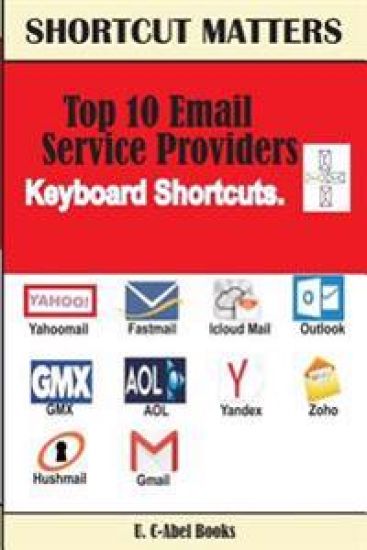
Top 10 Email Service Providers Keyboard Shortcuts
Email operation made easier. Email operation is not just about "Compose, Save, Send, Receive". No, it's more than that. There are so many things you don't know about it, there are so many you think you know, but have forgotten, and there are so many you think you know that you truly don't know. In this book you will be taught the ones you don't know and be reminded of the ones you have forgotten. Different email service providers have different ways of handling their service. This book will teach you how to handle email operation by providing you with a useful keyboard shortcuts and tips to use when handling email operation in Yahoomail, Fastmail, Icloud Mail, Outlook, GMX, AOL, Yandex, Zoho, Hushmail, and Gmail. The shortcuts and tips you will find in this book are related to the following parts of email operation: Message List Pane 3-Pane Navigation Message Command, Message composition Text Editing Text Formatting Calendar Contacts Electronic Business Cards Texts Print Basic Editor Email Window Address Book Windows, and many more surprising shortcuts and tips. Don't let this book pass you by, for "knowledge is power" and the journey to a thousand miles starts with one step. Click "BUY".
Microsoft Excel 2016 Keyboard Shortcuts For Macintosh

Microsoft Excel 2016 Keyboard Shortcuts For Macintosh

U. C. Books

Createspace Independent Publishing Platform
2016
nidottu
*Begin to excel in Microsoft Excel in a painless way* Microsoft Excel, a spreadsheet program used for budgeting, accounting, bookkeeping, small businesses and many more tasks is among the best spreadsheet programs available in the market today. Without an encyclopedic knowledge of Excel, one maybe found wanting in so many areas as far as spreadsheet is concerned. That is why you need to really prepare yourself. Your preparation requires that you begin to practice the use of keyboard shortcuts. The keyboard shortcuts that are listed in this book will help you to use Excel in a fashionable, organized and productive way. We have compiled keyboard shortcuts for Mac users to use in Excel 2016 to help them get started. Just before you begin Knowing About Mac and Excel 2016 15 Most Important Keyboard Shortcuts Frequently Used Shortcuts. Function Keys. Move and Scroll in a Sheet or Workbook. Print with Keyboard Shortcuts. Enter Data on a Sheet. Work in Cells or the Formula Bar. Format and Edit Data. Work With a Selection. Select Cells, Columns, or Rows. Use Charts. Sort, Filter, and Use PivotTable Reports. Outline Data, Work In Windows. Work In Dialog Boxes. Use Function Key Shortcuts. Click "Add To Cart" to start climbing the ladder of Excel in a successful way today.
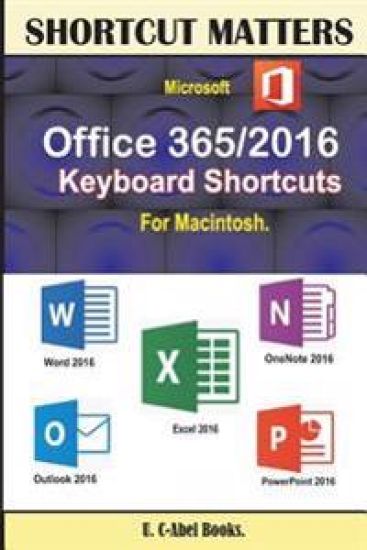
Microsoft Office 365/2016 Keyboard Shortcuts For Macintosh
*Become effective in the way you operate your office 2016 for Mac* Office 2016 Keyboard Shortcuts for Mac is a compilation made to help Mac users improve on the way they handle tasks. You really need keyboard shortcuts to work with if you are a Mac user. Here is a summarized preview of what you will gain from this book: Fundamental knowledge of keyboard, mouse, and keyboard shortcuts. 15 Keyboard shortcuts every computer user should know. WORD: Create or delete a keyboard shortcut in Word 2016 for Mac, Get started, Move the cursor, Select text and graphics, Select text and graphics in a table, Extend a selection, Edit text and graphics, Align and format paragraphs, Set line spacing, Format characters, Insert special characters, Work with fields, Outline a document, Review a document, Print a document, Move around in a table, Resize table columns by using the ruler, Resize table columns directly in a table, Insert paragraphs and tab characters in a table, Use data merge, and Use footnotes and endnotes. ONENOTE: Frequently used shortcuts, Get started, Shortcut conflicts, Insert content, Delete content, Move the cursor, Format tables, Search, Navigate within a notebook, Advanced cursor navigation, and Other commands. EXCEL: Frequently Used Shortcuts, Function Keys, Move and Scroll in a Sheet or Workbook, Print, Enter Data on a Sheet, Work in Cells or the Formula Bar, Format and Edit Data, Work With a Selection, Select Cells, Columns, or Rows, Use Charts, Sort, Filter, and Use PivotTable Reports, Outline Data, Work In Windows, Work In Dialog Boxes and Use Function Key Shortcuts. OUTLOOK: Frequently used shortcuts, Work in windows and dialogs, Use Search, Send and receive mail, Use the Calendar, Work with people and contacts, Manage tasks, Use notes, Edit and format text, Flag messages, contacts, and tasks for follow up. POWERPOINT: Editing text and objects, Moving around in text, Working with objects, Presentations, Changing views, Selecting text, Slide shows, Working in tables, and Windows and dialog boxes. This book guarantees success and it's worth giving a try. Click Add To Cart
Microsoft Outlook 2016 Keyboard Shortcuts For Macintosh

Microsoft Outlook 2016 Keyboard Shortcuts For Macintosh

U. C. Books

Createspace Independent Publishing Platform
2016
nidottu
Lessen the gap between you and your friends, family members, and colleagues. Outlook 2016 makes it easy for you to connect with your loved ones in a fast way. Microsoft improved on the 2016 version in email, task manager, contact manager, calendar, note taking, journal, and web browsing just to make sure users benefit greatly from it. The truth is that Microsoft is always working hard to make Outlook better. Most times, not getting to that point is always a result arising from the customers' end. Now, there is a smart method of handling Outlook that we want you to get involved in, that is, using keyboard shortcuts to execute tasks. We covered many areas in this book to make sure you enjoy Outlook 2016 application more. Read before you begin, Knowing About Mac and Outlook 2016, 15 Most Important Keyboard Shortcuts, Frequently used shortcuts, Work in windows and dialogs, Use Search, Send and receive mail, Use the Calendar, Work with people and contacts, Manage tasks, Use notes, Edit and format text, Flag messages, contacts, and tasks for follow up. The use of keyboard shortcuts is crucial. Click Buy to start enjoying its benefits now.
Microsoft Word 2016 Keyboard Shortcuts For Macintosh

Microsoft Word 2016 Keyboard Shortcuts For Macintosh

U. C. Books

Createspace Independent Publishing Platform
2016
nidottu
Do more in Microsoft Word. Ms. Word, a word processing program that is known by almost every computer operator is an easy to use program designed for those who do word processing. It has many features that make word processing easy, especially the 2016 version. We want you to take your word processing to a new level using keyboard shortcuts. Keyboard shortcuts that are listed in this book will fight against Repetitive Syndrome Injury and make you compute in a safe, fast and productive way This book will teach you how to use keyboard shortcuts to execute tasks in Microsoft Word. A summarized preview of the content. Just before you begin Knowing About Mac and Word 2016 15 Most Important Keyboard Shortcuts Create or delete a keyboard shortcut in Word 2016 for Mac. Get started with Word 2016 for Mac. Move the cursor. Select text and graphics. Select text and graphics in a table. Extend a selection. Edit text and graphics. Align and format paragraphs. Set line spacing. Format characters. Insert special characters. Work with fields. Outline a document. Review a document. Print a document. Move around in a table. Resize table columns by using the ruler. Resize table columns directly in a table. Insert paragraphs and tab characters in a table. Use data merge. Use footnotes and endnotes. Forget the familiarity that exists between you and Microsoft Word and start using it well today. Click "Buy" now.