Kirjojen hintavertailu. Mukana 12 595 353 kirjaa ja 12 kauppaa.
Kirjailija
William Seals
Kirjat ja teokset yhdessä paikassa: 12 kirjaa, julkaisuja vuosilta 2016-2019, suosituimpien joukossa Amazon Tap: Amazon Tap For Beginners - Everything You Need To Know About Amazon Tap Now. Vertaile teosten hintoja ja tarkista saatavuus suomalaisista kirjakaupoista.
How To Sync Kindle Books On All DevicesDo you have a Kindle device?This wonderful piece of tech has awakened the inner bibliophile in millions of people throughout the world. Aside from offering quality reads at affordable prices, the ease and comfort afforded by Amazon's slew of reading apps and devices is unparalleled.But if there is one problem in the Kindle ecosystem, it's that their sync doesn't always work flawlessly. It's not entirely their fault, as their technology allows for buttery-smooth synchronization - provided everything works right.This book is meant for those times when there's a glitch, and surely that's a moment many of us have encountered. Regardless of what your platform may be, let this book guide you on how to go about getting access to all your content all the time Here is what you will find inside: Sync To KindleSync To Android DevicesSync To iOS DevicesSync To Computers (PC, Mac, Linux)The Kindle Cloud ReaderPro Sync TipsBONUS CHAPTER from "How To Delete Books Off Your Kindle: A Simple Step-By-Step Guide On How To Delete Books From Your Kindle"And Much, Much More...Click the Buy Now button to learn more
How To Delete Books Off KindleIn this book you will find all the information you need when it comes to deleting and archiving books off of your Kindle. In it are step-by-step guides to help ensure that the process is easy to follow and foolproof, even if you're not particularly used to technology.Deleting books off of Kindle isn't the most straightforward process, but with the guide we have provided in this book? It shouldn't take you more than 5 to 10 minutes to accomplish. No need to phone a customer service representative or get stressed over it Here is what you will find inside: METHOD 1: CLEARING ITEMS FROM YOUR LIBRARYMETHOD 2: DELETING BOOKS THROUGH YOUR DEVICEMETHOD 3: ARCHIVING BOOKS ON YOUR KINDLEMETHOD 4: REMOVING YOUR KINDLE REGISTRATIONDELETING KINDLE BOOKS FAQs and MOREKEEPING YOUR KINDLE COLLECTION ORGANIZEDBONUS CHAPTER from "Amazon Echo: Everything You Should Know About Amazon Echo From Beginner To Advanced"And Much, Much More...Click the Buy now button to learn more
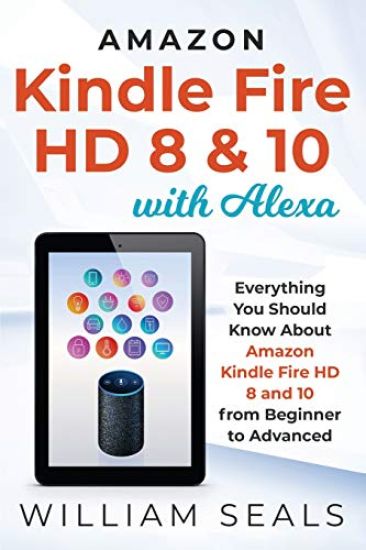
Amazon Kindle Fire HD 8 & 10 From Beginner To AdvancedThe book gives you the story of the Amazon Kindle Fire and how it evolved into what it is today with the latest of the Amazon Kindle Fire HD 8 and 10. It takes you from the inspiration and inception of the Kindle family line and how this branched out into the Kindle line: the Kindle Touch, the Kindle Keyboard, the Kindle DX, and finally to the Kindle Fire family which is the subject of this book. The original Kindle fire model was launched in September 2011 and became the first generation of this model. This evolved into three models: the Fire tablet, Fire HD, and Fire HDX. The Fire HD evolved into eight generations, changing in sizes and adding on features with each generation. You will be able to get to know your Kindle Fire with the description of its design, software, and reception. The latest generation of Fire HD 8 and 10 captures the market with its hands-free Alexa and Echo Show features. You may have these features from the same devices of other brands, but what beats the competition is Amazon's offer of affordable price. Once again, Amazon heads the market with the introduction of the Echo Show Mode. The Show Mode is designed to give you a rich visual experience, even when you glance on it from across the room. Another wonder added to the Fire HD tablets is Alexa - Amazon's digital assistant which interacts through voice commands. Alexa came with the Echo, but the two are distinct. The book briefly explains the relationship between Alexa and Echo and breaks down Alexa to give you a picture of how Alexa works. With Alexa on Fire HD 8 and 10, tasks become easy. You can create a hub with your Alexa on Fire Tablet, connecting other smart home devices using your voice as control. Home tasks become fast and convenient for you. Setting up and using Alexa on your Fire tablet is easy. The book presents an easy-to-follow guide to help you with the set up. In addition it is chockfull on information that should help you get the most out of your Amazon Kindle Fire devices.Here is what you will find inside: Tracing the Evolution of the Amazon Kindle FamilyThe Best of Fire HD 8 and 10What You Need to Know to Set Up and Navigate your Fire HDHow to Access and Manage your Fire HD DeviceThe Fire HD Accessibility Features and How to Use ThemAn Easy to Follow Guide to Master AlexaKnow your Alexa and the Amazon Echo FamilyWhat You Need to Know About Your Echo Show and the Echo Show ModeThe Benefits of the Fire HD Kids EditionWhat You Need to Know About Amazon PrimeTips and Tricks You Can Do on Fire HD TabletsTroubleshooting Common Issues on Your Fire HD TabletAnd Much, Much More...Get Your Copy Right Now
Cryptocurrency For Beginners If you are reading this, you have probably already heard about the big cryptocurrency price boom that happened in 2017. If you are like most people who are outside for the cryptocurrency loop, you are probably wondering why it happened. Why is the investing market going gaga over this new technology? Are cryptocurrency and the blockchain (its underlying technology) really the way of the future? Most importantly, how do these emerging technologies affect you? This book aims to answer these questions for you. It covers the most basic topics like what blockchain is and what cryptocurrencies are. It also talks about the events that happened since the inception of cryptocurrency in the late 90s and 2000's, up until now. In addition there are steps that you can take if you want to take part in the cryptocurrency market as a trader, a miner or a user. Knowing the different roles that you can take in the currency market is essential in getting a bird's eye view of the entire industry. Regardless of what the experts are saying, cryptocurrencies are here to stay. People are rooting for these new forms of currencies to succeed and they are showing their support by investing in them. By learning all about them, you will be able to make an informed decision on whether you want to take part in this industry or not. Here is what you will find inside: What is Cryptocurrency And How Does It Work?The Technology Under The HoodHow Do Cryptocurrencies Affect You?How To Start With CryptocurrenciesMost Popular CryptocurrenciesHow To Trade CryptocurrenciesWhy Is The Price So VolatileThe Dark Side Of The Cryptocurrency MarketThe Current State Of The MarketAnd Much, Much More...Get Your Copy Right Now
Amazon Fire Stick From Beginner To Advanced The Amazon Fire Stick is one of the latest electronics streaming devices. From the time it was launched in 2014, it now evolved into its second generation with improvements and added features. It may be one of many similar products, but what takes you to the next level of entertainment experience are the new features, services and easy access to a host of movies, TV shows, music, and many more. The Amazon fire stick's attraction lies in its apps which expand its contents and boost the stick's capacity to provide a variety of functionalities. The fire stick, with its wireless portability, is not only your entertainment companion, but an e-commerce personal assistant that makes e-shopping effortless and convenient. You can do almost anything you want anywhere you are at any time you want. With the fire stick, you can: Watch movies which you can access from Amazon's library through the Amazon Prime, or from other third-party providers like NetflixUse voice search on TV with Alexa voice controlDigital signage on your TVShare photos on your TV screenConnect to games on TVListen to musicConnect to YouTubePlay games on TVAll these functions are given to you through the varied services contained in the Amazon Fire Stick. The streaming services offered through the Fire Stick enables the upload of various entertainment, information, and e-commerce applications and extra features, such as: Alexa - the voice-control system which gives you your virtual personal assistant: Amazon Echo - the sensitive speaker companion of Alexa that makes it possible for you to interact with Alexa hands-free.The Echo Family - which broadens your Echo experience and brings it to greater heights with its specific functionalities, and for which you will be grateful for its practical use: The Echo Dot; Echo Show; Echo Plus; Echo Spot; Echo Look; Amazon TapAmazon Video, Amazon Prime Video, and Amazon Channels - streaming services with distinct functions catering to the different preferences of usersAmazon Household and sharing capabilities which gives the family members the opportunity to experience the Amazon Fire Stick's contents and benefits togetherPrime Photos and Personal Videos - fun and memories which you can share and store in an unlimited storage capacity provided by your Amazon Fire Stick Prime Music - an extra feature offered by the Amazon Fire Stick which gives you ads-free access to millions of songs organized under the Prime Playlists and customized Prime Stations with no extra expenseTwitch Prime - the latest gaming service of Amazon for avid gamers with extra gaming benefits.The Amazon Fire Stick is a repository of all your favorite contents. It serves as a portal to a host of Amazon products and services, so much so that you don't have to leave your house for your needs. As a portal, the fire stick guides you to where you want to go or what you want to do to satisfy your specific requirements. You will find the Fire Stick more enjoyable with the Alexa voice control, which is able to follow your commands by speaking to its companion Echo, the smart speaker. It also explains the different functionalities of applications you can download, the extra features offered by the Amazon Fire Stick, how to set up Fire Stick and its different applications, and how to make use of these apps. Get Your Copy Right Now
Amazon Echo Dot For Beginners Getting a new Amazon Echo Dot is absolutely exciting If you got it as a gift; then lucky you. You can say that Amazon decided that you don't need just one Echo device in the home - you need at least ten (I'm not suggesting that you get that many though). Take note however that most of the information contained in this book is for the Amazon Echo Dot 2nd generation. This book will walk you through the Echo Dot setup process, which is actually pretty easy. It will then show you how to connect it to your smart appliances like your door locks, TV, speakers, smart cameras, and pretty much anything that connects to it. You'll also learn the commands that you can use and the other soft features of this product. In addition we'll cover how to setup your own smart home and how you can use your Echo Dot to control various appliances or entire groups of appliances. You will also learn about scenes as well as a growing list of skills that Alexa is acquiring (yep, she's getting new ones every time), which skills are the best or most useful, and how to use them. Then we'll look into some of the most common issues experienced by Echo Dot owners. Of course, we'll go over the steps so you can fix them. The goal here is to help you get comfortable with the Amazon Echo Dot and maximize its use inside the home. So, grab your Amazon Echo Dot and let's get started Here is what you will find inside: Amazon Echo Dot - The Evolution BeginsHello AlexaGetting Started With The Amazon Echo DotUsing the Alexa RemoteConnecting Your Echo DotAlexa's Operational BasicsGetting Things Done With AlexaAlexa's Easter EggsAlexa And Her Growing Number Of SkillsWorking With Smart Home DevicesSetting Up an Alexa Smart HomeTroubleshooting Common ProblemsAnd Much, Much More...Get Your Copy Right Now
Amazon Echo From Beginner To Advanced If you're planning to buy one or you're just about to unbox one right now, this guide is perfect for you. This revolutionary piece of technology isn't just a speaker. It's a lot of other exciting things that could make your life easier. Initially compared to other wireless speakers, the Amazon Echo was designed to do more than that. With the millions of Amazon customers with various devices at their disposal, Amazon found a way to harmonize a fully-digitized lifestyle with this product. If you're already familiar with the notion of wireless speakers, the Echo most certainly fits into that category. But what makes this device so special isn't its capacity to work as a speaker. This device can do so much more with the right instruction; which you'll be getting from this manual. In line with that, please read this manual from start to finish. This is because this manual has been designed with the complete beginner in mind. From the start, you'll learn what an Amazon Echo is and why it's so popular and useful. From there, you'll learn how to use it on its own. Then, you'll complement that knowledge with skills. This is followed by an introduction to smart device and smart home integration. Each chapter is designed to ease you into the next. You'll be an Amazon Echo and Alexa expert in no time Here is what you will find inside: What Is The Echo?Standalone Echo UsageSkillsIFTTT IntegrationSmart Home IntegrationTroubleshooting And CareAnd Much, Much More...Get Your Copy Right Now
Amazon Echo For BeginnersWhen Amazon finally launched Echo, everyone has basically the same sentiments-it indeed is a hint of what the future holds. It solidifies the notion that there is indeed great things you can do with a smart home, which Echo and Alexa has made possible. There are so many things you can do with the device, and this book you will find out about the Amazon Echo and its features. This book is all about the Amazon Echo and the Alexa. However, you will also learn something about the related devices such as the Amazon Echo Dot and the Amazon Tap. You'll learn about how Amazon Echo works. You will also learn about the functionalities of other similar devices. We'll start by giving you some insight on the history and early days of the device as well as a brief overview of its operation and services, just so you'd have an idea of just how it's supposed to work. You'll also get an idea on the implications of its usage and further development of the technology. And because the Amazon Echo is not perfect, we'll also tell you about the limitations and common issues and concerns that users have when using the device. If you have just purchased the Amazon Echo and you have no idea on how to use it, this book is especially recommended. It is written with beginner users in mind. It contains vital information about the manufacture of the Amazon Echo, the features of the device, and the things that you can try with it. Furthermore, this book gives you detailed and easy to follow instructions to help you make the most of your Amazon Echo. It tells you how you can set up the device and what commands you can use on it. It also tells you about the differences between the Amazon Echo, Amazon Echo Dot, and Amazon Tap. Here is what you will find inside: What Is the Amazon Echo?Setting It UpAlexa SupportAmazon Echo IssuesFun Things To Try With AlexaMusic And MediaNews, Weather, And TrafficShoppingAnd Much, Much More...Would You Like To Know More?Scroll to the top of the page and click the buy button now.