Kirjojen hintavertailu. Mukana 12 248 219 kirjaa ja 12 kauppaa.

Kirjailija

Michael Miller

Kirjat ja teokset yhdessä paikassa: 88 kirjaa, julkaisuja vuosilta 1979-2026, suosituimpien joukossa Space Weapons, Earth Wars. Vertaile teosten hintoja ja tarkista saatavuus suomalaisista kirjakaupoista.

88 kirjaa

Kirjojen julkaisuhaarukka 1979-2026.

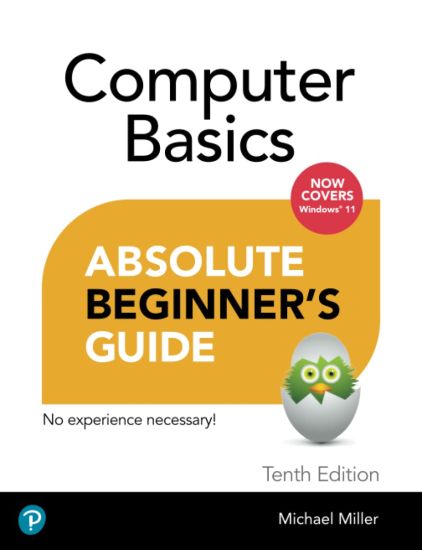
Computer Basics Absolute Beginner's Guide, Windows 11 Edition
Make the most of your Windows 11 laptop or desktop computer--without becoming a technical expert! This book is the fastest way to get comfortable, get productive, get online, get started with social networking, make more connections, and have more fun! Even if you've never used a Windows computer before, this book shows you how to do what you want, one incredibly clear and easy step at a time. Computer basics have never, ever been this simple! Who knew how simple using computers could be? This is today's best beginner's guide to using your computer or tablet with the Windows 11 operating system...simple, practical instructions for doing everything you really want to do! Here's a small sample of what you'll learn: * Set up your computer and personalize the Windows 11 Start menu and desktop * Connect to the Internet and browse the Web with Microsoft Edge * Get started with social networking on Facebook, Twitter, Pinterest, and LinkedIn * Video chat with Zoom and Microsoft Teams * Use Windows 11's built-in apps--and find great new apps in the Microsoft Store * Connect printers and external storage * Connect to a home wireless network or public Wi-Fi hotspot * Go online to shop and sell--including ordering food and groceries online * Get work done quickly with Microsoft Office * Organize, view, and share photos * Listen to streaming music with Pandora and Spotify * Watch streaming movies and TV shows with Amazon Prime Video, Disney+, HBO Max, Hulu, Netflix, and more * Protect yourself against viruses, spyware, and spam
My Windows 11 Computer for Seniors

My Windows 11 Computer for Seniors

Michael Miller

PEARSON EDUCATION (US)
2022
nidottu
My Windows 11 Computer for Seniors Easy, clear, readable, and focused on what you want to do Step-by-step instructions for the tasks you care about most Large, full-color, close-up photos show you exactly what to do Common-sense help whenever you run into problems Tips and notes to help you do even more Over the years, you've learned a lot. Now, learn Windows 11! We've brought together all the Windows 11 skills you need to stay connected and safe, express your creativity, find new passions, and live a better, healthier life. Our crystal-clear instructions respect your smarts but never assume you're an expert. Big, colorful photos on nearly every page make this book incredibly easy to read and use! * Get started with Windows 11, whether you're experienced with computers or not* Learn all that's new and different in Windows 11, including the new taskbar and Start menu* Reliably connect to the Internet, both at home and away* Explore the Web with the Microsoft Edge browser and Google Search* Make and receive video and voice calls with Microsoft Teams and Zoom* Send and receive email with the Windows Email app* Shop safely online and avoid online scams* Find, install, and use the best Windows apps* Connect your phone to your PC to text, make calls, and share photos* Stay connected with friends and family on Facebook, Pinterest, and Twitter* Store, touch up, and share your pictures* Keep track of all your files and folders* Watch streaming TV shows and movies and listen to streaming music on your PC* Configure Windows 11 to work better for those with vision and physical challenges* Fix common PC problems and manage Windows updates
My iPad for Seniors (Covers all iPads running iPadOS 15)
Covers all iPads running iPadOS 15 Easy, clear, readable, and focused on what you want to do. Step-by-step instructions for the tasks you care about most Large, full-color, close-up photos show you exactly what to do Common-sense help whenever you run into problems Tips and notes to help you get the most from your iPad Full-color, step-by-step tasks walk you through getting and keeping your iPad working just the way you want. Learn how to Discover all the new features of iPadOS 15Wirelessly connect to and browse the Internet, at home or awayPersonalize the way your iPad looks and works--including adding widgets to the Home screenMake your iPad easier to use if you have trouble seeing or tapping the screenUse Siri voice commands to control your iPad and find useful informationCommunicate with friends and family via email, text messaging, and FaceTime and Zoom video chatsShoot, share, and view photos and videosListen to streaming music and watch streaming movies and TV shows onlineConnect and use the Apple Pencil, external keyboards, trackpads, and miceUse iCloud to store and share your photos and other important data onlineTroubleshoot common iPad problems
The Solitude of Memory

The Solitude of Memory

Michael Miller

Passager Books
2021
nidottu
THE SOLITUDE OF MEMORY is Michael Miller's 12th collection of poems. As a young man, Miller followed in his family's belief in the importance of serving one's country and became a Marine, where he was faced with the cruelty of war. Now, at age eighty, Miller focuses this new volume on three themes that permeate his poetry as an older man--love, blindness, and war. A life-long poet, his work continues to reflect a sensibility that values tenderness and love. Poetry.
A Boy in the City

A Boy in the City

Michael Miller

Blue Light Press
2021
pokkari
A Boy in the City is a masterful poetic sequence and a testament of the human spirit. It is written in the best of what is "the American grain." Philip Roth comes to mind, in his exhibition of tenderness as comic relief, when Michael Miller's "boy" finds his grandmother's corset; or when that same child touches his "right side," asking "God to keep/ My appendix whole," after he loses his mother, who wasn't "supposed to die/ From a ruptured appendix." More so, this sequence is also a significant homage and elegy to the Brooklyn Bridge, and is not dissimilar from Hart Crane's masterpiece, The Bridge. In Michael Miller's poem, we traverse the span where we feel both the bridge's reverberation and the poem's sheer resonance: "I stopped in the center/ Of the bridge, its cables/ The links of consistency/ Its curvature a graft/ Of the eternal." And as in Walt Whitman's work, Michael Miller's poetry evinces both loss and healing.- Wally Swist, author of Taking Residence Poetry is an ocean into which all sorts of rivers enter, like boisterous guests. One of literature's obsessions is childhood. We all know Huckleberry Finn and Holden Caulfield, the only real difference is their surroundings. They are intrigued by two things, the world and themselves, but they are fascinating because they think about and explore what we realize we should be doing. Michael Miller looks back, way back. He is experienced enough to know the world he writes about is gone, and then he brings it back to life. He is one of those poets who demand re-reading as soon as you finish reading, and the effect is stimulating. There is the dissemblance of adolescence, and some deaths, and all you can think of is the taste in your mouth of your first strawberry. Yes, that's what poetry does. - Daniel J. Langton, author of Personal Effects Professor Emeritus, San Francisco State UniversityAbout the Author Michael Miller's poems have appeared in The Kenyon Review, The Sewanee Review, The Southern Review, Raritan, The Yale Review, and other journals and books. He lives in Amherst, Massachusetts.
Unfinished Lives

Unfinished Lives

Michael Miller

Pinyon Publishing
2021
pokkari
Poems of family, stories, lives in progress, reflection, nature. From hummingbirds to herons, from Ireland to Boston, the stories and the poems revolve and evolve."I read Michael Miller's poems with great pleasure in their accurate seeing, their assured phrasing, their true and proportionate feeling."-Richard Wilbur
My Video Chat for Seniors

My Video Chat for Seniors

Michael Miller

Addison Wesley
2021
nidottu
Full-color, clear, and readable tasks show you how to get the most out of Zoom and other video chat platforms. Step-by-step instructions that show you exactly how to host and participate in video chats with friends and family. Help when you have specific questions. Tips and notes to help you get the most from your video chats. Learn how to Use video chat to keep in touch with friends, family, and co-workersDiscover the differences between the most popular video chat platforms: Apple FaceTime, Facebook Messenger, Google Duo, Google Meet, Microsoft Teams, Skype, WhatsApp, and ZoomChoose the right video chat platforms for all your needsVideo chat on a variety of devices--Android and Apple phones and tablets, as well as Mac, Windows, and Chromebook computersParticipate in one-on-one and group video chats--and host your own chatsImprove your video chats with useful accessories, such as lights and microphonesUse Zoom advanced features, including virtual backgroundsVideo chat with smart displays such as the Amazon Echo Show, Facebook Portal, and Google Nest Hub MaxUse video chat for large events such as birthday parties, neighborhood meetings, and business conferencesKeep your video chats safe and private
My iPad for Seniors (covers all iPads running iPadOS 14)
Covers All iPads Running iPadOS 14 Easy, clear, readable, and focused on what you want to do. Full-color, step-by-step tasks walk you through getting and keeping your iPad working just the way you want. Learn how to Discover all the new features of iPadOS 14Wirelessly connect to and browse the Internet, at home or awayPersonalize the way your iPad looks and works--including Dark ModeMake your iPad easier to use if you have trouble seeing or tapping the screenUse Siri voice commands to control your iPad and find useful informationCommunicate with friends and family via email, text messaging, and FaceTime and Zoom video chatsShoot, share, and view photos and videosListen to streaming music and watch streaming movies and TV shows onlineConnect and use the Apple Pencil, external keyboards, trackpads, and miceUse iCloud to store and share your photos and other important data onlineTroubleshoot common iPad problems
Cyberspies: Inside the World of Hacking, Online Privacy, and Cyberterrorism
The news is filled with stories of data breaches at companies and of threats to national security as hackers interfere with elections. It's more important than ever for internet users to know how to maintain their privacy online. The digital world has become inescapable, and to be a responsible digital citizen, it is necessary to be aware of the threats to your online privacy and security. This book looks at the legal and illegal forms of cyberspying, goes behind the scenes to explore career paths in cyberintelligence, and looks at the digital threats of cyber propaganda, fake news, cyberterrorism, and threats to the US government and individuals. Readers will learn tools to keep themselves safe and protect their privacy, as well as tips for what to do if they are attacked online, and a final chapter looks at how digitally savvy teens can prepare for a career in cyberintelligence.
My TV for Seniors

My TV for Seniors

Michael Miller

Addison Wesley
2020
nidottu
Easy, clear, readable, and focused on what you want to do. Step-by-step instructions that show you exactly how and where to watch what you want to watch. Help when you have specific questions. Tips and notes to help you get the most from local, cable, satellite, and streaming TV. Full-color, step-by-step tasks walk you through watching TV today on a variety of devices--and saving money doing so. Learn how to Cut the cable and satellite cordSave money on your cable or satellite TV billWatch local TV stations for freeChoose the best TV and streaming media player for youConnect and use an Amazon Fire TV, Apple TV, or Roku streaming media playerWatch Amazon Prime Video, CBS All Access, Disney+, HBO Max, Hulu, Netflix, Peacock, and other streaming video servicesWatch live streaming video services like AT&T TV, fuboTV, Hulu + Live TV, Sling TV, and YouTube TVFind where to best watch sporting eventsGet a better picture with HD, 4K, 8K, and HDRGet better sound with a sound bar or surround
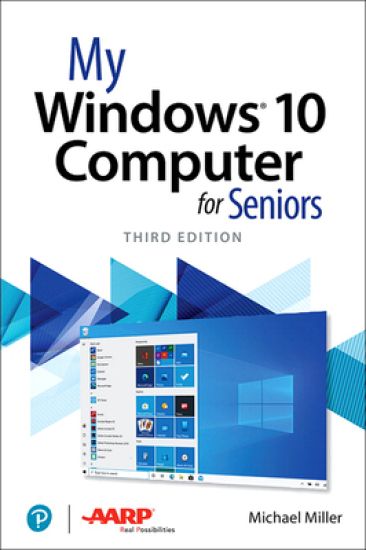
My Windows 10 Computer for Seniors

My Windows 10 Computer for Seniors

Michael Miller

Addison Wesley
2020
nidottu
My Microsoft Windows 10 Computer for Seniors is an easy, full-color tutorial on the latest operating system from Microsoft. Veteran author Michael Miller is known for his ability to explain complex topics to everyday readers. Michael wrote this book from the 50+ point of view, using step-by-step instructions and large, full-color photos to cover all the most popular tasks. Miller will help you learn to: • Get started with Windows 10, whether you’re experienced with computers or not • Configure Windows 10 to work better for those with vision and physical challenges • Explore the web with Microsoft’s Edge browser and Google Search • Find, install, and use the best Windows apps • Reliably connect to the Internet, both at home and away • Shop safely online and avoid online scams • Make and receive video and voice calls with Skype • Connect your phone to your PC to text and make calls • Stay connected with friends and family on Facebook, Pinterest, and Twitter • Store, touch up, and share your pictures • Send and receive email with Windows 10’s Email app • Keep track of all your files, and back them up safely • Watch streaming video on your PC with Disney+, Netflix, YouTube, and more • Discover great new music with Spotify and Pandora • Fix common PC problems, and manage Windows updates
The Lyme Disease Handbook

The Lyme Disease Handbook

Michael Miller

1551541
2020
pokkari
Critically ill for six years, I finally discovered that Lyme Disease was the problem. Using a special formulated herbs remedy mix I quickly cured myself. Knowing about natural treatment and symptoms help to determine a herbal cure. Know the symptoms; such as depression, ms, arthritis.
My iPad for Seniors

My iPad for Seniors

Michael Miller

Addison Wesley
2020
nidottu
Covers All iPads Running iPadOS 13 Easy, clear, readable, and focused on what you want to do. Full-color, step-by-step tasks walk you through getting and keeping your iPad working just the way you want. Learn how to Discover all the new features of iPadOS 13Wirelessly connect to and browse the Internet, at home or awayPersonalize the way your iPad looks and works–including the new Dark ModeMake your iPad easier to use if you have trouble seeing or tapping the screenUse Siri’s voice commands to control your iPad and find useful informationCommunicate with friends and family via email, text messaging, and FaceTime video chatsShoot, share, and view photos and videosListen to streaming music and watch streaming movies and TV shows onlineConnect and use the Apple Pencil and Smart KeyboardUse iCloud to store and share your photos and other important data onlineTroubleshoot common iPad problems
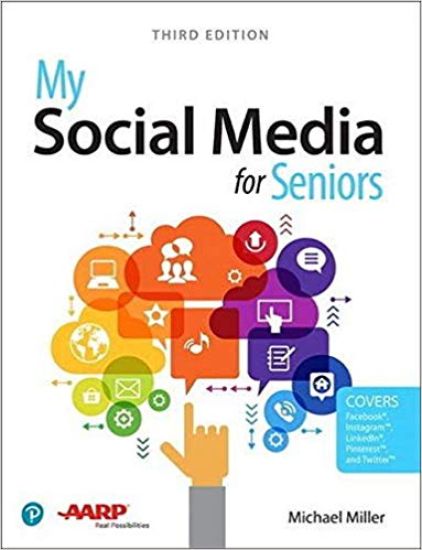
My Social Media for Seniors

My Social Media for Seniors

Michael Miller

Addison Wesley
2019
nidottu
My Social Media for Seniors Step-by-step instructions for the tasks you care about most Large, full-color, close-up photos show you exactly what to do Common-sense help whenever you run into problems Tips and notes to help you along the way Learn how to get the most out of social media! We’ve identified the essential skills you need to stay connected with the people you care about; reconnect with old friends and classmates; and share your life with loved ones near and far. Our crystal-clear instructions respect your smarts but never assume you’re an expert. Big, colorful photos on nearly every page make this book incredibly easy to read and use! · Learn the pros and cons of social media and how to use it safely · Find out what to share–and what not to share–on social media · Distinguish between fake news and real news online · Use social media to find friends, family, schoolmates, and co-workers · Keep in touch with friends and family on Facebook® · Save and share interesting images on PinterestTM · Connect with people and businesses on LinkedIn® · Tweet and retweet on TwitterTM · Share photos on InstagramTM · Use Skype to participate in video chats with friends and family members
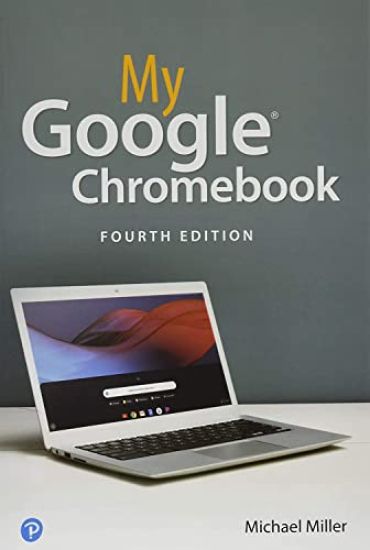
My Google Chromebook

My Google Chromebook

Michael Miller

Addison Wesley
2019
nidottu
Step-by-step instructions with callouts to Google Chromebook photos that show you exactly what to do Help when you run into Chromebook problems or limitations Tips and Notes to help you get the most from your Chromebook Full-color, step-by-step tasks walk you through doing exactly what you want with your Chromebook. Learn how to Set up and configure your new Chromebook Personalize your Chromebook’s desktop and other settings Use your Chromebook with the touchpad, keyboard, or touchscreen Browse and search the Web with the Google Chrome browser Manage your files wherever they’re stored: on your Chromebook, on an external drive, or in the cloud Find great new Chrome and Android apps in the Google Play Store Strengthen privacy with Incognito Mode and Google’s privacy settings Watch streaming TV shows and movies with Netflix, Hulu, and Amazon Prime Video Listen to streaming music with Pandora, Spotify, and Google Play Music View and fix photos with Google Photos Print from anywhere with Google Cloud Print Send, receive, read, and manage email through Google Gmail Get productive with Google Docs, Sheets, and Slides Use your Google Chromebook for education Optimize Chromebook performance and battery life Troubleshoot and recover from problems