Kirjojen hintavertailu. Mukana 12 595 353 kirjaa ja 12 kauppaa.

Kirjailija

Nick Vandome

Kirjat ja teokset yhdessä paikassa: 74 kirjaa, julkaisuja vuosilta 2009-2026, suosituimpien joukossa AI for Seniors in easy steps. Vertaile teosten hintoja ja tarkista saatavuus suomalaisista kirjakaupoista.

74 kirjaa

Kirjojen julkaisuhaarukka 2009-2026.

Laptops for Seniors in easy steps

Laptops for Seniors in easy steps

Nick Vandome

In Easy Steps Limited
2022
nidottu
Laptops are an excellent option for seniors: they can be used anywhere, and with wireless technology, to surf the web and to keep in touch. This 8th edition of Laptops for Seniors in easy steps will help you get started and then show you how to get more from Windows 11:Master the new Windows 11 interface.Explore apps for fun and for functional tasks. Use MS Teams for video chatting with friends and family, and those essential contacts. Set widgets of interest and stay up-to-date. Enjoy online shopping, watching movies and TV, editing and sharing photos, and more. Share your laptop without giving up privacy. Learn the new computer health check options and keep your laptop in tiptop condition. Even shows how to avoid ergonomic injuries while using your laptop so that you can enjoy your new laptop for a long time!Presented in larger type than our standard books, for easier reading.
Android Phones for Seniors in easy steps

Android Phones for Seniors in easy steps

Nick Vandome

In Easy Steps Limited
2022
nidottu
Android Phones for Seniors in easy steps, 3rd edition unravels the world of Android smartphones. It provides an overview of the popular models, and then shows how to:Customize your phone to suit your needs.Master the Home screen and key apps. Keep in touch via phone and video calls, texts, email, and social media. Command your phone to search for anything on your phone or on the web, using the keyboard or the voice assistant. Find apps to take, edit and share photos; listen to and manage music; watch videos; read ebooks; get healthy and fit; and more! Use the new Focus mode to take control and not get disturbed when resting except for emergency calls or updates. Invaluable for all Android phone newbies!Covers Android phones using Android version 10 Nougat.
Windows 11 in easy steps

Windows 11 in easy steps

Nick Vandome

In Easy Steps Limited
2021
nidottu
Windows 11 is a major evolution of the Windows operating system, and Windows 11 in easy steps will guide you through discovering the key features and functions. In concise language, this best-selling guide takes you through the essentials, a step at a time. Areas covered include:The new Desktop, Start button and Start menu.Customizable widgets that display real-time information such as newsfeeds and weather. The Microsoft Teams Chat app and the Mail app to keep in touch for work, and with friends and family. Using Android apps on Windows 11. Snap layouts for displaying and managing multiple apps within a single screen. Keeping your files organized, and keeping Windows running in tip-top condition. Ideal for those who want to grasp the essentials quickly and easily. Suitable for Seniors and Windows newbies as well as those upgrading to the new version. Covers Windows 11 on desktop and laptop computers.
macOS Monterey in easy steps

macOS Monterey in easy steps

Nick Vandome

In Easy Steps Limited
2021
nidottu
macOS Monterey (macOS 12) is the latest version of the powerful operating system for Apple Mac computers. macOS Monterey in easy steps is the latest edition of this acclaimed guide that’ll help you get more from your Mac. It covers: Getting around your Mac, iMac or MacBook and setting it up to suit the way you work.Apps to help with everyday tasks and for entertainment and communication. Backing up, security and maintenance. Key new features in macOS Monterey: the upgraded FaceTime app for sharing music and movies when on a FaceTime call; Quick Notes for making notes directly from other apps; Focus to control your notifications to avoid distractions when working or dining; enhanced Safari, Messages and Maps apps, and more! Ideal for newcomers to the stylish world of Apple Macs and for those seeking to get more from their Mac computer.
iPad for Seniors in easy steps

iPad for Seniors in easy steps

Nick Vandome

In Easy Steps Limited
2021
nidottu
The iPad is a tablet computer that is stylish and versatile, and popular with all ages. iPad for Seniors in easy steps, 11th edition is updated to cover iPadOS 15. Written in larger type, it’ll help senior folks learn and enjoy the myriad of iPad features at ease:Choose the right model for you; master Multitouch gestures; and customize the iPad for your needs.Use your iPad to keep in touch with family and friends. Make video calls and send messages for free; take and share photos.Shop and order food and more online; take a virtual tour of your favorite art galleries and museums; plan and book your trips. Explore Focus, multitasking, App Library and other new and enhanced features in iPadOS 15, and make the most of your new device!
Video Chatting for Seniors in easy steps

Video Chatting for Seniors in easy steps

Nick Vandome

In Easy Steps Limited
2021
nidottu
Video Chatting for Seniors in easy steps enables readers to fully embrace the world of video chatting - including Zoom, FaceTime, Skype, and Facebook Messenger. Written with the Senior reader in mind and presented in larger type for easier reading. In the digital world there is sometimes one event that can propel a technology to the forefront of the public's awareness. In the case of video chatting this has been the Covid-19 pandemic. Video chatting has been used, in one form or another, for many years, but it was not until the pandemic that it became an invaluable tool for millions of people around the world, for keeping in touch with family and friends. As with most forms of popular technology, there are a number of elements to consider to successfully engage with the video chatting revolution. These include: The different devices that can be used for video chatting. Getting connected for video chatting, both at home using Wi-Fi, and mobile connections for when you are out and about. Video chatting apps that provide the means to communicate with family and friends. Video Chatting for Seniors in easy steps is the ideal companion to help you navigate the expanding world of video communication, covering the following areas: Finding the right equipment for successful video chatting. Following good etiquette so that your video chats go as smoothly as possible. Getting set up with your video chatting apps. Undertaking video chats with individuals and groups. Using text chat to enhance the video chatting experience. Making audio calls using video chatting apps. A detailed look at the most popular video chatting apps: Zoom; FaceTime; Skype; and Facebook Messenger. Looking at other video chatting apps, to expand the possibilities for communicating with family and friends. Video chatting on a range of digital devices is very much here to stay and, with Video Chatting for Seniors in easy steps by your side, you will be able to fully embrace it and be communicating like an expert with sound and vision.
Microsoft Teams in easy steps

Microsoft Teams in easy steps

Nick Vandome

In Easy Steps Limited
2021
nidottu
Microsoft Teams in easy steps is the perfect guide to understanding Teams and becoming a fully-integrated team player. Evolving digital communication, and the way workers use it to interact with each other, is a constant feature of the workplace. However, the Covid-19 pandemic has dramatically altered the way that millions of people around the world work, and this has led to a considerable rise in the number of people using remote working options such as collaborative software and video communication. Microsoft (MS) Teams has emerged as one of the most powerful and flexible tools for linking workers in an organization, whether they are in an office environment or working remotely. Teams can also be used in a school or higher education setting if students have to access classes remotely. Teams can be used to create dedicated groups of people (teams), who can then interact with each other on specific subjects. This interaction can include text chats, video calls, document sharing and even knowledge Wikis. MS Teams is a comprehensive work tool and at first sight it can seem somewhat daunting. However, Microsoft Teams in easy steps is the perfect guide to understanding Teams and becoming a fully-integrated team player. The book looks at all of areas of using Teams, including: Obtaining Teams Learning the Teams interface Getting started with creating and joining teams Expanding the functionality of Teams with the use of Channels Using Chat to communicate with colleagues Joining and scheduling meetings Using video to communicate with individuals and groups Sharing documents for a fully collaborative experience with Teams Increasing the options within Teams through the use of apps Expanding the knowledge base of your organization with customized Wikis Microsoft Teams in easy steps is the book to help you keep up with the constantly evolving workplace, and ensure that you are not left behind in any aspect of a team-working environment.
macOS Big Sur in easy steps

macOS Big Sur in easy steps

Nick Vandome

In Easy Steps Limited
2020
nidottu
macOS Big Sur in easy steps is updated to cover the new Mac operating system macOS Big Sur (macOS 11). It is a concise guide that’ll get you up and running in no time, and then it’ll take you through the key features to help you use your Mac to do more. It covers:Multi-Touch navigation options for getting around in macOS Big Sur.Working with and managing your apps. Productivity tools on your Mac. Getting online with Safari, Mail and FaceTime. Enjoying a digital lifestyle with photos, music, TV shows, books, games, podcasts, and more. The invaluable iCloud function for backing up, sharing and continuing from different devices. Using Siri, Dynamic Desktop, and the new Control Center to make things even easier. Keeping your Mac working smoothly. Useful for new Mac users and upgraders. Get more from the stylish world of Apple computers!
MacBook in easy steps

MacBook in easy steps

Nick Vandome

In Easy Steps Limited
2020
nidottu
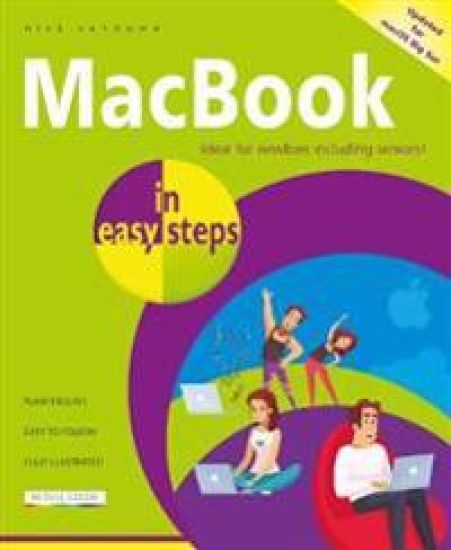
MacBook in easy steps, now in its seventh edition, illustrates all the clever and powerful features on this iconic device. Covering all MacBook models, it:Demystifies Mac jargon and MacBook versions, and will have you up and running in no time.Explains the Dock, Desktop, Finder, Launchpad, Touch Bar, and customizing your MacBook. Shows how to use and manage the new Control Center of useful widgets. Guides you through Safari, Mail, and discovering, downloading and using key apps. Covers Siri to vocally command your MacBook. Demonstrates the Universal Clipboard to access and continue working with your documents whilst on the move, with any Apple device. Reveals how to add other users, and use Family Sharing to share music, movies, books and more. Demonstrates iCloud and iCloud Drive, and how to keep your MacBook in tip-top condition! Ideal for anyone new to the MacBook, including Senior readers.
iPad for Seniors in easy steps

iPad for Seniors in easy steps

Nick Vandome

In Easy Steps Limited
2020
nidottu
The iPad is a tablet computer that is stylish, versatile and easy to use, and is one of the most popular tablets used by all ages. The range of models has been expanded over the years so that there are now different sizes to cover all mobile computing requirements. iPad for Seniors in easy steps, 10th edition gives you all the essential information you need to know to make the most out of your iPad: Choose the right model for you Navigate around with Multi-Touch gestures Customize the iPad for your needs Master Settings and apps to stay organized Find, download and explore exciting apps Use your iPad to make travelling stress-free Email, share photos and video chat for free Access and share your music, books and videos Stay in touch with family members Access your documents from anywhere Master Siri, and the new features in the latest version. A handy guide for any Senior new to the iPad, presented in larger type for easier reading.
Alexa for Seniors in easy steps

Alexa for Seniors in easy steps

Nick Vandome

In Easy Steps Limited
2020
nidottu
Smart speakers are becoming more and more common in the home. These are devices that use a voice-controlled digital personal assistant to perform a range of everyday tasks. One of the most popular of these is Alexa, which operates on the Amazon Echo smart speaker. Alexa for Seniors in easy steps shows the Senior reader how to use Alexa to help with everyday tasks, and to give you peace of mind and keep you safe, including: Setting reminders and alerts for: taking medication upcoming appointments paying bills daily/weekly/monthly household tasks calling relatives and friends birthdays and anniversaries - get Alexa to remind you to send cards and presents in time ...and anything else you need reminding about Making hands-free phone calls if you can't reach the phone Setting and controlling smart home devices like smart heating and smart lighting Getting the weather forecast, latest news, and sports results Playing music and listening to the radio Playing games Doing shopping online And much, much more! Alexa for Seniors in easy steps guides you through setting up your Alexa-enabled device, so you don't have to ask the kids! Presented in larger font for easy reading - in the familiar In Easy Steps style.
Photoshop Elements Tips, Tricks & Shortcuts in easy steps
Photoshop Elements Tips, Tricks and Shortcuts in easy steps not only offers a comprehensive guide to getting up and running with the software, but goes further: providing a wealth of detail in ways to progress to more advanced photo editing and also find some of the hidden secrets of the software. Although the book looks at some of the ways you can expand your photo editing exploits, it does not forget new users or anyone who wants to brush up on the basics. Areas covered include: Navigating around Elements and organizing images. Using Quick Wins and Guided edits to create special effects. Using Text and Drawing tools to add and edit text. Sharing photos in a range of formats, such as photo books or cards, and on social media. Key features such as Auto Curate, Artistic Overlays, opening closed eyes, adding watercolor, and replacing backgrounds in photos. New features including new Auto Creations, one-click subject selection, skin smoothing, new creative patterns and quickly removing unwanted objects. Layered images, reducing camera shake or haze, removing imperfections, creating impressive text, removing red-eye, and more. Photoshop Elements Tips, Tricks and Shortcuts in easy steps not only covers the latest version of the software: it can also be used with earlier versions too. It has something for everyone: an in depth introduction for new users, and a range of options for those who want to take their photo-editing to the next level. Throughout, there are over a thousand tips and handy hints so that you will feel like an Elements expert in no time. Covers versions for both PC and Mac users.
Smartphone Photography in easy steps

Smartphone Photography in easy steps

Nick Vandome

In Easy Steps Limited
2020
nidottu
Smartphone cameras have evolved from being useful for taking quick snapshots, to being powerful and sophisticated devices that, for many people, have replaced the need to use a separate camera. It is now possible to take high-quality photos, edit them and then share them in a variety of ways, all from your smartphone. Smartphone Photography in easy steps looks at all aspects of using your smartphone or tablet as a one-stop shop for all of your photographic needs. These include: Showing the functions and controls of smartphone cameras, so that you get the most of the available options. Using basic techniques so that you can feel confident using your smartphone camera in any photographic situation. Showing how to get the best compositions for your photos. Looking at lighting conditions to help take your photos to the next level. Becoming a portrait expert when taking photos of family and friends. Getting the best photos of the environment around you, including buildings and landscapes. Looking at the range of photo editing apps that are available for editing photos on smartphones and tablets. Showing the basic editing tips to improve your photos in a few taps. Detailing the range of options for improving the exposure and colors in your photos. Using creative techniques to give your photos a sense of fun and style. Showing how to share your photos in a variety of ways, such as directly to social media sites, and also printing them out at home with wireless printing. Smartphone Photography in easy steps reveals the exciting world of taking photos with your smartphone, and shows how to enhance them so that you can create memories of which you can be proud. Covers iPhones and Android phones.
100 Top Tips - Create Your Smart Home to Stay Safe and Save Money
Homes that contain devices that can be controlled by smart speakers, voice commands and apps are becoming a reality for an increasing number of people. What was once the stuff of science fiction is now firmly established as part of the real world and is easily accessible for anyone who wants to add an exciting new dimension to their home. 100 Top Tips - Create Your Smart Home to Stay Safe and Save Money contains tips covering all aspects of setting up and using smart home devices securely. These include: Setting up your home so that it is ready to be transformed into a smart home Ensuring that your home is flexible enough so that you have alternatives if smart devices do not work properly Using smart speakers (digital voice assistants) to create a digital companion in your home Linking smart speakers to your smart home devices so that they can communicate with each other Deploying smart lighting to take the ultimate control over the lighting systems in your home Installing smart heating to control your central heating and save money Making your home more secure with a range of smart security devices Cutting down the time spent on domestic chores by using devices such as robotic lawnmowers and robotic vacuum cleaners Enhancing entertainment options with robots and artificial intelligence (AI) devices Addressing security issues with smart home devices, to prevent other people gaining access to your smart home
Windows 10 in easy steps

Windows 10 in easy steps

Nick Vandome

In Easy Steps Limited
2019
nidottu
Windows 10 in easy steps, 5th Edition provides full-color and comprehensive coverage of the latest Windows operating system and shows how to get the most out of it, whether you are using a desktop computer or a mobile device. It details the new features and shows how these integrate with the more traditional elements of the operating system, including: Upgrading to Windows 10 and personalizing it for your needs. Getting to grips with the Windows 10 interface, navigating with the Start menu, the Start button, and the Taskbar. Customizing the live tiles feature, so that you can create your own look and feel. Accessing and downloading apps, and how to work with them and organize them. Working with files and folders, and using OneDrive for free storage and sharing files. Using Cortana, the Personal Digital Assistant, to search your computer or the web or to perform actions like opening apps or documents. Getting online with the web browser, Microsoft Edge, and keeping in touch by email and Skype. Perfecting photos, viewing movies, and playing music and games. It also covers the new features in the November 2019 Update, including: An updated Start menu that consists of one column, making it more streamlined. (This applies to new PCs and laptops with the September 2019 Update, or new user accounts that are created.) A new Light Theme to give the elements of Windows 10 a crisper look and feel. A greater range of options for how updates in Windows 10 are handled, giving you more control over the update process. It is now possible to uninstall a greater range of the built-in Windows 10 apps, if required. The Search box and the button for Cortana have been separated on the Taskbar. User accounts can be created so that they can be unlocked without a password, but are just as secure. Windows 10 is one of the most significant upgrades in Microsoft's history and Windows 10 in easy steps, 5th Edition is ideal for newbies and for those wanting to quickly grasp the essentials in the November 2019 Update.
macOS Catalina in easy steps

macOS Catalina in easy steps

Nick Vandome

In Easy Steps Limited
2019
nidottu
macOS Catalina in easy steps covers the latest operating system that runs the sophisticated Mac desktop and laptop computers. This concise guide will get you up and running in no time, and then it’ll take you through the key features to help you use your Mac to do more. It covers:Multi-Touch navigation options for getting around in macOS Catalina.Working with and managing your apps. Productivity tools on your Mac. Getting online with Safari, Mail and FaceTime. Enjoying a digital lifestyle with photos, music, TV shows, books, games, podcasts, and more. The invaluable iCloud function for backing up, sharing and continuing from different devices. Using Siri, Dynamic Desktop and Dark Mode to make things even easier. Keeping your Mac working smoothly. Get more out of your Mac, Mac mini, Mac Pro or MacBook with minimum time and effort!
iPad for Seniors in easy steps

iPad for Seniors in easy steps

Nick Vandome

In Easy Steps Limited
2019
nidottu
The iPad is a tablet computer that is stylish, versatile and easy to use, and is one of the most popular tablets used by all ages. The range of models has been expanded over the years so that there are now different sizes to cover all mobile computing requirements.iPad for Seniors in easy steps, 9th edition gives you all the essential information you need to know to make the most out of your iPad: Choose the right model for youNavigate around with Multi-Touch gesturesCustomize the iPad for your needsMaster Settings and apps to stay organizedFind, download and explore exciting appsUse your iPad to make travelling stress-freeEmail, share photos and video chat for freeAccess and share your music, books and videosStay in touch with family membersAccess your documents from anywhereMaster Siri, and the new features in iPadOS 13.A handy guide for any Senior new to the iPad, presented in larger type for easier reading. Covers all iPads with iPadOS 13, including iPad mini and iPad Pro
100 Top Tips - Create Great Photos Using Your Smartphone
100 Top Tips - Create Great Photos Using Your Smartphone contains tips covering all aspects of capturing, displaying and sharing photos on your phone. These include: Finding and using your phone's camera settings so you can set up the camera exactly as you want Using basic techniques that can instantly help you capture stunning photos Looking at ways to improve the composition of your photos Utilizing lighting conditions to get the best photos Creating stunning portraits of family and friends Releasing your artistic side with a range of creative options Viewing buildings and architecture in a new way, to get the most effective photos Capturing iconic shots of famous landmarks Editing photos on your phone and also downloading them to a computer for more sophisticated editing to make them stand out from the crowd Making sure your photos are safely backed up for safe keeping and sharing them with family and friends 100 Top Tips - Create Great Photos Using Your Smartphone will help the reader to capture eye-catching photos of a variety of subjects and in a range of lighting conditions.
100 Top Tips - Stay Safe Online and Protect Your Privacy
100 Top Tips - Stay Safe Online and Protect Your Privacy contains tips covering all aspects of staying as safe as possible in the online world. These include: Detailing the types of threats that are out there Ensuring that passwords for all of your devices are as secure as possible Identifying and avoiding common online scams and cons Staying protected when using websites Dealing with threats that can be contained within emails Looking at general social media security threats Understanding security issues related specifically to Facebook Protecting yourself against identity theft Keeping your money safe when using online banking Using security options to keep children safe in the online world With 100 Top Tips - Stay Safe Online and Protect Your Privacy at your side, you will be one step closer to protecting yourself from the ongoing threats in the online world.