Kirjojen hintavertailu. Mukana 12 595 353 kirjaa ja 12 kauppaa.

Kirjailija

Nick Vandome

Kirjat ja teokset yhdessä paikassa: 74 kirjaa, julkaisuja vuosilta 2009-2026, suosituimpien joukossa AI for Seniors in easy steps. Vertaile teosten hintoja ja tarkista saatavuus suomalaisista kirjakaupoista.

74 kirjaa

Kirjojen julkaisuhaarukka 2009-2026.

Microsoft 365 in easy steps

Microsoft 365 in easy steps

Nick Vandome

In Easy Steps Limited
2026
pokkari
Whether you are upgrading to Microsoft 365 from a previous version or using it for the very first time, Microsoft 365 in easy steps, 2nd edition will take you through the key features so you can be productive straight away Packed with handy tips and time-saving shortcuts, Microsoft 365 in easy steps, 2nd edition is a great investment for all Microsoft 365 users, whether you are new to the Microsoft 365 suite or just upgrading.
AI for Seniors in easy steps

AI for Seniors in easy steps

Nick Vandome

In Easy Steps Limited
2026
pokkari
Artificial Intelligence (AI) is not only the latest buzz word in the digital world; it is already embedded in all parts of modern life – you are almost certainly using AI on a daily basis, even if you don’t know it. One undeniable fact is that the subject of AI is a complicated and extensive one, which can throw up a multitude of questions and issues. AI for Seniors in easy steps offers a very real (and human) guide to the complexities of AI, and shows how its power can be harnessed to improve numerous aspects of everyday life. AI is a wide-ranging – and, at times, confusing – subject, and the book breaks down many of its intricacies so that the whole subject seems a lot more manageable. The book starts by: Explaining in straightforward terms exactly what AI is and how it works. AI jargon is broken down, so you will soon know all about the language of AI and how it relates to the operation of the technology. Outlining the drawbacks and concerns surrounding AI so that you can feel confident and secure when using it and interacting with it. Showing the general uses of AI, including those that you are probably already using. The rest of the book covers specific topics that are beginning to increasingly rely on AI. Each chapter has examples of AI apps that can be used in each area, all in the familiar In Easy Steps style. These include: Chatbots, such as ChatGPT, used to simulate human conversation. They can be used for a range of tasks, but most commonly they provide answers to questions and requests, either simple or complex. Writing tools for creating, editing, and formatting written content. Online uses for AI and how it is beginning to influence how we all interact online. Family and in the home, where AI can have a significant impact on common organizational tasks and also control smart devices around the home. Photos and videos for perfecting your photos when they are taken or when editing them, and even converting various types of content into videos. Entertainment, which can be used to tailor your entertainment needs but is also becoming a contentious issue due to the increasing use of AI to create and manipulate music and actors for movies and TV shows. Health and safety, which is one of the most exciting areas of AI, and one that has a genuine opportunity to positively transform the lives of millions of people. Finance, where AI can be used to enhance your financial wellbeing and also monitor the negative aspects of the technology in the world of finance. AI for Seniors in easy steps will ensure that the mysteries, concerns and benefits of AI are fully explained and illustrated so that you can confidently engage with this essential and exciting new technology.
iPad for Seniors in easy steps

iPad for Seniors in easy steps

Nick Vandome

In Easy Steps Limited
2025
pokkari
Discover the joy of using an iPad with iPad for Seniors in easy steps, 15th edition – updated for iPadOS 19.Written in larger type than our standard books, iPad for Seniors in easy steps will help seniors learn and enjoy key iPad features with confidence and ease: Choose the right iPad: Find the perfect model for your needs and customize it to suit your lifestyle.Stay connected: Make video calls, send fun messages, and share photos with family and friends. Shop and explore: Order food, shop online, take virtual museum tours, and plan your next adventure – all from your iPad. Master new features: Get the most out of the enhanced tools in iPadOS 19. No need to ask the kids for help anymore!
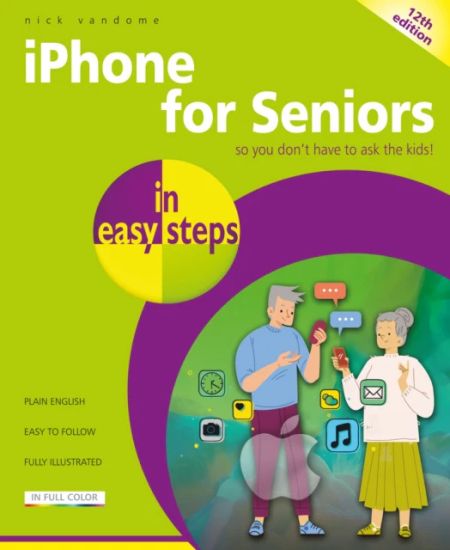
iPhone for Seniors in easy steps

iPhone for Seniors in easy steps

Nick Vandome

In Easy Steps Limited
2025
pokkari
Written with the Senior reader in mind and presented in larger type than our standard books for easier reading, iPhone for Seniors in easy steps, 11th edition will help readers to quickly feel confident using their iPhone. Covers all iPhones with iOS 18. Unlock the full potential of your iPhone with iPhone for Seniors in easy steps, 12th edition. This guide shows how to:Navigate your iPhone with confidence.Stay connected with family and friends through calls, messages, and FaceTime. Share music or videos during FaceTime calls to keep every conversation engaging. Discover apps for health, shopping, travel planning, news updates, and daily tasks. Make secure payments using your iPhone. Download and share your favorite music, photos, and more with loved ones. Dive into Apple’s latest AI-powered features with Apple Intelligence, bringing you smarter ways to use your iPhone. This friendly guide will help you to make your iPhone work better for you every day!Covers iPhones with iOS 19
Laptops for Seniors in easy steps

Laptops for Seniors in easy steps

Nick Vandome

In Easy Steps Limited
2025
pokkari
Stay connected, stay confident – with Laptops for Seniors in easy steps, 9th edition at hand!Laptops open up a world of possibilities, and you can use them anywhere! Laptops for Seniors in easy steps, 9th edition is your friendly guide to getting started and making the most of your laptop, especially mastering the key features of Windows 11. You’ll learn how to:Master the Windows 11 interface with ease.Explore apps for fun and practical tasks. Use MS Teams to connect with loved ones. Set widgets of interest and stay up-to-date. Enjoy online shopping, watching movies and TV, photo editing and sharing, and more. Share your laptop without giving up privacy. Keep your laptop working in tiptop condition. Avoid ergonomic issues so that you can use your laptop comfortably for years to come! Perfect for beginners – empowering for all!
Windows 11 for Seniors in easy steps

Windows 11 for Seniors in easy steps

Nick Vandome

In Easy Steps Limited
2025
pokkari
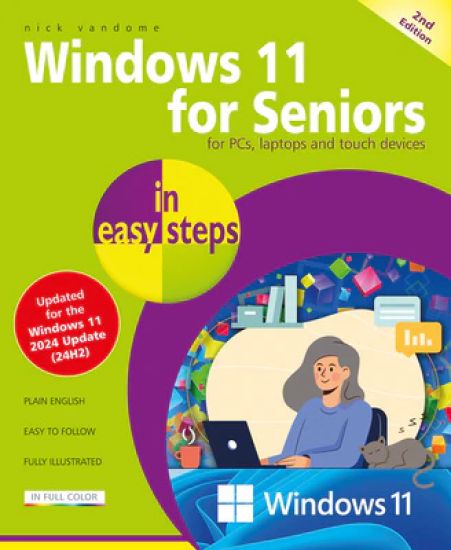
Windows 11 for Seniors in easy steps, 2nd edition is the perfect guide to help you navigate Windows 11 at your own pace. It’ll guide you through all the essentials you need to know. Confidently explore the desktop, Start menu and Quick Settings. Harness the power of AI with Copilot to find information and make life easy. Stay connected via Outlook and Teams. Personalize Windows and utilize Accessibility features to suit your needs. Get things done – shop online, book holidays, print photos, and manage household budgets. Keep your computer secure and working in tip-top condition! Packed with helpful tips and designed for seniors, this guide will help you get more from Windows 11 stress-free!
iPad for Seniors in easy steps

iPad for Seniors in easy steps

Nick Vandome

In Easy Steps Limited
2025
pokkari
Discover the joy of using an iPad with iPad with iPad for Seniors in easy steps, 14th edition – updated for iPadOS 18. Written in larger type than our standard books, iPad for Seniors in easy steps will help seniors learn and enjoy key iPad features with confidence and ease: Choose the right iPad: Find the perfect model for your needs and customize it to suit your lifestyle. Stay connected: Make video calls, send fun messages, and share photos with family and friends. Shop and explore: Order food, shop online, take virtual museum tours, and plan your next adventure – all from your iPad. Master new features: Get the most out of the enhanced tools in iPadOS 18 like Apple Intelligence and the new Passwords app. No need to ask the kids for help anymore!
Windows 11 in easy steps

Windows 11 in easy steps

Nick Vandome

In Easy Steps Limited
2024
pokkari
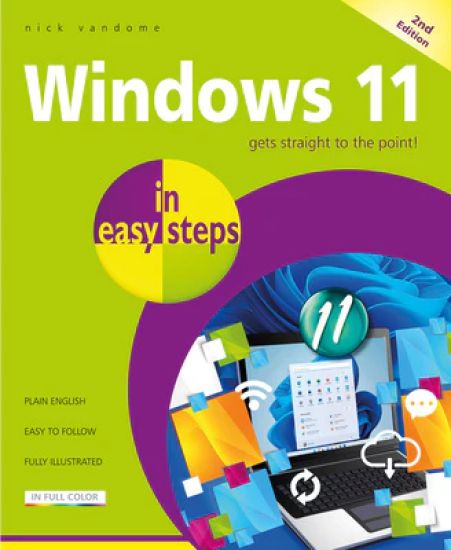
Unlock the full power of Windows 11 with Windows 11 in easy steps! Discover the best features and functions of Windows 11 with this concise, easy-to-follow guide! Whether you’re new to Windows or upgrading to the latest version, this best-selling book is your perfect companion. Now, updated for Windows 2024 (24H2), you’ll learn how to: Navigate the Desktop, Start button, and Start menu with ease. Personalize customizable widgets for real-time updates like news and weather. Stay connected for work and with friends and family using Teams, Outlook, and Chat. Harness the power of AI with Copilot for quick answers to voice and text queries. Organize your files and keep your system running smoothly. You’ll master Windows 11 essentials in no time! Covers all PCs and laptops with the Windows 11 2024 Update (24H2).
iPhone for Seniors in easy steps

iPhone for Seniors in easy steps

Nick Vandome

In Easy Steps Limited
2024
pokkari
iPhone for Seniors in easy steps, 11th edition will help you to quickly feel confident using your iPhone. It covers iOS 18 and shows you how to: Send messages, make and receive calls. Use FaceTime to make video calls, and to share music or videos while on a call. Find apps to stay healthy, shop online, plan your vacation, get instant news, and keep on top of everyday tasks. Make secure payments using your iPhone. Explore the iTunes Music Library; share music, videos, apps, calendars and photos with children and grandchildren. Master neat features like personalizing your Call screen and setting up your iPhone to get real-time data even when on StandBy. And more! Written in larger type than our standard books and using non-technical language, iPhone for Seniors in easy steps, 11th edition will help you get more out of your iPhone – so you don’t have to ask the kids! Covers iPhone 16, iPhone 16 Pro, iPhone 16 Max
Android Phones for Seniors in easy steps

Android Phones for Seniors in easy steps

Nick Vandome

In Easy Steps Limited
2024
nidottu
Android phones continue to be the most popular smartphones around the world, combining power, efficiency and the comprehensive Android operating system and interface. However, with the constantly expanding range of functions and features, it can be a daunting task getting the most out of your Android phone. This is where Android Phones for Seniors in easy steps, 4th edition comes in: this comprehensive, all-color guide will give you the tools and knowledge to get up and running with your Android phone, and soon you will be using it like an expert!Android Phones for Seniors in easy steps, 4th edition covers versions up to Android 13 – the most widely used version of Android – but it can also be used for most other versions of Android too. Throughout the book you will learn how to: Get started with the Android interface and become confident using the Home screen and its features.Learn about how Android can be customized to your own exact requirements. Make the most out of the Android apps on your phone and discover how to add more with a couple of taps. Keep in touch with family and friends using the web, email, messaging, and social media so that you are never out of the loop. Use your Android phone to take great photos and videos, and then make them even better with the editing features on the phone. Keep entertained with music and videos using the apps on your Android phone. Learn how to use the range of search options so that you can always find things on your phone and online. In addition to the impressive range of standard features on Android phones, the book also covers the latest innovations in Android version 13, including: Customizing apps so that their color, theme, and language matches the rest of the appearance of your phone. A new stylish media player for playing all your favorite songs and videos. Taming notifications so that you are only notified about the things that are most important to you, and all the rest are muted. A range of new security features, so you can feel confident when using your Android phone. Using your Android phone with other compatible devices for maximum flexibility and productivity. Spatial audio, so you can get the best sound wherever you are in a room. Android phones are not only powerful communication devices, but they are also great fun to use, and help to open up a wealth of online and digital possibilities. With your phone and Android Phones for Seniors in easy steps, 4th edition next to you, you will have the exciting world of Android at your fingertips. Presented in larger type than our standard books, for easier reading.
Lightroom in easy steps

Lightroom in easy steps

Nick Vandome

In Easy Steps Limited
2024
nidottu
Adobe Lightroom is a world-leading photo-editing and storage solution from the creators of the popular image-editing apps Adobe Photoshop and Adobe Elements. However, Lightroom is more than just a single app; it is a comprehensive service including versions for a range of devices, and a linked online cloud service for storing, accessing, and sharing your photos. Lightroom has an easy-to-use interface that contains all of the tools required to unleash every last pixel of your photographic creativity Lightroom in easy steps begins by looking at the desktop, mobile and web versions of Lightroom and shows how they can be used individually and together to effortlessly capture, edit, and share photos between your devices. This provides a one-stop-shop for all of your photography needs, whether you are at home or at different locations capturing photos. Lightroom has a sophisticated range of color-editing tools, for fine-tuning every aspect of a photo. These are looked at in detail, so you can master all of the techniques required to edit your photos to your own exact requirements. These include: Profiles, which are preset options that can apply a range of editing elements to photos, mostly unprocessed ones (RAW). Once a profile has been created, it can be used on similar photos to create a consistent appearance. If required, additional editing can be undertaken once a profile has been applied. Light, including exposure, contrast, highlights, shadows, whites, and blacks. Color, including white balance, temperature, tint, black and white, vibrance, hue, saturation, and luminance. Targeted adjustment, including the Tone Curve and the Color Mixer. Effects, including texture, clarity, dehaze, and vignette. Detail, including sharpening - to improve the focus of a photo - reducing color noise, and applying film grain effects. Optics, for correcting camera lens issues for digital photos, including chromatic aberration, lens corrections, and defringing. Geometry, which can be used to edit the geometric perspective in photos - for instance if buildings do not initially appear straight. In addition to the manual editing functions, there are also over 40 preset editing techniques that can be applied to photos in a single click. These include color presets, and there is everything from presets for street photos to nature and architecture. Lightroom is also a powerful tool for organizing photos - a vital function, as digital photo libraries can expand at a staggering rate. Lightroom in easy steps shows how to manage and handle all of your photos through the use of albums, folders, and stacks. The powerful search options also ensure that you never lose track of any of your photos, with functions for adding keywords, metadata, flags, and ratings. There is also a valuable filter option that can be used to display photos according to a range of criteria, including Keywords, Cameras, Locations and People. Being able to safely store and share your photos is an important part of any photo app, and Lightroom has both of these options well covered. Group albums can be created to share photos with family and friends, and even give other people access to edit your photos themselves. There are extensive settings that can be used to ensure you can share your photos in exactly the way you want. Additional sharing options include adding photos and albums to a variety of online services, known as connections. Lightroom can also export photos in several different photo file formats and add watermarks to them for security if you are sharing them or displaying them online. These functions are all covered in the book too. Lightroom in easy steps demystifies the latest developments in the world of digital photo editing, organizing, sharing, and storing so that all of your attention can be focused on making your photos as stunning as possible.
iPad for Seniors in easy steps

iPad for Seniors in easy steps

Nick Vandome

In Easy Steps Limited
2023
nidottu
This bestselling guide, iPad for Seniors in easy steps, 13th edition, is updated to cover iPadOS 17. Written in larger type, it’ll help senior folks learn how to use and enjoy myriad iPad features with ease:Choose the right model for you, master Multitasking Gestures, and customize the iPad for your needs.Use your iPad to keep in touch with family and friends. Make video calls; send fun messages; take and share photos. Shop and order food and more online; take a virtual tour of your favorite art galleries and museums; plan and book your trips. Explore the new and enhanced features in iPadOS 17, such as the Health app, and make the most of your new device! Written in large type, in full color, and using non-technical language, iPad for Seniors in easy steps 13th edition will help you get much more out of your iPad – so you don't have to ask the kids!
iPhone for Seniors in easy steps

iPhone for Seniors in easy steps

Nick Vandome

In Easy Steps Limited
2023
nidottu
iPhone for Seniors in easy steps, 10th edition will help you to quickly feel confident using your iPhone. It covers all models of iPhone using iOS 17 and shows you how to:Send messages, make and receive calls.Use FaceTime to make video calls, and to share music or videos while on a call. Find apps to stay healthy, shop online, plan your vacation, get instant news, and keep on top of everyday tasks. Make secure payments using your iPhone. Explore the iTunes Music Library; share music, videos, apps, calendars and photos with children and grandchildren. Master neat features like personalizing your Call screen and setting up your iPhone to get real-time data even when on StandBy. Written in larger type and using non-technical language, iPhone for Seniors in easy steps, 10th edition will help you get more out of your iPhone – so you don’t have to ask the kids!
Windows 11 Tips, Tricks & Shortcuts in easy steps

Windows 11 Tips, Tricks & Shortcuts in easy steps

Nick Vandome

In Easy Steps Limited
2023
nidottu
Windows 11 Tips, Tricks & Shortcuts in easy steps provides over 1000 tips, tricks and keyboard shortcuts to help you save time and use your Windows 11 PC more efficiently.Using the full potential of Windows 11 can sometimes seem like a daunting task, even when you have mastered the basics of the operating system. However, with Windows 11 Tips, Tricks and Shortcuts in easy steps you can start to take your Windows 11 knowledge to the next level. Over 1000 useful tricks of the trade to make Windows work more efficiently for you, all revealed in this book, and updated for Windows 11. Throughout the book you will learn how to:Customize the interface to suit your needs.Boost your PC’s performance with simple tweaks. Quicken startup and shutdown times. Save time by keeping your files organized. Be more productive with your PC. Keep your hard drive lean. Quickly repair Windows 11. Give your PC a free tune-up. Keep web browsing safe, private, and efficient. Access family safety features. Get to grips with email using the Outlook app. Keep tabs on other users’ activities. Guard your PC against viruses and prying eyes. With keyboard shortcuts throughout to help you save time, this popular guide is a great investment for all Windows 11 users!
macOS in easy steps

macOS in easy steps

Nick Vandome

In Easy Steps Limited
2023
nidottu
Discover the true potential of the stylish world of Apple computers with macOS in easy steps. Using macOS Ventura to illustrate, this primer will have you up and running, and getting more out of your Mac in no time. Areas covered include:Getting around your Mac, iMac or MacBook and setting it up to suit the way you work, including how to use the Finder and the Dock.Apps to help with everyday tasks and for communication: Contacts, Calendar, News, Reminders, Notes, Mail, and Messaging. Browsing the internet with Safari web browser.The digital lifestyle: photos, music, TV, videos, podcasts, and books. Using iCloud to back up and share items. Utilizing Stage Manager to get productive. Security, maintenance, and troubleshooting.Ideal for newcomers as well as those seeking to get more from their Mac computer.
iPad for Seniors in easy steps

iPad for Seniors in easy steps

Nick Vandome

In Easy Steps Limited
2022
nidottu
This bestselling guide, iPad for Seniors in easy steps, 12th edition, is updated to cover iPadOS 16. Written in larger type, it’ll help senior folks learn how to use and enjoy myriad iPad features with ease:Choose the right model for you, master Multitasking Gestures, and customize the iPad for your needs. Use your iPad to keep in touch with family and friends. Make video calls and send messages for free; take and share photos.Shop and order food and more online; take a virtual tour of your favorite art galleries and museums; plan and book your trips. Explore the new and enhanced features in iPadOS 16, and make the most of your new device! You don’t have to ask the kids anymore!
iPhone for Seniors in easy steps

iPhone for Seniors in easy steps

Nick Vandome

In Easy Steps Limited
2022
nidottu
Written with the Senior reader in mind and presented in larger type for easier reading, iPhone for Seniors in easy steps, 9th edition will help you to quickly feel confident using your iPhone. It covers all models of iPhone using iOS 16 and will show you how to:Make and receive calls and send messages.Use FaceTime to make video calls, and to share music or videos on FaceTime calls. Find apps to stay healthy, shop online, plan your vacation, get instant news, and keep on top of everyday tasks. Make secure payments using your iPhone. Explore the iTunes Music Library; share music, videos, apps, calendars and photos with children and grandchildren. Master new iOS 16 features and customize your iPhone to suit your needs. Written in larger type and using non-technical language, iPhone for Seniors in easy steps, 9th edition will help you get more out of your iPhone – so you don’t have to ask the kids!
Windows 11 for Seniors in easy steps

Windows 11 for Seniors in easy steps

Michael Price; Nick Vandome

In Easy Steps Limited
2022
nidottu
Windows 11 for Seniors in easy steps is written with older citizens in mind. It’ll guide you through Windows 11, a step at a time, and covers all the key features in the 22H2 Windows update, including:The redesigned Windows user interface.Apps and widgets to stay in touch, browse the net, watch movies, share photos, play music and games, get real-time world weather and news, and more. Personalizing Windows to suit your needs using Settings and features such as Focus to choose when you receive notifications. Accessibility features in Windows 11. Keeping your files and apps organized for easy access, and keeping your computer secure and working in tip-top condition! Packed with tips throughout, this leading guide for seniors will help you get more out of Windows 11 – at your own pace!
London by Smartphone

London by Smartphone

Nick Vandome

In Easy Steps Limited
2022
nidottu
London by Smartphone is a city guidebook for the digital age, offering unique insight into the city and giving you the chance to put your smartphone to excellent use as your traveling companion!London by Smartphone concentrates on photo locations for capturing iconic shots of the most famous sights in the city, and also some less well-known locations that nevertheless offer excellent photographic opportunities. The second main element of the book details walks around the city, that can easily be incorporated into any city break. Each photo spot has clear what3words references for getting to the required location and where to stand when you get there. It also provides background information about the photo subjects, lists nearby refreshments options and other notable attractions in the vicinity. The nearest tube station to each location is also provided.The top photo sights include:Buckingham PalaceBig BenHouses of ParliamentTower of LondonTower BridgeSt. Paul's CathedralTrafalgar SquareThe hidden sights show a different side to the city, and these include:The quirky Hardy TreeThe thought-provoking Postman's ParkThe aquatic Little VeniceThe street art of the Leake Street ArchesThe walks covered in the book (complete with distances and estimated number of steps) are: Jubilee Loop Walk. This includes some of London's top sights, and also the attractive and relaxing St. James's Park.Thames Walk. The River Thames is at the very heart of London, and this walk takes you along its bank, crossing three of its famous bridges, and identifying many interesting sights and locations along the way. Hyde Park Walk. London is blessed with several exceptional green spaces and this walk guides you through one of them in Hyde Park. It includes several monuments and statues, including the tranquil Serenity statue, the Serpentine body of water that cuts through Hyde Park, and some of the floral attractions within the park. Monopoly Walk. For fans of the board game this walk is a must, as it follows some of the iconic London Monopoly locations and includes an option for spotting examples of the Monopoly pieces. Spitalfields and Whitechapel Walk. This walk explores some of the character and diversity of this area in the east end London that has helped shape its history over the centuries. It also includes details about the locations of the notorious Jack the Ripper murders. Getting the best out of a smartphone camera is also looked at, so you can take the best photos possible, feel confident using your smartphone camera, and concentrate all your attention on the photo subjects.
Edinburgh by Smartphone

Edinburgh by Smartphone

Nick Vandome

In Easy Steps Limited
2022
nidottu
Edinburgh by Smartphone is a city guidebook for the digital age, offering unique insight into the city and giving you the chance to put your smartphone to excellent use as your traveling companion!Edinburgh by Smartphone concentrates on photo locations for capturing iconic shots of the most famous sights in the city, and also some less well-known locations that nevertheless offer excellent photographic opportunities. The second main element of the book details walks around the city that can easily be incorporated into any city break. Each photo spot has clear what3words references for getting to the required location and where to stand when you get there. It also provides background information about the photo subjects, and lists nearby refreshments options and other notable attractions in the vicinity.The photo spots include: Edinburgh CastleThe Scott MonumentGreyfriars BobbySt. Giles’ CathedralThe Royal MileCalton HillHolyroodhouse PalaceScottish Parliament BuildingArthur's SeatVictoria StreetThe GrassmarketDean Village The walks covered in the book (complete with distances and estimated number of steps) are: Old Town Walk. Exploring Edinburgh's historic Old Town, centred around the Royal Mile.New Town Walk. In contrast to the Old Town, the New Town presents ordered Georgian elegance and this walk takes you through its streets. Literary Walk. Edinburgh has an extremely rich literary history, and this walk takes you to the places where many of Edinburgh's most famous writers lived and worked, including Sir Walter Scott, Sir Arthur Conan Doyle, Robert Louis Stevenson, J. K. Rowling and Ian Rankin. Dark Side Walk. It is impossible to escape the fact that Edinburgh has had more than its fair share of devious and murderous characters over the centuries. This walk takes in the sites where they operated, and details many of their activities, including the numerous ghostly stories that have flourished around the city. Water of Leith Walk. As an antidote to the hustle and bustle of the city centre, this walk takes you through the nearby tranquil Water of Leith, including the picturesque and historic Dean Village. Arthur's Seat Walk. Looming large over the city, this walk takes you to the summit of Arthur's Seat (and back), for a vigorous walk and stunning views over the city. Getting the best out of a smartphone camera is also looked at, so you can take the best photos possible, feel confident using your smartphone camera, and concentrate all your attention on the photo subjects.